




 here!
here!
I’m your shopping assistant for PC builds, upgrades, and everything tech.
Got questions? Ask away!
Start a conversation
here!
I’m your shopping assistant for PC builds, upgrades, and everything tech.
Got questions? Ask away!
Start a conversationShipped by Hebei XG Technology Co., Ltd.




Any questions? Ask CelesteSM will help you find out quickly.
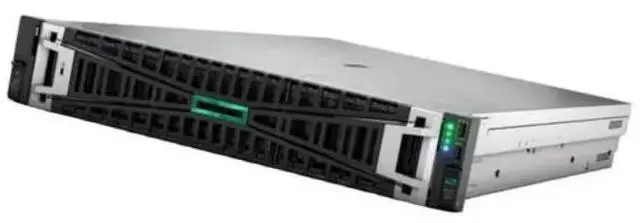
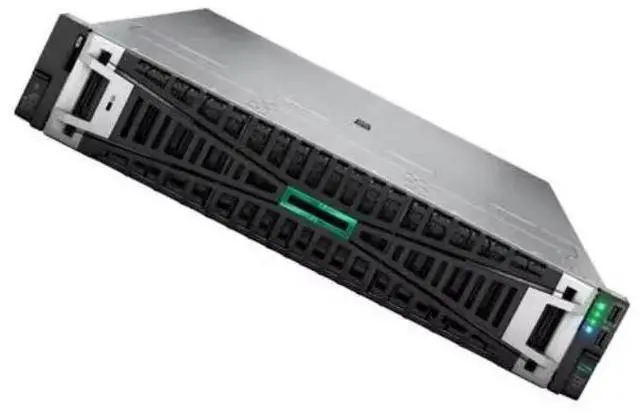
The HPE DL380 Gen11 8SFF CTO is a 2U rack server barebone with eight 2.5-inch drive bays, a 4-port Gigabit NIC, and rack rails, making it suitable for IT teams building a custom HPE-based server for virtualization, storage, or general business infrastructure in a data center.
| Attribute | Value |
|---|---|
| Best For | 1U rack deployments and dense enterprise compute workloads that use Intel Xeon Scalable processors |
| Model Identifiers | Inspur DL360 Gen11 — 1U rack server |
| CPU And Socket | Intel Xeon Scalable processors with a Rack CPU socket — configured for standard enterprise server workloads |
Q: HPE DL380 Gen11 8SFF vs HPE DL360 Gen11: which should I choose?
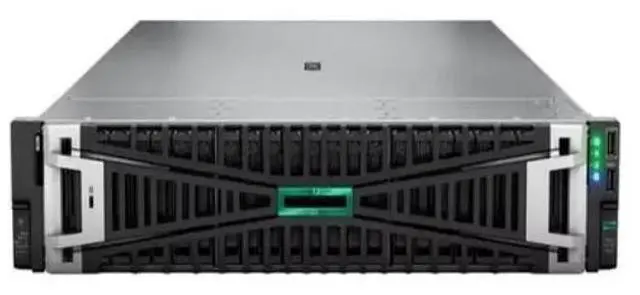
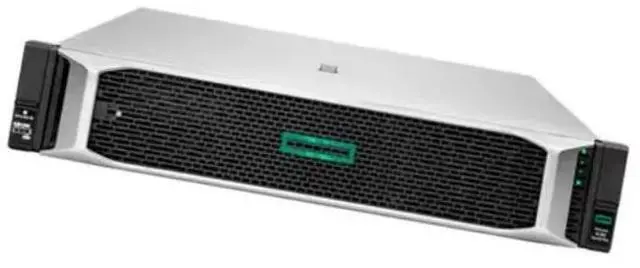
A: Choose the DL380 Gen11 when you want a more expansion-focused 2U platform. Official HPE QuickSpecs position the DL380 Gen11 as a 2U dual-socket server with broader storage and PCIe growth, including 8SFF configurations that can scale much further with additional drive cage options. The DL360 Gen11 is the 1U alternative and is better aligned with space-efficient deployments where rack density matters more than internal expansion. In practice, the common buying pattern is DL360 for dense general compute and DL380 for virtualization, storage-heavy builds, and configurations that may grow over time.
Q: Is this DL380 Gen11 8SFF a better fit than a lower-tier 1U server for virtualization?
A: Yes, if you expect the VM host to grow in storage, add-in cards, or cooling requirements. A basic 1U server can handle lighter virtualization needs, but the DL380 Gen11 8SFF gives you a more flexible starting point for mixed workloads because the 2U chassis supports more drive and riser options and is commonly used as a mainstream virtualization platform. For smaller branch or fixed-spec deployments, a 1U system is often the more efficient choice. For multi-VM environments with future expansion, the DL380 Gen11 is usually the safer long-term fit.
Q: HPE DL380 Gen11 vs Dell PowerEdge R760: what is the practical difference?
A: These are direct competitors in the 2U dual-socket enterprise server category, so the decision usually comes down to ecosystem fit more than a clear hardware winner. Both platforms are positioned for modern Xeon, DDR5, and PCIe Gen5 deployments. Choose the DL380 Gen11 when you prefer HPE's ProLiant and iLO environment, or when your organization already standardizes on HPE service and parts workflows. Choose the PowerEdge R760 when your team prefers Dell's management stack or pricing structure. Community discussions consistently treat these two models as same-class alternatives rather than different performance tiers.
Q: Is DL380 Gen11 worth choosing over DL380 Gen10?
A: Choose DL380 Gen11 when you want a newer platform for current deployment cycles, especially if DDR5, PCIe Gen5, newer Xeon support, and longer forward compatibility matter. Review coverage describes Gen11 as a significant update over Gen10, with more memory capacity and broader expansion potential. DL380 Gen10 still makes sense when cost control or compatibility with an existing older environment is the main priority. For new production purchases, the Gen11 platform is usually the more future-ready choice.
Q: Should I buy this 8SFF CTO model or a more complete preconfigured DL380 Gen11 server?
A: Choose this 8SFF CTO model when you want to control the final build and already know your preferred RAID, boot, storage, and networking design. The Newegg listing shows a baseline chassis with 8 SFF bays, a 4-port Gigabit NIC, rails, and no RAID controller, which makes it better suited to custom enterprise builds than turnkey deployment. A preconfigured DL380 Gen11 is the better option when you want validated parts selection and faster time to deployment. In short: CTO is better for customization, while a prebuilt configuration is better for simplicity.
Q: Is this server ready to deploy out of the box?
A: No. This is a CTO barebones server, so it is best for buyers who plan to configure it before use. Based on the provided product data, the system includes the 2U chassis, 8 SFF bays, a 4-port Gigabit NIC, and rack rails, but it does not include a RAID controller. Buyers should expect to verify CPU, memory, storage, and management configuration before deployment.
Q: Who is this server suitable for?
A: This model is most suitable for IT teams, labs, integrators, and businesses that want a rack server they can customize for specific workloads. It is less suitable for buyers who want a fully configured, plug-and-play server, because the listing describes a CTO unit and explicitly states that no RAID controller is included.
Q: Can I use this server for storage-heavy setups?
A: It can work for storage-focused builds, but there is an important trade-off. The 8 x 2.5-inch SFF bays support a compact, higher-density drive layout, but this listing says there is no RAID controller included. That means buyers who need hardware RAID, advanced drive management, or a ready-made storage platform may need additional components before the server fits that role.
Q: Does it include what I need for rack installation?
A: For basic rack mounting, yes. The provided product information says 2U rack rails are included, so it is positioned for rack installation rather than desktop or tower use. Buyers should still confirm rack depth, rail compatibility, and datacenter clearance before purchase, because those practical fit questions are common in retail Q&A for rack equipment.
Q: Is the built-in networking enough for typical server use?
A: It depends on the environment. The included 4-port Gigabit NIC is practical for basic networking, segmentation, or multi-link setups, but buyers planning higher-throughput virtualization, storage traffic, or modern bandwidth-intensive workloads may see it as a starting point rather than a final network configuration.
Q: Is this CTO DL380 Gen11 a good buy if I need a ready-to-deploy server?
A: Usually no. This listing is a barebones CTO configuration, so it is better for buyers who already know their CPU, memory, storage, and RAID plan. It includes an 8-bay 2.5-inch chassis, a 4-port 1GbE NIC, and rails, but no RAID controller and no stated populated drives or full system configuration. For a ready-to-run deployment, a preconfigured SKU is usually the safer choice.
Q: Who is this server suitable for?
A: It is most suitable for IT teams, labs, and businesses that want an enterprise 2U platform they can configure for virtualization, database, or general infrastructure use. It is less suitable for buyers who want a simple home server or an all-in-one bundle, because this unit is a chassis-first configuration and key decisions such as RAID, storage media, and final networking speed still need to be chosen.
Q: Is the lack of a RAID controller a deal-breaker?
A: It depends on your storage plan. If you want hardware RAID out of the box, this listing is not ideal because it explicitly ships without a RAID controller. If you plan to use software-defined storage, a hypervisor-managed storage stack, or add your own controller later, it can still make sense. Buyers discussing DL380 Gen11 systems often treat storage controller choice as a core purchase decision, not a minor accessory.
Q: Can I save money by using non-HPE drives or parts in this server?
A: Often yes, but with trade-offs. Community discussions repeatedly focus on high HPE storage pricing and on using third-party drives to reduce cost. The main trade-offs are supportability, carrier or tray compatibility, and possible vendor warnings or warranty friction. For production use, the lower upfront cost may not outweigh those operational risks.
Q: What are the main trade-offs of this specific 8SFF configuration?
A: The main trade-offs are flexibility versus completeness. The 8 x 2.5-inch bay layout is useful for compact SSD-focused builds, but it gives less raw bay count than larger 12LFF or denser SFF variants. The included 4-port 1GbE NIC is adequate for management or basic network roles, but many business workloads will want faster networking. Because this is a CTO unit with no RAID controller, buyers should expect follow-on spending before deployment.


