




 here!
I’m your shopping assistant for PC builds, upgrades, and everything tech.
Got questions? Ask away!
Start a conversation
here!
I’m your shopping assistant for PC builds, upgrades, and everything tech.
Got questions? Ask away!
Start a conversationShipped by Hebei XG Technology Co., Ltd.

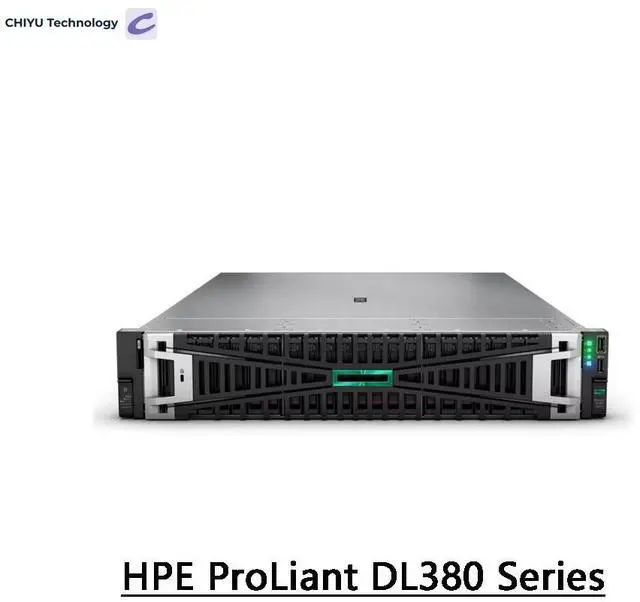
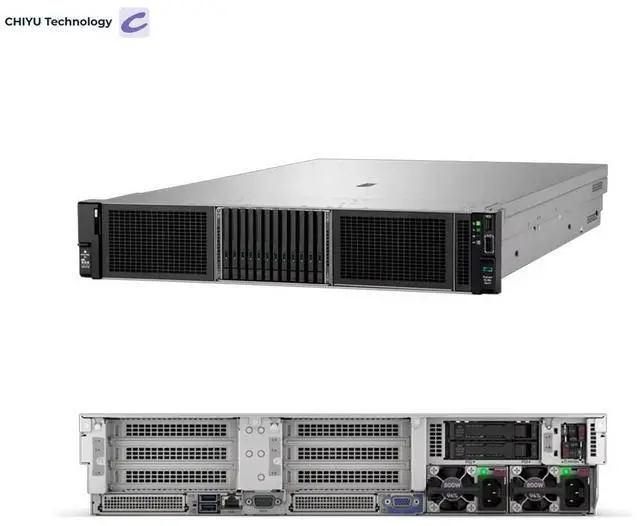
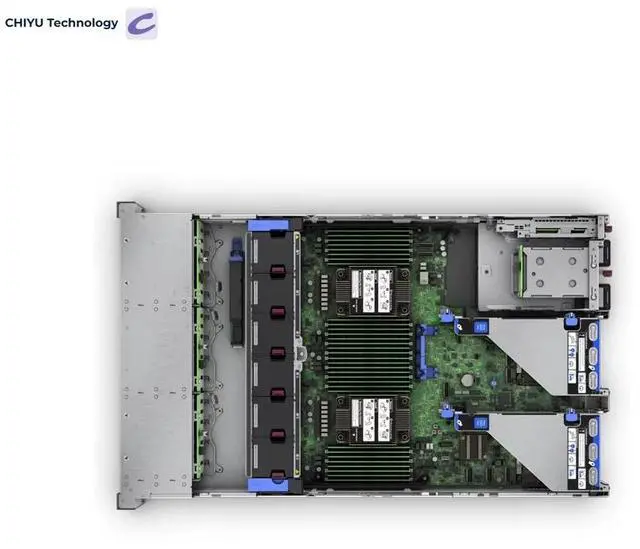



Any questions? Ask CelesteSM will help you find out quickly.
The HPE DL380 Gen11 8SFF CTO is a 2U rack server barebones platform with eight 2.5-inch drive bays, a 4-port Gigabit NIC, and an MR408i-O RAID controller, making it suitable for IT teams building a customizable server for virtualization, storage, or general business infrastructure in a rack environment.
| Attribute | Value |
|---|---|
| Best For | Dense rack deployments and enterprise server racks that need a compact 1U platform with Intel Xeon Scalable processors |
| Model Identifiers | Inspur DL360 Gen11 — 1U Rack Server series |
| CPU And Platform | Intel Xeon Scalable processors; CPU socket: Rack |
Q: Should I choose the HPE DL380 Gen11 8SFF or the HPE DL360 Gen11?
A: Choose the DL380 Gen11 8SFF when you want a 2U platform with more expansion flexibility for storage, PCIe, and future configuration changes. Choose the DL360 Gen11 when rack density is the priority and a 1U footprint matters more than expansion headroom. In practical buying decisions, the DL380 is usually the better fit for virtualization, mixed storage, and longer upgrade paths, while the DL360 is the better fit for space-constrained deployments.
Q: Is the DL380 Gen11 8SFF a better choice than a 12LFF DL380 Gen11 configuration?
A: Choose the 8SFF version when you want higher IOPS-oriented storage layouts, more common SSD-focused deployments, or a balanced virtualization platform. Choose a 12LFF DL380 Gen11 when bulk capacity per drive and lower cost per terabyte matter more than drive density in a small form factor. The trade-off is straightforward: 8SFF is typically better for flash-heavy and mixed-performance workloads, while 12LFF is usually better for large-capacity storage pools and backup targets.
Q: Is the HPE DL380 Gen11 worth choosing over the DL380 Gen10 Plus?
A: Choose the DL380 Gen11 if you want a newer platform with support for 4th and 5th Gen Intel Xeon Scalable processors, DDR5 memory, and PCIe Gen5 I/O. Those platform changes matter most for buyers planning a longer lifecycle, newer storage and networking upgrades, or denser VM consolidation over time. Choose the DL380 Gen10 Plus when compatibility with an existing Gen10 environment or lower acquisition cost matters more than moving to the latest platform generation.
Q: Should I buy this DL380 Gen11 CTO model or a preconfigured DL380 Gen11 server?
A: Choose the CTO model if you need to control the exact processor, memory, storage, RAID, and networking mix for a specific workload or internal standard. Choose a preconfigured DL380 Gen11 when you want a faster purchasing path and a known-good baseline that already bundles common components such as the MR408i-o controller and standard NIC options. The main decision is customization versus simplicity: CTO is stronger for tailored deployments, while preconfigured systems are simpler for repeatable rollouts.
Q: Who is this server barebone suitable for?
A: This system is best suited for IT teams, labs, and businesses that want a rackmount server platform they can configure for a specific workload. Its CTO format, 8 x 2.5-inch SFF bays, included RAID controller, and rack rails make it more appropriate for infrastructure use than for buyers seeking a ready-to-run server with CPU, memory, and storage already installed.
Q: Is this a complete, ready-to-deploy server?
A: No. Based on the product data, this is a CTO barebone server, which means it is a configurable platform rather than a fully populated system. Buyers should expect to confirm the final CPU, memory, drives, power configuration, and any operating system requirements before deployment.
Q: Is 8 x 2.5-inch SFF storage enough for typical business use?
A: It is a practical fit for many business workloads that prioritize a compact 2U footprint and multiple fast small-form-factor drives, such as virtualization nodes, database tiers, or general-purpose business servers. The trade-off is capacity per bay: 2.5-inch drive configurations usually favor density and performance flexibility over the maximum raw capacity you would get from larger-bay storage platforms.
Q: Does the included RAID controller make this a better fit for storage-focused deployments?
A: Yes, the included MR408i-O RAID controller makes the platform more suitable for deployments where drive management, redundancy, and organized local storage matter. It is a useful feature for buyers planning multi-drive arrays, but it does not remove the need to verify supported drive types, RAID levels, and the rest of the final system configuration.
Q: Are the included rack rails meaningful for the buying decision?
A: Yes. Included 2U rack rails reduce setup friction for buyers who plan to mount the system in a standard rack and want easier installation and service access. They are most valuable in datacenter or server-room deployments, while buyers without rack infrastructure may place less value on them.
Q: Who is this server suitable for?
A: This model is most suitable for buyers who want a 2U enterprise server platform and plan to configure it for virtualization, database, or other infrastructure workloads. The 8 x 2.5-inch bays, RAID controller, and 4-port Gigabit NIC fit a general-purpose rack server role. It is less suitable for buyers expecting a ready-to-run system, because this is a CTO barebones configuration and key components such as final CPU, memory, and storage choices depend on how you build it.
Q: Is this a good choice for a homelab or office-adjacent setup?
A: It can work for a homelab if you specifically want enterprise hardware, but it is not the easiest choice for a quiet room or low-power setup. Community discussion around DL380 systems repeatedly focuses on rack-server noise, fan behavior, and power draw. For a lab in a dedicated rack or utility space, it makes more sense; for a desk-side or apartment setup, the trade-off is usually noise and electricity use.
Q: What are the main trade-offs of buying this CTO configuration?
A: The main trade-off is flexibility versus total cost and complexity. A CTO server lets you choose CPUs, memory, drives, and final workload tuning, which is useful for a specific deployment. The downside is that barebones pricing can look reasonable at first, while memory, storage, and other options can materially increase the final cost. Buyers should treat this as a platform purchase, not a complete server at the listed base value.
Q: Is it worth buying if I mainly need storage density or large-capacity local disks?
A: Only if your storage plan already fits 2.5-inch small-form-factor bays. This configuration gives you 8 SFF bays, which is useful for SSD-heavy or compact enterprise storage layouts, but it is a weaker fit for buyers who want cheaper high-capacity 3.5-inch drive builds. If bulk local storage is the main goal, the 8SFF layout is a meaningful limitation to weigh before buying.


