




 here!
I’m your shopping assistant for PC builds, upgrades, and everything tech.
Got questions? Ask away!
Start a conversation
here!
I’m your shopping assistant for PC builds, upgrades, and everything tech.
Got questions? Ask away!
Start a conversation




Any questions? Ask CelesteSM will help you find out quickly.
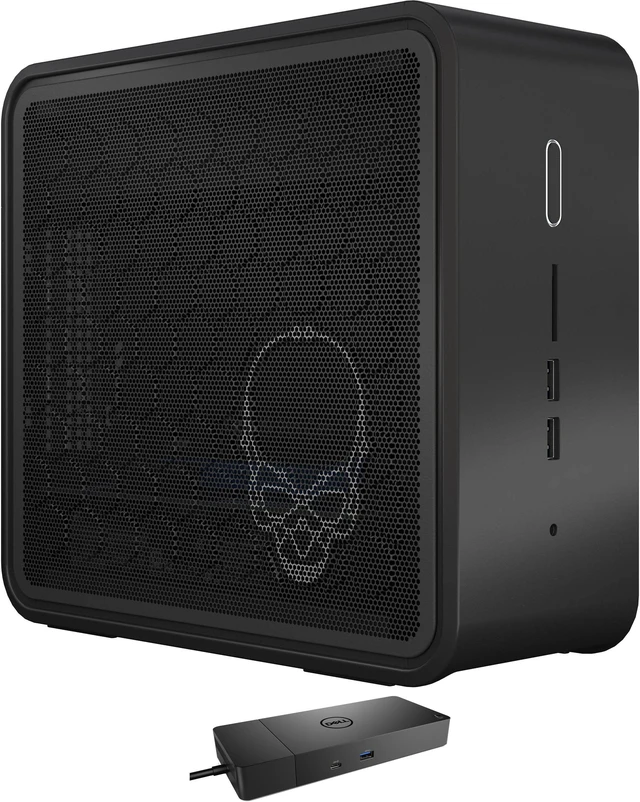
The Intel NUC BXNUC9i5QNX1 is a compact Windows 11 Home desktop with a 9th Gen Core i5 processor, 16GB RAM, a 128GB SSD, and a Dell WD19S dock. It suits home and office users who want a ready-to-use PC for everyday productivity, multitasking, and connecting desk peripherals.
| Attribute | Value |
|---|---|
| Best For | Home and business desktop use in a compact mini PC form factor, with integrated graphics and Windows 11 Home |
| Processor And Cache | 9th Gen Intel Core i5 quad-core processor with 8MB L3 cache |
| Graphics | Integrated Intel UHD Graphics 630 |
| Memory | 16GB DDR4 |
| Storage And Expansion | No HDD or optical drive listed; card reader included |
| Networking | Wi-Fi 6 AX200, Bluetooth 5.2, and one 1Gbps RJ-45 port |
| Display | No screen included; monitor not included |
| Power And Physical Design | 500W power supply; black mini PC |
| Model Identifiers | Intel NUC BXNUC9i5QNX1 |
Q: Intel NUC 9 i5 vs i7: which configuration should I choose?
A: Choose this NUC 9 i5 configuration if its 4-core, 8-thread Core i5-9300H and included 16GB RAM, 128GB SATA SSD, and dock fit your setup. The NUC9i7QNX is the higher-CPU option, with a 6-core Core i7-9750H; both use Intel UHD Graphics 630. ([intel.com](https://www.intel.com/content/dam/support/us/en/documents/intel-nuc/nuc-kits/NUC9QN_TechProdSpec.pdf))
Q: Should I get this NUC 9 i5 or the NUC9i9QNX?
A: Choose this i5 model for a configured system with a 4-core Core i5-9300H, 16GB RAM, 128GB SATA SSD, and dock. Choose the NUC9i9QNX when you prefer the NUC 9 Extreme’s 8-core Core i9-9980HK processor; both models belong to the same NUC 9 Extreme platform. ([intel.com](https://www.intel.com/content/dam/support/us/en/documents/intel-nuc/nuc-kits/NUC9QN_TechProdSpec.pdf))
Q: Intel NUC 9 i5 vs NUC 8 Hades Canyon: how do they differ?
A: Choose this NUC 9 i5 configuration for its 9th Gen Core i5 platform, included 16GB RAM and SSD, and NUC 9 Extreme expansion design. Choose the NUC8i7HVK Hades Canyon when its Core i7-8809G and Radeon RX Vega M GH graphics are the priority; that model pairs the processor and Radeon graphics in one package. ([intel.com](https://www.intel.com/content/dam/support/us/en/documents/intel-nuc/nuc-kits/NUC9QN_TechProdSpec.pdf))
Q: Is this mini desktop suitable for everyday office work?
A: Yes. The Core i5-9300H and 16GB of RAM are suited to routine tasks such as email, web browsing, documents, and video-call software. The 128GB SSD may leave limited room for files and apps, and you’ll need a separate monitor, keyboard, and mouse.
Q: Can I use it for video meetings?
A: It can run video-meeting software, but it has no built-in webcam or display. You’ll need an external webcam and monitor; use a headset or microphone if your meeting setup requires one.
Q: Is this a good computer to take on work trips?
A: It is portable between setups, but it is not a self-contained travel computer: it has no screen or battery. You’ll need access to power and a separate display, keyboard, and mouse, so it is less convenient for travel than a laptop.
Q: Is it good for gaming?
A: It is better suited to everyday computing than demanding gaming. Its Intel UHD 630 graphics are integrated, and the provided configuration does not list a dedicated graphics card; gaming performance will vary by game and settings.
Q: Can this NUC replace a regular desktop for everyday work or media?
A: It may suit routine office work, web use, and media playback in a compact setup. NUC 9 owners describe using their systems as home-theater PCs and for day trading. This configuration has 16GB RAM, but its 128GB SSD leaves limited room for files and apps.
Q: Can it handle gaming?
A: Not as a ready-to-use PC for demanding games: this listing specifies Intel UHD 630 integrated graphics and no discrete GPU. A Reddit user discussing the i5 NUC 9 reported gaming with a separately added external GPU, so that route requires additional hardware.
Q: Is the NUC 9 quiet enough for a desk or living room?
A: Do not assume it will be silent. NUC 9 Ghost Canyon owners have reported noticeable power-supply or CPU fan noise. If quiet operation is important, look for noise information for the specific unit and workload.


