




 here!
I’m your shopping assistant for PC builds, upgrades, and everything tech.
Got questions? Ask away!
Start a conversation
here!
I’m your shopping assistant for PC builds, upgrades, and everything tech.
Got questions? Ask away!
Start a conversation







Any questions? Ask CelesteSM will help you find out quickly.
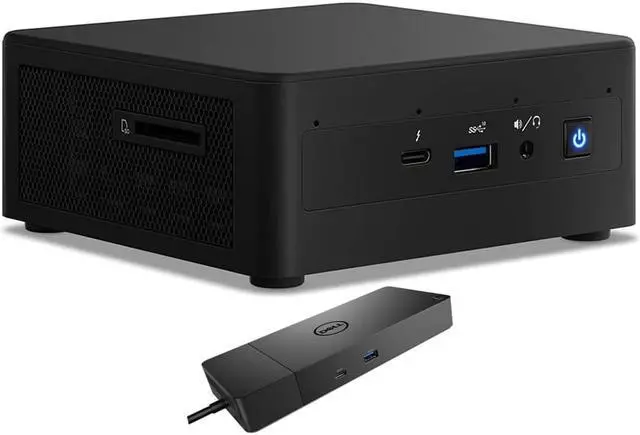
The Intel NUC11PAHi5 is a compact Windows 11 Home mini desktop with an 11th Gen Core i5-1135G7, 8GB DDR4 memory, a 2TB hard drive, and a Dell WD19S dock, suited to everyday home-office and business tasks where a small desktop and expanded connectivity are useful.
| Attribute | Value |
|---|---|
| Best For | Compact home or business desktop use, with integrated graphics, 8GB memory, and 2TB of hard-drive storage |
| Processor And Core Count | 11th Gen Intel Core i5 quad-core processor with 8MB L3 cache |
| Graphics | Integrated graphics with integrated video |
| Memory | 8GB DDR4 memory |
| Storage And Expansion | 2TB hard drive, card reader included, no optical drive |
| Networking And Wireless | Wi-Fi 6 AX201, Bluetooth 4.2, and RJ-45 Ethernet |
| System And Physical | Mini PC in black with Windows 11 Home; monitor and keyboard not included |
| Power | 120W power supply |
| Model Identifiers | Intel NUC11PAHi5 |
Q: Should I choose the Intel NUC11PAHi5 or the NUC11PAHi7?
A: Choose the NUC11PAHi5 for its 4-core, 8-thread Core i5-1135G7 and this listing’s 8GB RAM and 2TB HDD configuration. Choose the NUC11PAHi7 if you want the same NUC 11 Performance family with a Core i7-1165G7, which has a higher maximum turbo frequency and more cache.
Q: How does the NUC11PAHi5 compare with the NUC11PAHi3?
A: Choose the NUC11PAHi5 when you want a 4-core, 8-thread processor for running more tasks concurrently. The NUC11PAHi3 uses a 2-core, 4-thread Core i3-1115G4, making it the lower-tier processor option in the same NUC 11 Performance lineup.
Q: Is the NUC11PAHi5 a worthwhile step up from the NUC 10 Performance with Core i5?
A: The NUC11PAHi5 is the newer-generation option, pairing its 11th Gen Core i5-1135G7 with Intel Iris Xe graphics. The NUC 10 Performance i5 configuration uses a 10th Gen Core i5-10210U and Intel UHD Graphics. Choose the NUC11PAHi5 when you want the newer processor and graphics platform; choose between specific listings based on their included memory and storage.
Q: Is this mini PC suitable for everyday office work and video meetings?
A: It is suited to everyday tasks such as documents, email, and web browsing. It has an 11th Gen Core i5 processor and 8GB of RAM, but no built-in webcam or display; video meetings require a separate monitor and webcam.
Q: Does it come with a monitor, keyboard, or webcam?
A: No. The product information says the monitor is not included and lists no keyboard or webcam. You will need to provide those separately; the included WD19S dock does not replace them.
Q: Can I use it with multiple monitors through the included dock?
A: The listed PC connections include HDMI, mini DisplayPort, and Thunderbolt 3, and the dock provides HDMI and DisplayPort outputs. The product information does not specify the supported number of simultaneous displays or their maximum resolutions, so check those details before relying on a particular setup.
Q: Is it practical to use as a travel work computer?
A: It is compact and can be moved between workspaces, but it is not a complete travel computer: it has no built-in screen, keyboard, or webcam. You will need a monitor and peripherals at each location, so it is less convenient for travel than a laptop.
Q: Is 8GB of RAM and a 2TB hard drive enough for everyday use?
A: The 8GB of RAM and 2TB of storage can suit basic office and home tasks. The storage is a hard drive, not an SSD, so this configuration prioritizes capacity over the faster responsiveness typically associated with SSD storage. The supplied specifications do not state the RAM upgrade limit.
Q: Is the NUC11PAHi5 suitable for everyday office work?
A: Its 11th-gen Core i5 is a reasonable fit for routine office tasks. This configuration has 8GB of RAM and a 2TB HDD, with no SSD listed, so it may feel less responsive with heavy multitasking than a configuration with more memory and an SSD. One Reddit user also reported sluggishness and display problems in a particular multi-monitor work setup; that is an individual report, not evidence that all units have the issue.
Q: Can the NUC11PAHi5 handle gaming or basic video editing?
A: It is better suited to light or older games and basic editing than demanding gaming or graphics-heavy work. The product uses integrated graphics, and its 8GB RAM configuration may also constrain more demanding tasks. A YouTube video demonstrates gaming on an NUC11PAHi5, while a Reddit discussion cautions that integrated graphics can limit video scrubbing.
Q: Is the NUC11PAHi5 a straightforward choice for Ubuntu?
A: Linux use appears possible, but one Reddit user reported audio problems with Ubuntu 20.04 on this model, including trouble with the audio jack and HDMI audio. Treat that as a report about a specific older setup, not a guarantee of current behavior; if Linux audio matters, be prepared to check compatibility and troubleshoot.


