




 here!
I’m your shopping assistant for PC builds, upgrades, and everything tech.
Got questions? Ask away!
Start a conversation
here!
I’m your shopping assistant for PC builds, upgrades, and everything tech.
Got questions? Ask away!
Start a conversation




Any questions? Ask CelesteSM will help you find out quickly.
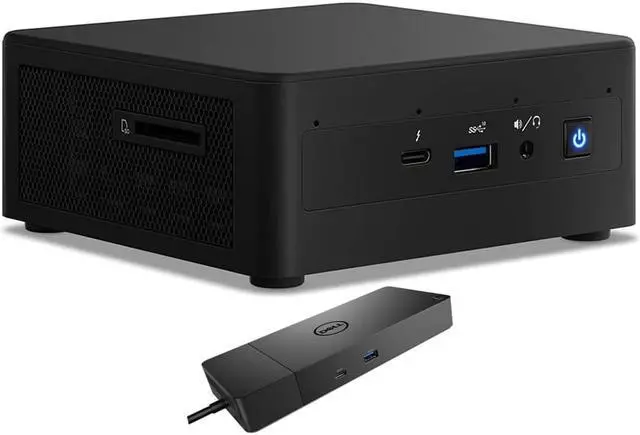
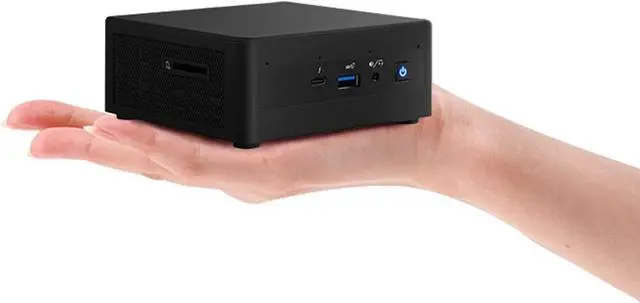
The Intel NUC11PAHi5 is a compact Windows 11 Pro mini desktop with an 11th Gen Core i5-1135G7, 8GB RAM, a 500GB HDD, and a bundled Dell WD19S dock, suited to home and business users who want a space-saving PC for everyday productivity.
| Attribute | Value |
|---|---|
| Best For | Compact home or business desktop use with a quad-core Intel Core i5 processor, integrated graphics, 8GB memory, and a 500GB hard drive |
| Processor And Cache | 11th Gen Intel Core i5 with four cores and 8MB L3 cache |
| Graphics | Integrated graphics with integrated video output |
| Memory | 8GB DDR4 memory |
| Storage And Optical Drive | 500GB HDD; no SSD or optical drive |
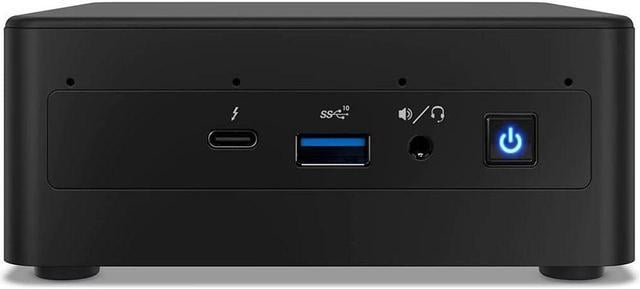
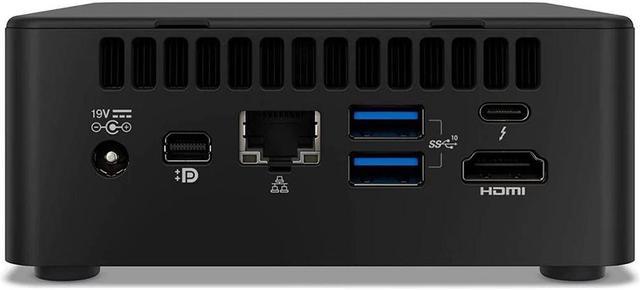
| Networking And Connectivity | Wi-Fi 6 AX201, Bluetooth 4.2, and RJ-45 Ethernet |
| Card Reader | Card reader included |
| Power | 120W power supply |
| Operating System | Windows 11 Pro |
| Chassis And Color | Mini PC form factor in black |
| Display And Included Accessories | No screen or monitor included |
| Keyboard | No keyboard included |
| Model Identifiers | Intel NUC11PAHi5 |
Q: Intel NUC11PAHi5 or NUC11PAHi3 for multitasking?
A: Choose the NUC11PAHi5 for more parallel-work headroom: its Core i5-1135G7 has four cores and eight threads, compared with two cores and four threads in the NUC11PAHi3. This listing also includes 8GB RAM and a 500GB hard drive, plus a Dell WD19S dock. The NUC11PAHi3 is the lower processor tier in the same NUC 11 Performance family.
Q: Should I choose the NUC11PAHi5 or the NUC11PAHi7?
A: Choose the NUC11PAHi5 for a four-core, eight-thread Core i5 mini desktop with Iris Xe graphics; choose the NUC11PAHi7 when you want the higher-tier Core i7-1165G7, which has a higher maximum turbo frequency and more cache. Both belong to the NUC 11 Performance family, so the deciding factor is the processor tier you prefer. This listing includes 8GB RAM, a 500GB hard drive, and a Dell WD19S dock.
Q: How does the NUC11PAHi5 compare with the NUC10i5FNK?
A: Choose the NUC11PAHi5 if you want the newer 11th-generation Core i5 platform and Iris Xe graphics. Both models use four-core, eight-thread Core i5 processors; the NUC10i5FNK pairs its 10th-generation i5-10210U with Intel UHD Graphics. This listing adds 8GB RAM, a 500GB hard drive, and a Dell WD19S dock.
Q: Is this mini desktop suitable for everyday office work and video meetings?
A: It is configured for typical office tasks such as email, web browsing, and document work, with an 11th Gen Core i5 processor, 8GB RAM, and Windows 11 Pro. It has no built-in webcam, screen, or keyboard, so you will need those separately for video meetings and desktop use. Its 500GB HDD is a practical storage option, but it may feel slower than an SSD for startup and app loading.
Q: Can it connect to two monitors?
A: The listed mini PC has HDMI and mini DisplayPort video outputs, and the included WD19S dock also provides DisplayPort and HDMI outputs. These connections may support a multi-monitor setup, but check the monitor inputs and connection arrangement you plan to use before buying.
Q: Does it come with a monitor, keyboard, or webcam?
A: No. The listing specifies that no monitor, keyboard, or webcam is included. You will need to provide those separately; the desktop does include Windows 11 Pro.
Q: Can it connect to Wi-Fi?
A: Yes. The product listing specifies Wi-Fi 6 (Intel AX201), Bluetooth 4.2, and an Ethernet port, so it can connect wirelessly or through a wired network.
Q: Can I upgrade the RAM or storage later?
A: Yes. Reddit users describe upgrading this NUC model with additional RAM and SSD storage, and a YouTube setup video demonstrates installing memory and M.2 and SATA drives. This listing includes 8GB RAM and a 500GB HDD, so check the installed configuration and compatibility before buying upgrades.
Q: Is the NUC11PAHi5 suitable for everyday work or a home media server?
A: A Reddit user reports running Windows 11 on this model as a Plex and file server and says it worked well for that use. This listing’s 8GB RAM and 500GB HDD are the included configuration; consider whether that capacity and storage type meet your workload.
Q: Can it play 4K video at 60 fps?
A: In a Reddit discussion about the NUC11PAHi5, users report 4K/60 playback, while one notes that HDR may skip frames. That discussion is user experience rather than a guarantee for every video, display, or software setup.
Q: Should I verify the Windows license on a seller-configured NUC?
A: The listing specifies Windows 11 Pro, but it does not provide license details. A Reddit buyer discussing a seller-configured NUC11PAHi5 raised questions about the preinstalled Windows license; confirm activation and licensing with the seller before purchasing.


