




 here!
I’m your shopping assistant for PC builds, upgrades, and everything tech.
Got questions? Ask away!
Start a conversation
here!
I’m your shopping assistant for PC builds, upgrades, and everything tech.
Got questions? Ask away!
Start a conversation







Any questions? Ask CelesteSM will help you find out quickly.
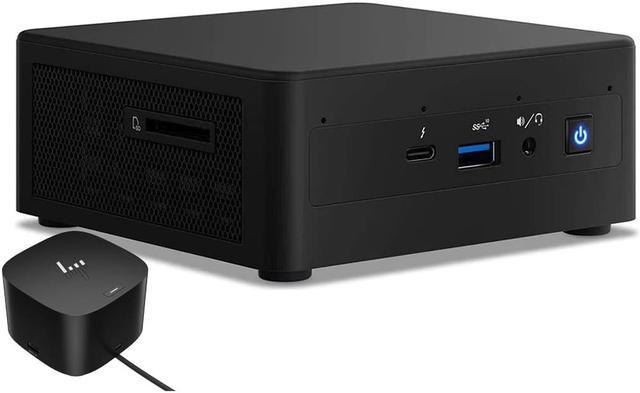
The Intel NUC11PAHi5 is a compact Windows 10 Pro mini desktop with an 11th Gen Core i5 processor, 8GB RAM, 1TB PCIe SSD, and included Thunderbolt dock, suited to home or small-business productivity and desk setups that need expanded connectivity.
| Attribute | Value |
|---|---|
| Best For | Home and business users who need a compact Windows desktop with a quad-core Intel Core i5 processor, 8GB of memory, and 1TB of SSD storage |
| Processor And Cache | 11th Gen Intel Core i5 with four cores and 8MB of L3 cache |
| Graphics | Integrated graphics |
| Memory | 8GB DDR4 |
| Storage And Expansion | 1TB SSD, no HDD or optical drive; card reader included |
| Networking And Connectivity | Wi-Fi 6 AX201, Bluetooth 4.2, and RJ-45 networking |
| Display And Included Equipment | No built-in screen; monitor not included; no keyboard |
| Power And Physical Design | Mini PC form factor, black finish, 120W power supply |
| Operating System | Windows 10 Pro |
| Model Identifiers | Intel NUC11PAHi5 |
Q: Intel NUC 11 i5 vs NUC 11 i3: which is better for multitasking?
A: Choose the NUC11PAHi5 for heavier multitasking: its Core i5-1135G7 has four cores and eight threads, compared with the NUC11PAHi3’s two cores and four threads. The i5 configuration also uses Iris Xe graphics, while the i3 uses Intel UHD Graphics. The Newegg listing’s 8GB RAM and 1TB SSD are specific to that configuration.
Q: Should I choose the Intel NUC 11 i5 or the NUC 11 i7?
A: Choose this NUC11PAHi5 for a four-core, eight-thread mini PC with a Core i5-1135G7 and Iris Xe graphics. Choose the NUC11PAHi7 if you want the higher-tier Core i7-1165G7, which also has four cores and eight threads, with a higher maximum turbo frequency and more cache. Both are NUC 11 Performance models.
Q: Intel NUC 11 Performance vs NUC 12 Pro: which should I choose?
A: Choose the NUC11PAHi5 for this listed setup: a Core i5-1135G7 system with 8GB RAM, a 1TB SSD, Windows 10 Pro, and an included Thunderbolt dock. Choose a NUC 12 Pro configuration if you want a newer 12th-generation platform; the i5-1240P NUC 12 Pro uses a 12-core processor. The NUC 12 Pro review provides benchmark results for its tested configuration.
Q: Is the Intel NUC 11 i5 a worthwhile upgrade from an Intel NUC 10?
A: Choose the NUC11PAHi5 if you want the 11th-generation Core i5-1135G7 and Iris Xe graphics. In its NUC 11 review, Notebookcheck found that the tested NUC 11 i7’s Iris Xe graphics delivered over three times the graphics performance of the NUC 10 system’s UHD Graphics 620. That result is for the reviewed i7 model, not a direct benchmark of this i5 configuration.
Q: Is this mini PC suitable for everyday office work?
A: Yes. Its 11th Gen Core i5 processor, 8GB RAM, 1TB SSD, Wi-Fi 6, and Windows 10 Pro are suited to common tasks such as email, web browsing, documents, and spreadsheets. The listing specifies integrated graphics, so it is not configured as a dedicated-graphics workstation.
Q: Does it come with a monitor, keyboard, mouse, or webcam?
A: No. The product data says no display and no webcam, and lists no keyboard or mouse. You will need to provide those peripherals separately; a monitor is required to use it as a desktop.
Q: Can it run more than one monitor?
A: The mini PC has HDMI, mini DisplayPort, and two Thunderbolt 3 ports. The bundled dock is listed as supporting up to three monitors, but check the dock’s connection requirements and the monitor resolutions you plan to use before relying on a particular multi-monitor setup.
Q: Is it a good choice for video meetings?
A: It can handle typical office meeting software, but it has no built-in webcam or display. Plan to connect a monitor and an external webcam, plus a microphone or headset if needed. Its 8GB of RAM is the listed configuration, so intensive multitasking may be more limited than basic office use.
Q: Does the NUC11PAHi5 work well with Linux?
A: Linux use is possible, but community reports describe potential audio and suspend-related issues on specific setups. One Ubuntu 20.04 user reported problems with the 3.5 mm jack and HDMI audio; another report mentions the fan staying on during suspend. These are user reports, not guarantees about every Linux distribution or configuration.
Q: Is the NUC11PAHi5 quiet enough for a desk or living room?
A: Fan noise may depend on workload and operating state. One NUC11PAHi5 owner reported that the fan was usually quiet while the system was running but remained noisy during suspend. Expect a fan-cooled mini PC rather than a silent, fanless device.
Q: Are there Windows 10 setup or stability issues to consider?
A: Some users have reported Windows 10 freezes or network-driver problems on particular NUC11PAHi5 setups. A YouTube build guide also notes possible Wi-Fi disconnections and Ethernet recognition issues, with driver installation suggested. These reports are setup-specific; they do not establish that every unit will have these problems.


