






Maximum Space-saving Design
Space-saving & Clear Communication
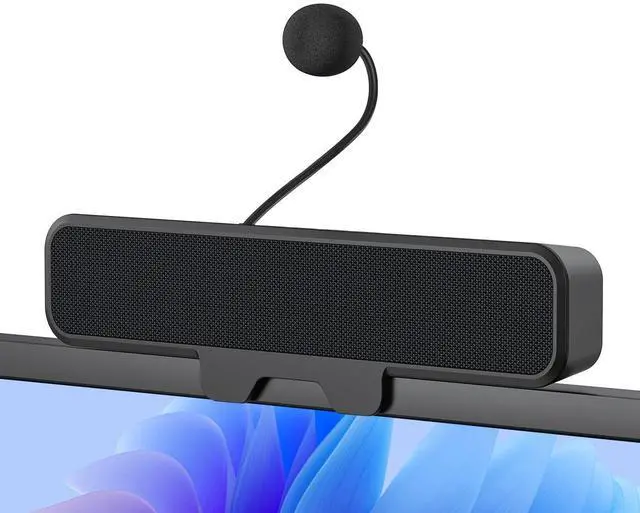
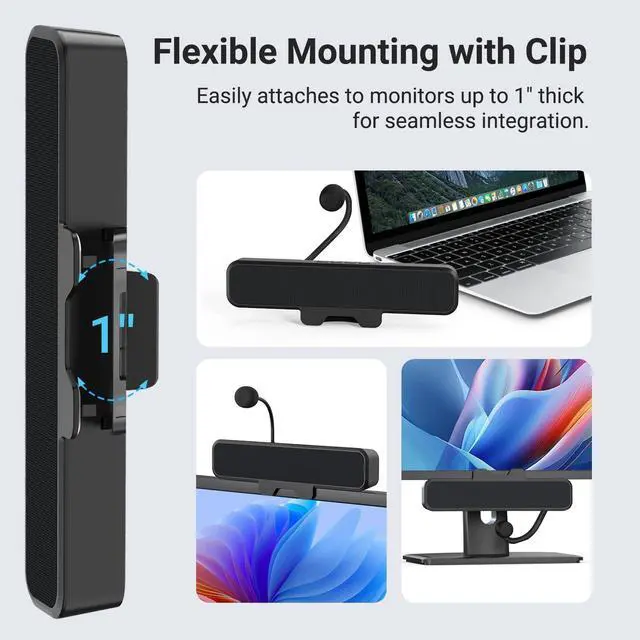
With a innovative 1-inch clip that easily attaches to your monitor, this speaker saves valuable desk space. It comes with a detachable microphone for versatile use, ensuring clear and smooth voice calls—perfect for remote meetings, online chats, and everyday entertainment.


Echo-Canceling Unidirectional Mic
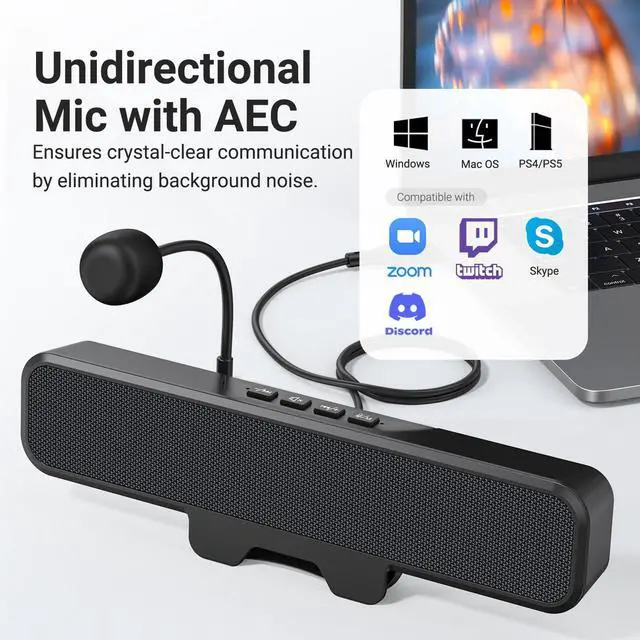
With the ???????????????? ???????? ???????????????????????? (AEC) technology and a unidirectional pickup pattern, it captures your voice with exceptional clarity, reduces background noise and echo. It delivers optimal sound quality and a superior experience for meetings, gaming, and e-learning.

Detachable Microphone
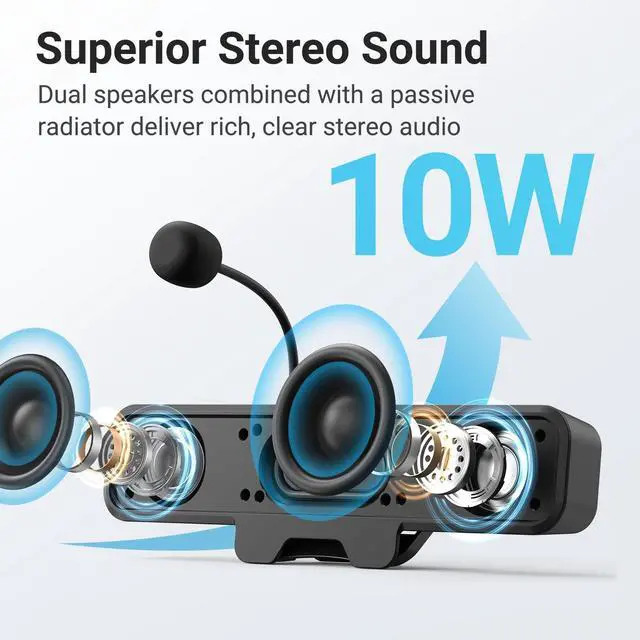
The detachable microphone transforms the speaker into a versatile audio solution. Plug in the mic for crystal-clear voice chats; remove it to enjoy rich, immersive music.
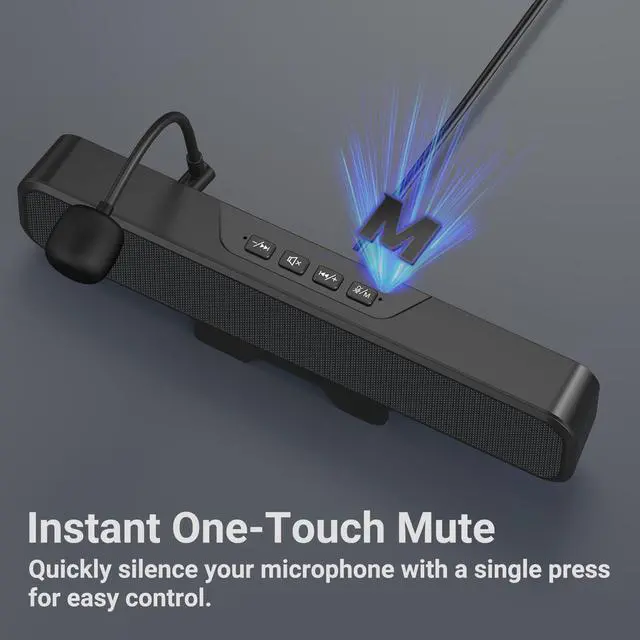
One-Touch Mic Mute

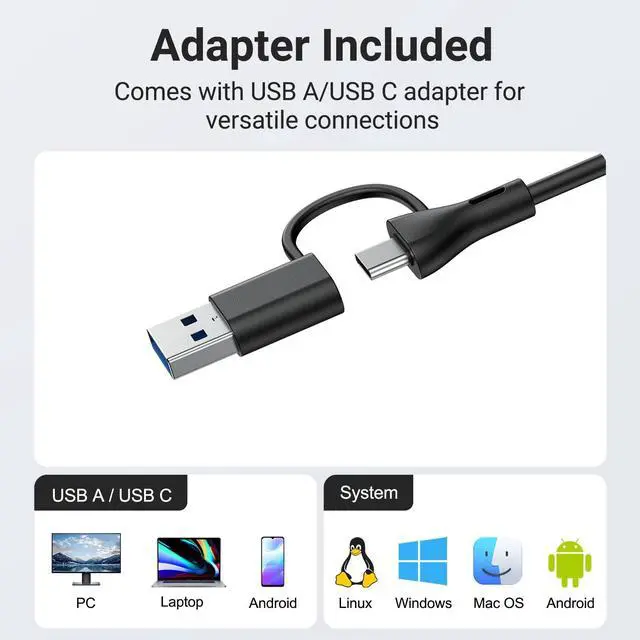
Plug & Play

Reminder: 1. Push the mic plug firmly into the port until it clicks. 2. If no sound: (1) Right-click speaker icon > Sounds > check the Playback & Recording tab to see if the mic is detected. (2) If yes, right-click mic > Properties > Listen tab, speak into the mic to test if it picks up the voice.
Inwa Space-Saving Computer Speakers
 MZ-631M Speaker w/Mic |  MZ-631 Computer Speaker |  MZ-630 Computer Speaker |  MZ-106 Computer Speaker | 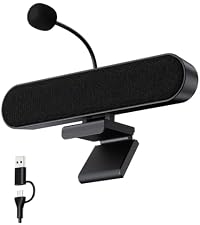 MZ-106M Speaker w/Mic | |
|---|---|---|---|---|---|
Customer Reviews | — | — | — | — | — |
Price | — | — | — | — | — |
Microphone | ? | ? | ? | ? | ? |
Product Size | 9.77" x 1.85" x 1.26" | 9.77" x 1.85" x 1.26" | 7.84" x 2.6" x 1.22" | 10.55" x 2.13" x 1.41" | 10.55" x 2.13" x 1.41" |
Connection | USB-A, USB-C | USB-A, USB-C | USB-A, USB-C | USB-A, USB-C | USB-A, USB-C |
Compatibility | Win, Mac, Phones, PS5, Switch | Win, Mac, Phones, PS5, Switch | Windows, Mac, Phones | Win, Mac, Phones, PS5, Switch | Win, Mac, Phones, PS5, Switch |
Controls | Vol, P/N, Spk Mute, Mic Mute | Power, Vol, Prev/Next, Mute | Vol, Prev/Next, Mute | Power, Vol, Prev/Next, Mute | Pwr, Vol, Prev/Next, Mic Mute |
Cable Length | 5 Feet | 5 Feet | 5 Feet | 5 Feet | 5 Feet |
Maximum Space-saving Design
Space-saving & Clear Communication
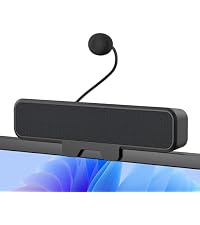
With a innovative 1-inch clip that easily attaches to your monitor, this speaker saves valuable desk space. It comes with a detachable microphone for versatile use, ensuring clear and smooth voice calls—perfect for remote meetings, online chats, and everyday entertainment.


Echo-Canceling Unidirectional Mic
With the ???????????????? ???????? ???????????????????????? (AEC) technology and a unidirectional pickup pattern, it captures your voice with exceptional clarity, reduces background noise and echo. It delivers optimal sound quality and a superior experience for meetings, gaming, and e-learning.
Detachable Microphone
The detachable microphone transforms the speaker into a versatile audio solution. Plug in the mic for crystal-clear voice chats; remove it to enjoy rich, immersive music.
One-Touch Mic Mute

Plug & Play

Reminder: 1. Push the mic plug firmly into the port until it clicks. 2. If no sound: (1) Right-click speaker icon > Sounds > check the Playback & Recording tab to see if the mic is detected. (2) If yes, right-click mic > Properties > Listen tab, speak into the mic to test if it picks up the voice.
Inwa Space-Saving Computer Speakers
 MZ-631M Speaker w/Mic |  MZ-631 Computer Speaker | MZ-630 Computer Speaker | MZ-106 Computer Speaker | MZ-106M Speaker w/Mic |
|---|---|---|---|---|
| Customer Reviews | ||||
| — | — | — | — | — |
| Price | ||||
| — | — | — | — | — |
| Microphone | ||||
| ? | ? | ? | ? | ? |
| Product Size | ||||
| 9.77" x 1.85" x 1.26" | 9.77" x 1.85" x 1.26" | 7.84" x 2.6" x 1.22" | 10.55" x 2.13" x 1.41" | 10.55" x 2.13" x 1.41" |
| Connection | ||||
| USB-A, USB-C | USB-A, USB-C | USB-A, USB-C | USB-A, USB-C | USB-A, USB-C |
| Compatibility | ||||
| Win, Mac, Phones, PS5, Switch | Win, Mac, Phones, PS5, Switch | Windows, Mac, Phones | Win, Mac, Phones, PS5, Switch | Win, Mac, Phones, PS5, Switch |
| Controls | ||||
| Vol, P/N, Spk Mute, Mic Mute | Power, Vol, Prev/Next, Mute | Vol, Prev/Next, Mute | Power, Vol, Prev/Next, Mute | Pwr, Vol, Prev/Next, Mic Mute |
| Cable Length | ||||
| 5 Feet | 5 Feet | 5 Feet | 5 Feet | 5 Feet |