• $20.99
  • Free 92-day Returns
  • Login to Make an Offer
    Sold by Newegg

    Shipped by Newegg

    Price alert

    Best Sellers

    Top Rated
    4.5 (7,243 total ratings)
    • $31.90
    Shop it at NeweggBusiness.

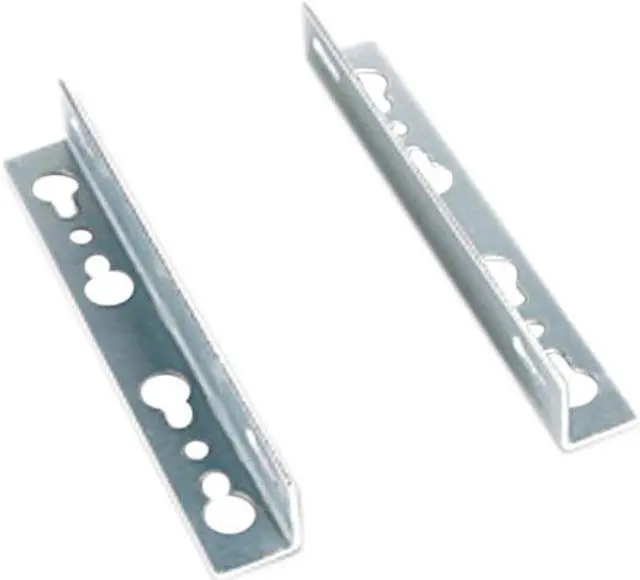
    iStarUSA DD-S21-WM Wall Mount Bracket for S-21 Chassis

    • DD-S21-WM
    +
    +
    Specs
    Reviews
    See all Q & A

    Any questions? Ask CelesteSM will help you find out quickly.

    Learn more about the iStarUSA Inc. DD-S21-WM

    Model
    Brand iStarUSA
    Model DD-S21-WM
    Details
    Type Other
    Features
    Features Wall Mount Bracket for S-21 Chassis
    Additional Information
    First Listed on Newegg April 22, 2014

    Warranty & Returns

    Warranty, Returns, And Additional Information

    Warranty

    • Limited Warranty period (parts): 1 year
    • Limited Warranty period (labor): 1 year
    • Read full details

    Return Policies

      We want to ensure your holiday shopping this year is hassle-free. That’s why we’re automatically extending our return policies on almost every product! For purchases placed between November 1st, 2025 and December 31, 2025 you will have until January 31, 2026 to return your product.

    • Return for refund until: January 31, 2026
    • Return for replacement until: January 31, 2026
    • This item is covered by Newegg.com's Extended Holiday Return Policy.
    • Read full return policy for details.
    LOADING...
    LOADING...

    The iStarUSA DD-S21-WM is a wall-mount bracket designed for the iStarUSA S-21 chassis, suitable for users installing or configuring that compatible chassis for wall mounting.

    Recommended For

    • People building or already using an iStarUSA S-21 who want to secure that chassis on a wall rather than leave it on a desk or shelf.
    • Small-office or home-lab users setting up a fixed Mini-ITX system in a spot where getting the S-21 chassis off the work surface is useful.
    • Installers placing an S-21-based compact PC in a fixed location where wall mounting suits the layout better than desktop placement.

    Real-World Use Scenarios

    • In a small office with limited desk space, use the bracket to wall-mount an S-21-based PC instead of keeping its chassis on the work surface; this can leave more room for everyday work.
    • For a compact home-lab or network corner, mount the S-21 chassis on a wall rather than using a shelf for it; the PC can occupy less usable shelf space.
    • When setting up a dedicated PC near AV or workstation equipment, use the bracket to place the S-21 chassis on a wall instead of adding another box to the desk or equipment surface.
    • In a shared or frequently used workspace, wall-mounting the S-21 chassis can keep it off the floor or work surface, leaving those areas available for other tasks.

    Spec Summary

    AttributeValue
    Best ForWall-mounting an S-21 chassis
    Model And BrandiStarUSA DD-S21-WM
    ColorBlack
    Dimensions And PackagingItem: 8 × 6 × 2 inches; package: 3.048 × 18.796 × 22.86 centimeters; package weight: 0.091 kilograms; quantity: 1