





4K@60Hz KVM Switch


4 FEATURES about 4K 60Hz KVM Switches

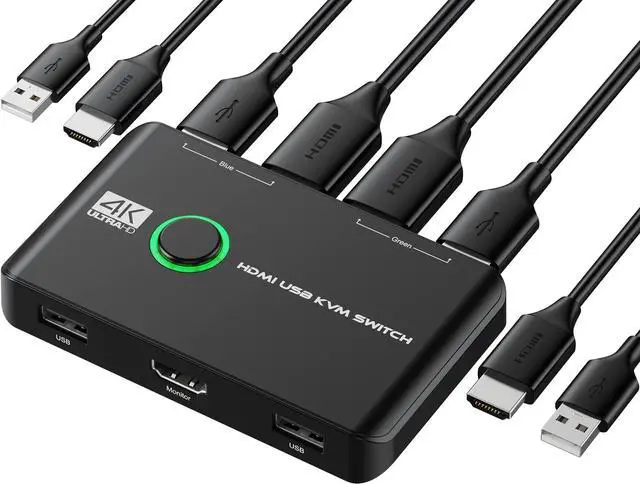
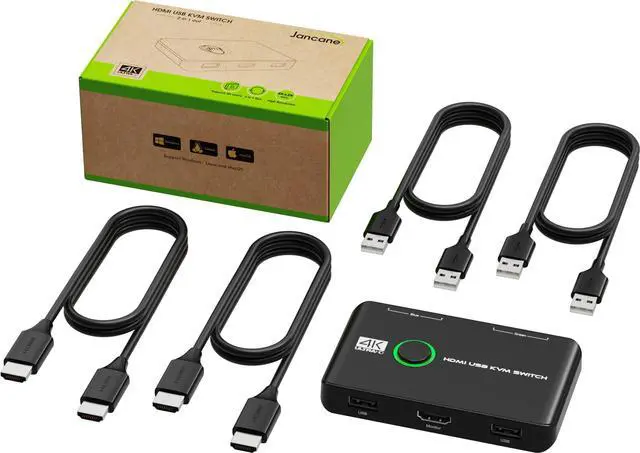
HDMI & USB CABLES
- Eliminates the need to plug and unplug HDMI and USB cables back and forth, making your work more convenient and efficient. It's greatly save your desk space and your time.

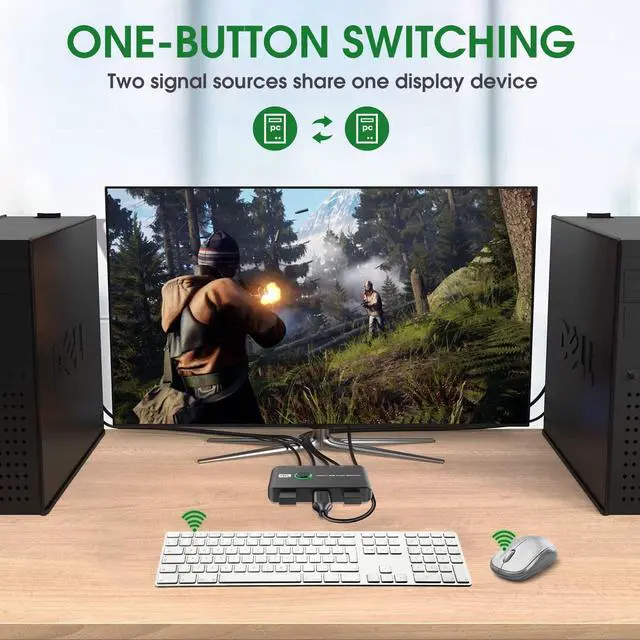
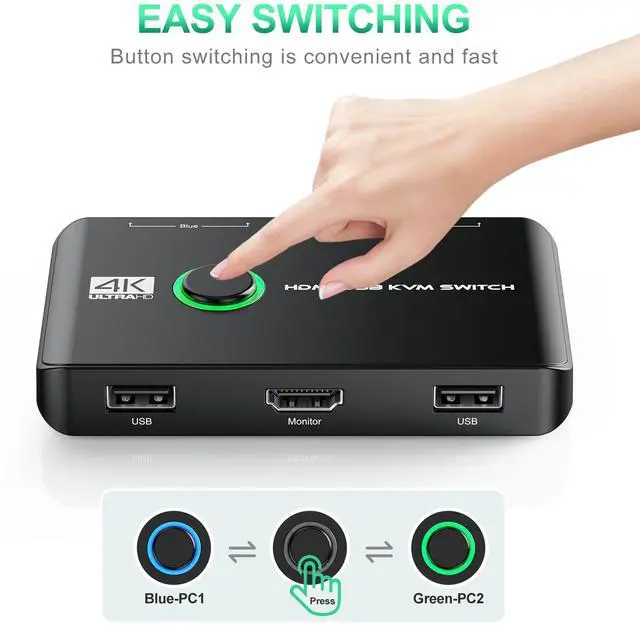
ONE BUTTON SWITCHING
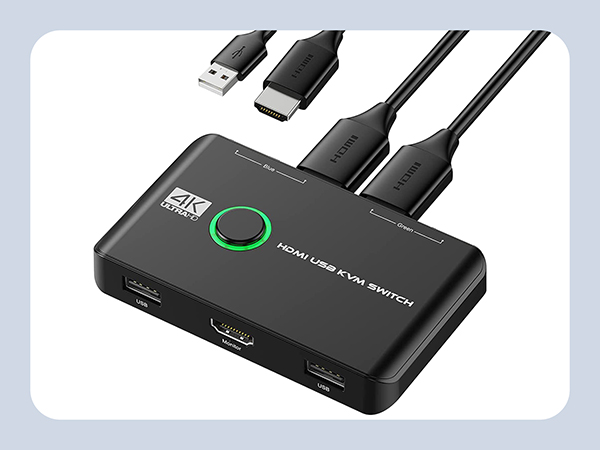
- KVM Switches allows you to freely switch between 2 computers through one LED button.
- Please note that this device does not support hotkey switching.

4K@60HZ RESOLUTION
- Maximum Support 4K(3840x2160)@60Hz resolution, downward compatible with lower resolution like 3840*2160@30Hz, 1920*1080P@60Hz, 1920*1080P@30Hz, etc. Please note that this product is not compatible with ultra wide screens.

NO NEED TO BUY CABLES
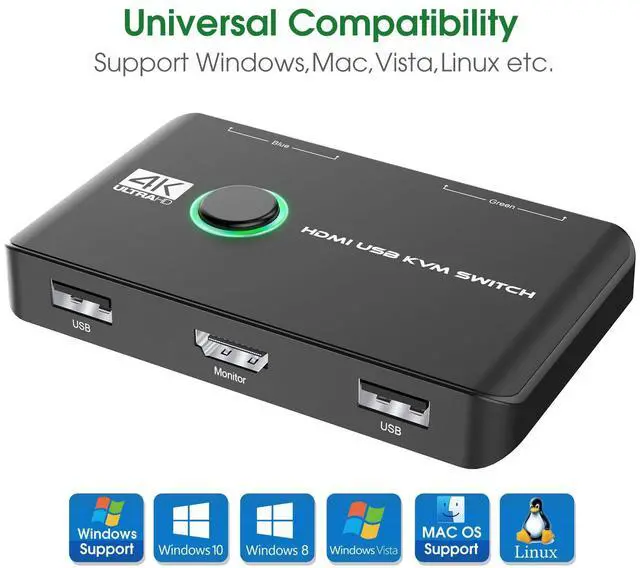
- Compatible with multiple systems, such as Windows, Mac, Unix, etc.
- No need to buy cables seperately. Plug and play, It only takes 2-5 seconds, convenient and quick.
- Thinner, Lightweight and more Portable.
How to set up the KVM switch?
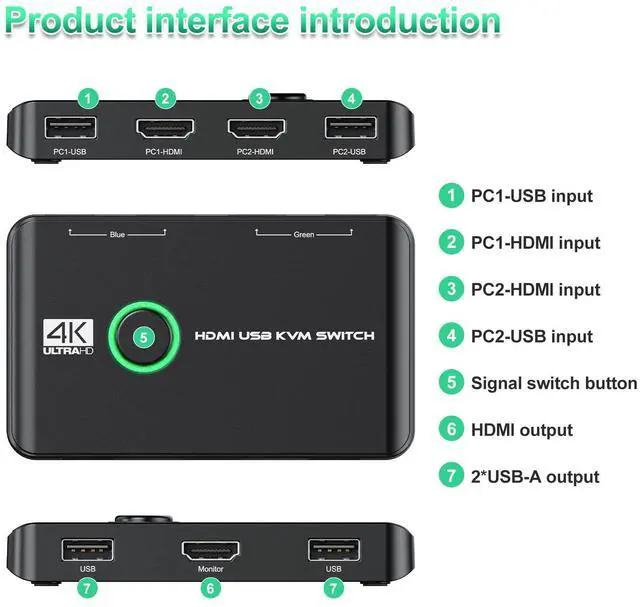
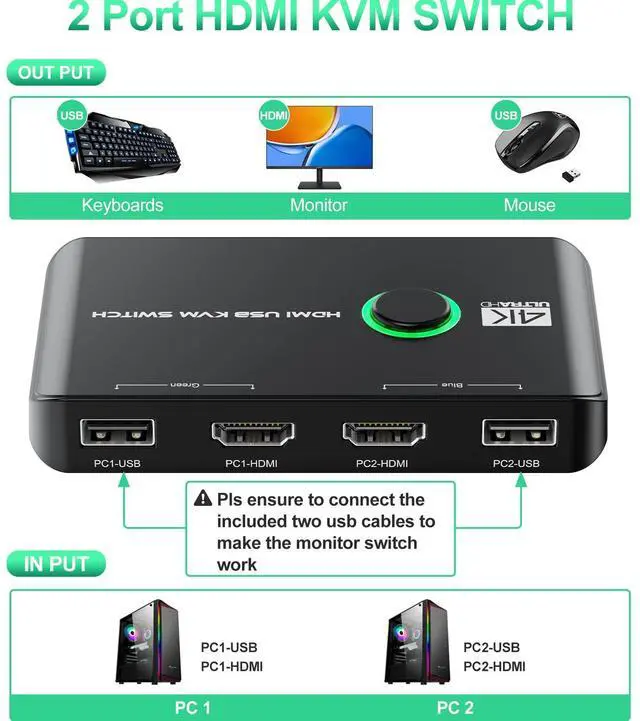
1. Connect HDMI and USB cables between PC1 and KVM switches, PC2 as the same; 2. Plug Keyboard Mouse receiver to the USB ports (near the monitor); 3. Press the Switch button to select the computer you need to use.
My PC is not HDMI interface, will it work when I use an adapter for HDMI?
If you have a Macbook with USB-C ports, you won't be able to connect it directly using USB cables. It's recommended to use a USB-C (male) to USB-A (female) adapter to connect the Mac and KVM switch, but not use usb c to usb cable.
If only 1 laptop and 1 monitor is powered up while connected to this KVM, will the KVM switches still works?
Works, but if you plug the PC 2 HDMI and USB part, you may need to press button to choose the PC. The KVM switch doesn't have automatic switching function.
Which occasions need this KVM switches?
Great for PC test/burn-in computer control, saving the desk space required for two monitors, keyboards, and mouse. Perfect for sharing computers and attached peripherals in the home, office, dual system control for single-user workstations.
Is this a great gift choice for office-man or who need to use 2 computers switch?
Yes, this KVM switch helps to save desk space and improving your working efficiency. Really a great present option for dad, office-man, people who work with 2 computers.

Choose Which KVM You Need
2 in 1 out | Type | 2 in 2 out |
4K 60Hz | Resolution | 4K 30Hz |
2 | USB Ports | 3 |
Portable Size | ||
Remote | ||
Support Hotkey | ||
Support Audio & Jack |
2 in 1 out | Type | 2 in 2 out |
4K 60Hz | Resolution | 4K 60Hz |
2 | USB Ports | 3 |
Portable Size | ||
Remote | ||
Support Hotkey | ||
Support Audio & Jack |
2 in 1 out | Type | 2 in 1 out |
4K 60Hz | Resolution | 4K 30Hz |
2 | USB Ports | 3 |
Portable Size | ||
Remote | ||
Support Hotkey | ||
Support Audio & Jack |



4K@60Hz KVM Switch


4 FEATURES about 4K 60Hz KVM Switches
HDMI & USB CABLES
- Eliminates the need to plug and unplug HDMI and USB cables back and forth, making your work more convenient and efficient. It's greatly save your desk space and your time.
ONE BUTTON SWITCHING
- KVM Switches allows you to freely switch between 2 computers through one LED button.
- Please note that this device does not support hotkey switching.
4K@60HZ RESOLUTION
- Maximum Support 4K(3840x2160)@60Hz resolution, downward compatible with lower resolution like 3840*2160@30Hz, 1920*1080P@60Hz, 1920*1080P@30Hz, etc. Please note that this product is not compatible with ultra wide screens.
NO NEED TO BUY CABLES
- Compatible with multiple systems, such as Windows, Mac, Unix, etc.
- No need to buy cables seperately. Plug and play, It only takes 2-5 seconds, convenient and quick.
- Thinner, Lightweight and more Portable.
How to set up the KVM switch?
1. Connect HDMI and USB cables between PC1 and KVM switches, PC2 as the same; 2. Plug Keyboard Mouse receiver to the USB ports (near the monitor); 3. Press the Switch button to select the computer you need to use.
My PC is not HDMI interface, will it work when I use an adapter for HDMI?
If you have a Macbook with USB-C ports, you won't be able to connect it directly using USB cables. It's recommended to use a USB-C (male) to USB-A (female) adapter to connect the Mac and KVM switch, but not use usb c to usb cable.
If only 1 laptop and 1 monitor is powered up while connected to this KVM, will the KVM switches still works?
Works, but if you plug the PC 2 HDMI and USB part, you may need to press button to choose the PC. The KVM switch doesn't have automatic switching function.
Which occasions need this KVM switches?
Great for PC test/burn-in computer control, saving the desk space required for two monitors, keyboards, and mouse. Perfect for sharing computers and attached peripherals in the home, office, dual system control for single-user workstations.
Is this a great gift choice for office-man or who need to use 2 computers switch?
Yes, this KVM switch helps to save desk space and improving your working efficiency. Really a great present option for dad, office-man, people who work with 2 computers.

Choose Which KVM You Need
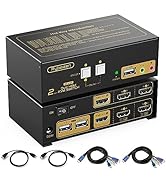
4K 60Hz KVM switch
Type
2 in 1 out
Resolution
4K 60Hz
USB Ports
2
Portable Size
Remote
Support Hotkey
Support Audio & Jack
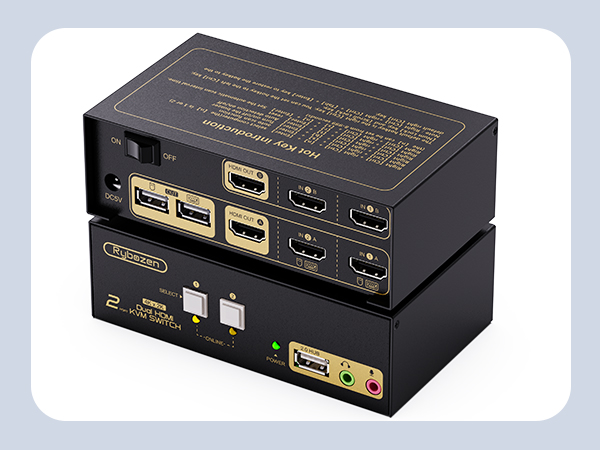
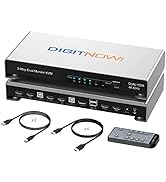
KVM Switch 2 PC 2 Monitor
Type
2 in 2 out
Resolution
4K 30Hz
USB Ports
3
Portable Size
Remote
Support Hotkey
Support Audio & Jack
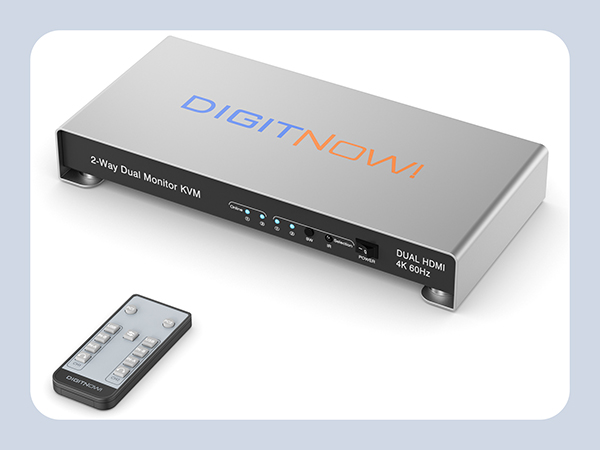
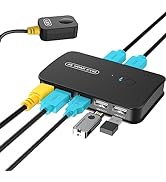
KVM Switch 2 PC 2 Monitor
Type
2 in 2 out
Resolution
4K 60Hz
USB Ports
3
Portable Size
Remote
Support Hotkey
Support Audio & Jack
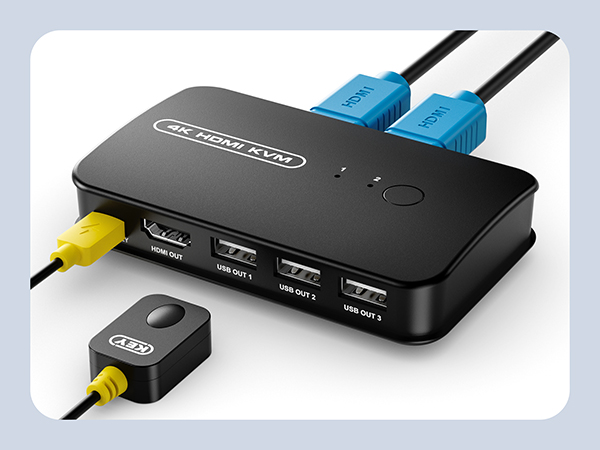
4K 30Hz KVM Switch
Type
2 in 1 out
Resolution
4K 30Hz
USB Ports
3
Portable Size
Remote
Support Hotkey
Support Audio & Jack
KVM Switches
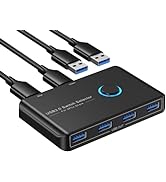
USB Switch
About us:
Devoted to research and making advanced KVM switches!
With a "user-first" mentality, we improve the products' quality and wide compatibility to meet user requirements.
With less money, you can still buy things as good as well-known brands.