





Please Notes:
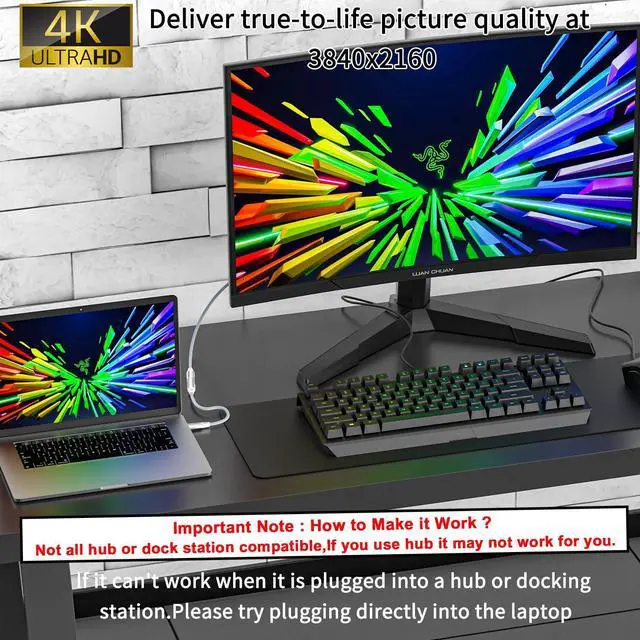
Not all hub or dock station compatible,if you use hub,it may not work for you.
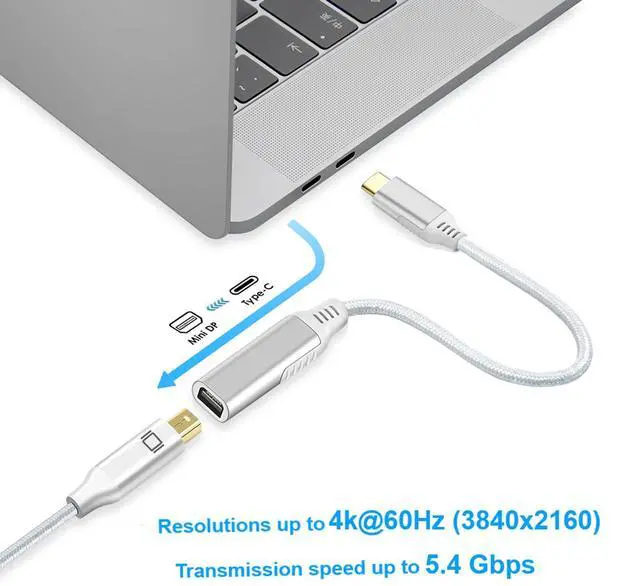
please plug this adapter usb c port into your laptop directly to make it work with your monitor.
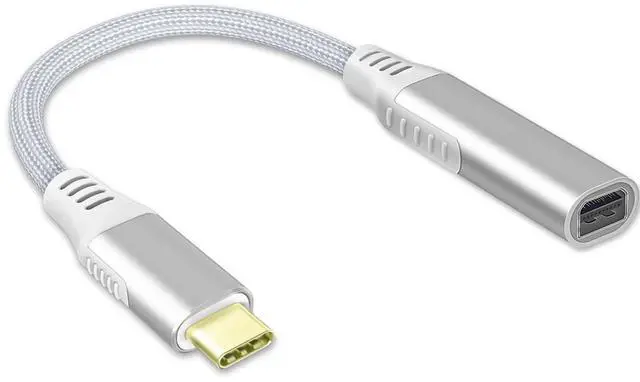
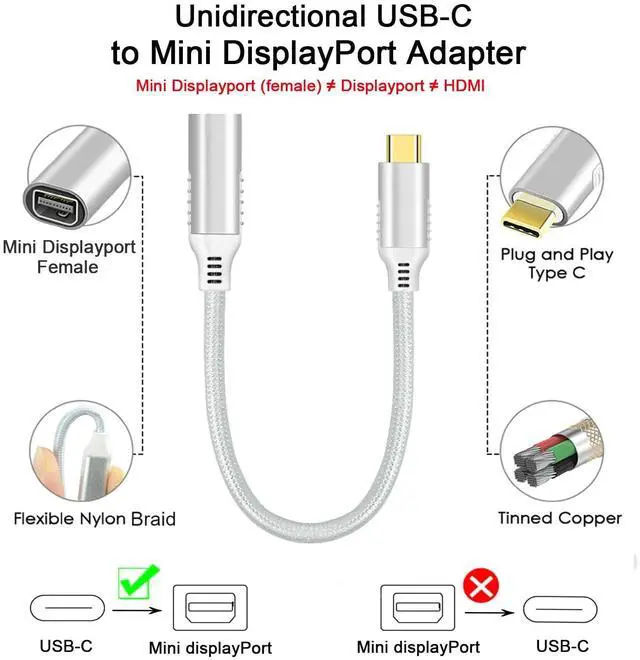
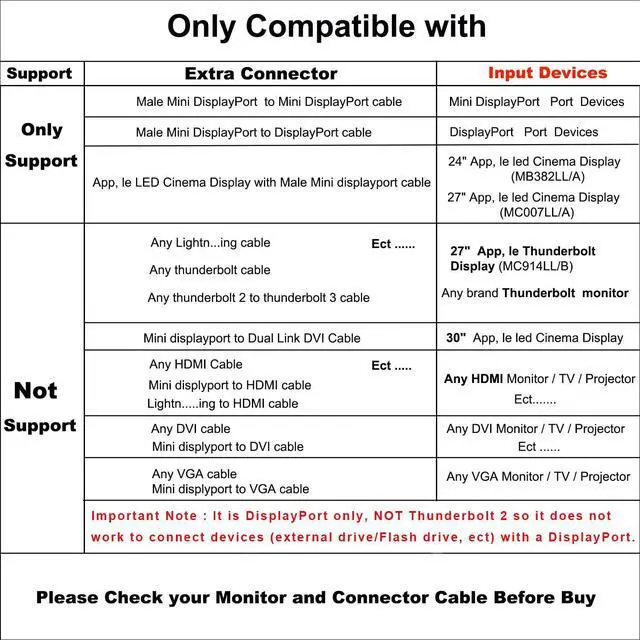
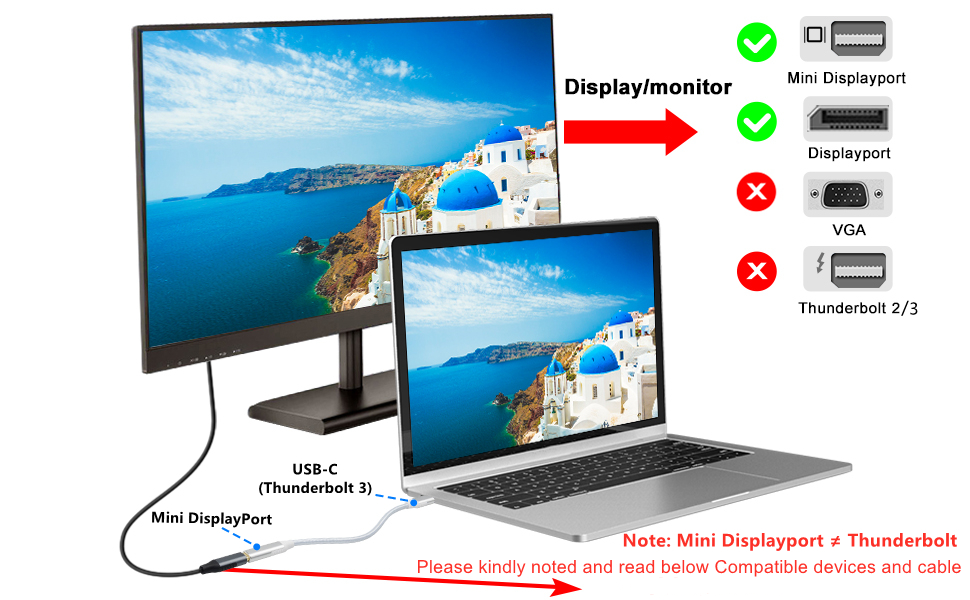
- This usb c to mini display port Cable Only compatible with "Mini DisplayPort to Mini DisplayPort cable" or "Mini DisplayPort to DisplayPort cable".
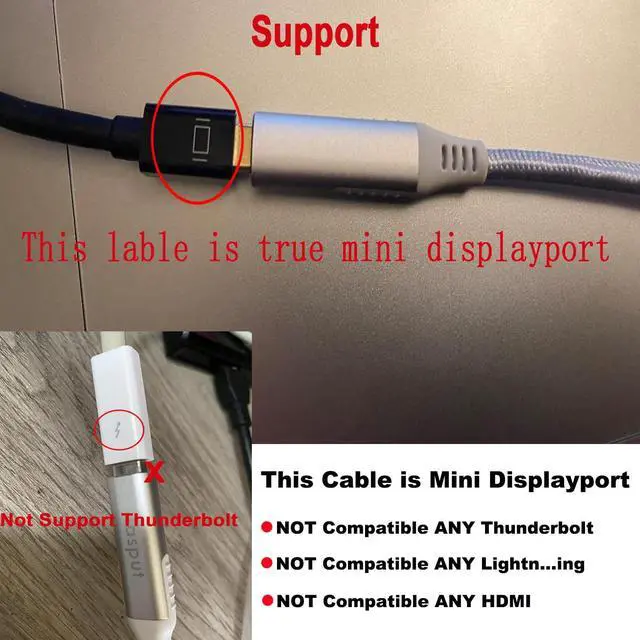
- This cable is Not"USB C to DisplayPort Adapte or USB C to HDMI Adapter",
- This cable does Not supply power to the Monitor
Not Support Display or Devices :
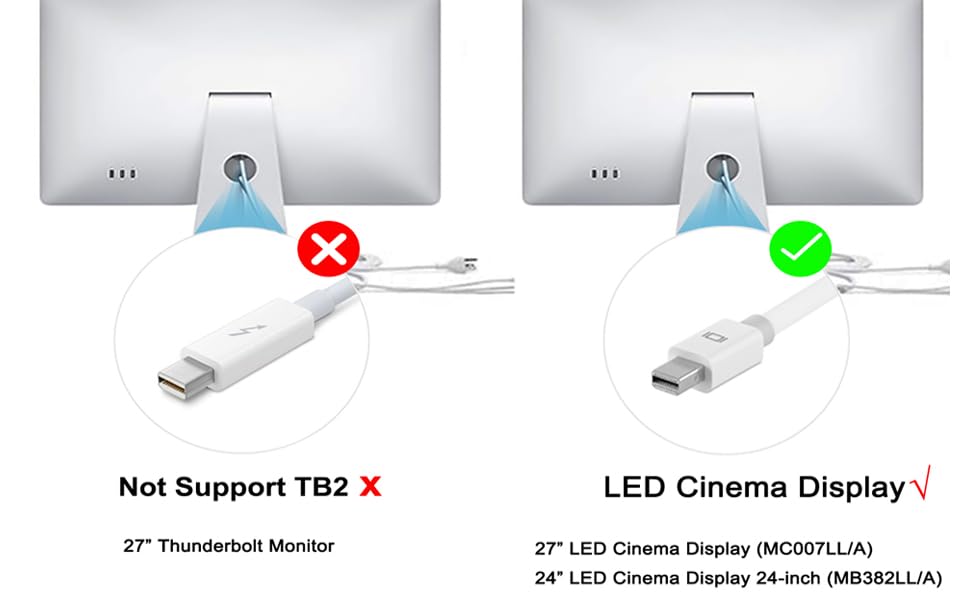
- Not compatible with Apple 27" Thunderbolt Display (MC914LL/B)
- Not Compatible withApple Cinema Display 30-inch(M9179LL/A)
- Not Compatible withThunderbolt 2Monitor/HDMI Monitor/DVI Monitor/VGA Monitor/30' LED Display
- Not support Mini displayport to Dual Link DVI Cable to 30' led display/Not support Mini displyport to HDMI /DVI/VGA cable
- Important Note : It is DisplayPort only, NOT Thunderbolt 2 so it does not work to connect devices (Any external drive/Flash drive, ect) with a DisplayPort.
Additional Not Compatible :
Compatibility List (Not Full List)
Question and Answer :
- Did it recommend to use with a usb-c phone ?
Not recommend. Due to most phone cannot compatible with mini displayport. Such as Pixel pro.
2. How can I determine if my thunderbolt adapter is compatible?
Please check our video on the description,it can help you to find the right one.This product requires the device to support DisplayPort Alternate Mode (DP Alt Mode) or Thunderbolt 3 interface. Some older models of devices (such as Thunderbolt 2 displays before 2016 and USB-C devices not in DP Alt Mode) may be incompatible.
Please Notes:
Not all hub or dock station compatible,if you use hub,it may not work for you.
please plug this adapter usb c port into your laptop directly to make it work with your monitor.
- This usb c to mini display port Cable Only compatible with "Mini DisplayPort to Mini DisplayPort cable" or "Mini DisplayPort to DisplayPort cable".
- This cable is Not"USB C to DisplayPort Adapte or USB C to HDMI Adapter",
- This cable does Not supply power to the Monitor
Not Support Display or Devices :
- Not compatible with Apple 27" Thunderbolt Display (MC914LL/B)
- Not Compatible withApple Cinema Display 30-inch(M9179LL/A)
- Not Compatible withThunderbolt 2Monitor/HDMI Monitor/DVI Monitor/VGA Monitor/30' LED Display
- Not support Mini displayport to Dual Link DVI Cable to 30' led display/Not support Mini displyport to HDMI /DVI/VGA cable
- Important Note : It is DisplayPort only, NOT Thunderbolt 2 so it does not work to connect devices (Any external drive/Flash drive, ect) with a DisplayPort.
Additional Not Compatible :
Compatibility List (Not Full List)
| NOT compatible | Thunderbolt 2 Cable or Monitor/Thunderbolt 3 Devices/Thunderbolt 4 Devices/DVI/HDMI monitor |
| for A,pple | MacBook Pro 15''(2016-2018), MacBook Pro 13''(2016-2019) |
| NOT compatible | Can NOT be compatible with monitors that has "Thunderbolt 2" port. |
| NOT compatible | Don't use cables longer than 3m. |
Question and Answer :
- Did it recommend to use with a usb-c phone ?
Not recommend. Due to most phone cannot compatible with mini displayport. Such as Pixel pro.
2. How can I determine if my thunderbolt adapter is compatible?
Please check our video on the description,it can help you to find the right one.This product requires the device to support DisplayPort Alternate Mode (DP Alt Mode) or Thunderbolt 3 interface. Some older models of devices (such as Thunderbolt 2 displays before 2016 and USB-C devices not in DP Alt Mode) may be incompatible.