• $71.98
  • Free 30-day Returns
  • Sold by VFDGHTA

    Shipped by VFDGHTA

    Price alert
    Shop it at NeweggBusiness.

    Meet Your Seller

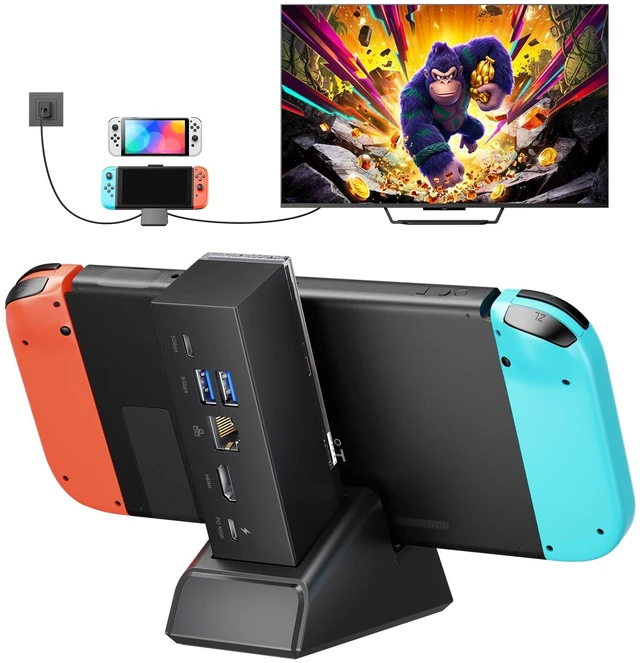
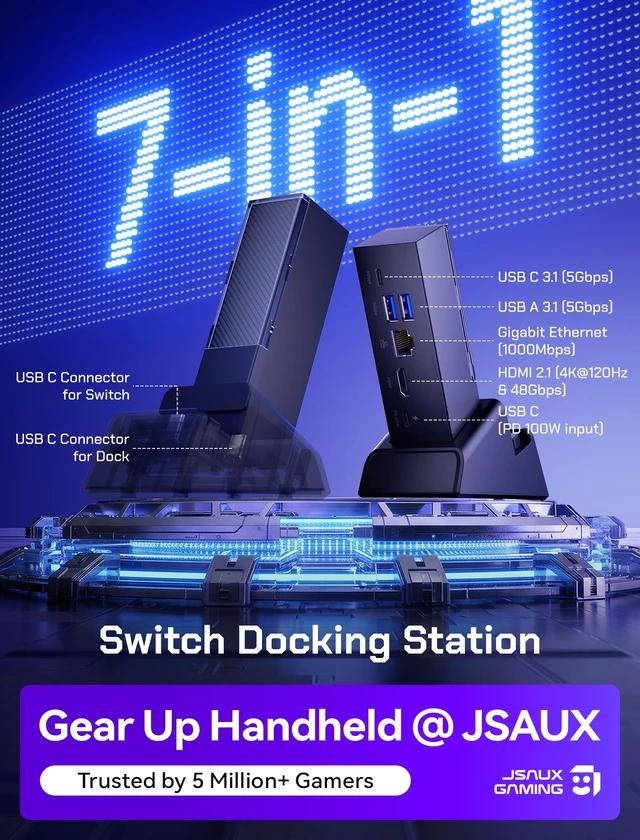
    JSAUX Switch Dock 7-in-1, Portable TV Dock with 4K@120Hz HDMI, Gigabit Ethernet, USB A and USB C 3.1, 100W PD Charging, Travel Docking Station Compatible with Switch - HB0704

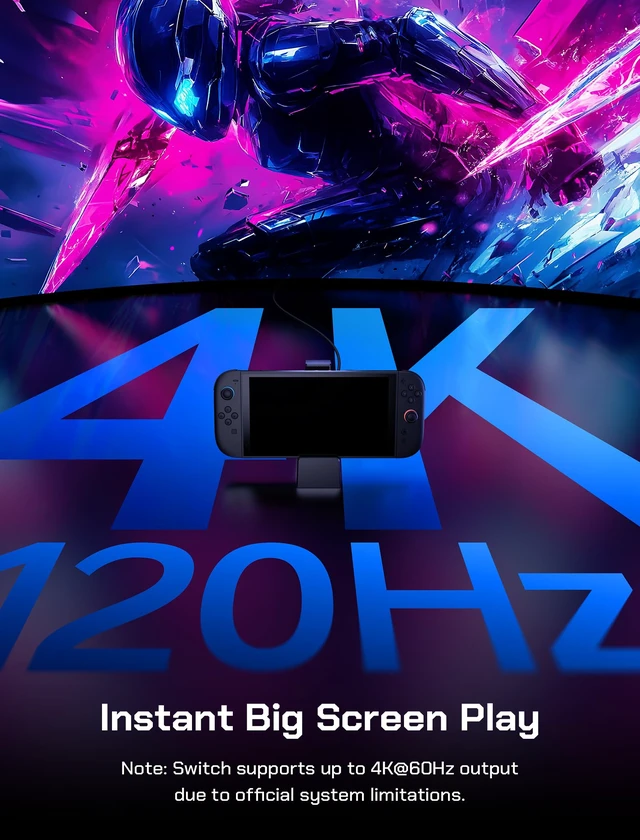
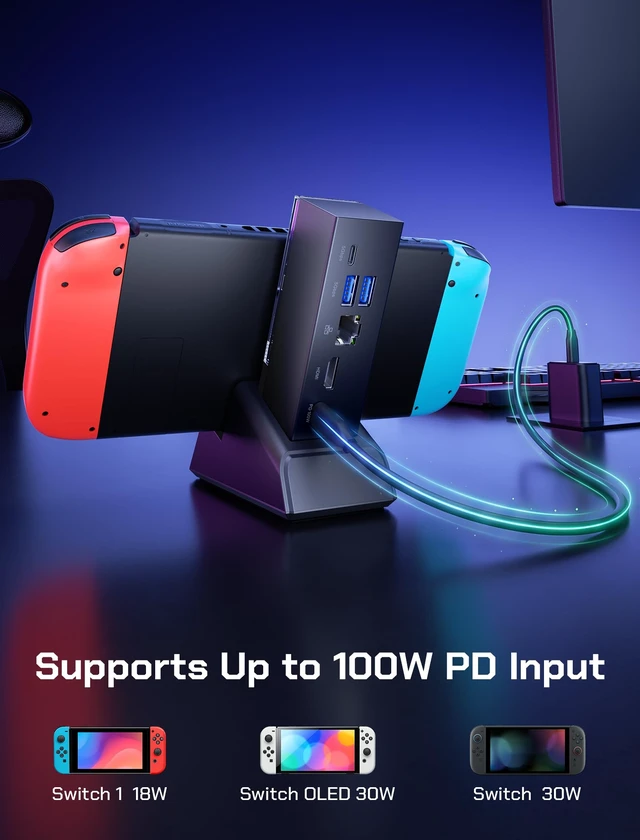
    • Note: For Switch TV mode, a 65W or higher charger is required to enable HDMI display. Video output on Switch is limited to 4K@60Hz, and charging speed is limited to 30W due to official console specifications. Charger and charging cable are not included. If you have any questions or issues, please contact our customer support team first. We are always happy to help.
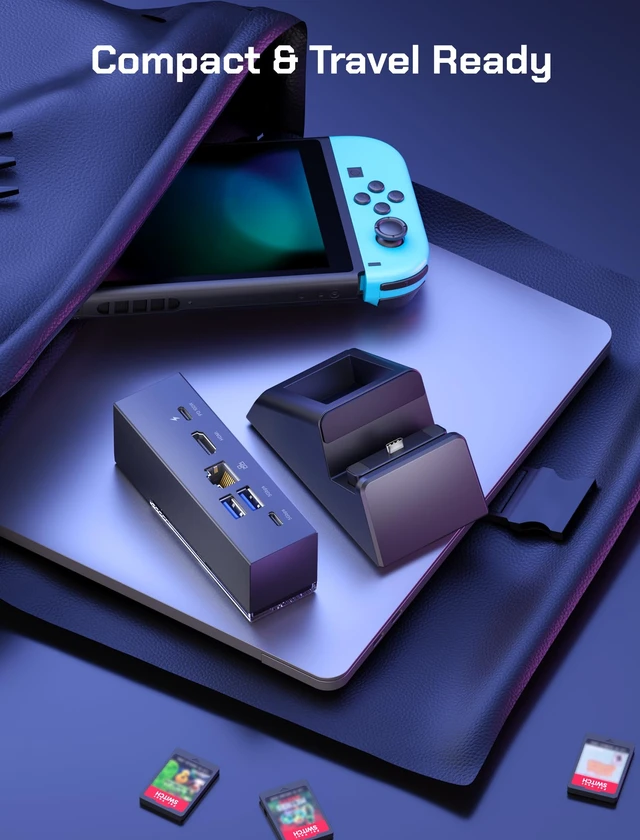
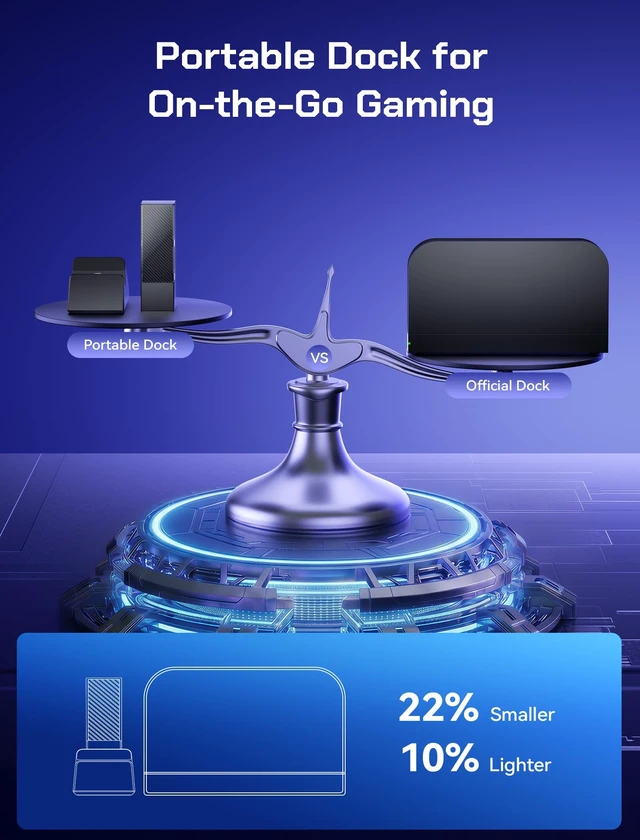
    • Portable TV Dock For Home and Travel - Designed for players who want TV mode without carrying a full-size dock. This compact 7-in-1 switch dock is easy to pack for dorm rooms, hotel stays, office desks, and living room gaming, making it a practical 2nd dock for everyday use or travel.
    • 7-IN-1 TV Dock for Switch - Expand your setup with Gigabit Ethernet for stable wired internet, USB A and USB C 3.1 ports for controllers, storage, keyboards, mice, and other accessories, plus up to 100W USB C PD charging to keep your system powered during extended play.
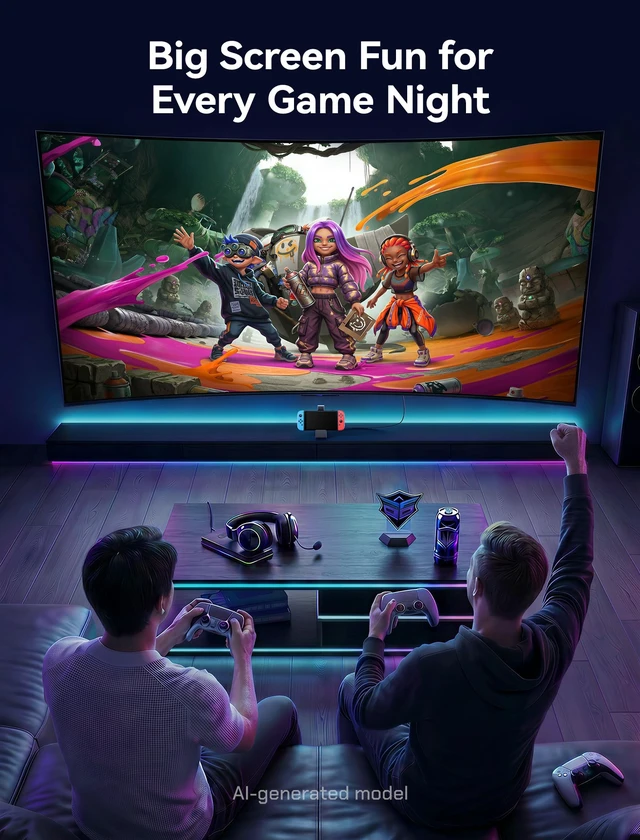
    • HDMI Output for Big-Screen Gaming - Enjoy fast, simple TV connection for Switch party games, couch co-op, and multiplayer fun with your 2 friends. The HDMI port supports up to 4K@120Hz on compatible output devices; actual video resolution and refresh rate depend on the connected console and display.
    +
    +
    Overview
    Specs
    Reviews

    Any questions? Ask CelesteSM will help you find out quickly.

    If you have any questions, please contact our support team first. Happy to help!

    Note1 If a system update prompt appears, select “Later.” VRR is not currently supported; disable it in TV Mode Settings before using the dock.
    Note2 For Switch TV mode, a 65W or higher charger is required to enable HDMI display.
    Note3 Video output on Switch is limited to 4K@60Hz, and charging speed is limited to 30W due to official console specifications. Charger and charging cable are not included.
    Note4 Please use a USB C to USB C PD charging cable. ( USB A to USB C cables may not provide sufficient power, which can prevent the device from charging or disable video output )
    *No Signal / Black Screen Fix 1.Check all connections. Make sure the hub is firmly connected to the dock, the console is fully inserted, and the charger is securely connected to the dock’s PD port. 2.Try a different HDMI cable and port. Switch to another HDMI port on your TV or monitor, and confirm the correct input source is selected. If possible, test with an HDMI 2.0 or HDMI 2.1 cable.
    *No Signal / Black Screen Fix 3.Lower the display settings. Set the output resolution to 1080p at 60Hz, then test again. 4.Power cycle the setup. Disconnect the console, HDMI cable, and power adapter from the dock, wait a few seconds, then reconnect and try again.
    *Intermittent Audio Issues Fix 1.Turn off HDR first, then test again to see whether the audio returns to normal. 2.Try a different HDMI cable or HDMI port to rule out cable or port-related issues. 3.Lower the resolution or refresh rate, then check whether the issue improves. 4.Turn off HDMI Deep Color. Disable “HDMI Ultra HD Deep Color” or “HDMI Deep Color” for the HDMI port connected to the dock, then test again.
    *Not Charging Troubleshooting 1.Check all ports and connectors. Make sure the USB-C and PD charging ports are clean and free of dust or debris. 2.Confirm the connection is secure. Ensure the dock is properly aligned with the console and fully inserted. 3.Try a different charger. Use a compatible charger with sufficient power and connect it to the dock’s USB-C PD port. 4.Test the charger directly. Connect the charger directly to your console to see whether it charges normally.
    switch 2 dock
    nintendo switch 2 dock
    switch 2 docking station
    switch 2 dock

    If you have any questions, please contact our support team first. Happy to help!

    Note1 If a system update prompt appears, select “Later.” VRR is not currently supported; disable it in TV Mode Settings before using the dock.
    Note2 For Switch TV mode, a 65W or higher charger is required to enable HDMI display.
    Note3 Video output on Switch is limited to 4K@60Hz, and charging speed is limited to 30W due to official console specifications. Charger and charging cable are not included.
    Note4 Please use a USB C to USB C PD charging cable. ( USB A to USB C cables may not provide sufficient power, which can prevent the device from charging or disable video output )
    *No Signal / Black Screen Fix 1.Check all connections. Make sure the hub is firmly connected to the dock, the console is fully inserted, and the charger is securely connected to the dock’s PD port. 2.Try a different HDMI cable and port. Switch to another HDMI port on your TV or monitor, and confirm the correct input source is selected. If possible, test with an HDMI 2.0 or HDMI 2.1 cable.
    *No Signal / Black Screen Fix 3.Lower the display settings. Set the output resolution to 1080p at 60Hz, then test again. 4.Power cycle the setup. Disconnect the console, HDMI cable, and power adapter from the dock, wait a few seconds, then reconnect and try again.
    *Intermittent Audio Issues Fix 1.Turn off HDR first, then test again to see whether the audio returns to normal. 2.Try a different HDMI cable or HDMI port to rule out cable or port-related issues. 3.Lower the resolution or refresh rate, then check whether the issue improves. 4.Turn off HDMI Deep Color. Disable “HDMI Ultra HD Deep Color” or “HDMI Deep Color” for the HDMI port connected to the dock, then test again.
    *Not Charging Troubleshooting 1.Check all ports and connectors. Make sure the USB-C and PD charging ports are clean and free of dust or debris. 2.Confirm the connection is secure. Ensure the dock is properly aligned with the console and fully inserted. 3.Try a different charger. Use a compatible charger with sufficient power and connect it to the dock’s USB-C PD port. 4.Test the charger directly. Connect the charger directly to your console to see whether it charges normally.
    switch 2 dock
    nintendo switch 2 dock
    switch 2 docking station
    swich dock

    JSAUX Switch Dock 7-in-1

    Warranty & Returns

    Warranty, Returns, And Additional Information

    Warranty

    • Please contact the Seller directly for warranty information. Warranty information may also be found on the Manufacturer's website.
    • CONTACT

    Return Policies

    • Return for refund within: 30 days
    • Return for replacement within: 30 days
    • This item is covered by VFDGHTA Return Policy

    Manufacturer Contact Info

    LOADING...