




 here!
I’m your shopping assistant for PC builds, upgrades, and everything tech.
Got questions? Ask away!
Start a conversation
here!
I’m your shopping assistant for PC builds, upgrades, and everything tech.
Got questions? Ask away!
Start a conversation



Any questions? Ask CelesteSM will help you find out quickly.


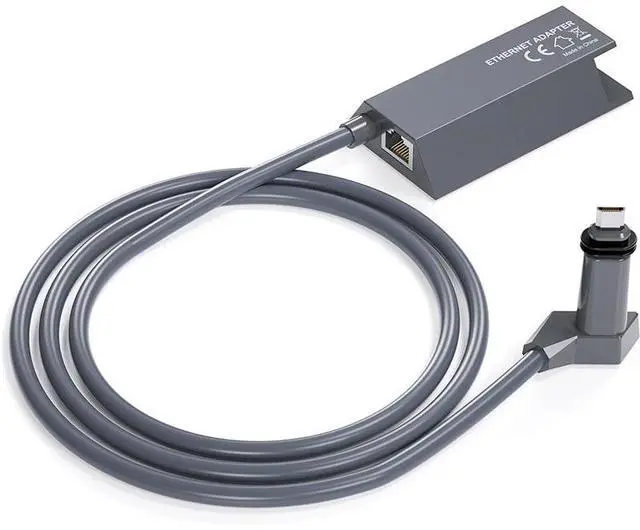
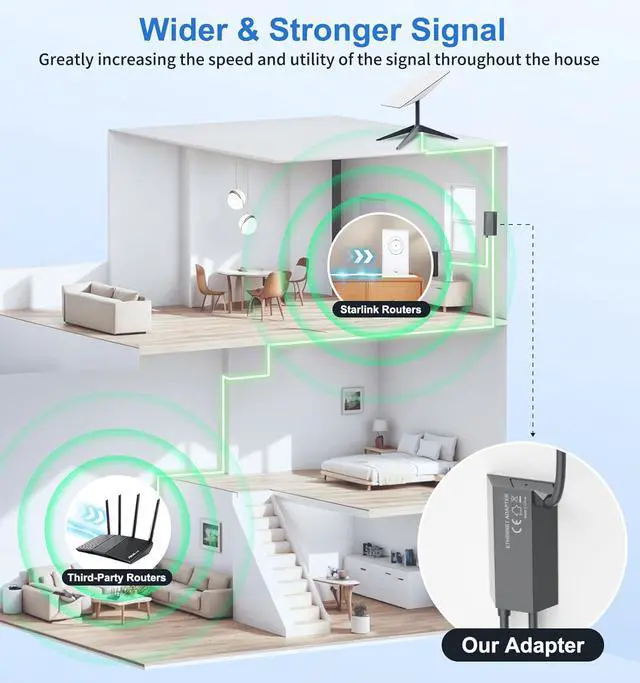
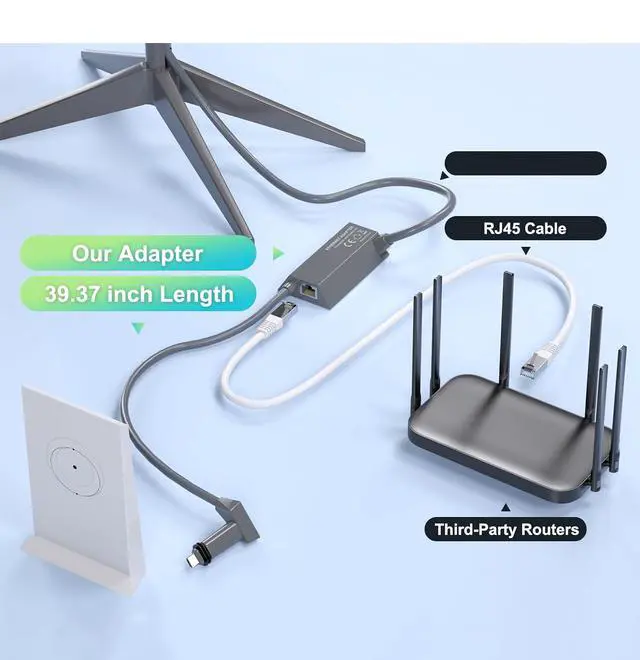
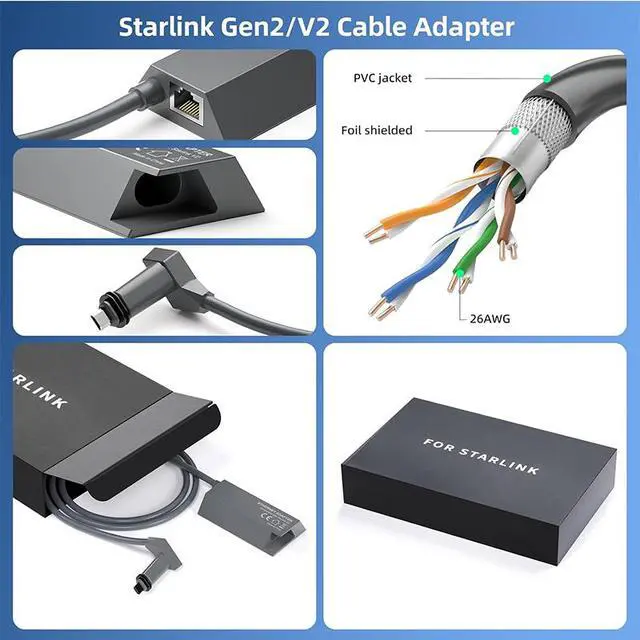
Seamless Port ExpansionThe Ethernet Adapter for Starlink adds an Ethernet port without interrupting the connection status of the Starlink router, solving port compatibility issues. You can easily connect Starlink to other network devices without disconnecting their existing setup, offering more network options and a stable connection.
High-Speed Stable ConnectionWith the Starlink to Ethernet Adapter, You can enjoy full-speed satellite internet connectivity, supporting high-definition video streaming, online gaming, remote work, and other high-bandwidth activities, ensuring a consistently stable network experience.
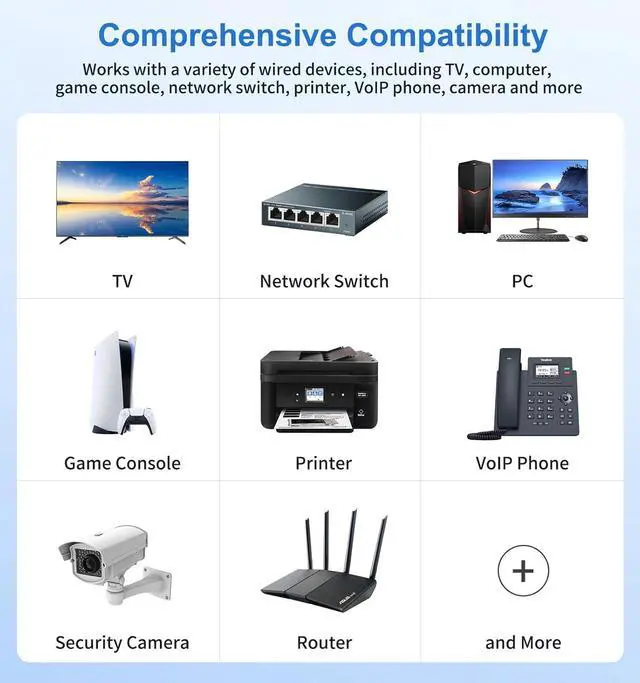
Versatile Compatibility Whether connecting a PC, TV, or gaming console via the Ethernet interface (RJ45) or linking to the satellite network through the Starlink port, the Starlink Gen 2 Ethernet Adapter works with a wide range of devices. Its compatible with Starlink Standard Actuated and the Starlink Gen 2 Mesh WiFi Router, meeting the needs of both home and office environments.
Easy Setup, Plug-and-Play It supports plug-and-play functionality, requiring no complex setup. You can simply connect the adapter to the Starlink device to expand additional ports and enhance network connection efficiency.
After-Sales GuaranteeYou will receive a 12-month product quality warranty from the Ablian brand. If you have any questions or concerns about the product, please contact us via Amazon's internal messaging system. We promise to provide you with a valid response within 12 hours, ensuring a worry-free shopping experience.
The Starlink Ethernet Adapter V2 is a plug-and-play network adapter for Starlink Gen 2 rectangular dishes and Gen 2 Mesh WiFi Routers, adding one RJ45 Gigabit Ethernet port for connecting a PC, TV, gaming console, or other wired device at speeds up to 1 Gbps.
| Attribute | Value |
|---|---|
| Best For | Connecting a Gen 2 rectangular Starlink dish or mesh router to a wired network device |
| Product Details | KESHOW SS-SLV201 adapter in gray |
Q: Is this KESHOW Starlink Ethernet Adapter V2 better than the official Starlink Ethernet Adapter for a Gen 2 router?
A: Choose this KESHOW adapter when you need a single RJ45 Gigabit Ethernet connection for a Gen 2 rectangular Starlink router and the listing's stated compatibility is confirmed. Choose the official Starlink adapter when manufacturer support, documented compatibility, and simpler warranty handling are more important. Both products serve the same basic purpose: adding one wired Ethernet connection to a Gen 2 router that has no built-in LAN port. The available third-party evidence does not establish that this KESHOW model delivers higher real-world throughput than the official adapter.
Q: Should I buy this adapter or upgrade to a Starlink Gen 3 router?
A: Buy this adapter if you already have a working Gen 2 router and only need one wired connection for a PC, TV, game console, or third-party router. Upgrade to the Starlink Gen 3 router if you want two built-in Ethernet ports, improved Wi-Fi performance and range, or a broader hardware refresh. The adapter expands wired connectivity without replacing the Gen 2 router, while Router 3 is the more suitable choice when wireless coverage and built-in port capacity are the main goals.
Q: Can I use this one-port adapter instead of a network switch?
A: Use this adapter by itself when one wired device is sufficient. It does not replace a network switch for multiple wired devices because it provides one RJ45 Ethernet port. To connect several devices, connect a Gigabit Ethernet switch to the adapter, then connect the PC, TV, console, or other equipment to the switch.
Q: Is this adapter useful with a Gen 1 Starlink router, or is it mainly for Gen 2?
A: This adapter is mainly useful for Gen 2 rectangular Starlink routers because the Gen 2 router has no built-in Ethernet port. A Gen 1 circular Starlink router already includes an AUX Ethernet port, so a Gen 1 owner can usually connect one wired device directly and add a network switch if more ports are needed. For Gen 1, this adapter adds less value than it does for Gen 2.
Q: Is this adapter better for portable Starlink use than a Gen 3 router?
A: Choose this adapter for a compact upgrade to an existing Gen 2 setup when you want to keep the current router and add one wired connection. Choose a Gen 3 router for a performance-first installation where built-in Ethernet ports, Wi-Fi range, and newer router hardware matter more than minimizing the number of replacement components. The adapter changes wired connectivity; it does not provide the broader router-performance improvements associated with Router 3.
Q: Will this adapter work with my Starlink Gen 2 rectangular dish and router?
A: It is intended for Starlink Standard Actuated systems with the Gen 2 rectangular dish and Gen 2 router, including compatible Gen 2 mesh-router setups. Confirm your Starlink generation before buying; newer systems with built-in Ethernet ports may not need this adapter. ([starlink.com](https://starlink.com/ie/support/article/197cc36c-48ee-45f4-0574-aad686984317?utm_source=openai))
Q: Can I use the Ethernet adapter and Starlink Wi-Fi at the same time?
A: Yes. The adapter adds a wired RJ45 connection while the Starlink router can continue providing Wi-Fi. Bypass mode is generally only needed when a third-party router is intended to manage the network instead of the Starlink router. ([dishytech.com](https://www.dishytech.com/starlink-ethernet-adapter-setup-and-review/?utm_source=openai))
Q: Can I connect more than one wired device with this adapter?
A: The adapter provides one RJ45 Ethernet port, so it is designed for one directly connected wired device at a time. To connect multiple computers, TVs, consoles, or other network devices, connect an Ethernet switch to the adapter. ([starlink.com](https://starlink.com/ie/support/article/197cc36c-48ee-45f4-0574-aad686984317?utm_source=openai))
Q: Does this adapter increase Starlink internet speed?
A: No. It adds a wired Gigabit Ethernet connection and supports up to 1 Gbps on the wired link, but it does not increase the Starlink service speed itself. Actual performance depends on the Starlink plan and connection, router, Ethernet cable, and connected device. ([ctmods.com](https://www.ctmods.com/products/starlink-ethernet-adapter-for-rectangular-satellite-internet-v2-gen-2?utm_source=openai))
Q: Is this adapter suitable for connecting a third-party router or mesh system?
A: Yes. It can provide the wired connection needed between a compatible Gen 2 Starlink router and a third-party router, access point, or mesh system. Network configuration may require access-point mode or Starlink bypass mode, depending on which device will manage the network. ([tp-link.com](https://www.tp-link.com/nordic/support/faq/3652/?utm_source=openai))
Q: Is the Starlink Gen 2 Ethernet Adapter worth buying for a third-party router or mesh system?
A: It is suitable if you want to connect a third-party router, wired access point, switch, or mesh system to a Gen 2 rectangular-dish setup. It provides the wired network connection needed for these devices, but it does not replace the Starlink router's power-supply role.
Q: Can it be used without putting the Starlink Gen 2 router in bypass mode?
A: Yes. Community discussions describe using the adapter with the Starlink router still performing routing and DHCP. Bypass mode is optional and is mainly used when a third-party router should manage the network instead.
Q: Does the adapter provide more than one Ethernet connection?
A: No. The product has one RJ45 Gigabit Ethernet port, so it directly supports one wired network connection at a time. To connect multiple wired devices, add an Ethernet switch or connect the adapter to a router with multiple LAN ports.
Q: What are the main trade-offs when using the adapter with a third-party router?
A: Using the adapter without bypass mode can create a cascaded or double-NAT setup, which may affect some networking features. Using bypass mode gives the third-party router control of the network, but disables the Starlink router's normal Wi-Fi and routing functions, so another router or firewall must handle the connected devices.
Q: Who is this adapter suitable for?
A: It is intended for Starlink Gen 2 rectangular-dish users who need a wired connection for a PC, TV, game console, Ethernet switch, third-party router, or mesh system. It is not necessary if all devices use the Starlink router's Wi-Fi and no wired networking is required.


