




 here!
I’m your shopping assistant for PC builds, upgrades, and everything tech.
Got questions? Ask away!
Start a conversation
here!
I’m your shopping assistant for PC builds, upgrades, and everything tech.
Got questions? Ask away!
Start a conversation



Any questions? Ask CelesteSM will help you find out quickly.


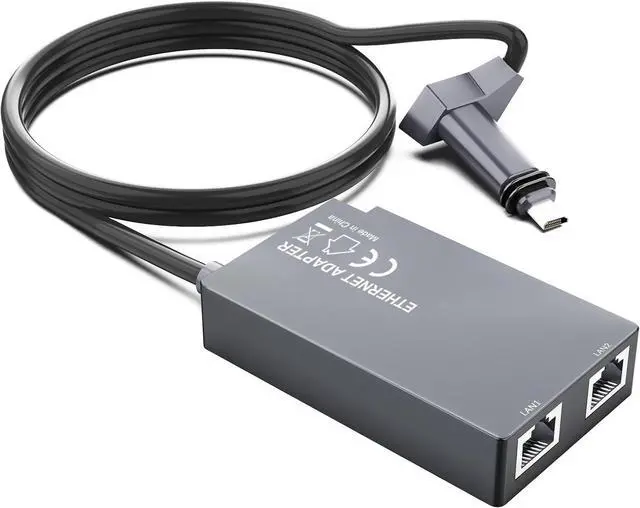
Ethernet Adapter for Starlink Gen2 - Specifically designed to add two extra RJ45 ports to your Starlink Satellite V2, enabling wired network connectivity or extending network signal coverage. Provides a reliable and high-performance Ethernet connection.
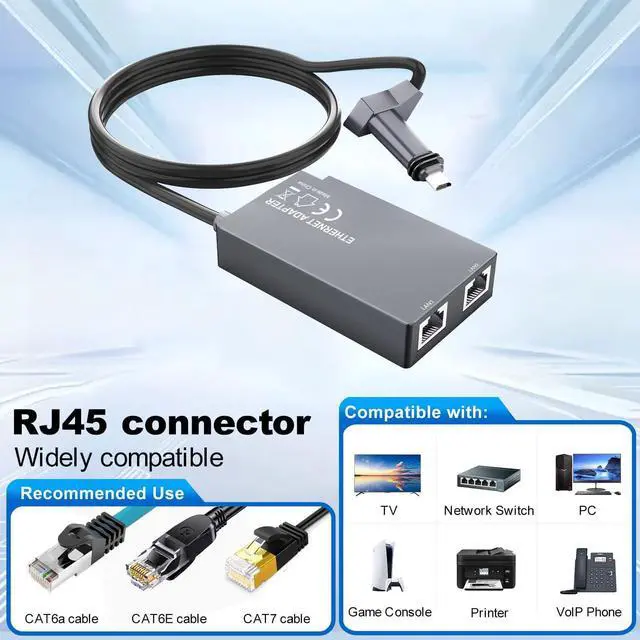
Dual Ethernet Ports - Compared with other adapters that have only one port, our Ethernet adapter is equipped with two RJ45 ports, which support simultaneous operation in various connection modes and ensure expanded network flexibility.
1000Mbps High-Speed Transmission - This Ethernet adapter supports speeds up to 1000 Mbps, providing uninterrupted and reliable performance for streaming, gaming, and browsing.
Plug & Play - This Starlink Ethernet adapter is designed for easy installation with a plug-and-play design, which requires no complicated setup, significantly reducing the time and effort required.
The KESHOW SS-SLV202 is a plug-and-play Ethernet adapter for Starlink Standard Actuated Gen 2/V2 that adds two RJ45 ports with speeds up to 1 Gbps. It is suitable for Starlink users who need simultaneous wired connections for streaming, gaming, browsing, or extending network coverage.
| Attribute | Value |
|---|---|
| Best For | Starlink Standard Actuated Gen 2/V2 users who need wired Ethernet connectivity for networked devices |
| Model Identifiers | KESHOW SS-SLV202 |
Q: Is this dual-port Starlink Gen 2 adapter better than the official single-port Ethernet adapter?
A: Choose this adapter when you want two wired connections while keeping the Gen 2 router. Its two RJ45 ports can connect devices such as a computer, TV, game console, or secondary router without adding a separate switch. Choose the official single-port adapter when you need one wired connection, prefer Starlink-branded hardware, or plan to connect a network switch for more ports.
Q: Should I buy this adapter or use a Gen 3 Starlink router?
A: This adapter is the more direct choice if you already own a Gen 2 Starlink router and only need wired connectivity. A Gen 3 router is the broader hardware upgrade because it includes two built-in Ethernet LAN ports and can serve as a newer base router. Choose the Gen 3 router when you also want to replace or upgrade the router; choose this adapter when adding Ethernet is the main requirement.
Q: Is this better than a single-port adapter plus an Ethernet switch?
A: Choose this adapter for a compact setup with exactly two wired devices. A single-port adapter plus a gigabit Ethernet switch is the more expandable option when you expect to connect three or more devices, add wired mesh access points, or expand the network later. Both approaches require Ethernet cabling, but the switch-based setup provides more available ports.
Q: Do I need this adapter if I only use Wi-Fi with Starlink Gen 2?
A: No. The Gen 2 router can provide Wi-Fi without an Ethernet adapter. Choose this adapter when you need a wired connection for a desktop, TV, game console, wired access point, network switch, or third-party router. It is also required when using the Gen 2 router with a third-party router in bypass mode.
Q: How does this compare with using a Gen 1 Starlink router?
A: This adapter is the practical choice for adding two wired connections to a Gen 2 setup, while the Gen 1 router includes one built-in Ethernet port. If you already use Gen 1 hardware and need only one wired device, its integrated port may be sufficient. If you have Gen 2 hardware and want two direct Ethernet connections without changing the router, this adapter is the closer fit.
Q: Will this adapter work with a Starlink Standard Actuated Gen 2 or V2 system?
A: Yes. It is designed for the Starlink Standard Actuated Gen 2/V2 setup, whose included router does not provide built-in Ethernet ports. The adapter connects between the Starlink router and wired Ethernet equipment, but it is not intended for Gen 1 or newer systems with different connection designs.
Q: Can I connect two wired devices at the same time?
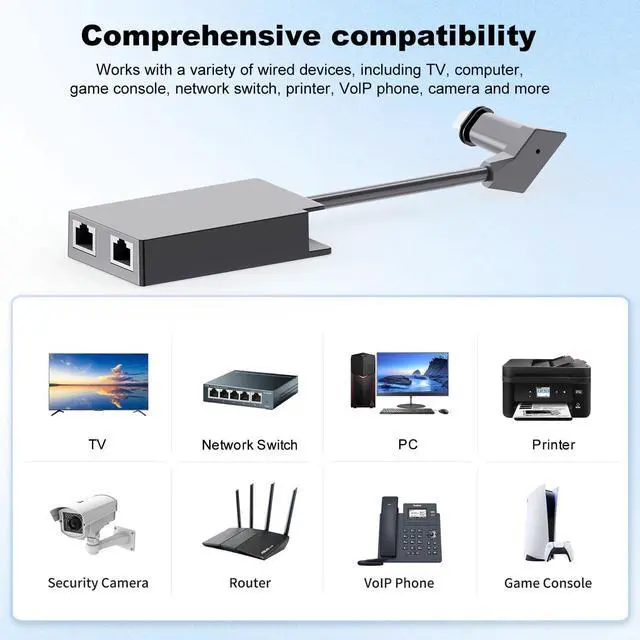
A: Yes. The adapter provides two RJ45 Ethernet ports for simultaneous wired connections, such as a computer, television, game console, access point, or another compatible network device. If more ports are needed, connect an Ethernet switch to expand the network.
Q: Do I need a separate router or Ethernet switch to use this adapter?
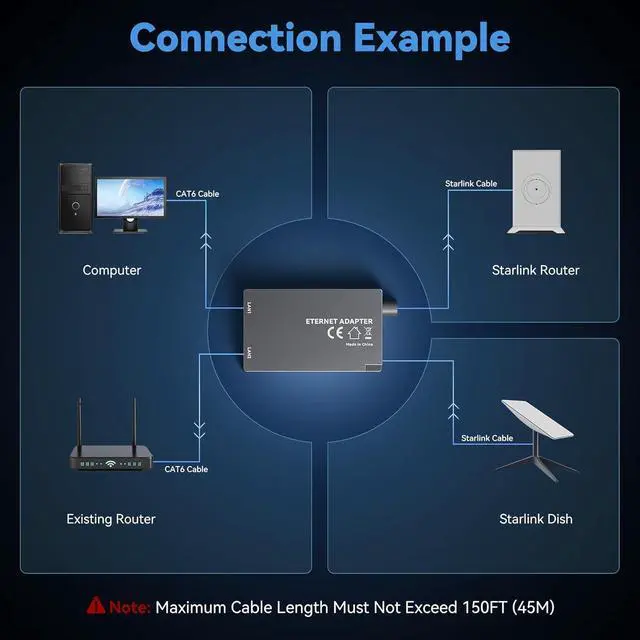
A: Not necessarily. In normal Starlink router mode, the adapter can provide wired connections to compatible devices. A separate Ethernet switch is needed only when more than two wired ports are required. If using a third-party router in bypass mode, connect that router to the adapter and let the third-party router manage the network.
Q: Does this adapter support bypass mode with a third-party router?
A: Yes. It can be used as the wired connection between a Gen 2 Starlink router and a third-party router. When bypass mode is enabled, the Starlink router’s Wi-Fi and routing functions are disabled, so the connected third-party router must provide routing and wireless coverage.
Q: Will the adapter deliver a full 1 Gbps Internet connection?
A: The adapter supports Ethernet transmission rates up to 1000 Mbps, but actual Internet speed depends on the Starlink service, network congestion, connected equipment, Ethernet cables, and other network conditions. The 1 Gbps rating describes the adapter’s maximum wired link speed, not a guaranteed Starlink download speed.
Q: Can I connect two wired devices at the same time?
A: The product is designed with two RJ45 ports for simultaneous wired connections. However, Starlink Gen 2 discussions commonly recommend using a gigabit Ethernet switch when more flexible or reliable multi-device expansion is needed.
Q: Is this adapter suitable for using a third-party router with Starlink Gen 2?
A: Yes. It is suitable for adding a wired Ethernet connection between a Gen 2 Starlink setup and a third-party router or wired network. It does not replace the router, and users may still need a switch or router to distribute the connection to multiple devices.
Q: Do I need this adapter if I have a newer Starlink router?
A: It is primarily intended for Starlink Gen 2 or V2 routers that lack built-in Ethernet output. Check the router first; newer Gen 3 hardware commonly includes Ethernet ports, so an additional adapter may not be necessary.
Q: Will this adapter make Starlink internet faster?
A: No guaranteed speed increase should be expected. The adapter provides wired connectivity with a claimed link speed of up to 1 Gbps, while actual internet performance depends on Starlink service conditions, the router, cabling, and connected devices.
Q: What are the main trade-offs of using a third-party Gen 2 Ethernet adapter?
A: The main trade-off is added hardware between the Starlink router and wired devices. Community reports describe connection failures involving adapters, cables, or the Gen 2 router, so troubleshooting may require testing each component separately. A gigabit switch may be preferable when more ports or simpler expansion are needed.


