

Your Browsing History

Meet Your Seller

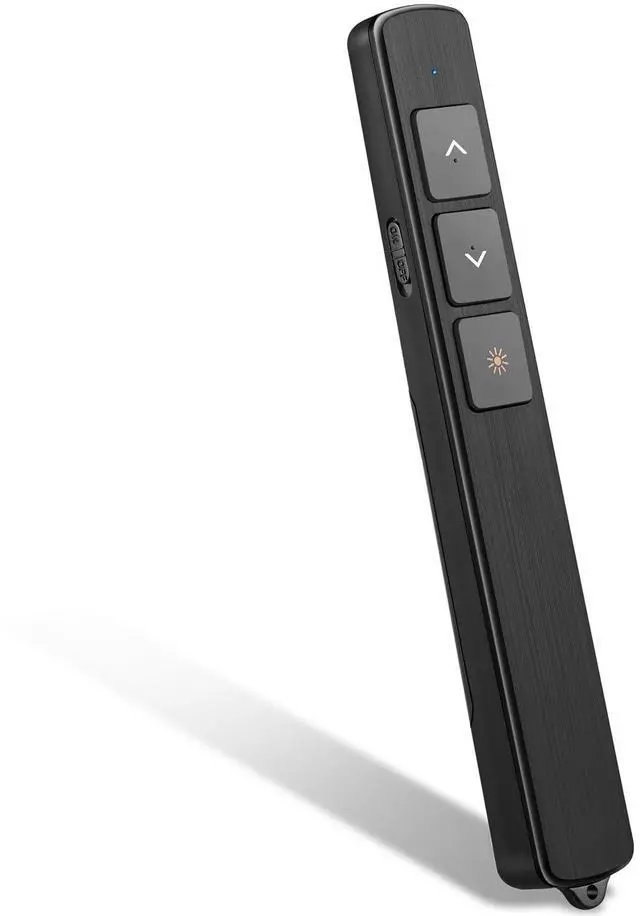


Wireless Presentation Clicker,2.4GHz PowerPoint Clicker
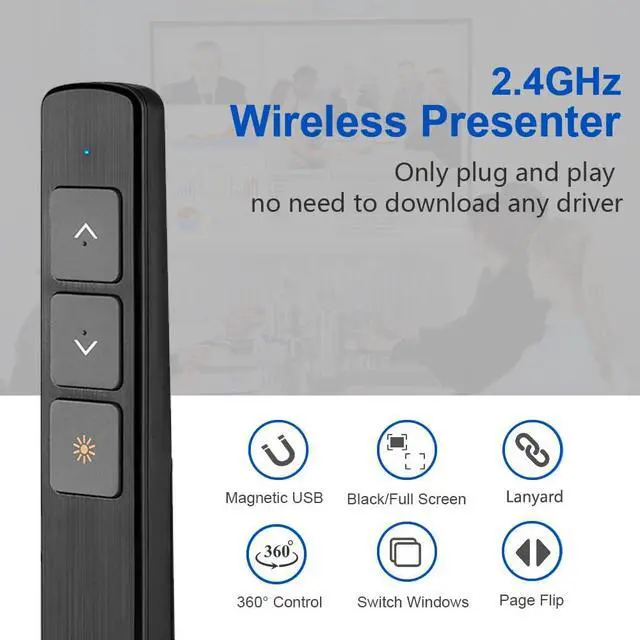
- 2.4GHz RF Wireless Presentation ClickerThe presentation remote adopts 2.4GHz RF wireless technology with a control range up to 100M/328FT, allowing you to move freely during presentations. The remote clicker for presentations is powered by 1*AAA Battery (Not Included) and works without Bluetooth connection.
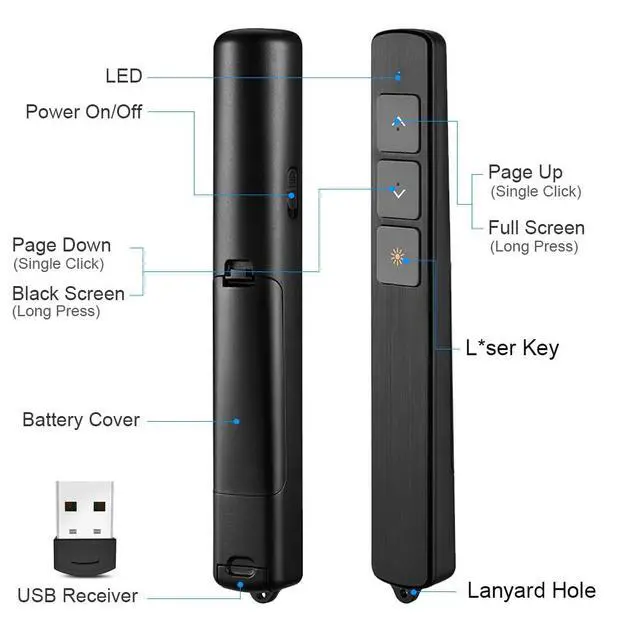
- Wireless Presenter FunctionsThe wireless presentation clicker supports Page Up, Page Down, Full Screen and Black Screen functions. Simply plug the 2.4GHz USB receiver into your computer's USB port and start your presentation instantly. With the powerpoint presentation clicker in your hand, you can control slides conveniently and improve presentation efficiency.
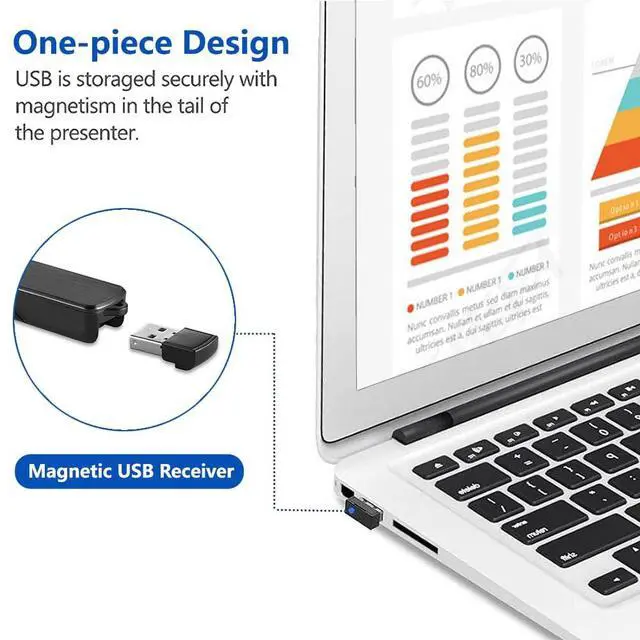
- Humanized DesignThis clicker for powerpoint presentation is ergonomically designed to fit comfortably in your hand. The soft silicone buttons provide a comfortable touch experience. The included lanyard helps prevent accidental drops. The LED indicator flashes slowly when the battery power is low. The mini USB receiver can be stored magnetically inside the presenter for easy carrying.
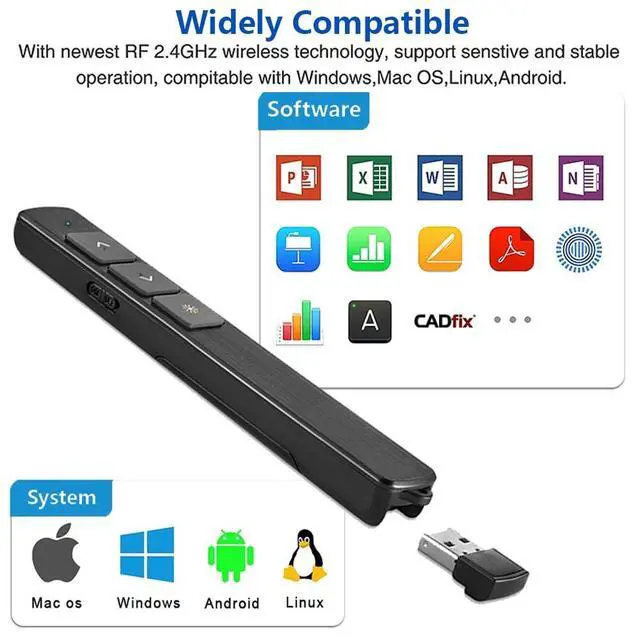
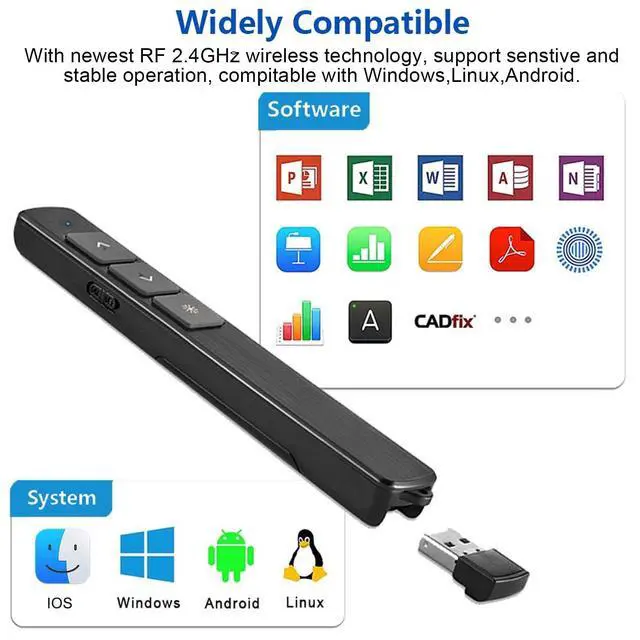
- Widely CompatibleThe laptop clicker for powerpoint supports Windows 2003 / XP / Vista / 7 / 8 / 10 / 11, Mac OS, Linux and Android systems. The power point clicker supports PowerPoint, Google Slides, Keynote, Prezi, PDF, MS Word, ACD See and more.
+
+
Overview
Specs
Reviews

Any questions? Our AI mode will help you find out quickly.
Try me now
Product Description
Presentation Clicker Features: Full Screen / Black Screen / Page Up / Page DownFrequency: 2.4GHzControl Distance: 100MBattery: 1 x AAA Battery (Not Included)
Package Listing
1 x Wireless Presenter Remote1 x Wireless Receiver1 x User Manual1 x Lanyard
Notice
Press the and buttons simultaneously for 13 seconds until the indicator light flashes. Then release the buttons to switch between the following two modes:
1. Page Up and Page Down Mode
2. Up and Down Control Mode
Warranty & Returns
Warranty, Returns, And Additional Information
Warranty
- Please contact the Seller directly for warranty information. Warranty information may also be found on the Manufacturer's website.
- CONTACT
Return Policies
- Return for refund within: 30 days
- Return for replacement within: 30 days
- This item is covered by Eovniker Return Policy
Manufacturer Contact Info
- For a directory of all our manufacturers, please click below.
- Manufacturers Directory
LOADING...