




 here!
here!
I’m your shopping assistant for PC builds, upgrades, and everything tech.
Got questions? Ask away!
Start a conversation
here!
I’m your shopping assistant for PC builds, upgrades, and everything tech.
Got questions? Ask away!
Start a conversation



Any questions? Ask CelesteSM will help you find out quickly.


ZOERAX: Innovating Simplicity for Modern Life
Born from a passion to empower everyday efficiency, ZOERAX crafts precision-engineered tools and smart solutions that redefine convenience. We merge durable materials with intuitive design, ensuring every product—from network accessories to task-specific gear—delivers reliability without compromise.


Elevate Your Network with ZOERAX
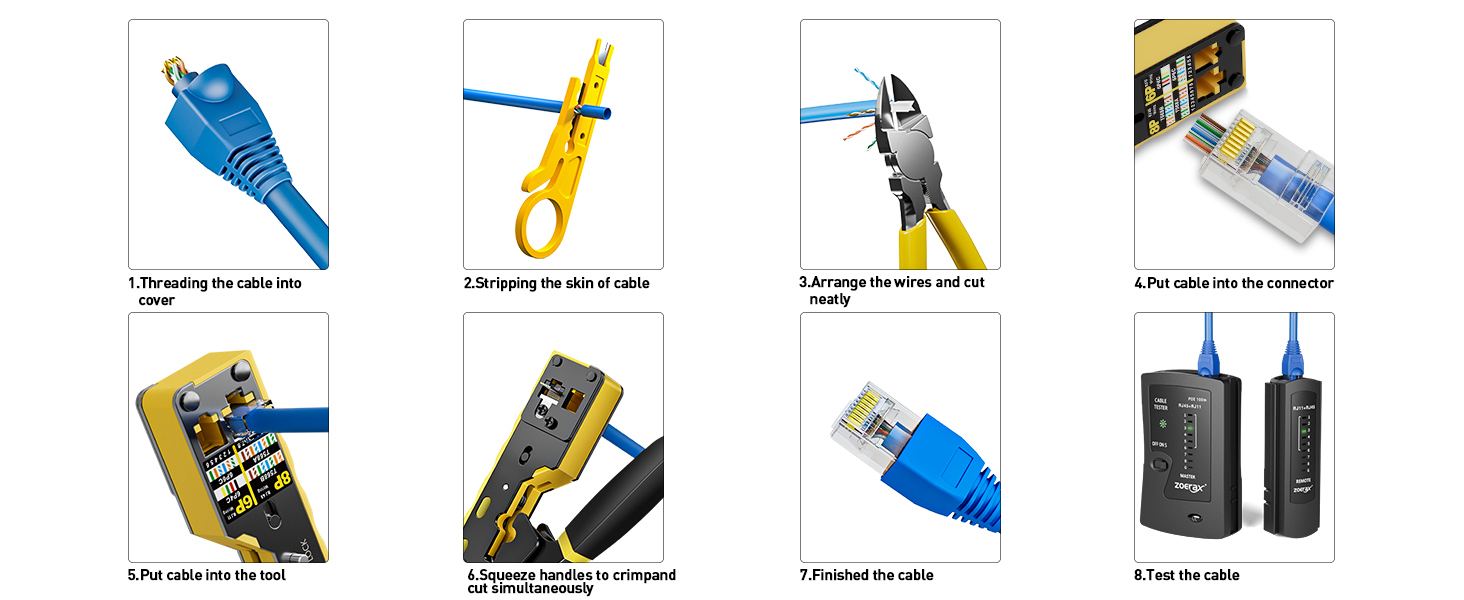
1. Slide the blue cover boots onto the cable in advance.
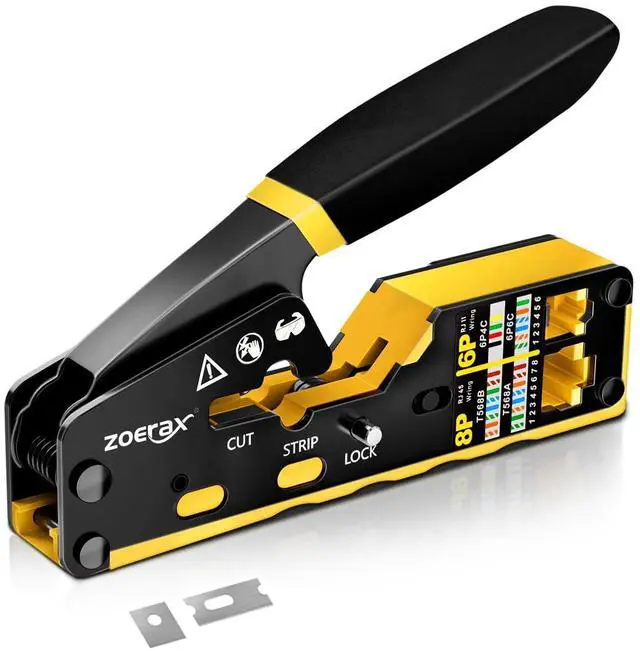
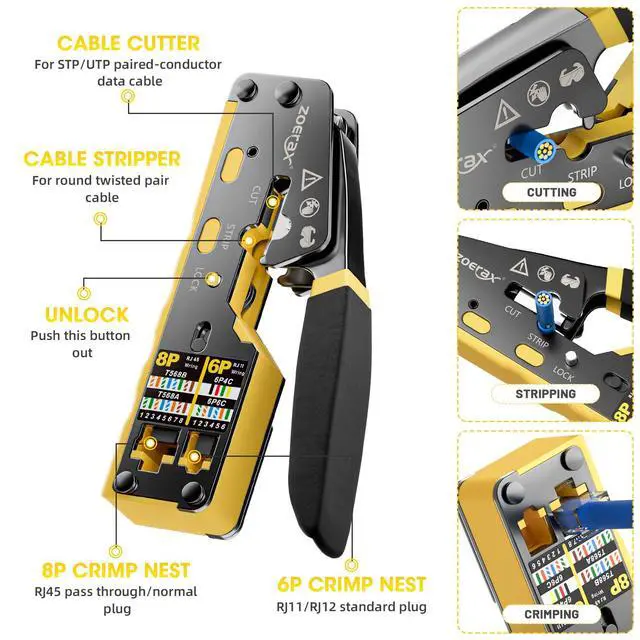
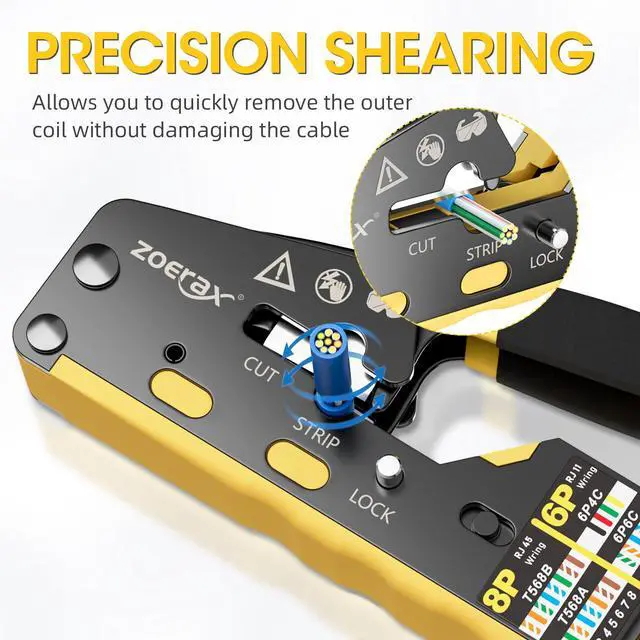
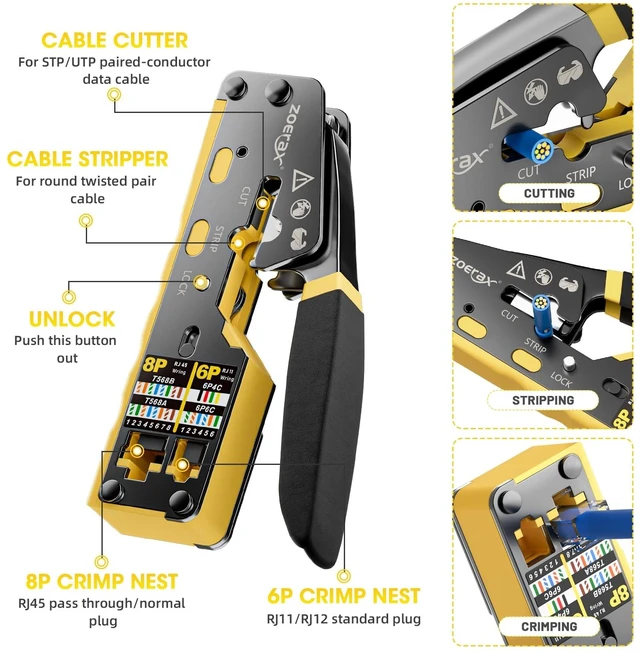
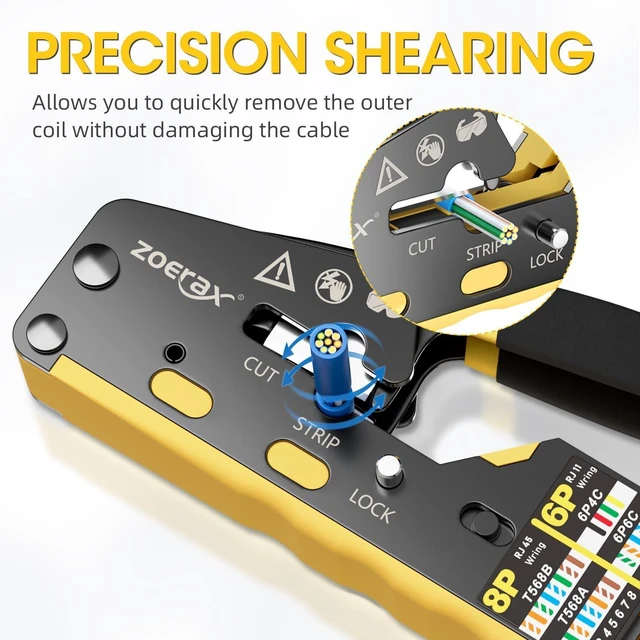
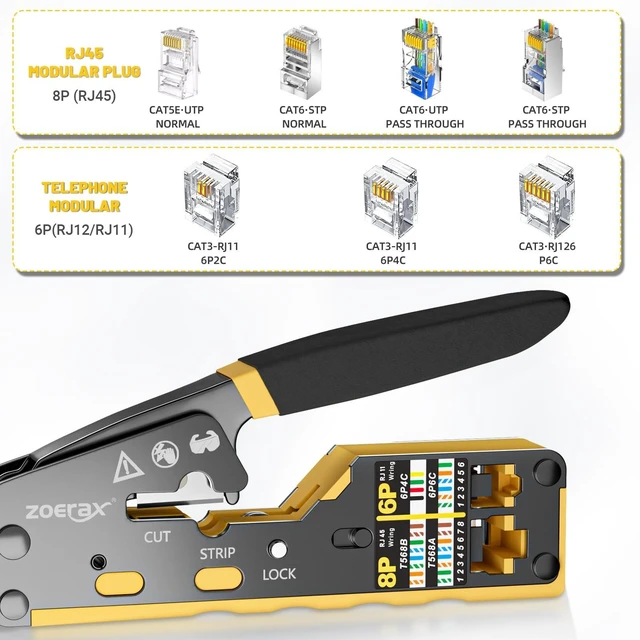
2. Insert the cable into the stripping port of the pass-through RJ45 crimper.
3. Use the RJ45 Ethernet crimper or a mini wire stripper, rotating the cable 360 degrees to strip it. (Note: Be careful not to crimp too tightly to avoid damaging the internal wires).
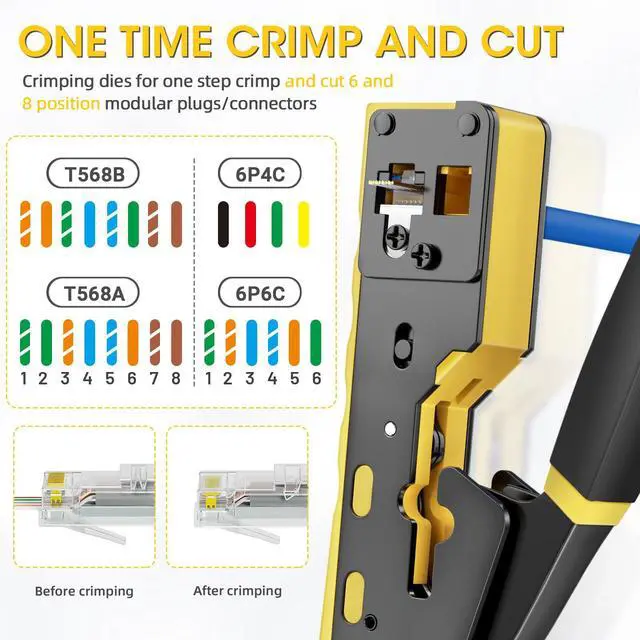
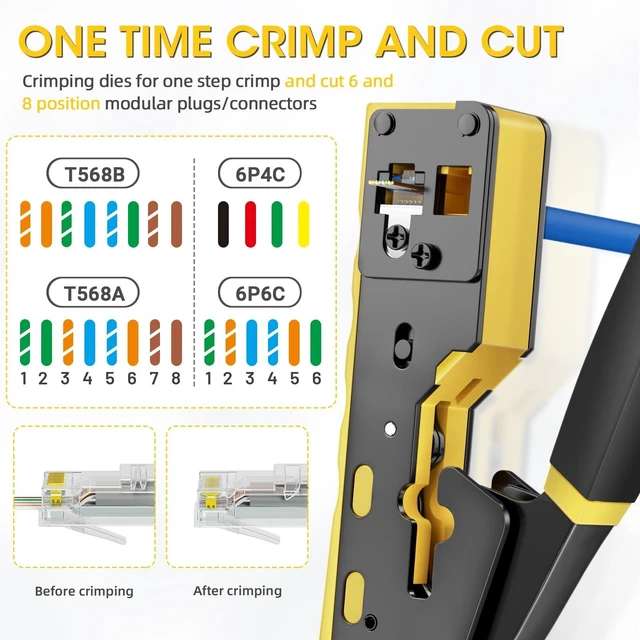
4. Align the eight colored wires according to the T568A or T568B standard (T568B is more commonly used in home settings).
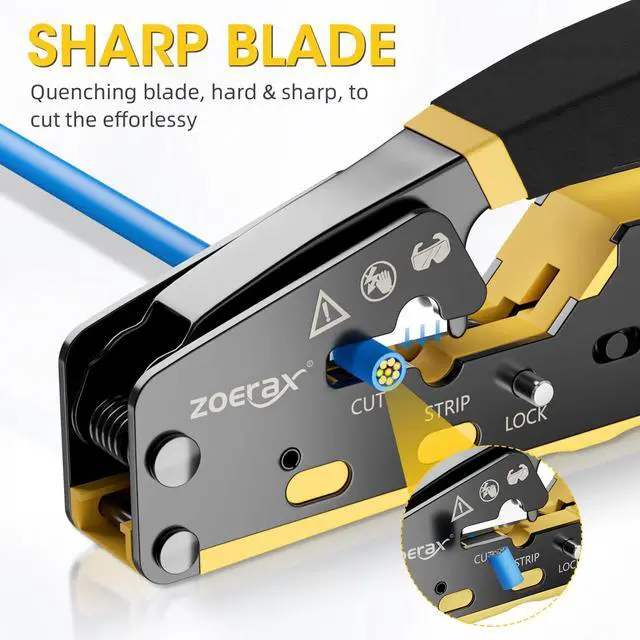
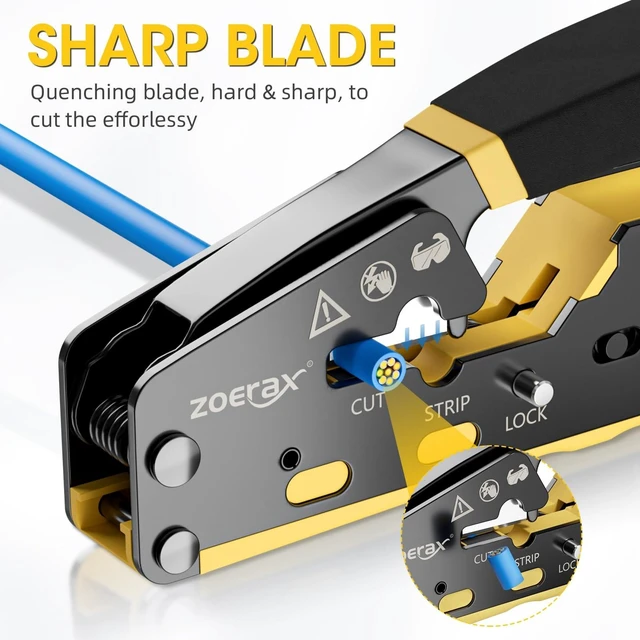
5. Once the wires are aligned, neatly cut them using the cutting port blade of the RJ45 Ethernet crimper.
6. Insert the ordered wires into the end of the crystal connector. Hold the cable firmly to maintain the correct sequence.
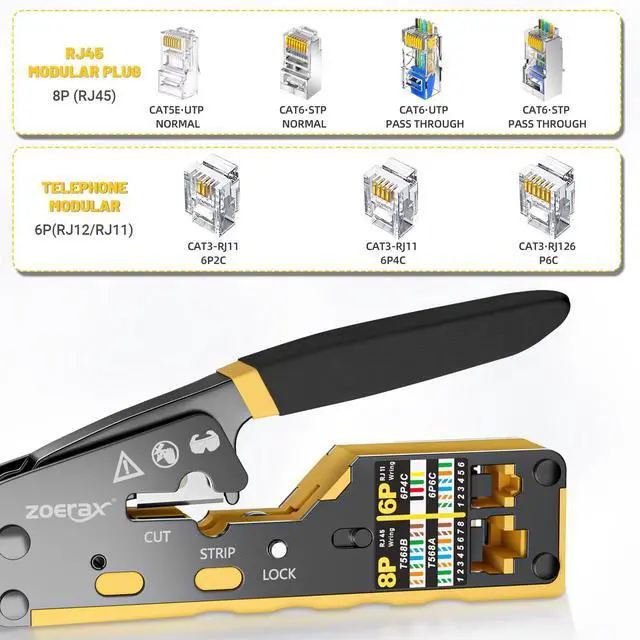
7. Insert the network cable with the crystal connector into the 8P crimping port.
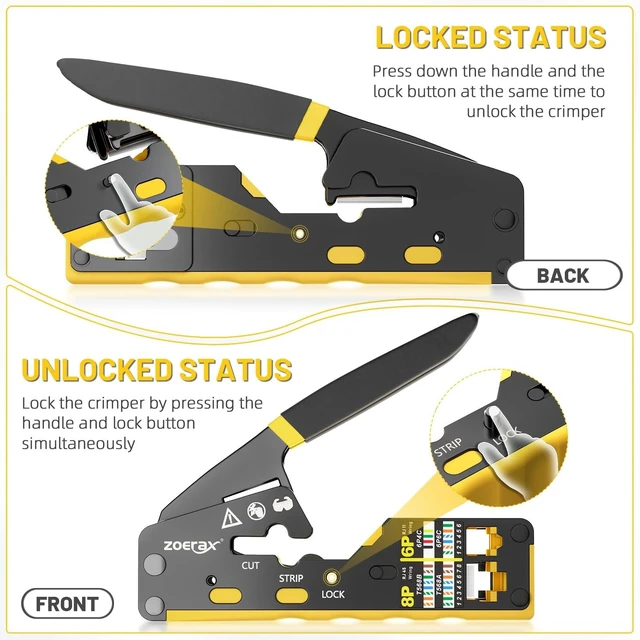
8. Squeeze the handle firmly, then release it, and pull out the crystal connector.
9. Test with Network Cable Tester
 CAT5/6 Crimp Tool |  RJ45 Crimper Tool Kit | 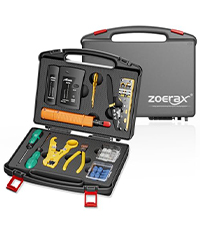 Network Tool Kit |  RJ45 Passthru Connectors | |
|---|---|---|---|---|
Customer Reviews | — | — | — | — |
Price | — | — | — | — |
Interface | RJ45/RJ11/RJ12 | RJ45/RJ11/RJ12 | RJ45/RJ11/RJ12 | RJ45 |
Ideal For | LAN & TEL | LAN & TEL | LAN & TEL | LAN |
Usable for | CAT5/CAT5E/CAT6 | CAT5/CAT5E/CAT6 | CAT5/CAT5E/CAT6 | CAT5E/CAT6 |
Non-passThrough/Pass Through | Non-passThrough/Pass Through | Non-passThrough/Pass Through | Non-passThrough/Pass Through | Pass Through |
Color | Yellow | Yellow | Yellow | Clear |
ZOERAX: Innovating Simplicity for Modern Life
Born from a passion to empower everyday efficiency, ZOERAX crafts precision-engineered tools and smart solutions that redefine convenience. We merge durable materials with intuitive design, ensuring every product—from network accessories to task-specific gear—delivers reliability without compromise.
Elevate Your Network with ZOERAX
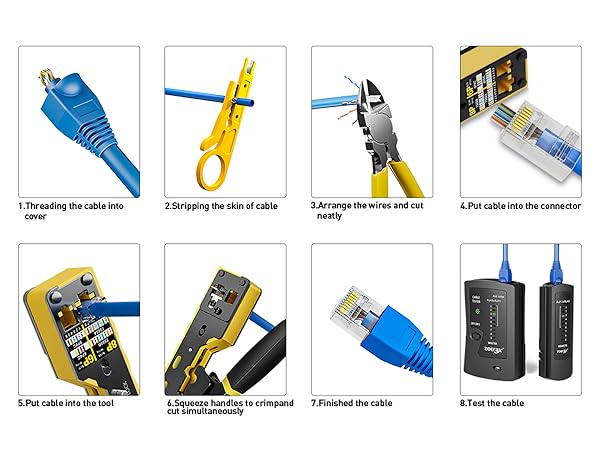
1. Slide the blue cover boots onto the cable in advance.
2. Insert the cable into the stripping port of the pass-through RJ45 crimper.
3. Use the RJ45 Ethernet crimper or a mini wire stripper, rotating the cable 360 degrees to strip it. (Note: Be careful not to crimp too tightly to avoid damaging the internal wires).
4. Align the eight colored wires according to the T568A or T568B standard (T568B is more commonly used in home settings).
5. Once the wires are aligned, neatly cut them using the cutting port blade of the RJ45 Ethernet crimper.
6. Insert the ordered wires into the end of the crystal connector. Hold the cable firmly to maintain the correct sequence.
7. Insert the network cable with the crystal connector into the 8P crimping port.
8. Squeeze the handle firmly, then release it, and pull out the crystal connector.
9. Test with Network Cable Tester
CAT5/6 Crimp Tool | RJ45 Crimper Tool Kit | Network Tool Kit | RJ45 Passthru Connectors |
|---|---|---|---|
| Customer Reviews | |||
| — | — | — | — |
| Price | |||
| — | — | — | — |
| Interface | |||
| RJ45/RJ11/RJ12 | RJ45/RJ11/RJ12 | RJ45/RJ11/RJ12 | RJ45 |
| Ideal For | |||
| LAN & TEL | LAN & TEL | LAN & TEL | LAN |
| Usable for | |||
| CAT5/CAT5E/CAT6 | CAT5/CAT5E/CAT6 | CAT5/CAT5E/CAT6 | CAT5E/CAT6 |
| Non-passThrough/Pass Through | |||
| Non-passThrough/Pass Through | Non-passThrough/Pass Through | Non-passThrough/Pass Through | Pass Through |
| Color | |||
| Yellow | Yellow | Yellow | Clear |


