




Advantage of Our Laptop Cooling Pad

Anti-slip Stoppers
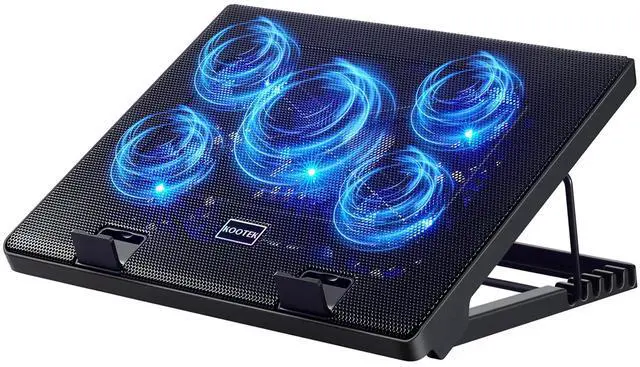
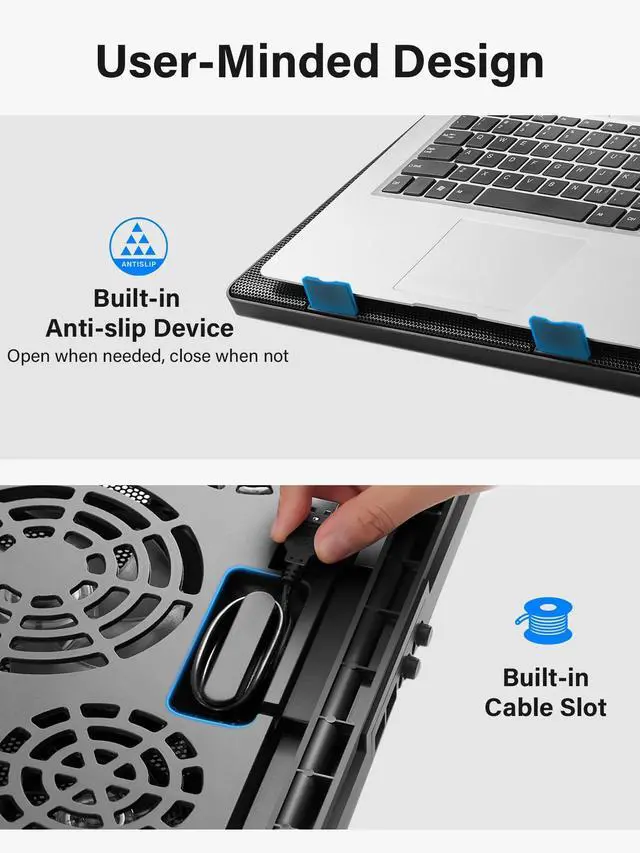
Pre-mounted, anti-slip stoppers of the cooling pad ensure laptop stability. You can open them for secure use, and close for compact storage.

Metal Mesh Surface
The mesh design enhances heat dissipation efficiency and prevents laptops from overheating. The metal material adds to the product's durability.

Adjustable Height
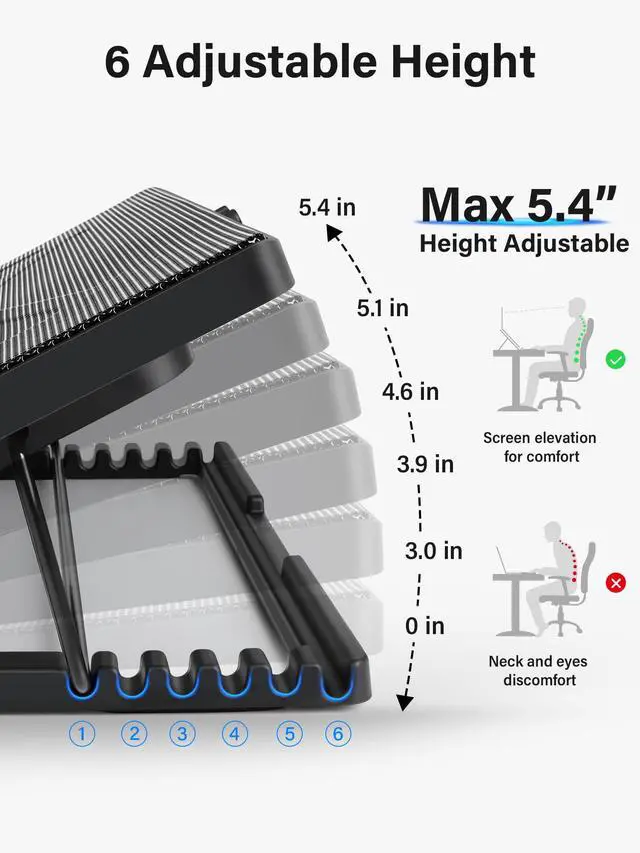
6-position height adjustment for optimal ergonomics, promoting comfortable sitting posture and reducing neck strain.

2 Switches and Dual USB Ports
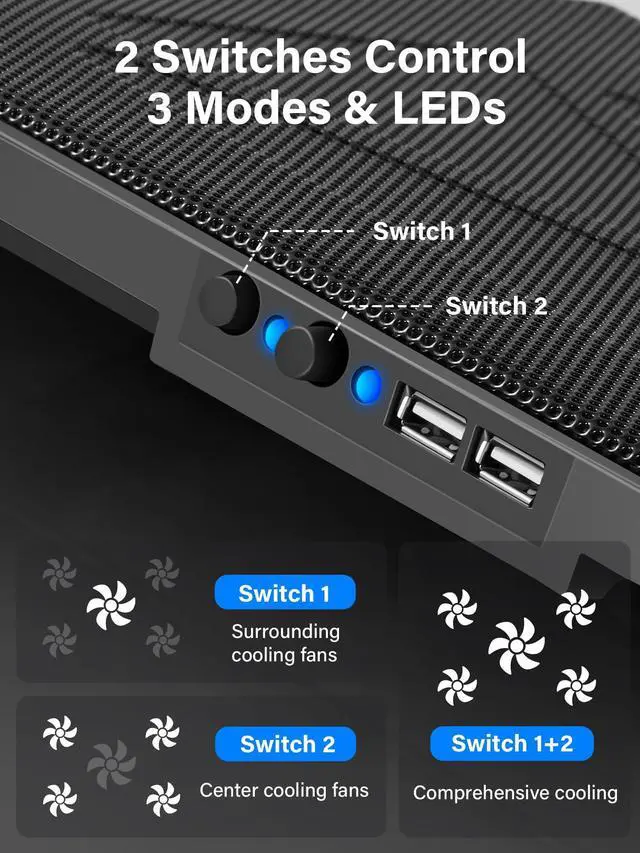
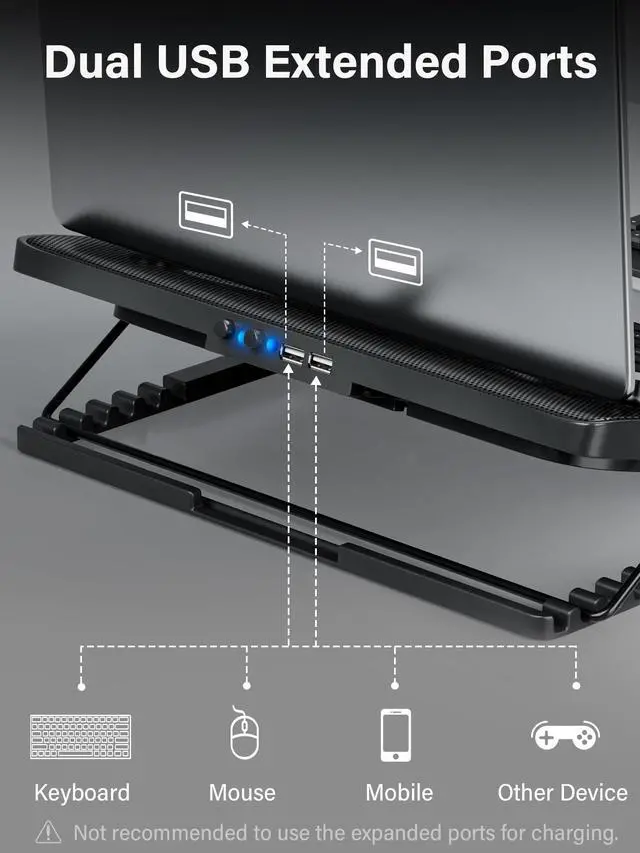
2 switches activate central&surrounding fans independently. 3 working modes available, choose the one you like. Includes 2 USB hubs for more devices.

Strong Heat Cooling
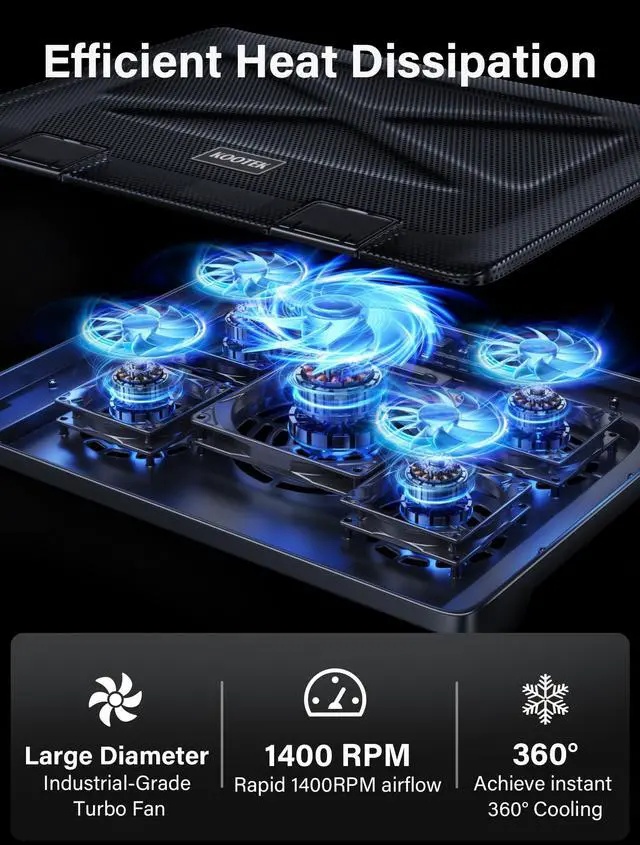
The laptop cooler features 1+4 high-performance fans (big fan: 4.72-inch, small fans: 2.76-inch). With a powerful motor system, it efficiently directs air into the laptop and rapidly removes hot air, ensuring optimal temperatures during intense usage.

Powerful Fan
The laptop cooling pad has a 1400 RPM central fan alongside 4 surrounding fans spinning at 2400 RPM, enhancing airflow and expediting heat dissipation. This design ensures optimal cooling performance with 360° cooling coverage, boosting overall cooling efficiency.
Kootek Laptop Cooling Stand
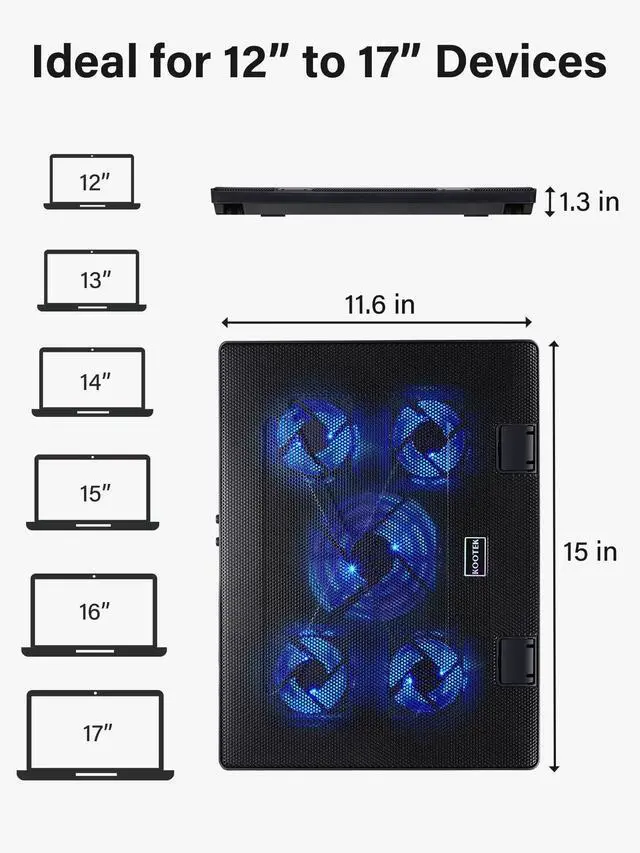
Dimension: 15 x 11.6 x 1.3 inches
Compatible size: 12-17 inch laptops
Light: Blue
Connection: 2 x USB 2.0 ports
Warm tips: The packaged cable is a built-in USB-A cable. Type C connection devices require a Type C to USB adapter.


Kootek 12” - 17” Laptop Cooling Pad
Can I turn the lights off?
The lights work alongside the fans, therefore, they cannot be turned off unless you turn off the fans.
Will it turn on automatically when I start the computer or gaming system
It will work when you start the computer or gaming system if you have turned on the fans before. Otherwise, you need to press the button to turn on the fans.
Can I use the wall outlet instead?
Yes, you could use the wall outlet to power the laptop cooling pad.
How long is the power cord?
The USB cable of the laptop cooling pad is approximately 21 inches long.


Since KootekDirect was founded in 2013, we have been committed to offering high-quality home kitchens, home storage organizations, and outdoor sports products.
Today, Kootek has become a leading brand in baking and hammocks by continuously improving and innovating our products.
Join us to create more innovative and practical products to make our lives more enjoyable.
Blue Laptop Cooling Pad
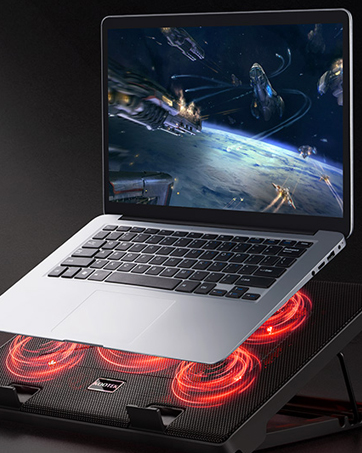
Red Laptop Cooling Pad

Advantage of Our Laptop Cooling Pad
Anti-slip Stoppers
Pre-mounted, anti-slip stoppers of the cooling pad ensure laptop stability. You can open them for secure use, and close for compact storage.
Metal Mesh Surface
The mesh design enhances heat dissipation efficiency and prevents laptops from overheating. The metal material adds to the product's durability.
Adjustable Height
6-position height adjustment for optimal ergonomics, promoting comfortable sitting posture and reducing neck strain.
2 Switches and Dual USB Ports
2 switches activate central&surrounding fans independently. 3 working modes available, choose the one you like. Includes 2 USB hubs for more devices.
Strong Heat Cooling
The laptop cooler features 1+4 high-performance fans (big fan: 4.72-inch, small fans: 2.76-inch). With a powerful motor system, it efficiently directs air into the laptop and rapidly removes hot air, ensuring optimal temperatures during intense usage.
Powerful Fan
The laptop cooling pad has a 1400 RPM central fan alongside 4 surrounding fans spinning at 2400 RPM, enhancing airflow and expediting heat dissipation. This design ensures optimal cooling performance with 360° cooling coverage, boosting overall cooling efficiency.
Kootek Laptop Cooling Stand
Dimension: 15 x 11.6 x 1.3 inches
Compatible size: 12-17 inch laptops
Light: Blue
Connection: 2 x USB 2.0 ports
Warm tips: The packaged cable is a built-in USB-A cable. Type C connection devices require a Type C to USB adapter.


Kootek 12” - 17” Laptop Cooling Pad
| Laptop Fan Size | 15 x 11.6 x 1.3 inches |
|---|---|
| Adjustable Height Settings | 6 levels, max 5.4" |
| Number of Fans | 1 (big fan)+4 (small fans) |
| Revolutions Per Minute(RPM) | Big fan 1400±10%RPM, small fan 2400±10%RPM |
| LED Light Color | Blue |
| Working Modes | 1 fan running/4 fans running/5 fans running |
| Compatible with | 12-17 inch Laptops/PS3/ PS4/ Tablet/Notebook Computer |
| Cable Type | Built-in USB-A cable |
Can I turn the lights off?
The lights work alongside the fans, therefore, they cannot be turned off unless you turn off the fans.
Will it turn on automatically when I start the computer or gaming system
It will work when you start the computer or gaming system if you have turned on the fans before. Otherwise, you need to press the button to turn on the fans.
Can I use the wall outlet instead?
Yes, you could use the wall outlet to power the laptop cooling pad.
How long is the power cord?
The USB cable of the laptop cooling pad is approximately 21 inches long.
Since KootekDirect was founded in 2013, we have been committed to offering high-quality home kitchens, home storage organizations, and outdoor sports products.
Today, Kootek has become a leading brand in baking and hammocks by continuously improving and innovating our products.
Join us to create more innovative and practical products to make our lives more enjoyable.
Blue Laptop Cooling Pad
Red Laptop Cooling Pad