

• $74.99
  • Free 30-day Returns
  • Price alert
    Sold by Zeren Company

    Shipped by Zeren Company

    Shop it at NeweggBusiness.

    Meet Your Seller

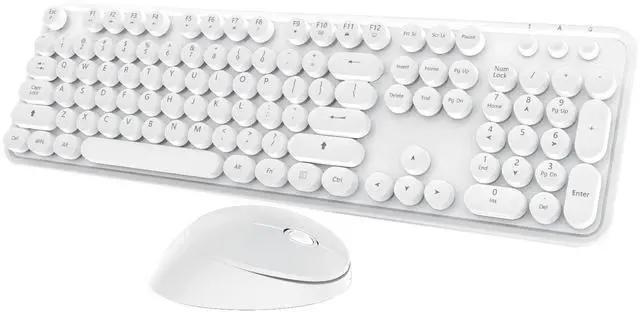
    Wireless Keyboard Mouse Combo, 104 Keys Cute White Keyboard with Number Pad & Mouse for Windows, Computer, PC, Notebook, Laptop (White)

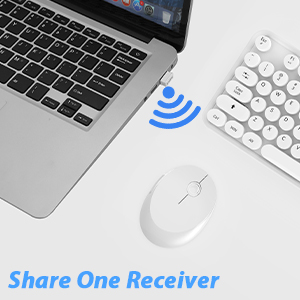
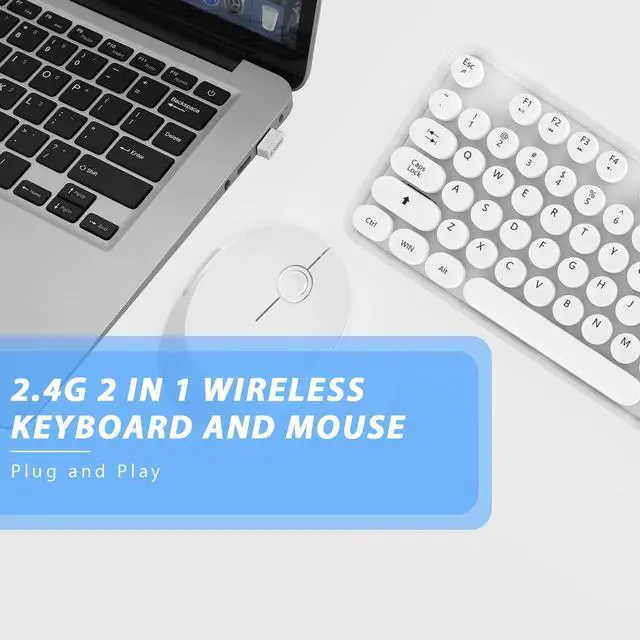
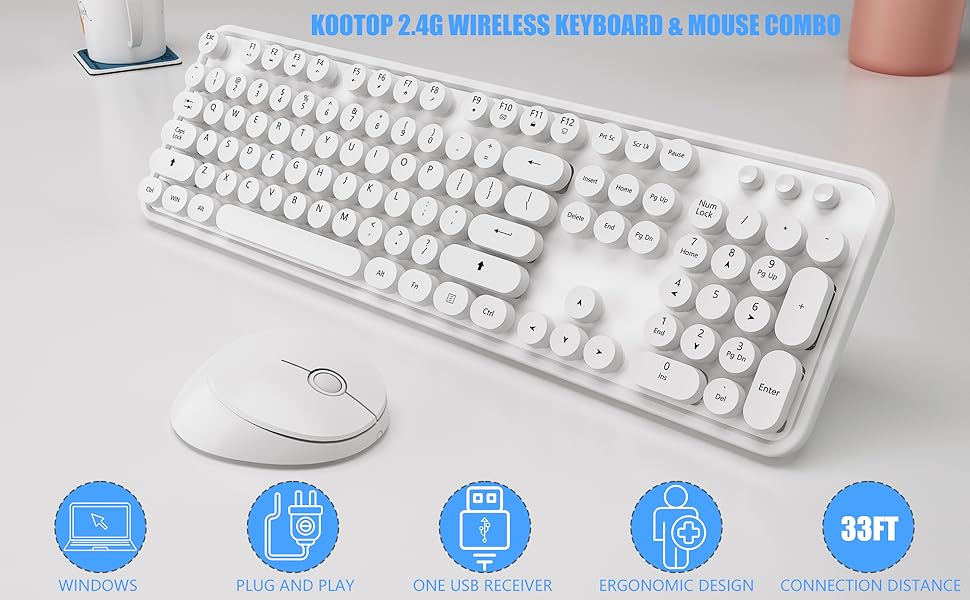
    • 2.4GHz Wireless Technology]plug and play, 35 feet working range, 2-in-1 nano receiver, no need to install other software, no delays or Drop the line, Make your desk surface more neat and tidy, Keyboard or mouse can be used separately, just insert a single USB Receiver to use your Wireless Keyboard Mouse Combo
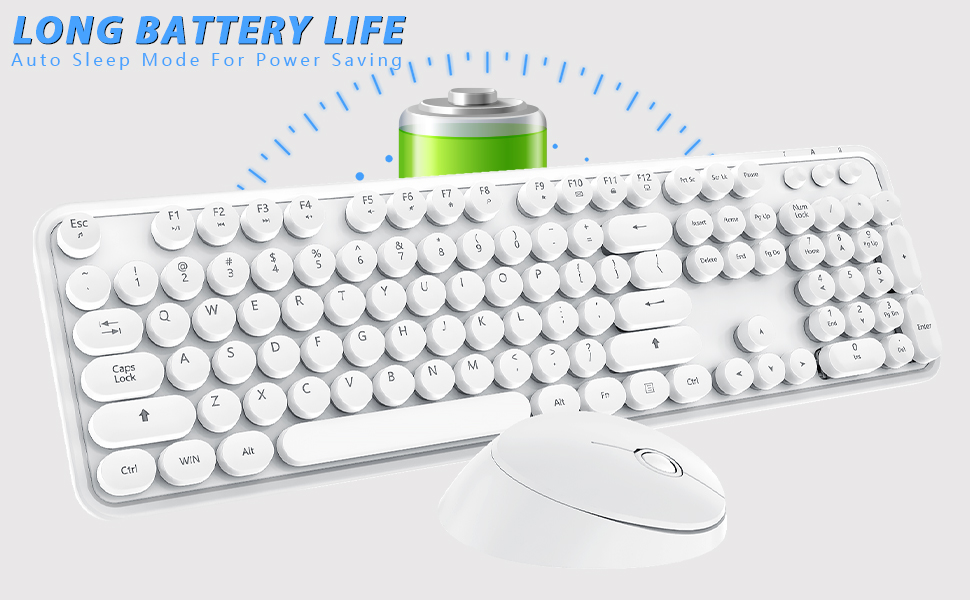
    • Silent Wireless Mouse & Long Battery Life This cute mouse provides whisper-quiet clicking, don't worry about disturbing others, or causing unnecessary distracting noises. The white keyboard and mouse wireless, to further conserve battery life, energy-saving sleep mode kicks in automatically after 8 minutes of no use, click any key or button of to wake-up within seconds
    • 12 Multimedia Hot Keys This cute wireless keyboard and mouse layout with numeric keypad. 12 multimedia hotkeys combined with FN provide a shortcut to your music, emails, movies, web, ect. (Note: the 12 Multimedia shortcuts are not compatible with Mac systems
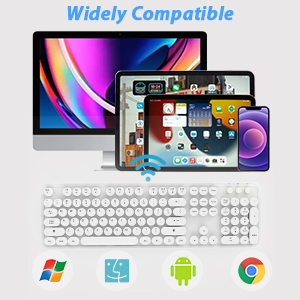
    • Wide Compatibility & Great Service wireless keyboard white compatible with Windows 2000 / ME / XP / 7 / 8 / 10, VISTA and Mac. White ergonomic keyboard, suitable for desktops, Chrome-book, PC, Laptop, Computer,Smart TVs and more. If you encounter any problems Wduring use, please contact us, we will provide a satisfactory solution
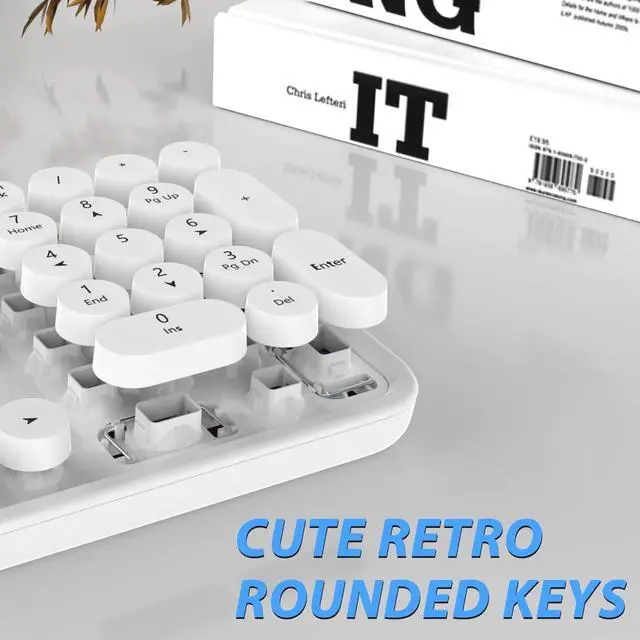
    • RETRO ROUND KEYCAPS white color keyboard and mouse wireless with vintage typewriter-inspired rounded keycaps, gives you the most comfortable typing experience and adds some much needed spunk to your desk
    +
    +
    Overview
    Specs
    Reviews
    avatar

    Any questions? Our AI beta will help you find out quickly.

    white keyboard
     cute white keyboard

    White Wireless Keyboard and Mouse
    white wireless keyboard and mouse
    Widely compatible

    Cute Wireless Keyboard and Mouse

    Wide Compatibility

    Works with your PC, Desktop, Laptop, Chromebook, Notebook, Computer. Compatible with Windows XP / Vista / 7 / 8 /10 , Linux operating systems.

    Solution For Keyboard/Mouse No Response

    * Solution For Keyboard

    Step 1: To take out the battery and USB receiver;

    Step 2: Turn it ON, press and hold on the ESC+K keys of the keyboard;

    Step 3: Inserting the receiver within 10 seconds, then let it go for 5 seconds.

    Tips: If plug the USB over 10s ,it need to restart from step 2 again.

    * Solution For Mouse

    Step 1: To take out the battery and USB receiver;

    Step 2: Turn it ON, press and hold on the middle button and the right button of the mouse;

    Step 3: Inserting the receiver within 10 seconds, then let it go for 5 seconds.

    Tips: If plug the USB over 10s ,it need to restart from step 2 again.

    What You Can Get:

    • * 1x Full-size Wireless Keyboard
    • * 1x Wireless Mouse
    • * 1x USB Receiver (Stored in the mouse)
    • * 2*AA battery (included)
    • * 1x User Manual

    2.4G wireless keyboard and mouse

    Plug and Play

    This white wireless keyboard and mouse kit is equipped with a nano receiver, only need a USB port, plug and play, no other drivers.

    Full size keyboard and mouse

    Retro Keyboard Typewriter Style

    Vintage typewriter-inspired rounded keycaps, gives you the most comfortable typing experience and adds some much needed spunk to your desk.

    Auto Sleep mode

    Automatic Sleep Mode

    To further conserve battery life, turn into power-save mode automatically.

    Indicator

    Numeric Keypad & LED Indicator

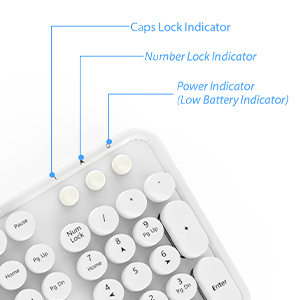
    There are three indicator: Caps Lock Indicator, Num Lock Indicator and Power Indicator on the keyboard's right corner, which helps you easily catch the typing status.

    Slient mouse

    Silent & Cute Wireless Mouse

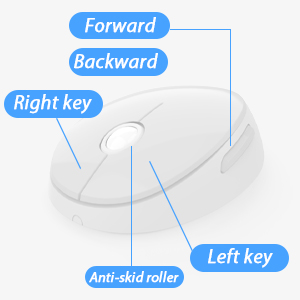
    Quieter click, don't worry about disturbing others, and make you concentrate on your work.

    Two batteries

    Where to Find USB Receiver?

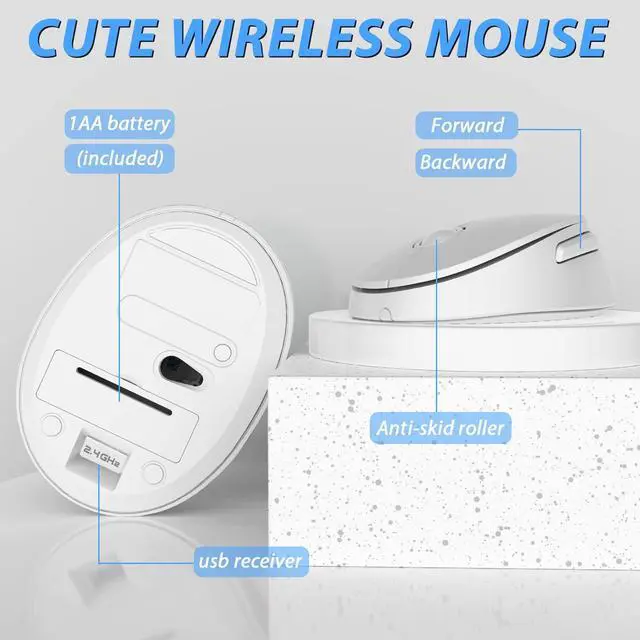
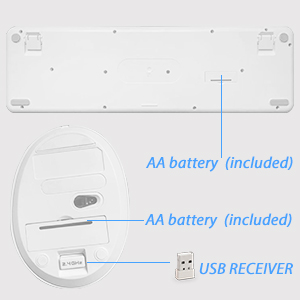
    Wireless keyboard requires 1*AA battery(include), wireless mouse requires 1*AA battery (Include).

    Tips: The receiver is placed in the back of the mouse.

    12 multimedia hotkeys

    12 multimedia hotkeys
    white keyboard
     cute white keyboard

    White Wireless Keyboard and Mouse
    white wireless keyboard and mouse
    Widely compatible

    Cute Wireless Keyboard and Mouse

    Wide Compatibility

    Works with your PC, Desktop, Laptop, Chromebook, Notebook, Computer. Compatible with Windows XP / Vista / 7 / 8 /10 , Linux operating systems.

    Solution For Keyboard/Mouse No Response

    * Solution For Keyboard

    Step 1: To take out the battery and USB receiver;

    Step 2: Turn it ON, press and hold on the ESC+K keys of the keyboard;

    Step 3: Inserting the receiver within 10 seconds, then let it go for 5 seconds.

    Tips: If plug the USB over 10s ,it need to restart from step 2 again.

    * Solution For Mouse

    Step 1: To take out the battery and USB receiver;

    Step 2: Turn it ON, press and hold on the middle button and the right button of the mouse;

    Step 3: Inserting the receiver within 10 seconds, then let it go for 5 seconds.

    Tips: If plug the USB over 10s ,it need to restart from step 2 again.

    What You Can Get:

    • * 1x Full-size Wireless Keyboard
    • * 1x Wireless Mouse
    • * 1x USB Receiver (Stored in the mouse)
    • * 2*AA battery (included)
    • * 1x User Manual

    2.4G wireless keyboard and mouse

    Plug and Play

    This white wireless keyboard and mouse kit is equipped with a nano receiver, only need a USB port, plug and play, no other drivers.
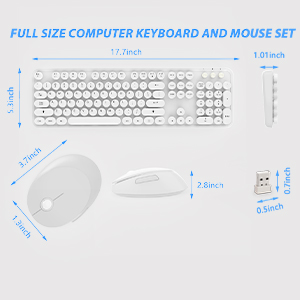
    Full size keyboard and mouse

    Retro Keyboard Typewriter Style

    Vintage typewriter-inspired rounded keycaps, gives you the most comfortable typing experience and adds some much needed spunk to your desk.
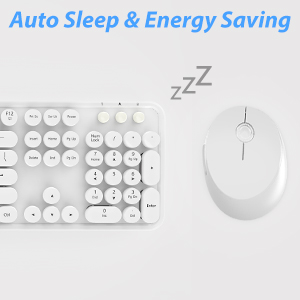
    Auto Sleep mode

    Automatic Sleep Mode

    To further conserve battery life, turn into power-save mode automatically.
    Indicator

    Numeric Keypad & LED Indicator

    There are three indicator: Caps Lock Indicator, Num Lock Indicator and Power Indicator on the keyboard's right corner, which helps you easily catch the typing status.
    Slient mouse

    Silent & Cute Wireless Mouse

    Quieter click, don't worry about disturbing others, and make you concentrate on your work.
    Two batteries

    Where to Find USB Receiver?

    Wireless keyboard requires 1*AA battery(include), wireless mouse requires 1*AA battery (Include).

    Tips: The receiver is placed in the back of the mouse.

    12 multimedia hotkeys
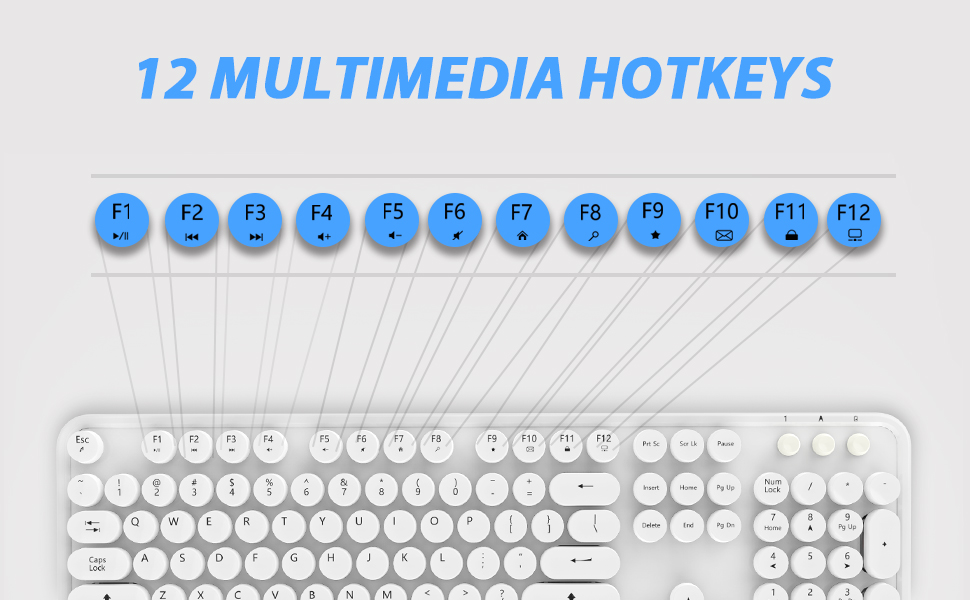
    12 multimedia hotkeys

    Wireless Keyboard and Mouse Combo for Laptop/Computer/PC Full Size Wireless Keyboard Full size design is more functional than mini size ones, especially for people who needs to input a lot of number and words, greatly improve work efficiency. True plug and play With stable 2.4GHz Wireless Connection, just insert the nano USB receiver to your computer, turn on keyboard and mouse, then they can be connected to your computer automatically. A Good Looking Combo A sleek, ultra-thin body with blue color, keys are beautifully crafted into a round concave, the keyboard turn any workspace or desk into a cute and fun environment. High-quality scissor foot key provide a comfortable, long-lasting and quiet click. Experience with more than 5 million mouse clicks and 10 million keystrokes. Wireless Keyboard Mouse Combo, Professional Design for Home and Office Work, Click and Tap Silent. Full-Size Wireless Mouse and Keyboard Combo with Numeric Keypad and A Precision Mouse.


    Product information

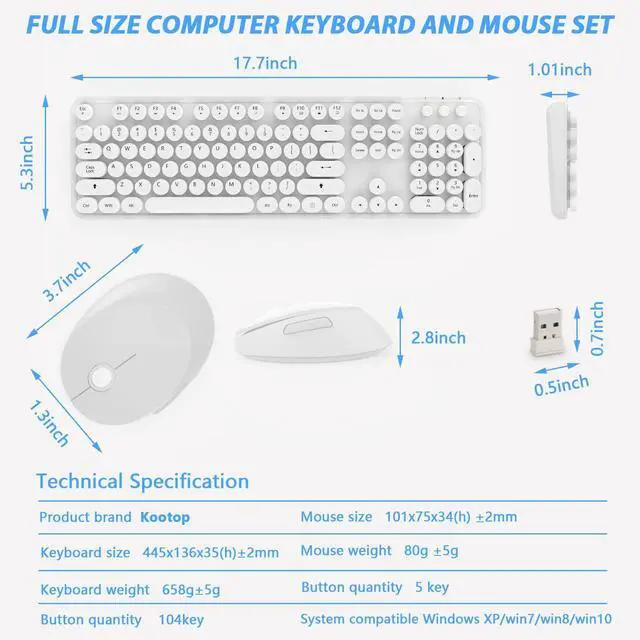
    Brand Kootop
    Color 2 White
    Connectivity Technology Radio Frequency
    Special Feature Ergonomic
    Compatible Devices Gaming Console, Personal Computer
    Package Dimensions 17.6 x 8.9 x 1.77 inches
    Item Weight 1.63 pounds
    Item model number Kootop
    Batteries 2 AA batteries required.
    Date First Available July 13, 2022
    Manufacturer Kootop

    Warranty & Returns

    Warranty, Returns, And Additional Information

    Warranty

    • Please contact the Seller directly for warranty information. Warranty information may also be found on the Manufacturer's website.
    • CONTACT

    Return Policies

    Manufacturer Contact Info

    LOADING...