





1. There's a problem with my keyboard that I can't solve, what should I do? 2. Do keyboard/mouse have sleep function?
1. Please check the manual and find MEETION support team immediately, we support all products and customers.
2. Yes, both the keyboard and mouse are equipped with an automatic sleep mode for power saving, and press any key to activate them.
Connection Issue/Certain keys not working/Typing delay or keys repeating?
1. Restart keyboard (turn off/on) or recharge if battery is low.
2. Reduce distance from device.
3. Check for debris under keys.
4. Replug 2.4G receiver into another USB port. Bluetooth: Clear pairing history, re-pair. Ensure device Bluetooth =5.3.
Why can't I connect to the computer using the USB cable?
The included USB cable is for charging only and does not have a data transfer function, the connection needs to be done through the receiver or Bluetooth.
Can i connect and switch between multiple devices with the keyboard and mouse combo?
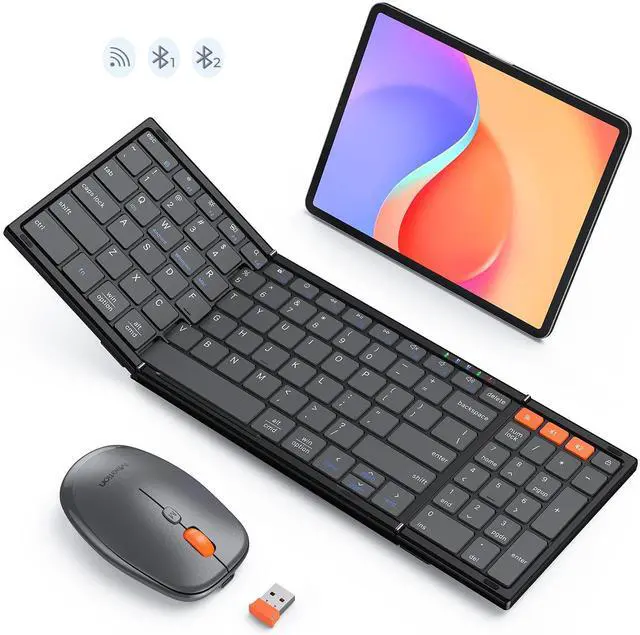
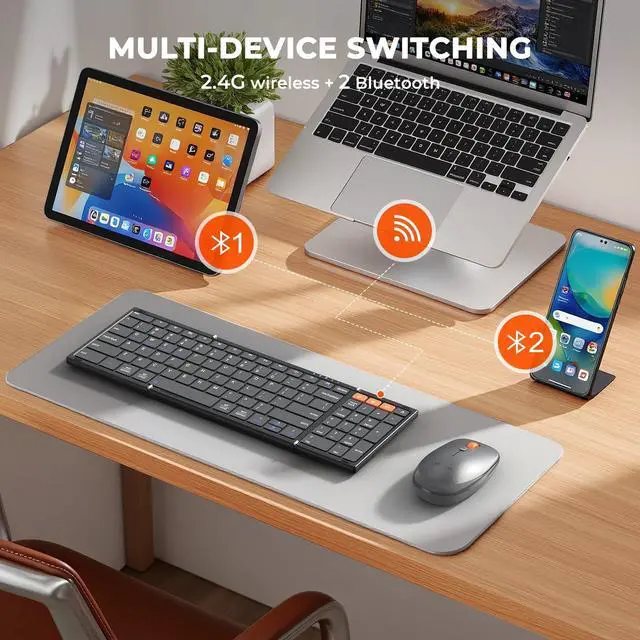
Our combo supports 3-device connectivity via:
1x 2.4G receiver (for 1 device)
2x Bluetooth channels (for 2 additional devices)
This lets you connect 3 devices simultaneously—no need for multiple peripherals, keeping your workspace tidy.
What can I do if MEETION keyboard Fail to connect?
1. Replug receiver into another USB port.
2. If using a Bluetooth connection, in the Bluetooth settings of the device, clear the pairing history and re-pair the device.
3. Restart your device, as well as the keyboard and mouse.


The Traveler's Pocket Office Partner


1. There's a problem with my keyboard that I can't solve, what should I do? 2. Do keyboard/mouse have sleep function?
1. Please check the manual and find MEETION support team immediately, we support all products and customers.
2. Yes, both the keyboard and mouse are equipped with an automatic sleep mode for power saving, and press any key to activate them.
Connection Issue/Certain keys not working/Typing delay or keys repeating?
1. Restart keyboard (turn off/on) or recharge if battery is low.
2. Reduce distance from device.
3. Check for debris under keys.
4. Replug 2.4G receiver into another USB port. Bluetooth: Clear pairing history, re-pair. Ensure device Bluetooth =5.3.
Why can't I connect to the computer using the USB cable?
The included USB cable is for charging only and does not have a data transfer function, the connection needs to be done through the receiver or Bluetooth.
Can i connect and switch between multiple devices with the keyboard and mouse combo?
Our combo supports 3-device connectivity via:
1x 2.4G receiver (for 1 device)
2x Bluetooth channels (for 2 additional devices)
This lets you connect 3 devices simultaneously—no need for multiple peripherals, keeping your workspace tidy.
What can I do if MEETION keyboard Fail to connect?
1. Replug receiver into another USB port.
2. If using a Bluetooth connection, in the Bluetooth settings of the device, clear the pairing history and re-pair the device.
3. Restart your device, as well as the keyboard and mouse.