



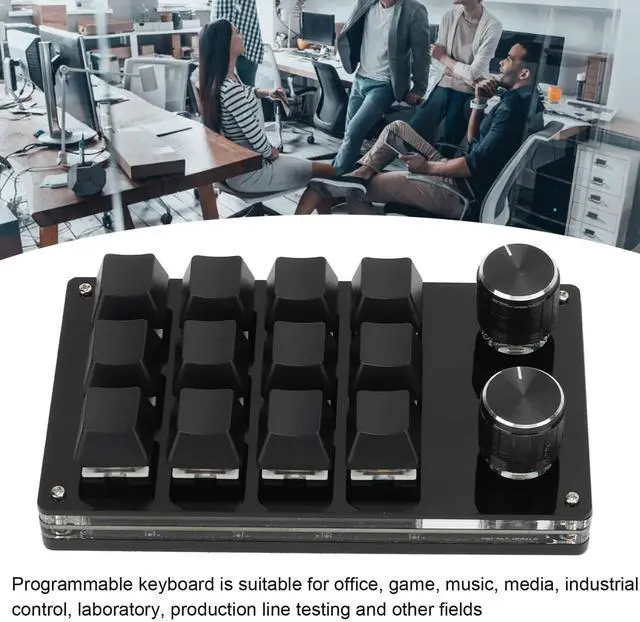
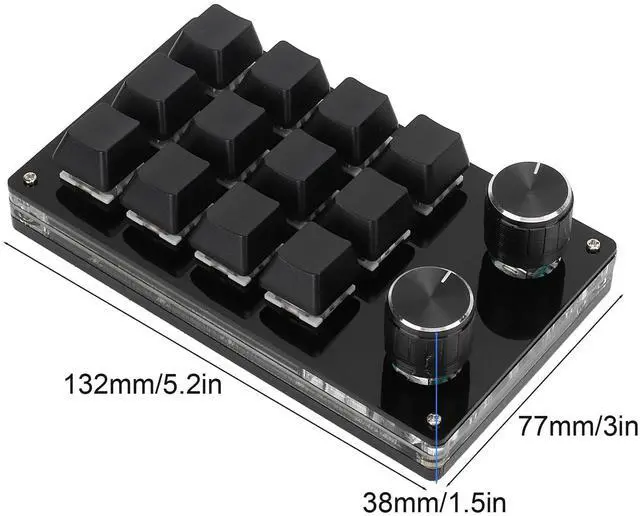


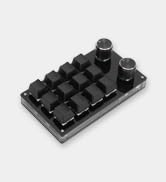
Do you sometimes feel frustrated because the game requires a lot of keystrokes and leads to wrong presses? Or do you have sore fingers because you have to keep pressing keys repeatedly at work? Now try this DIY programming keyboard, minus the extra keys, you can set the function according to your needs to achieve more accurate operation with less space.

How to use this macropad
- After downloading the operation manual, download the software and open it.
- On the customization software, click (yellow area) "Key Setting Area" or "Knob Setting Area" and then click any key of KEY1-KEY12 or Knob1 or Knob2 to set (green area); the selected key will be shown in red.
- Click on the corresponding function keys of the simulated keyboard on the customization software, click on Download, the download will be successful and our custom keyboard will be ready for use. For example: I want to set the keyboard key 1 as a shortcut key to copy (Ctrl+C), click "Key Setting Area" on the software, click "KEY1" and then click Ctrl and C on the simulated keyboard of the software, click download, prompting successful download and you are ready.


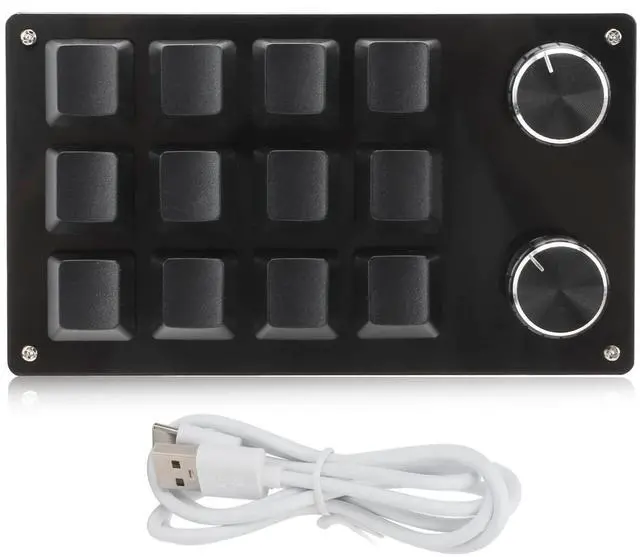
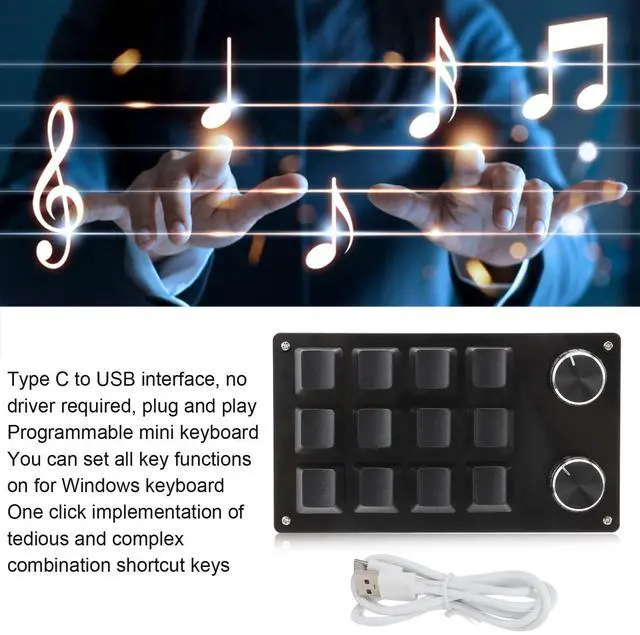
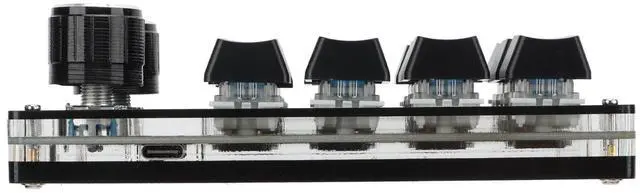
With Type C to USB interface (USB-Type C cable included), no driver required, plug-and-play, hot-plug support.

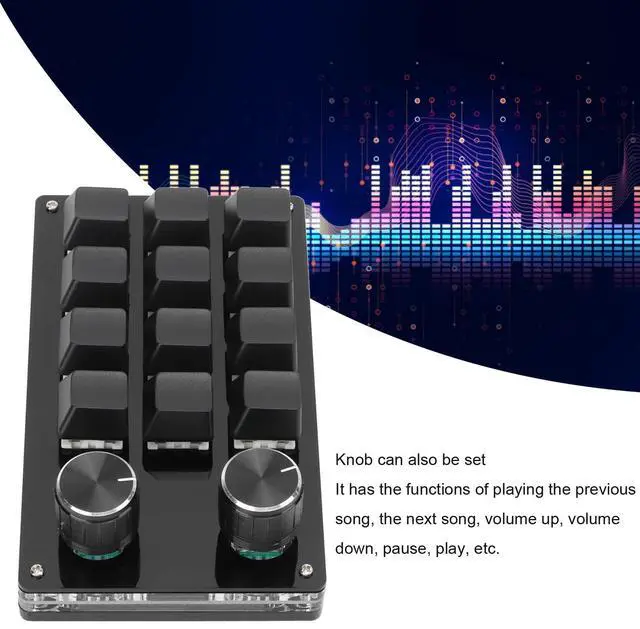
Two metal knobs can replace the scroll wheel, set to easily achieve music up, down, volume up and down, and other operations.

With dustproof green axis, up to 50 million times the life of the keys, giving you a crisper, more rhythmic feedback.

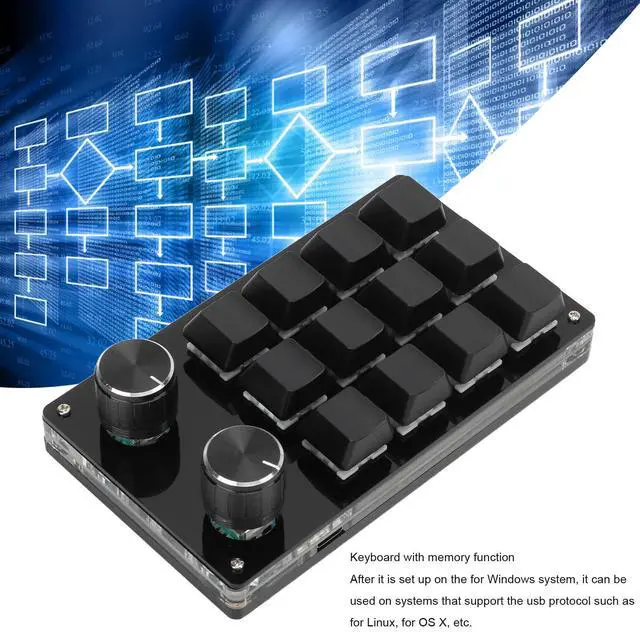
USB-Type C cable is included for your convenience in connecting devices. Support Windows, VISTA, Linux, Macos.

Our programmable keyboard can be used in office, gaming, music, media, industrial control, lab, production line testing, etc. No driver required, plug and play, no conflict with multiple keyboards on your computer. And it's small and light, so it's easy for you to carry around.


Common troubleshooting 3
Problem 3: After connecting to the computer, a button or knob why are "a"?
Solution: The output a is the normal factory settings, open the custom software to redefine the key function.
Common troubleshooting 1-2
Problem 1: Keyboard connected to the computer does not respond or prompt the device to run abnormally.
Solution: Check whether the line and interface has been connected, re-plug; replace the USB interface on the computer and re-plug.
Problem 2: After downloading custom software can not open.
Solution: Check whether the software to intercept the operation, set it to a trusted file.
- Material: Acrylic, PCB
- System Support: For Windows, for VISTA, for Linux, for OS X
- Button Life: Up to 50 Million Times
- Type: Dustproof Green Shaft
- Current and Voltage: DC 5V/1A


Gugxiom is a brand born in China, built on the core values of innovation, intelligence and integrity.
As a professional manufacturer of 3C products, we want your life to be simpler and more convenient, and are committed to providing the most innovative research and unique design for your life.
Our products not only facilitate your life, but also bring you the technological experience you want.

Practical Electronic Supplies
![the [ unused0 ] - white](//c1.neweggimages.com/sellingpilot/modules/product/a-plus/adc0ccf1776f14463fee54362790e2fb41796ff7060358df9384648d757d21a4.jpg)
Practical Electronic Supplies
Practical Electronic Supplies
Practical Electronic Supplies
How did we get our start?
Gugxiom is a brand born in China, built on the core values of innovation, intelligence and integrity. Our original intention is to make your life simpler and more convenient.
What makes our products unique?
Gugxiom values every user's experience, strictly controls the quality of every item, and is committed to providing high quality products and services to every consumer.
Why do we love what we do?
Each item purchased by each person has a different meaning. Gugxiom values the experience and opinions of each user and treats customers with the same original intention.

![the [ unused0 ] - white](http://c1.neweggimages.com/sellingpilot/modules/product/a-plus/adc0ccf1776f14463fee54362790e2fb41796ff7060358df9384648d757d21a4.jpg)
Do you sometimes feel frustrated because the game requires a lot of keystrokes and leads to wrong presses? Or do you have sore fingers because you have to keep pressing keys repeatedly at work? Now try this DIY programming keyboard, minus the extra keys, you can set the function according to your needs to achieve more accurate operation with less space.
How to use this macropad
- After downloading the operation manual, download the software and open it.
- On the customization software, click (yellow area) "Key Setting Area" or "Knob Setting Area" and then click any key of KEY1-KEY12 or Knob1 or Knob2 to set (green area); the selected key will be shown in red.
- Click on the corresponding function keys of the simulated keyboard on the customization software, click on Download, the download will be successful and our custom keyboard will be ready for use. For example: I want to set the keyboard key 1 as a shortcut key to copy (Ctrl+C), click "Key Setting Area" on the software, click "KEY1" and then click Ctrl and C on the simulated keyboard of the software, click download, prompting successful download and you are ready.
With Type C to USB interface (USB-Type C cable included), no driver required, plug-and-play, hot-plug support.
Two metal knobs can replace the scroll wheel, set to easily achieve music up, down, volume up and down, and other operations.
With dustproof green axis, up to 50 million times the life of the keys, giving you a crisper, more rhythmic feedback.
USB-Type C cable is included for your convenience in connecting devices. Support Windows, VISTA, Linux, Macos.
Our programmable keyboard can be used in office, gaming, music, media, industrial control, lab, production line testing, etc. No driver required, plug and play, no conflict with multiple keyboards on your computer. And it's small and light, so it's easy for you to carry around.
Common troubleshooting 1-2
Common troubleshooting 3
Problem 3: After connecting to the computer, a button or knob why are "a"?
Solution: The output a is the normal factory settings, open the custom software to redefine the key function.
Problem 1: Keyboard connected to the computer does not respond or prompt the device to run abnormally.
Solution: Check whether the line and interface has been connected, re-plug; replace the USB interface on the computer and re-plug.
Problem 2: After downloading custom software can not open.
Solution: Check whether the software to intercept the operation, set it to a trusted file.
- Material: Acrylic, PCB
- System Support: For Windows, for VISTA, for Linux, for OS X
- Button Life: Up to 50 Million Times
- Type: Dustproof Green Shaft
- Current and Voltage: DC 5V/1A
Gugxiom is a brand born in China, built on the core values of innovation, intelligence and integrity.
As a professional manufacturer of 3C products, we want your life to be simpler and more convenient, and are committed to providing the most innovative research and unique design for your life.
Our products not only facilitate your life, but also bring you the technological experience you want.
Practical Electronic Supplies
Practical Electronic Supplies
Practical Electronic Supplies
Practical Electronic Supplies
How did we get our start?
Gugxiom is a brand born in China, built on the core values of innovation, intelligence and integrity. Our original intention is to make your life simpler and more convenient.
What makes our products unique?
Gugxiom values every user's experience, strictly controls the quality of every item, and is committed to providing high quality products and services to every consumer.
Why do we love what we do?
Each item purchased by each person has a different meaning. Gugxiom values the experience and opinions of each user and treats customers with the same original intention.