







Rechargeable Stainless steel Keyboard with Turn on/Off Key
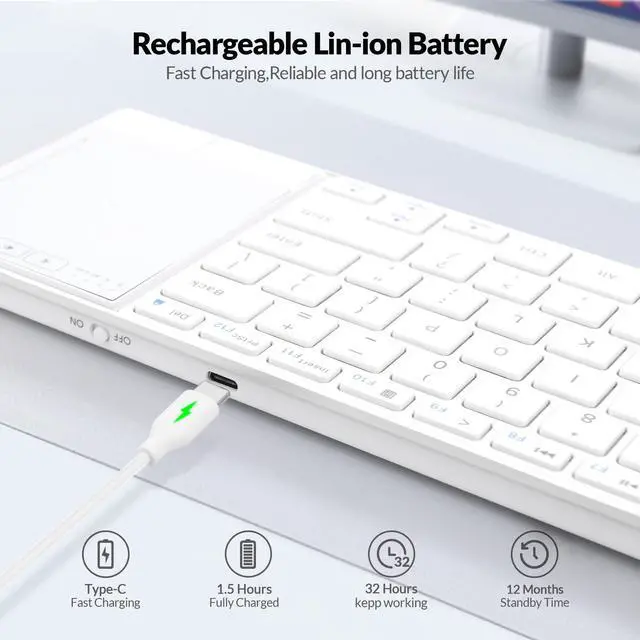
1.Input voltage: 5V
2.Working voltage: 3.7V
3.Charging curent: < 300mA
4.Working current: < 10mA
5.Sleeping Curent: < 30µA
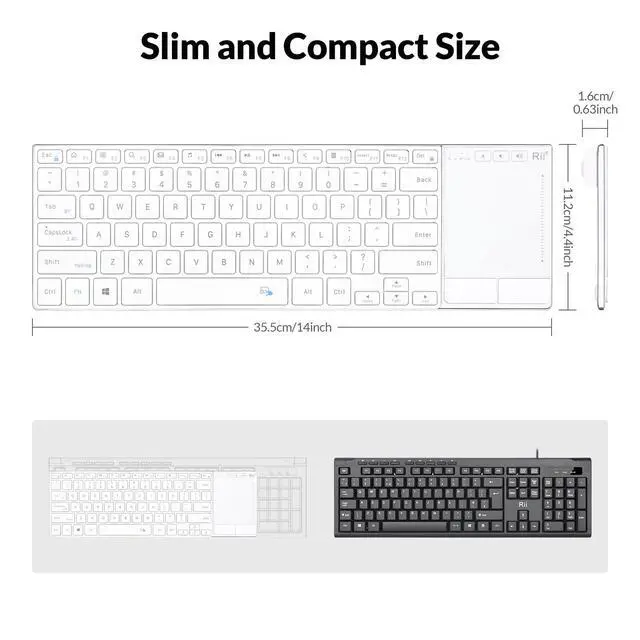
6.Product weight: 385g
Auto Sleep And Wake Up Feature
The keyboard has an auto sleep and wake up feature. The default setting is 10 minutes. In the event of no operation in 10 minutes,the keyboard will automatically enter the sleep mode and allindicators will be OFF. You can press any key to wake up the keyboard.

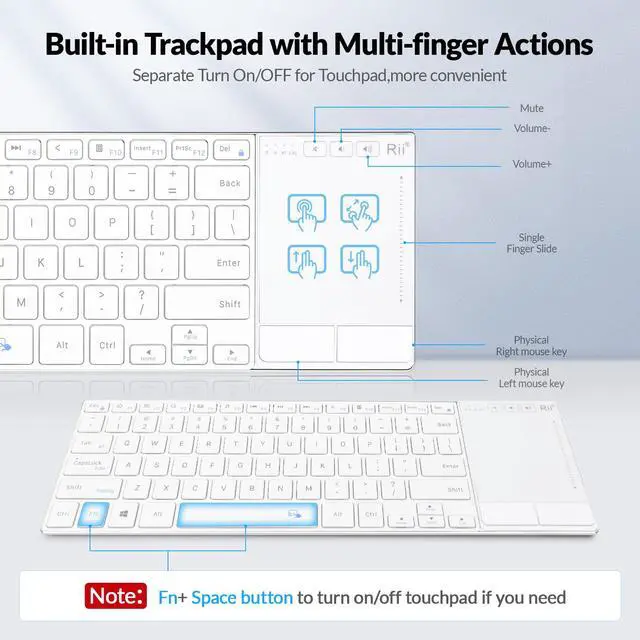
Fn+Space Key you can turn on/off the touchpad
How to match the keyboard with USB receiver:
1.Fn+Space Key you can turn on/off the touchpad
2. This keyboard can only be connected to your device by the accompanying 2.4G USB receiver.
3. If the 2.4G indicator is off instead of being normally ON, take following steps to repair.
Step 1: Keep your device ON, and make sure the keyboard is fully charged.
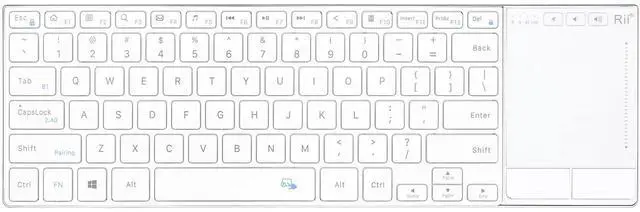
Step 2: Press Fn+ CapsLock , switch keyboard to 2.4G mode.
Step 3: Press Fn+ Shift.enter 2.4G pairing mode , the 2.4G indicator flickers slowly

Dual Mode 2.4G Wireless and Bluetooth Keyboarad
Dual Mode 2.4G and Bluetooth Keyboard
Bluetooth Mode:
1. Turn on your device and the keyboard.
2. Press Fn+ Tab, switch the keyoard to Bluetooth mode.
2.4G Wireless Mode:
1.Insert the USB receiver into the USB port of the device, and the driver will be installed automatically.
2.Press Fn+ Capslock ,switch to 2.4G mode,the 2.4G indicator will be normally ON .then you can use the keyboard.

Rechargeable Stainless steel Keyboard with Turn on/Off Key
1.Input voltage: 5V
2.Working voltage: 3.7V
3.Charging curent: < 300mA
4.Working current: < 10mA
5.Sleeping Curent: < 30µA
6.Product weight: 385g
Auto Sleep And Wake Up Feature
The keyboard has an auto sleep and wake up feature. The default setting is 10 minutes. In the event of no operation in 10 minutes,the keyboard will automatically enter the sleep mode and allindicators will be OFF. You can press any key to wake up the keyboard.
Fn+Space Key you can turn on/off the touchpad
How to match the keyboard with USB receiver:
1.Fn+Space Key you can turn on/off the touchpad
2. This keyboard can only be connected to your device by the accompanying 2.4G USB receiver.
3. If the 2.4G indicator is off instead of being normally ON, take following steps to repair.
Step 1: Keep your device ON, and make sure the keyboard is fully charged.
Step 2: Press Fn+ CapsLock , switch keyboard to 2.4G mode.
Step 3: Press Fn+ Shift.enter 2.4G pairing mode , the 2.4G indicator flickers slowly
Dual Mode 2.4G Wireless and Bluetooth Keyboarad
Dual Mode 2.4G and Bluetooth Keyboard
Bluetooth Mode:
1. Turn on your device and the keyboard.
2. Press Fn+ Tab, switch the keyoard to Bluetooth mode.
2.4G Wireless Mode:
1.Insert the USB receiver into the USB port of the device, and the driver will be installed automatically.
2.Press Fn+ Capslock ,switch to 2.4G mode,the 2.4G indicator will be normally ON .then you can use the keyboard.