


• $49.98
  • Free 30-day Returns
  • Sold by YWS Prime

    Shipped by YWS Prime

    Price alert
    Shop it at NeweggBusiness.

    Meet Your Seller

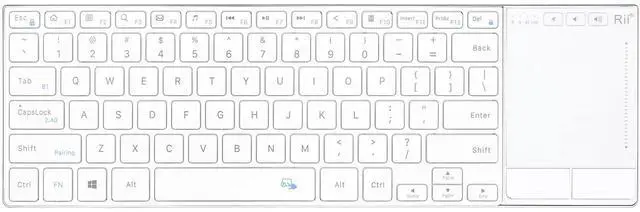
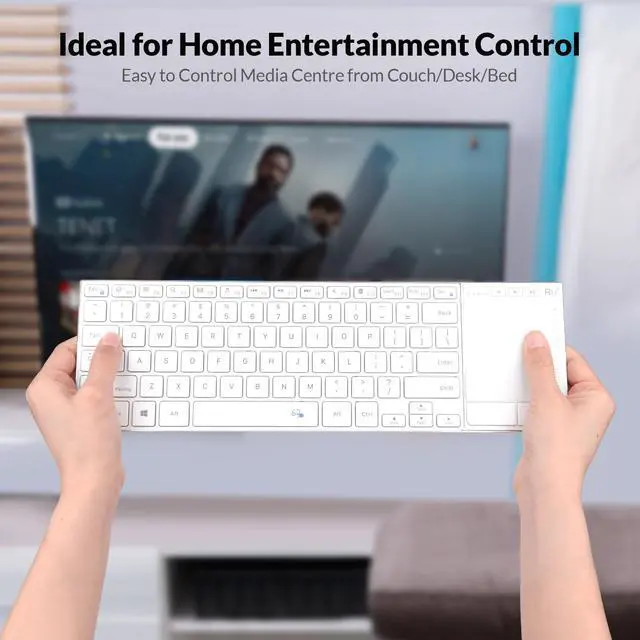
    K22S 2.4G Wireless and Bluetooth Touch TV Keyboard with Easy Media Control and Built-in Touchpad,Stainless Steel Compact Keyboard for Windows, Android, Chrome OS, Laptop, Tablet - White

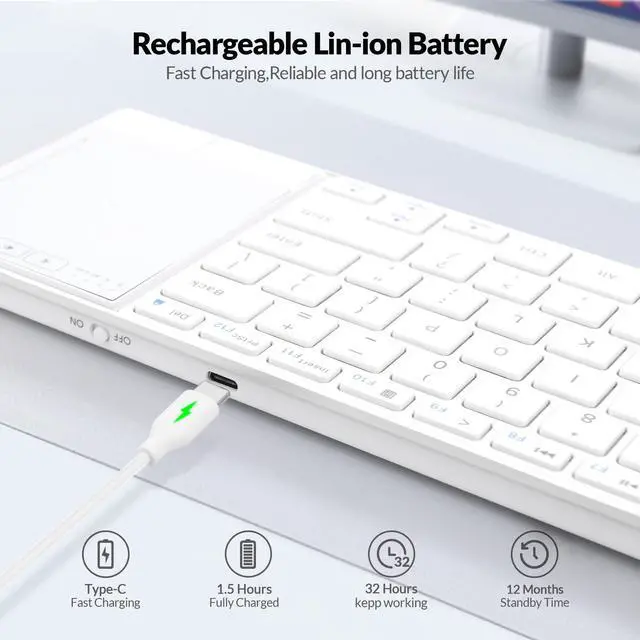
    • Built-in Rechargeable Lithium Battery.The Rii K22S Dual Mode Wireless Bluetooth Keyboard is powered by a high-capacity, built-in rechargeable lithium battery, ensuring long-lasting performance. Charging is conveniently done via a Type-C charger, providing you with reliable power for extended periods without frequent recharges.
    • Easy-Switch Stable Bluetooth & Multi-Device Connection.Experience seamless connectivity with the ability to connect up to 2 devices simultaneously. It supports both Bluetooth and 2.4G wireless connections, allowing you to switch effortlessly between devices with dedicated Easy-Switch keys.
    • Simple Plug and Play.Simply plug the USB receiver into a USB port, and the keyboard is ready to go. The Bluetooth mode offers a reliable connection range of up to 10 meters (33 feet), ensuring seamless performance even in large rooms. No complicated configurations are requiredjust connect and start typing.
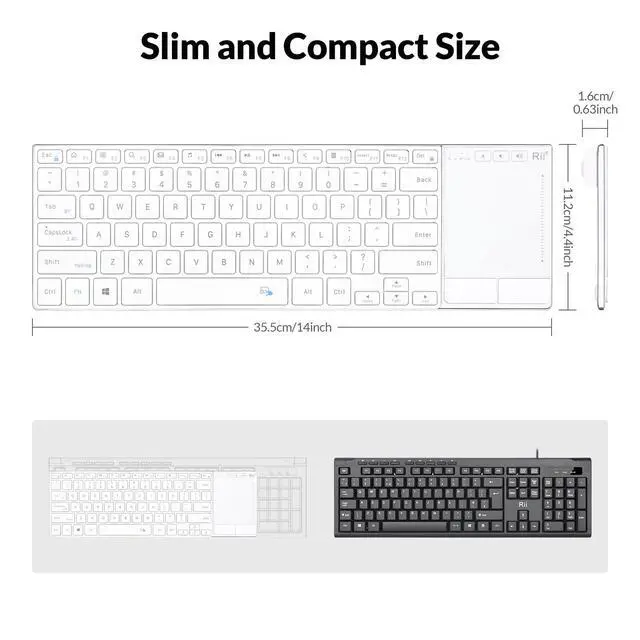
    • Ergonomic Design Crafted from high-quality stainless steel and ABS materials, it combines durability with a sleek, modern aesthetic. Its lightweight and slim profile make it easy to carry around, allowing you to enjoy familiar and comfortable typing in any room of your home or office.
    +
    +
    Overview
    Specs
    Reviews
    avatar

    Any questions? Our AI beta will help you find out quickly.

    Rii Rechargeable Wireless Bluetooth Keyboard
    Stainless steel Dual mode Keyboard
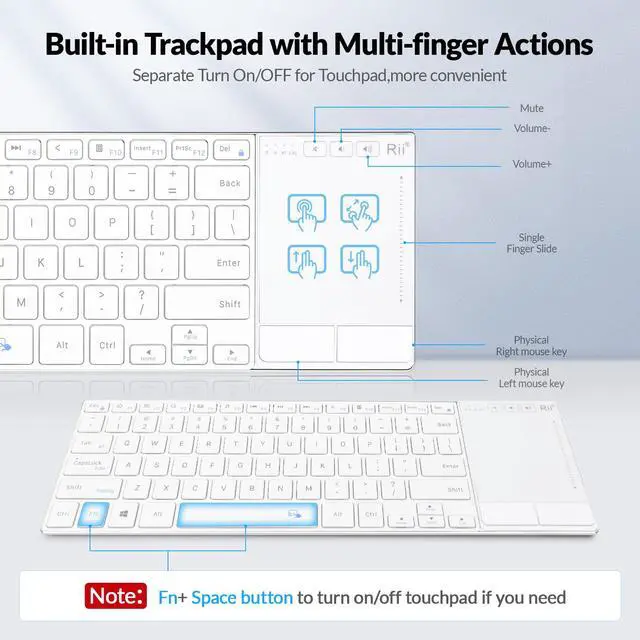
    Multi-function touchpad

    On/Off Key

    Rechargeable Stainless steel Keyboard with Turn on/Off Key

    1.Input voltage: 5V

    2.Working voltage: 3.7V

    3.Charging curent: < 300mA

    4.Working current: < 10mA

    5.Sleeping Curent: < 30µA

    6.Product weight: 385g

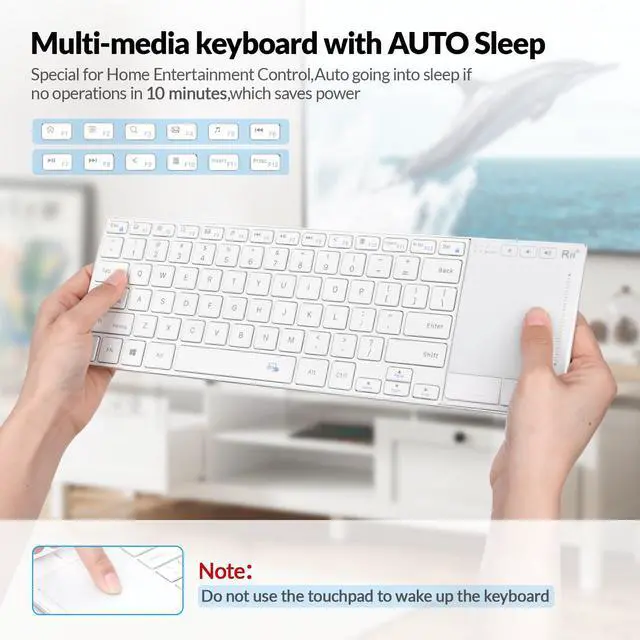
    Auto Sleep And Wake Up Feature

    The keyboard has an auto sleep and wake up feature. The default setting is 10 minutes. In the event of no operation in 10 minutes,the keyboard will automatically enter the sleep mode and allindicators will be OFF. You can press any key to wake up the keyboard.

    Fn+Space Key you can turn on/off the touchpad

    Fn+Space Key you can turn on/off the touchpad

    How to match the keyboard with USB receiver:

    1.Fn+Space Key you can turn on/off the touchpad

    2. This keyboard can only be connected to your device by the accompanying 2.4G USB receiver.

    3. If the 2.4G indicator is off instead of being normally ON, take following steps to repair.

    Step 1: Keep your device ON, and make sure the keyboard is fully charged.

    Step 2: Press Fn+ CapsLock , switch keyboard to 2.4G mode.

    Step 3: Press Fn+ Shift.enter 2.4G pairing mode , the 2.4G indicator flickers slowly

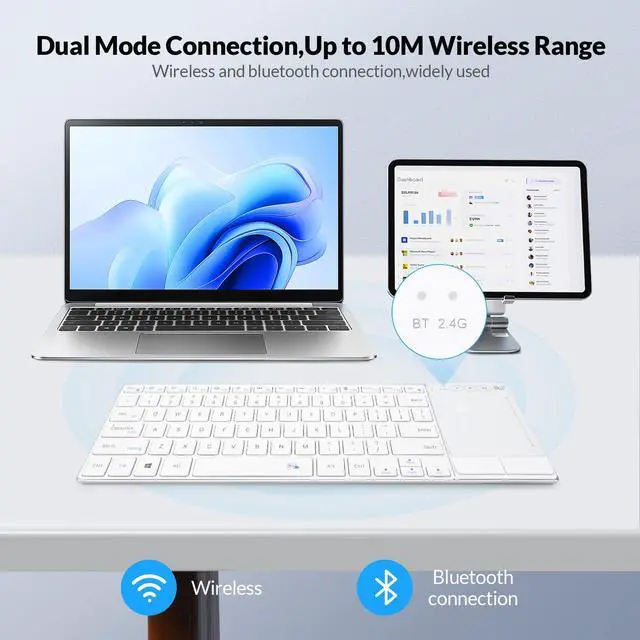
    Dual Mode 2.4G Wireless and Bluetooth Keyboarad

    Dual Mode 2.4G Wireless and Bluetooth Keyboard

    Dual Mode 2.4G and Bluetooth Keyboard

    Bluetooth Mode:

    1. Turn on your device and the keyboard.

    2. Press Fn+ Tab, switch the keyoard to Bluetooth mode.

    2.4G Wireless Mode:

    1.Insert the USB receiver into the USB port of the device, and the driver will be installed automatically.

    2.Press Fn+ Capslock ,switch to 2.4G mode,the 2.4G indicator will be normally ON .then you can use the keyboard.

    It has a 10 meters (33ft) wireless range
    Rii Rechargeable Wireless Bluetooth Keyboard
    Stainless steel Dual mode Keyboard
    Multi-function touchpad

    On/Off Key

    Rechargeable Stainless steel Keyboard with Turn on/Off Key

    1.Input voltage: 5V

    2.Working voltage: 3.7V

    3.Charging curent: < 300mA

    4.Working current: < 10mA

    5.Sleeping Curent: < 30µA

    6.Product weight: 385g

    Auto Sleep And Wake Up Feature

    The keyboard has an auto sleep and wake up feature. The default setting is 10 minutes. In the event of no operation in 10 minutes,the keyboard will automatically enter the sleep mode and allindicators will be OFF. You can press any key to wake up the keyboard.

    Fn+Space Key you can turn on/off the touchpad

    Fn+Space Key you can turn on/off the touchpad

    How to match the keyboard with USB receiver:

    1.Fn+Space Key you can turn on/off the touchpad

    2. This keyboard can only be connected to your device by the accompanying 2.4G USB receiver.

    3. If the 2.4G indicator is off instead of being normally ON, take following steps to repair.

    Step 1: Keep your device ON, and make sure the keyboard is fully charged.

    Step 2: Press Fn+ CapsLock , switch keyboard to 2.4G mode.

    Step 3: Press Fn+ Shift.enter 2.4G pairing mode , the 2.4G indicator flickers slowly

    Dual Mode 2.4G Wireless and Bluetooth Keyboarad

    Dual Mode 2.4G Wireless and Bluetooth Keyboard

    Dual Mode 2.4G and Bluetooth Keyboard

    Bluetooth Mode:

    1. Turn on your device and the keyboard.

    2. Press Fn+ Tab, switch the keyoard to Bluetooth mode.

    2.4G Wireless Mode:

    1.Insert the USB receiver into the USB port of the device, and the driver will be installed automatically.

    2.Press Fn+ Capslock ,switch to 2.4G mode,the 2.4G indicator will be normally ON .then you can use the keyboard.

    It has a 10 meters (33ft) wireless range
    K22S 2.4G Wireless and Bluetooth Touch TV Keyboard with Easy Media Control and Built-in Touchpad, Stainless Steel Compact Keyboard for Windows, Android, Chrome OS, Laptop, Tablet - White

    Warranty & Returns

    Warranty, Returns, And Additional Information

    Warranty

    • Please contact the Seller directly for warranty information. Warranty information may also be found on the Manufacturer's website.
    • CONTACT

    Return Policies

    • Return for refund within: 30 days
    • Return for replacement within: 30 days
    • This item is covered by YWS Prime Return Policy

    Manufacturer Contact Info

    LOADING...