





Auto Sleep Function
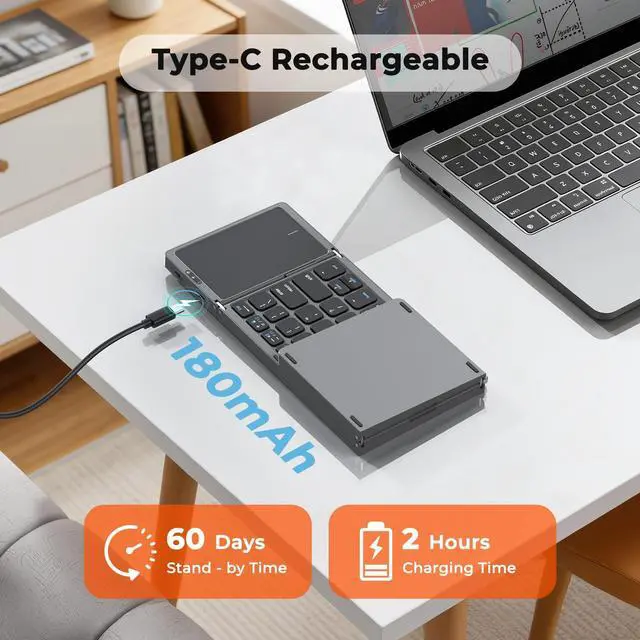
Universal Type-C port: plug-and-play charging, no cable compatibility issues. Auto-sleep after 10 mins idle; wake via double-tap any key.

Abundant Status Indicators
Keyboard comes with status indicators: they give real-time device updates, so you can easily track the keyboard’s status for hassle-free use.

Fast Switching System
With the fn key on the keyboard and the corresponding keys, you can switch the device system with one click, making cross-platform use more efficient.

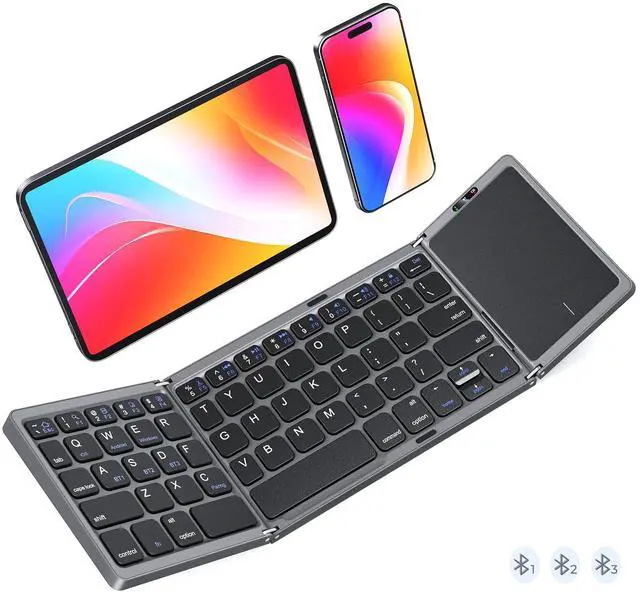
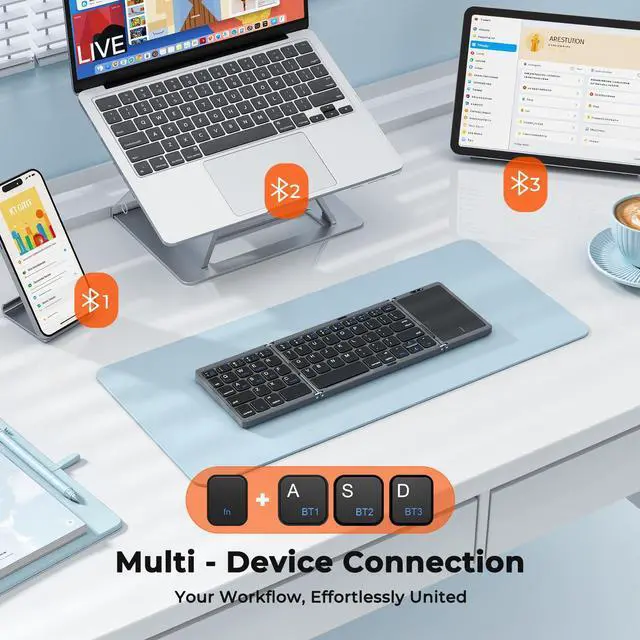
3 Bluetooth Channel
Intuitive Bluetooth operation: clearly labeled keys + shortcut combos enable one-step pairing/channel switching for efficient multi-device use.


There's a problem with my keyboard that I can't solve, what should I do? Does this keyboard sometimes lose connection?
Please check the manual and find MEETION support immediately, we will be 100% responsible for each of our products.
It enters sleep mode after 20 mins of inactivity (may seem like lost connection). Press any key to wake it and resume use.
How to solve the problem of frequent Bluetooth disconnection?
1. Shorten the distance to avoid interference.
2. Check the battery level of the keyboard, and charge it when the battery is low.
3. Delete the paired keyboard, FN+C to re-pair.
4. Make sure the Bluetooth version of your device is =5.3.
Touchpad not Working? It's Not Responding?
Press fn + Spacebar to check if trackpad is off.
Check the device battery charge, re-pair via Bluetooth (remove and re-add).
For iOS 13.4+: Enable via Settings > Accessibility > Touch > AssistiveTouch.
Reboot trackpad and device.
Why can't I connect to the computer using the USB cable?
The USB cable is for charging, no data transfer function, the connection needs to be completed through Bluetooth.
Touchpad lagging or freezing—can it be fixed?
1. Tap any key to wake first, then check if the low-battery light flashes (charge if low). Stay within 10 ft; re-pair if needed.
2. Windows: raise Pointer Speed & disable “Enhance pointer precision.”
3. macOS: Trackpad > Tracking Speed ? fast.


Auto Sleep Function
Universal Type-C port: plug-and-play charging, no cable compatibility issues. Auto-sleep after 10 mins idle; wake via double-tap any key.
Abundant Status Indicators
Keyboard comes with status indicators: they give real-time device updates, so you can easily track the keyboard’s status for hassle-free use.
Fast Switching System
With the fn key on the keyboard and the corresponding keys, you can switch the device system with one click, making cross-platform use more efficient.
3 Bluetooth Channel
Intuitive Bluetooth operation: clearly labeled keys + shortcut combos enable one-step pairing/channel switching for efficient multi-device use.


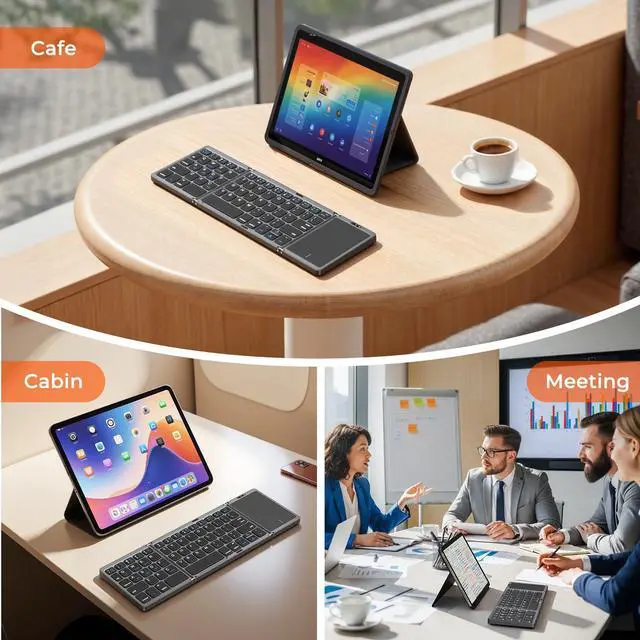
For Every Workspace, Everywhere
There's a problem with my keyboard that I can't solve, what should I do? Does this keyboard sometimes lose connection?
Please check the manual and find MEETION support immediately, we will be 100% responsible for each of our products.
It enters sleep mode after 20 mins of inactivity (may seem like lost connection). Press any key to wake it and resume use.
How to solve the problem of frequent Bluetooth disconnection?
1. Shorten the distance to avoid interference.
2. Check the battery level of the keyboard, and charge it when the battery is low.
3. Delete the paired keyboard, FN+C to re-pair.
4. Make sure the Bluetooth version of your device is =5.3.
Touchpad not Working? It's Not Responding?
Press fn + Spacebar to check if trackpad is off.
Check the device battery charge, re-pair via Bluetooth (remove and re-add).
For iOS 13.4+: Enable via Settings > Accessibility > Touch > AssistiveTouch.
Reboot trackpad and device.
Why can't I connect to the computer using the USB cable?
The USB cable is for charging, no data transfer function, the connection needs to be completed through Bluetooth.
Touchpad lagging or freezing—can it be fixed?
1. Tap any key to wake first, then check if the low-battery light flashes (charge if low). Stay within 10 ft; re-pair if needed.
2. Windows: raise Pointer Speed & disable “Enhance pointer precision.”
3. macOS: Trackpad > Tracking Speed ? fast.