



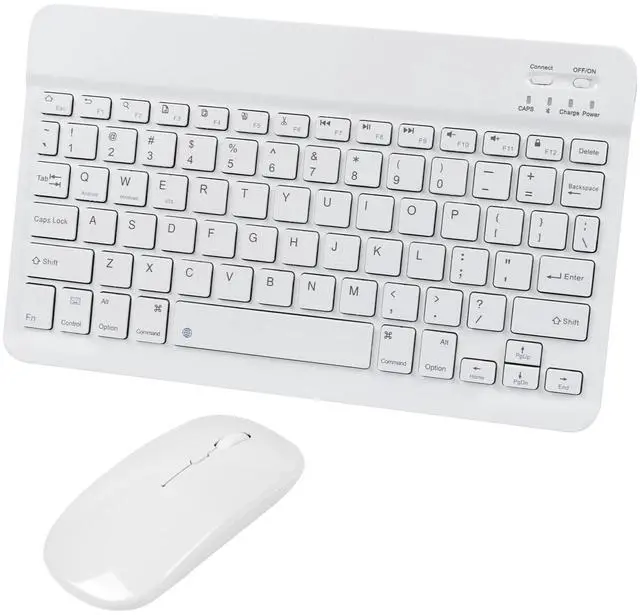







To make the smart life easier
Starting with affordable, high-quality gear and endingwith a commitment to 100% user satisfaction . After all,we're customers too


























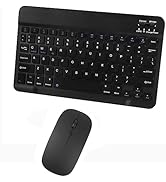








Compatible with IPad,Samsung Tablet,Fire Tablet

Compatible with Mac iMac Windows and other Bluetooth enabled mobile device

Neat looking

Wide Compatibility
The keyboard and mouse combo is compatible with iOS, Android, and Windows systems. Support: Samsung Galaxy Tab/Note/S, Surface Pro, MacBook Pro, MacBook Air, iPad 10.2/9.7 5th 6th 7th 8th gen, iPad Air 10.5/10.9, iPad Pro 11/12.9 2nd 3rd 4th 5th generation, iPad Mini 5/4/3, Fire Tablet, etc. Please note: You need to update the system of your iPad and iPhone to iOS 13 and above if you want to use the Bluetooth mouse on your iPad or iPhone, turn on “Assistive Touch”: Setting> Accessibility> Touch> Assistive Touch


Adjustable Sensitivity
800/1200/1600 adjustable DPI allows you to easily adjust the mouse cursor speed according to your usage by simply pressing the DPI button

Bluetooth Mouse
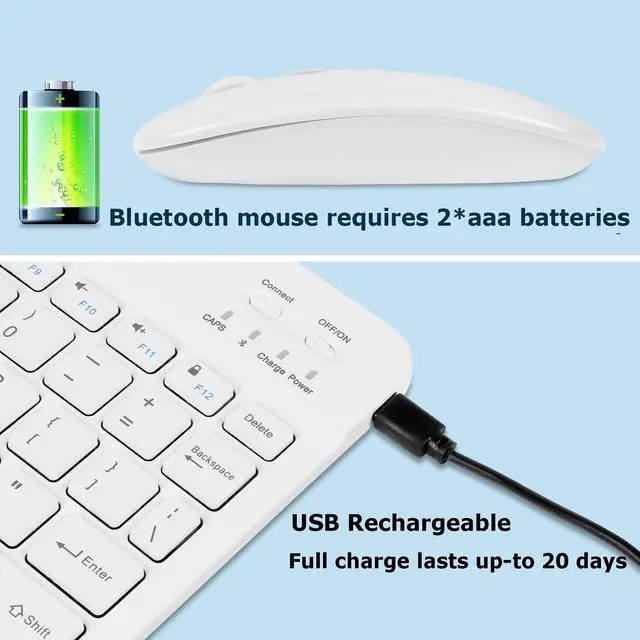
The Bluetooth Mouse uses 2*AAA batteries, the battery is not included. You need to update the system of your iPad and iPhone to iOS 13 and above if you want to use the Bluetooth mouse on your iPad or iPhone, turn on “Assistive Touch”: Setting> Accessibility> Touch> Assistive Touch

Silent Mouse
This mouse has up to 90% noise reduction on the left and right buttons. So, you get that same click feel without the sound. It’s perfect to use in any space

Easy to be attached to the protective case
The bottom of the keyboard is a smooth aluminum alloy design and can be magnetically attached to the protective case

USB Charging
Built-in rechargeable lithium battery, the keyboard can be used for more than 20 days (When used continuously for 2 hours a day). The keyboard will automatically enter the sleep state to save power if not used in a short time. Click any key to wake up the keyboard

Quiet and Comfortable Typing
The square chocolate keycaps, scissor-structured keys, small external keyboard, and mute mouse, allow you to type quietly on your tablet, iPad, iPhone, smartphone, etc., and provide you with a comfortable and pleasant typing experience

Keyboard connection method:
1: Turn on the ON/OFF switch.
2: Press CONNECT and the indicator of the Bluetooth logo will flash.
3: Turn on the Bluetooth switch of a mobile device such as tablet/smartphone, search for Bluetooth device, and the default Bluetooth name of the keyboard: Bluetooth 3.0 Keyboard.
4: Click the Bluetooth 3.0 Keyboard on the tablet/smartphone, and press Enter to connect.
Bluetooth mouse connection method:
1: Insert 2*aaa batteries, and turn on the ON/OFF switch to switch to Bluetooth.
2: Turn on the Bluetooth switch of the device such as a tablet/smartphone, and then search for the Bluetooth mouse.
3: Click the Bluetooth mouse on the tablet/smartphone to connect to the device.
Note: The keyboard/mouse cannot be connected to two devices at the same time. Therefore, if you want to replace another device, you must first disconnect the pairing connection of the original device.




Compatible with IPad,Samsung Tablet,Fire Tablet
Compatible with Mac iMac Windows and other Bluetooth enabled mobile device
Neat looking
Wide Compatibility
The keyboard and mouse combo is compatible with iOS, Android, and Windows systems. Support: Samsung Galaxy Tab/Note/S, Surface Pro, MacBook Pro, MacBook Air, iPad 10.2/9.7 5th 6th 7th 8th gen, iPad Air 10.5/10.9, iPad Pro 11/12.9 2nd 3rd 4th 5th generation, iPad Mini 5/4/3, Fire Tablet, etc. Please note: You need to update the system of your iPad and iPhone to iOS 13 and above if you want to use the Bluetooth mouse on your iPad or iPhone, turn on “Assistive Touch”: Setting> Accessibility> Touch> Assistive Touch
Adjustable Sensitivity
800/1200/1600 adjustable DPI allows you to easily adjust the mouse cursor speed according to your usage by simply pressing the DPI button
Bluetooth Mouse
The Bluetooth Mouse uses 2*AAA batteries, the battery is not included. You need to update the system of your iPad and iPhone to iOS 13 and above if you want to use the Bluetooth mouse on your iPad or iPhone, turn on “Assistive Touch”: Setting> Accessibility> Touch> Assistive Touch
Silent Mouse
This mouse has up to 90% noise reduction on the left and right buttons. So, you get that same click feel without the sound. It’s perfect to use in any space
Easy to be attached to the protective case
The bottom of the keyboard is a smooth aluminum alloy design and can be magnetically attached to the protective case
USB Charging
Built-in rechargeable lithium battery, the keyboard can be used for more than 20 days (When used continuously for 2 hours a day). The keyboard will automatically enter the sleep state to save power if not used in a short time. Click any key to wake up the keyboard
Quiet and Comfortable Typing
The square chocolate keycaps, scissor-structured keys, small external keyboard, and mute mouse, allow you to type quietly on your tablet, iPad, iPhone, smartphone, etc., and provide you with a comfortable and pleasant typing experience
Keyboard connection method:
1: Turn on the ON/OFF switch.
2: Press CONNECT and the indicator of the Bluetooth logo will flash.
3: Turn on the Bluetooth switch of a mobile device such as tablet/smartphone, search for Bluetooth device, and the default Bluetooth name of the keyboard: Bluetooth 3.0 Keyboard.
4: Click the Bluetooth 3.0 Keyboard on the tablet/smartphone, and press Enter to connect.
Bluetooth mouse connection method:
1: Insert 2*aaa batteries, and turn on the ON/OFF switch to switch to Bluetooth.
2: Turn on the Bluetooth switch of the device such as a tablet/smartphone, and then search for the Bluetooth mouse.
3: Click the Bluetooth mouse on the tablet/smartphone to connect to the device.
Note: The keyboard/mouse cannot be connected to two devices at the same time. Therefore, if you want to replace another device, you must first disconnect the pairing connection of the original device.
To make the smart life easier
Starting with affordable, high-quality gear and endingwith a commitment to 100% user satisfaction . After all,we're customers too
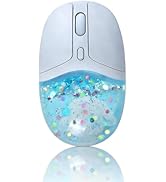
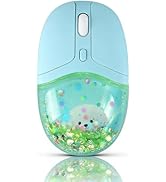
Aesthetic Glitter Water Mouse
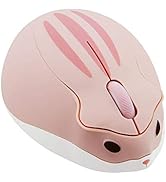
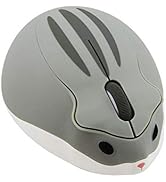
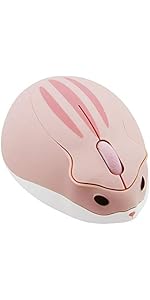
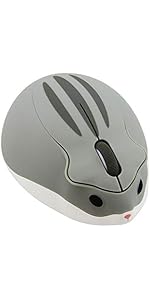
Cute Hamster Wireless Mouse
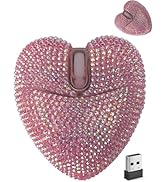
Sweet Love Heart Mouse
Adorable Strawberry Mouse
Super Cute Animal/Car Mouse
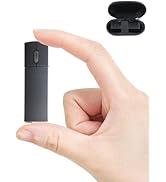
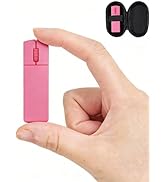
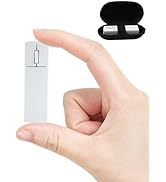
Mini Bluetooth Mouse with Case
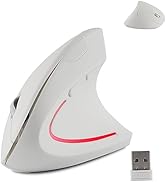
Pink/White Vertical Mouse
Bluetooth Keyboard Mouse Combo
Cute Bluetooth Piggy Mouse
Adorable Bluetooth Piggy Mouse