• $38.99
  • Free 30-day Returns
  • Sold by Lookatworld

    Shipped by Lookatworld

    Price alert
    Shop it at NeweggBusiness.

    Meet Your Seller

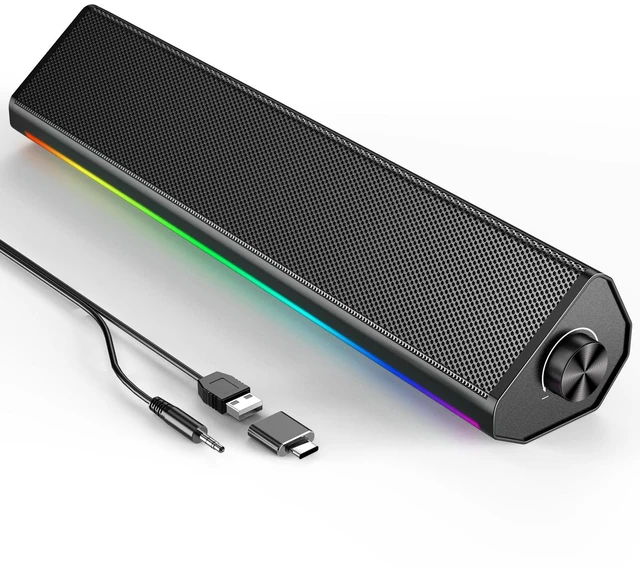
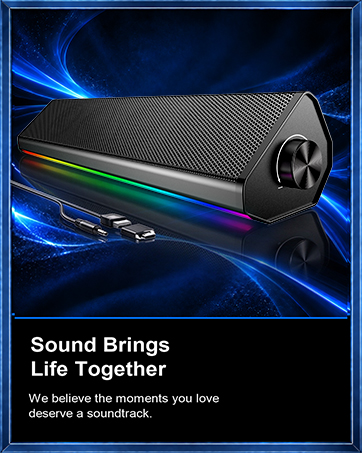
    Computer Speakers for PC and Laptop, Under Monitor Sound Bar, Black | Wired USB power, 3.5mm aux audio, slim under-monitor design, USB-C adapter, for PC laptop office gaming

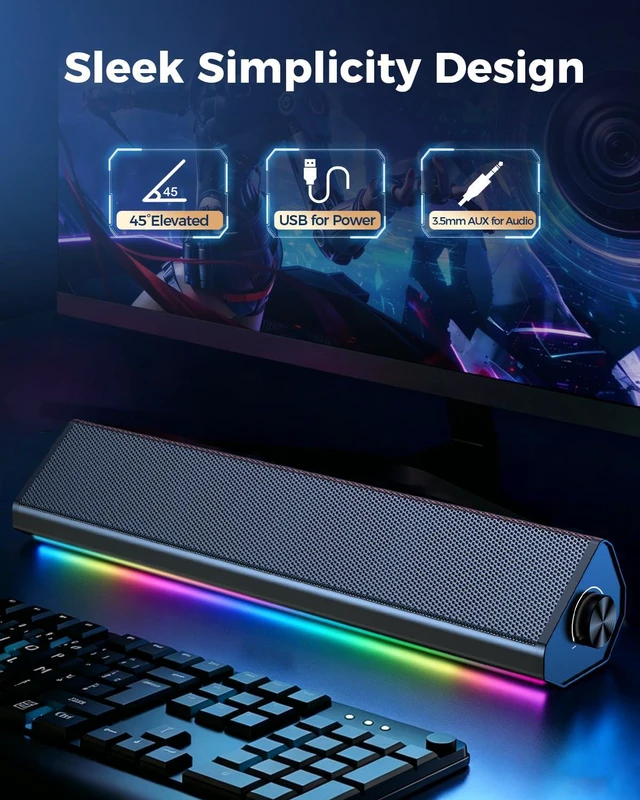
    • Wired Computer Soundbar- USB powers the speaker while 3.5mm AUX carries audio, giving desktop PCs and laptops a simple plug-and-play setup with no Bluetooth pairing, battery charging, or driver installation.
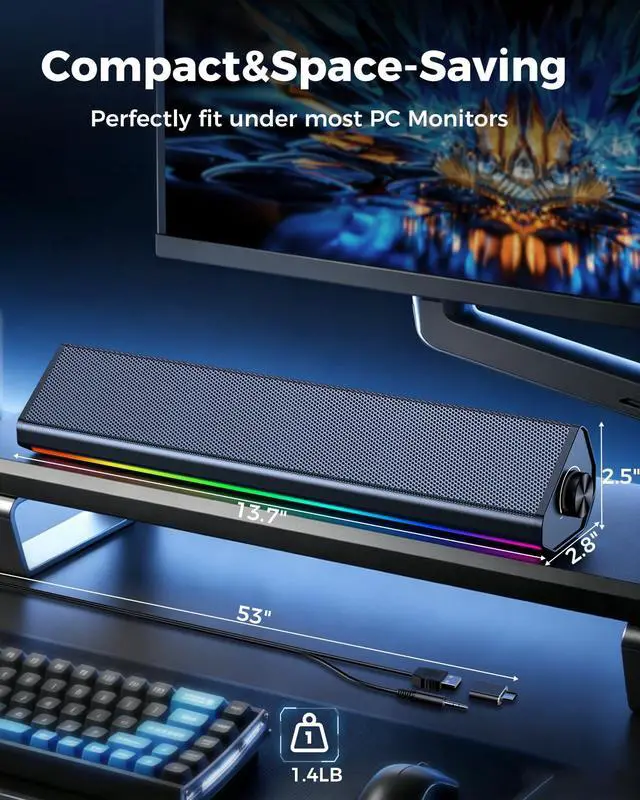
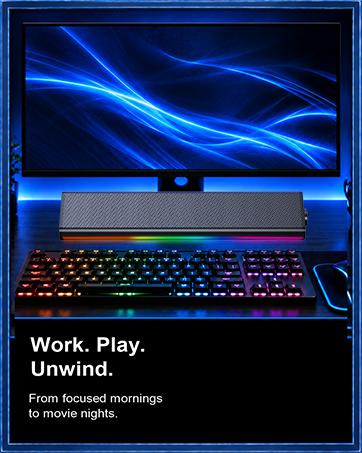
    • Fits Under Most Monitors - The slim 13.7 x 2.8 x 2.4 in body sits neatly below a screen to save desk space, making it a clean alternative to bulky two-piece computer speakers.
    • Clear Audio for Daily Use - Tuned for work, study, videos, music, online meetings, and casual gaming. Wired audio helps avoid wireless delay and dropouts during everyday computer use.
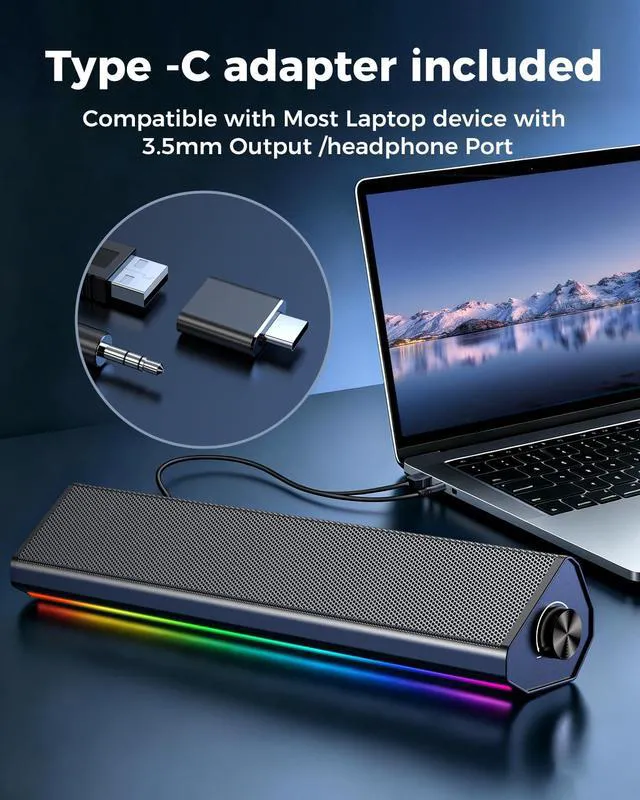
    • PC and Laptop Compatibility - Works with Windows, Mac, and Chromebook computers that have USB power and 3.5mm audio output. USB-C adapter included for laptops without USB-A ports.
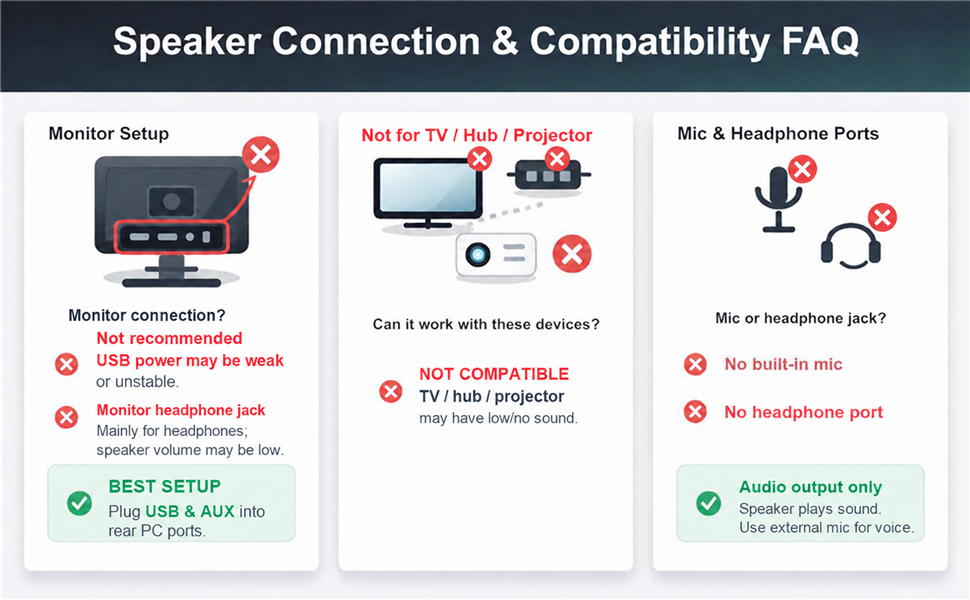
    • Check Before Buying - Speaker only, no built-in microphone, microphone input, headphone jack, Bluetooth, HDMI, optical, or TV ARC. Intended for computers and laptops, not TVs.
    +
    +
    Overview
    Specs
    Reviews

    Any questions? Ask CelesteSM will help you find out quickly.
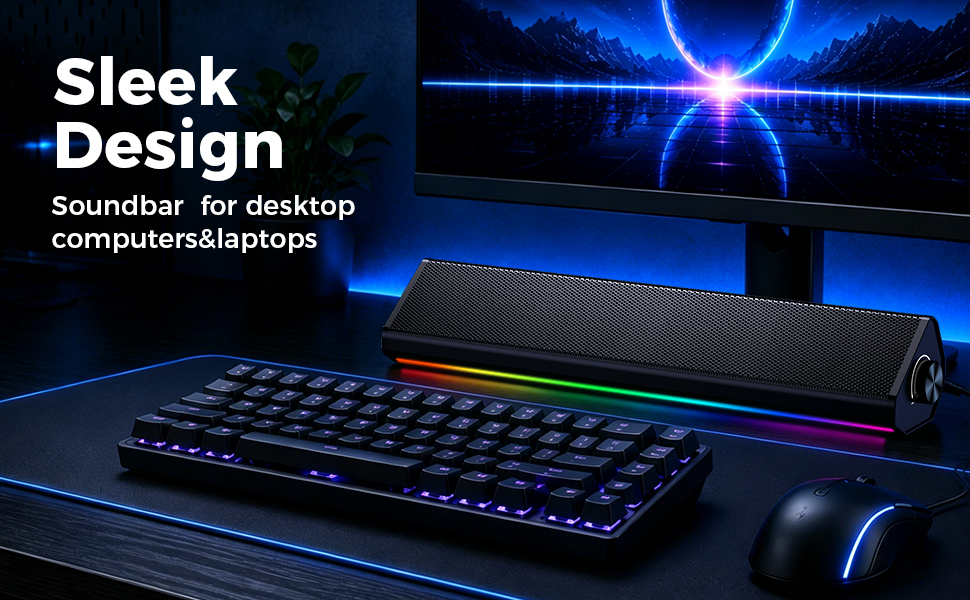
    Sleek Design soundbar for desktop computer and laptop

    Simple Wired Sound for Everyday Computer Use

    Designed for people who want a simple way to improve computer audio without complicated setup. The wired USB and 3.5mm AUX connection keeps operation direct, steady, and easy to understand.
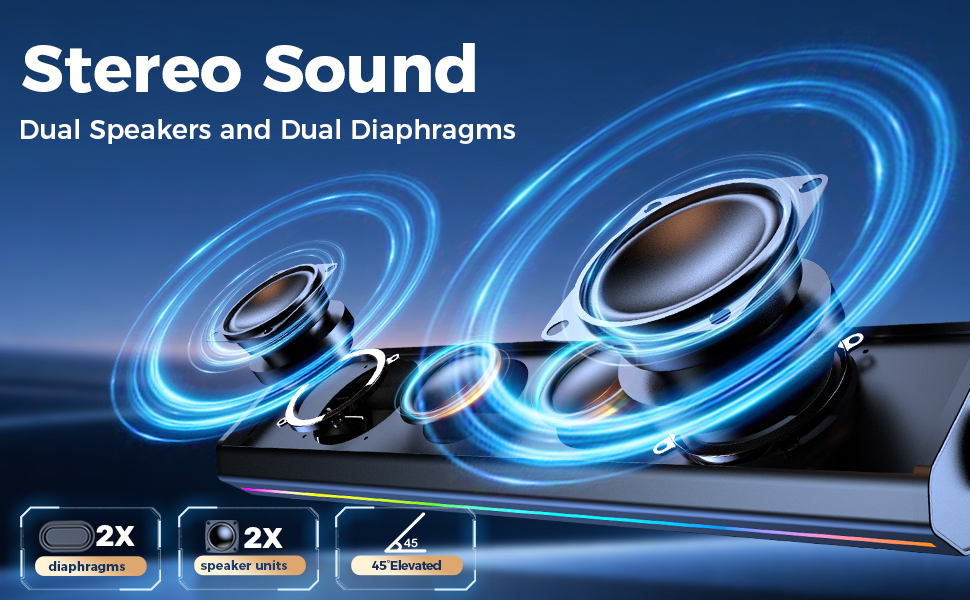
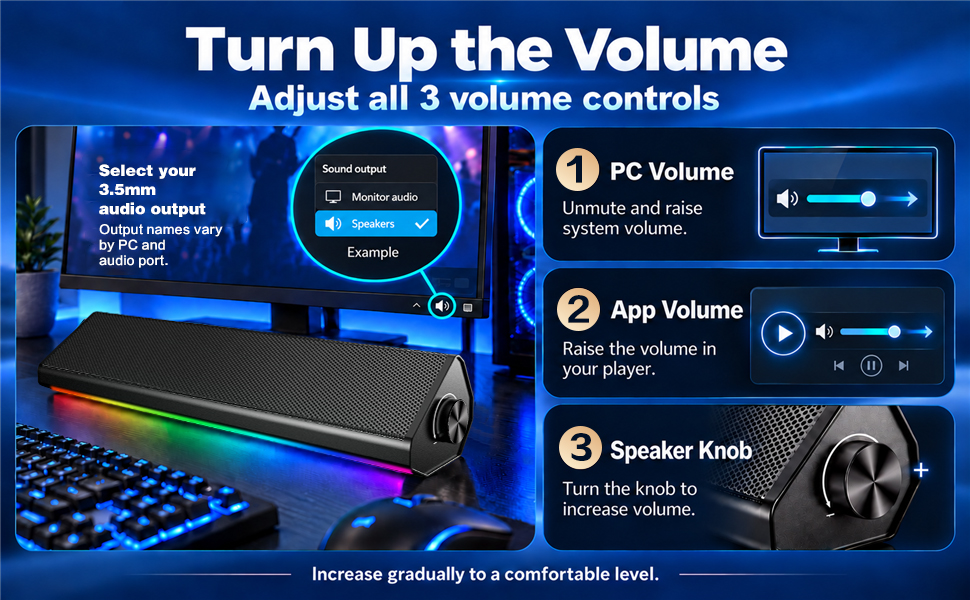
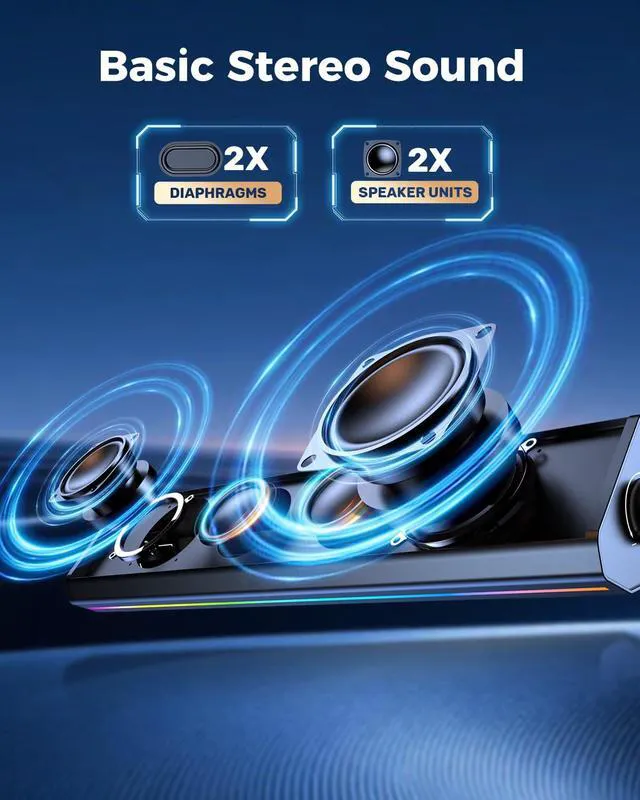
    Computer speaker with stereo sound ,equiped with dual speakers and dual diaphragms
    Volume adjustment

    Get Louder, Clearer Sound,Upgrade Your Computer Audio in Seconds

    1. Connect USB + AUX: USB is for power, 3.5mm AUX is for audio.
    2. Use a stable USB port: For desktop PCs, plug USB into the rear port. Avoid keyboards, monitors, front ports, or unpowered hubs.Turn up volume: Click the Windows speaker icon and set volume to 100%. Also set your app/media player volume to 100%.
    3. Check balance: Go to Sound Settings > More Sound Settings > Speakers > Levels > Balance, and set L/R channels to 100%.
    4. Avoid crackling: If sound crackles at max volume, lower Windows/app volume to 85–90%, then turn up the speaker knob. This is signal clipping, not a speaker defect.
    5. Need more power? Power the speaker with a standard 5V USB charger rated 1A or higher.

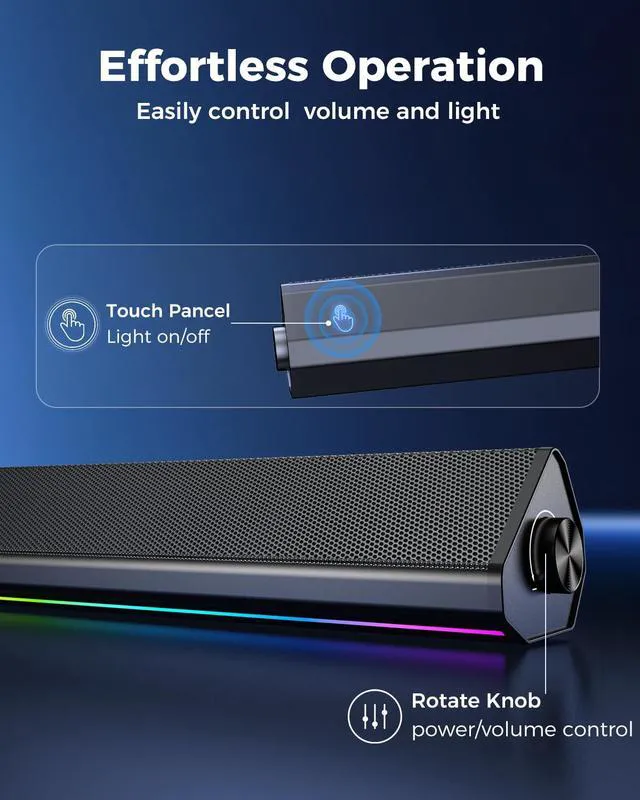
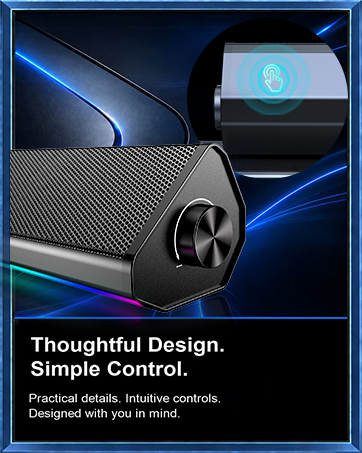
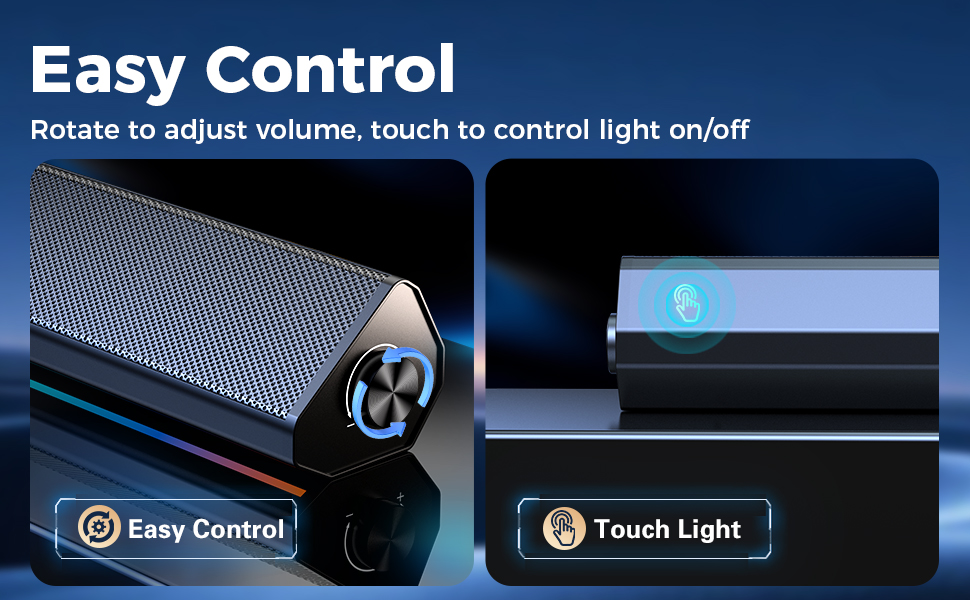
    PC Speaker designed of esay control,just rotate to adjust volume,touch to control light on/off

    Touch Lighting & Volume Control

    Tap to switch the speaker lights on or off, and use the rotary knob to adjust volume smoothly and precisely.

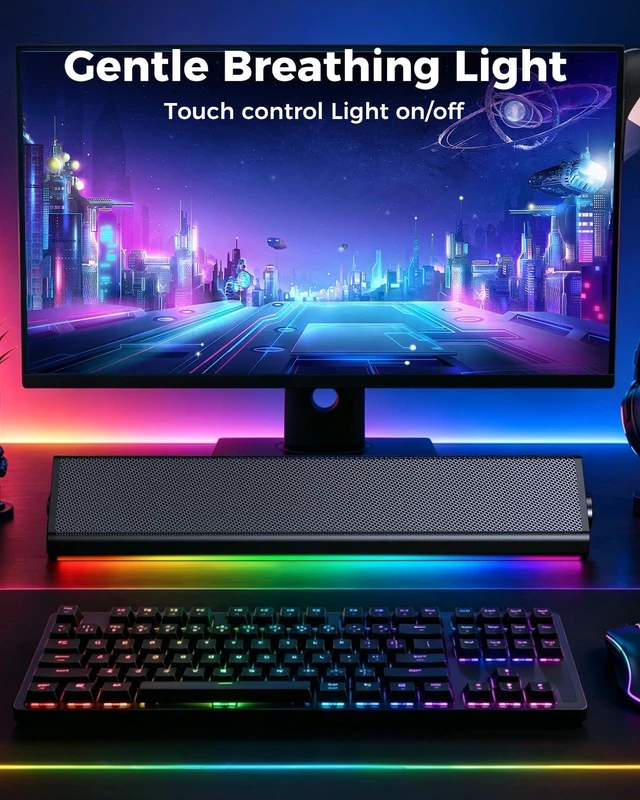
    Soundbar for desktop computer under monitor,to enhance music,movies, game audio experience

    Built for PC, Laptop, and Monitor Desks

    Use it for desktop workstations, laptops, online classes, video meetings, music, videos, and casual gaming. For monitor setups, connect to the computer when possible, or to a monitor that has a 3.5mm headphone output.

    Wide compability

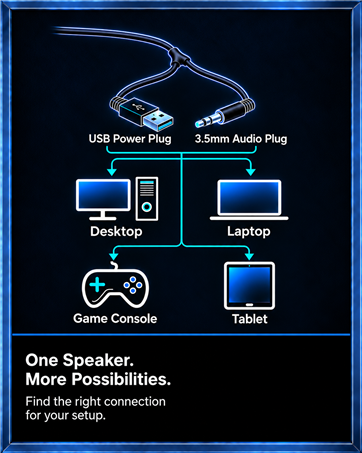
    Two Cables, One Simple Setup

    USB powers the speaker. 3.5mm AUX carries the audio. The included USB-C adapter helps newer laptops connect when a USB-A port is not available.No wall outlet, battery charging, driver installation, or Bluetooth pairing is needed.

    No Sound? Quick Fix

    1. POWER (Check the Light)

    • Plug into the Back USB (Not Front). Light OFF? - Change USB port.

    2. OUTPUT (Check the PC)

    • Click the Speaker Icon in the bottom-right corner of your screen. Select the correct output: Make sure it is set to “Speakers” or “Realtek/HD Audio”(Not Monitor/Bluetooth).

    3. VOLUME (Check the Knobs)

    • Turn up PC Volume(85%-90%) +APPVolume (85-90%)+ Speaker Knob

    4. CABLE (Check the Plug)

    • Insert fully into the GREEN port. (Not the Pink Mic port).
    • Try it on your phone/laptop (3.5mm jack).

    Still No Sound?

    • Works? - Check PC audio settings.
    • No? - Reach out to us via . We're here to help.

    Not for tv hub projector

    Before You Buy

    • This is a wired computer speaker. It does not include Bluetooth, battery power, HDMI, optical, TV ARC, a built-in microphone, microphone input, or a headphone jack. It is intended for computers and laptops, not TVs.
    • Monitor connection? Not recommended.Monitor headphone jack mainly for headphones,speaker volume maybe low and the usb power may be weak or unstable.

    Static or Buzzing Noise?

    1. Connect both the USB power cable and 3.5 mm audio cable to the rear ports of your PC. Rear ports are less prone to interference than front-panel ports.

    2. If the noise continues, power the speaker with a standard 5V USB charger rated 1A or higher.

    3. Test the speaker with another computer or audio device. If the noise persists across different devices and power sources, please use the support options available on your order page.

    Intermittent Sound or One-Sided Audio?

    Make sure the 3.5 mm plug is fully inserted. Check the plug and port for dust or oxidation, clean them gently with a dry soft brush or cotton swab, and reconnect firmly. If the issue persists on another device, please use the support options available on your order page.

    Sleek Design soundbar for desktop computer and laptop

    Simple Wired Sound for Everyday Computer Use

    Designed for people who want a simple way to improve computer audio without complicated setup. The wired USB and 3.5mm AUX connection keeps operation direct, steady, and easy to understand.
    Computer speaker with stereo sound ,equiped with dual speakers and dual diaphragms
    Volume adjustment

    Get Louder, Clearer Sound,Upgrade Your Computer Audio in Seconds

    1. Connect USB + AUX: USB is for power, 3.5mm AUX is for audio.
    2. Use a stable USB port: For desktop PCs, plug USB into the rear port. Avoid keyboards, monitors, front ports, or unpowered hubs.Turn up volume: Click the Windows speaker icon and set volume to 100%. Also set your app/media player volume to 100%.
    3. Check balance: Go to Sound Settings > More Sound Settings > Speakers > Levels > Balance, and set L/R channels to 100%.
    4. Avoid crackling: If sound crackles at max volume, lower Windows/app volume to 85–90%, then turn up the speaker knob. This is signal clipping, not a speaker defect.
    5. Need more power? Power the speaker with a standard 5V USB charger rated 1A or higher.

    PC Speaker designed of esay control,just rotate to adjust volume,touch to control light on/off

    Touch Lighting & Volume Control

    Tap to switch the speaker lights on or off, and use the rotary knob to adjust volume smoothly and precisely.
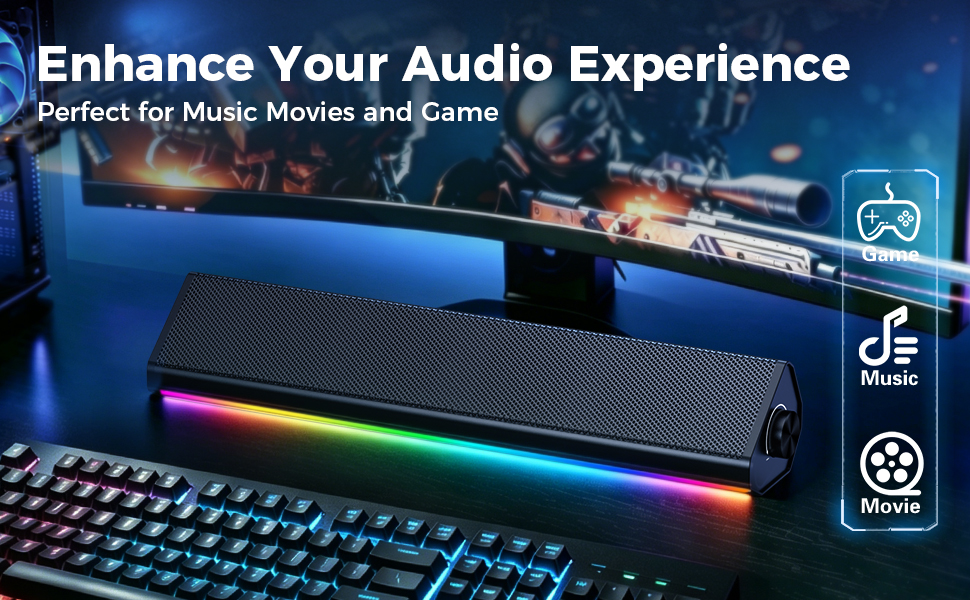
    Soundbar for desktop computer under monitor,to enhance music,movies, game audio experience

    Built for PC, Laptop, and Monitor Desks

    Use it for desktop workstations, laptops, online classes, video meetings, music, videos, and casual gaming. For monitor setups, connect to the computer when possible, or to a monitor that has a 3.5mm headphone output.
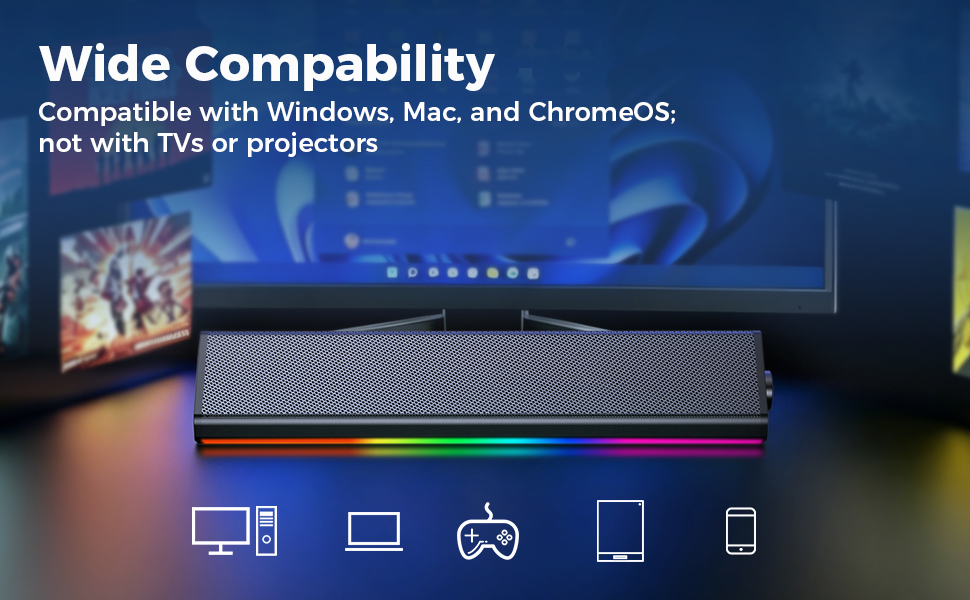
    Wide compability

    Two Cables, One Simple Setup

    USB powers the speaker. 3.5mm AUX carries the audio. The included USB-C adapter helps newer laptops connect when a USB-A port is not available.No wall outlet, battery charging, driver installation, or Bluetooth pairing is needed.

    No Sound? Quick Fix

    1. POWER (Check the Light)

    • Plug into the Back USB (Not Front). Light OFF? - Change USB port.

    2. OUTPUT (Check the PC)

    • Click the Speaker Icon in the bottom-right corner of your screen. Select the correct output: Make sure it is set to “Speakers” or “Realtek/HD Audio”(Not Monitor/Bluetooth).

    3. VOLUME (Check the Knobs)

    • Turn up PC Volume(85%-90%) +APPVolume (85-90%)+ Speaker Knob

    4. CABLE (Check the Plug)

    • Insert fully into the GREEN port. (Not the Pink Mic port).
    • Try it on your phone/laptop (3.5mm jack).

    Still No Sound?

    • Works? - Check PC audio settings.
    • No? - Reach out to us via . We're here to help.

    Not for tv hub projector

    Before You Buy

    • This is a wired computer speaker. It does not include Bluetooth, battery power, HDMI, optical, TV ARC, a built-in microphone, microphone input, or a headphone jack. It is intended for computers and laptops, not TVs.
    • Monitor connection? Not recommended.Monitor headphone jack mainly for headphones,speaker volume maybe low and the usb power may be weak or unstable.

    Static or Buzzing Noise?

    1. Connect both the USB power cable and 3.5 mm audio cable to the rear ports of your PC. Rear ports are less prone to interference than front-panel ports.

    2. If the noise continues, power the speaker with a standard 5V USB charger rated 1A or higher.

    3. Test the speaker with another computer or audio device. If the noise persists across different devices and power sources, please use the support options available on your order page.

    Intermittent Sound or One-Sided Audio?

    Make sure the 3.5 mm plug is fully inserted. Check the plug and port for dust or oxidation, clean them gently with a dry soft brush or cotton swab, and reconnect firmly. If the issue persists on another device, please use the support options available on your order page.
    Computer Speakers for PC and Laptop, Under Monitor Sound Bar, Black | Wired USB power, 3.5 mm aux audio, slim under-monitor design, USB-C adapter, for PC laptop office gaming

    Warranty & Returns

    Warranty, Returns, And Additional Information

    Warranty

    • Please contact the Seller directly for warranty information. Warranty information may also be found on the Manufacturer's website.
    • CONTACT

    Return Policies

    Manufacturer Contact Info

    LOADING...