




 here!
here!
I’m your shopping assistant for PC builds, upgrades, and everything tech.
Got questions? Ask away!
Start a conversation
here!
I’m your shopping assistant for PC builds, upgrades, and everything tech.
Got questions? Ask away!
Start a conversation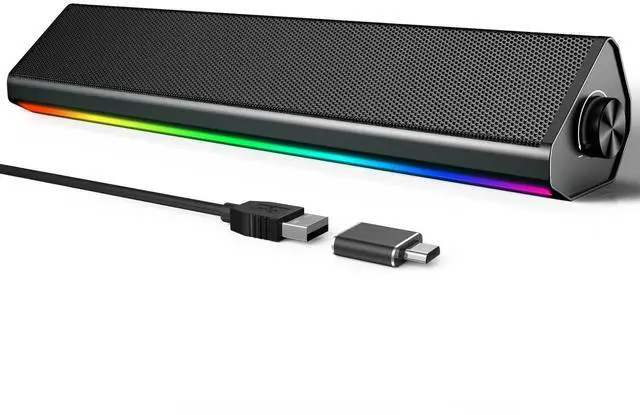



Any questions? Ask CelesteSM will help you find out quickly.


1. Check Windows Sound Settings:
Click the speaker icon in your taskbar.
Make sure the volume is up and the correct speaker "S2" is selected as the playback device.
2. Check Physical Connections:
Ensure the USB cable is firmly plugged directly into a computer USB port (not a hub).
3. Test the Speaker:
Turn the speaker knob clockwise to ensure its volume is turned up.
4. Try a Different Port/Device:
Plug the USB cable into a different USB port on your computer.
If possible, test the speaker on another computer to see if the problem persists.
5.Check Application Volume:
Ensure the volume is turned up in your specific application (e.g., media player, browser, game).

1.Make sure the USB cable is plugged into a wall charger or power bank. It will not enter Bluetooth Mode if plugged into your computer.
Wait for the "Bluetooth Mode" voice prompt. If not heard, press the "M" button to switch to it.
2. Connection & Pairing:
Check that the speaker "S2" is connected to your device. Go to your phone/tablet's Bluetooth settings and confirm the speaker "S2" is listed as "Connected".
If not, select the speaker's name "S2" from the list to pair.
3. Volume & Audio Output:
Rotate the speaker knob to increase its volume.
Also, turn up the volume on your phone or tablet.
Ensure the audio is playing through the speaker. Check your device's sound settings to confirm.
4. Reconnect & Retry:
Turn your phone's Bluetooth off and on again.
In Bluetooth settings, "Forget" the speaker and pair again from the beginning.
Restart the speaker by unplugging and replugging the USB cable.
Q1:Does the PC speaker have built-in Microphone?
A1:No, it does not. You should connect the USB Cable to your device for power on both PC mode and Bluetooth Mode.
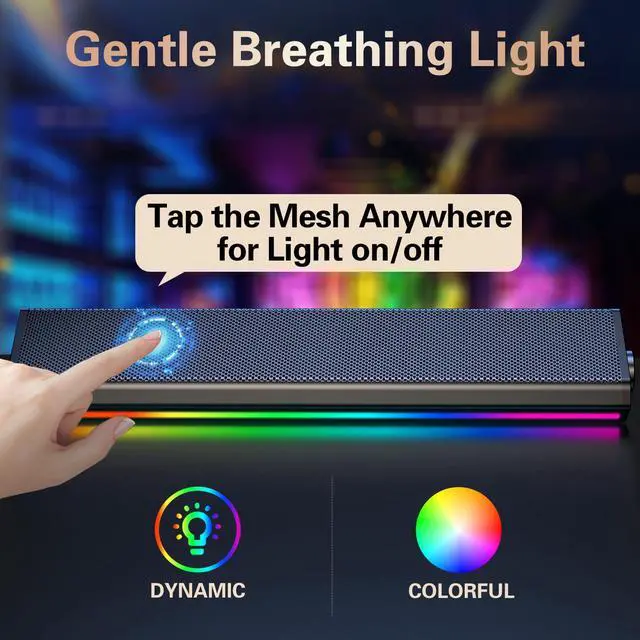
Q2:How to control the colorful light?
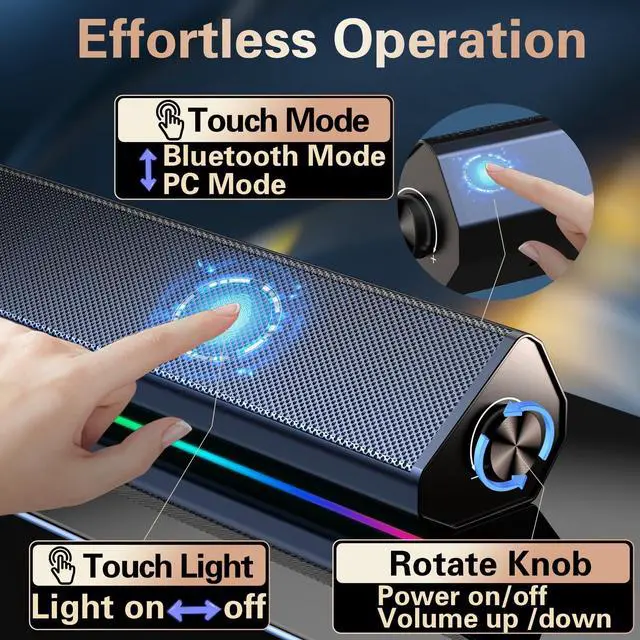
A2:Just tap the metal mesh everywhere to turn on/off the computer speaker.
Q3: How to switch the Playing mode?
A3: Just tap the "touch icon" on the back of the right end of the speaker to switch the PC mode or Bluetooth mode, you can hear the prompt when you tap the icon.
1. Check Windows Sound Settings:
Click the speaker icon in your taskbar.
Make sure the volume is up and the correct speaker "S2" is selected as the playback device.
2. Check Physical Connections:
Ensure the USB cable is firmly plugged directly into a computer USB port (not a hub).
3. Test the Speaker:
Turn the speaker knob clockwise to ensure its volume is turned up.
4. Try a Different Port/Device:
Plug the USB cable into a different USB port on your computer.
If possible, test the speaker on another computer to see if the problem persists.
5.Check Application Volume:
Ensure the volume is turned up in your specific application (e.g., media player, browser, game).
1.Make sure the USB cable is plugged into a wall charger or power bank. It will not enter Bluetooth Mode if plugged into your computer.
Wait for the "Bluetooth Mode" voice prompt. If not heard, press the "M" button to switch to it.
2. Connection & Pairing:
Check that the speaker "S2" is connected to your device. Go to your phone/tablet's Bluetooth settings and confirm the speaker "S2" is listed as "Connected".
If not, select the speaker's name "S2" from the list to pair.
3. Volume & Audio Output:
Rotate the speaker knob to increase its volume.
Also, turn up the volume on your phone or tablet.
Ensure the audio is playing through the speaker. Check your device's sound settings to confirm.
4. Reconnect & Retry:
Turn your phone's Bluetooth off and on again.
In Bluetooth settings, "Forget" the speaker and pair again from the beginning.
Restart the speaker by unplugging and replugging the USB cable.
Q1:Does the PC speaker have built-in Microphone?
A1:No, it does not. You should connect the USB Cable to your device for power on both PC mode and Bluetooth Mode.
Q2:How to control the colorful light?
A2:Just tap the metal mesh everywhere to turn on/off the computer speaker.
Q3: How to switch the Playing mode?
A3: Just tap the "touch icon" on the back of the right end of the speaker to switch the PC mode or Bluetooth mode, you can hear the prompt when you tap the icon.
Elevate Your Audio Experience with LENRUE S2 Computer Speaker for Desktop!
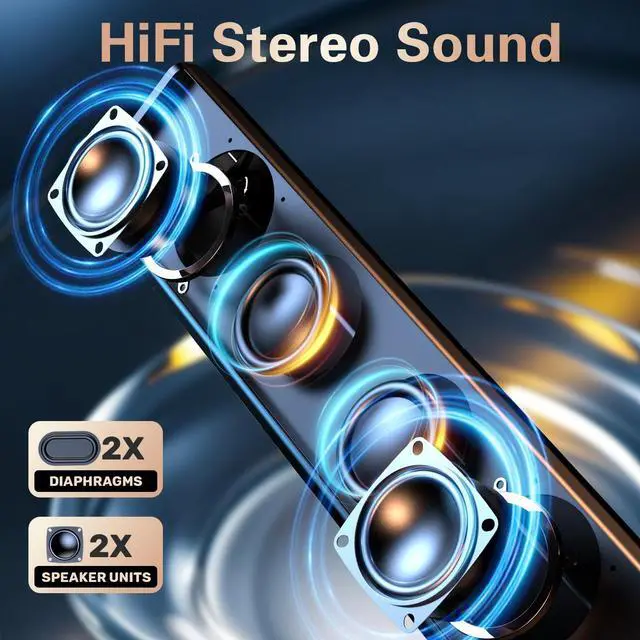
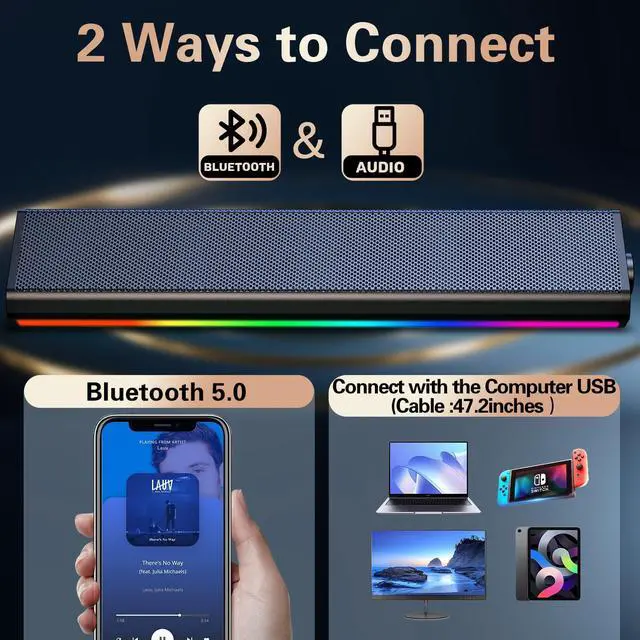
Transform your setup with our versatile PC speakers designed for every need. Whether youre gaming, streaming, or working, these desktop speakers deliver crystal-clear sound . Perfect as computer speakers for desktop, PC monitor speakers, or laptop speakers, they seamlessly connect to any device via Bluetooth computer speakers technology or USB computer speakers portsno hassle, just plug-and-play!
Key Features:
Dual Connectivity:USB speakers for both power and audio (Type-C adapter included) for stable, high-quality audio or Bluetooth Speaker for audio wireless(No built-in battery,also need usb cable plugged in for power) .
Universal Compatibility: Ideal single wired speakers works with desktops, laptops,monitor and even as home audio speakers.Also Bluetooth speaker for laptop pad or phones with bluetooth to save the devices' power by plugged power bank or power strap with usb port.
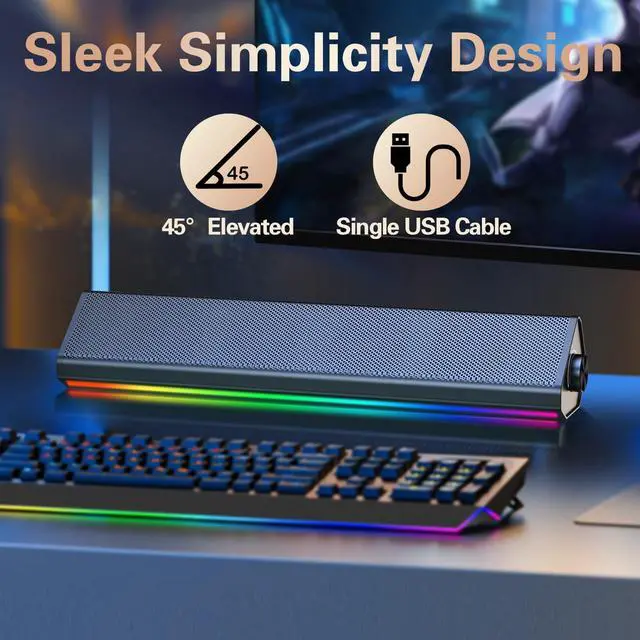
Immersive Gaming: As gaming speakers for PC,PS4(Please noteUSB plug not for Xbox), they feature dynamic soft colorful lighting, creating an electrifying atmosphere.
Dual Touch Tech:
Light control - Tap the front metal mesh to control the light on and off conveniently.
Switch Mode -Tap the right end on the back to switch the bluetooth and PC Mode
Compact Size: Space-saving desk speakers,L13.5"xD2.6"xH2.7",Suitable for placing under the monitor.
Why Choose Us?
All-in-One Solution: Combines bluetooth computer speakers, USB speakers, and gaming speakers in one sleek package.
Plug-and-Play: Includes a Type-C adapter for modern devicesready to use in seconds!
Premium Build: Durable design with vibrant LED accents, perfect for PC computer speakers setups.
Upgrade your audio today! These speakers for computer desktop are your ticket to richer music, intense gaming, and clearer calls. now and feel the difference!**
| Brand | LENRUE |
| Speaker Maximum Output Power | 10 Watts |
| Frequency Response | 85 Hz |
| Connectivity Technology | USB |
| Audio Output Mode | Stereo |
| Input Voltage | 5 Volts |
| Mounting Type | Desktop |
| Model Name | Computer speaker |
| Speaker Type | Stereo speaker |
| Color | Glossy-black |
| Included Components | S2 Speaker |
| Product Dimensions | 2.44"D x 13.78"W x 2.83"H |
| Item Weight | 1.4 Pounds |
| Number of Items | 1 |
| Manufacturer | LENRUE |
| Item model number | S2 |
| Date First Available | August 25, 2025 |



