



Troubleshooting: No Sound or Low Volume in PC Mode
1. Check Windows Sound Settings:
Click the speaker icon in your taskbar.
Make sure the volume is up and the correct speaker "S2" is selected as the playback device.
2. Check Physical Connections:
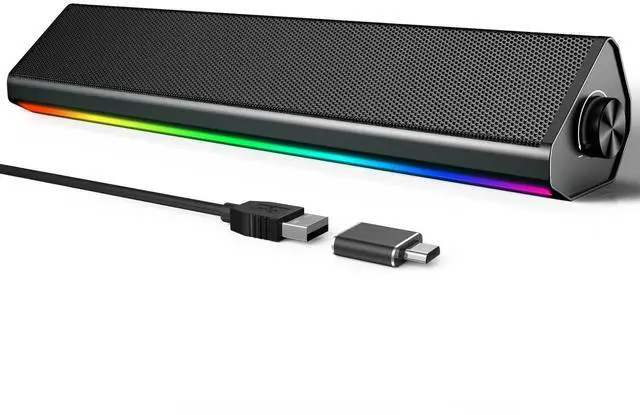
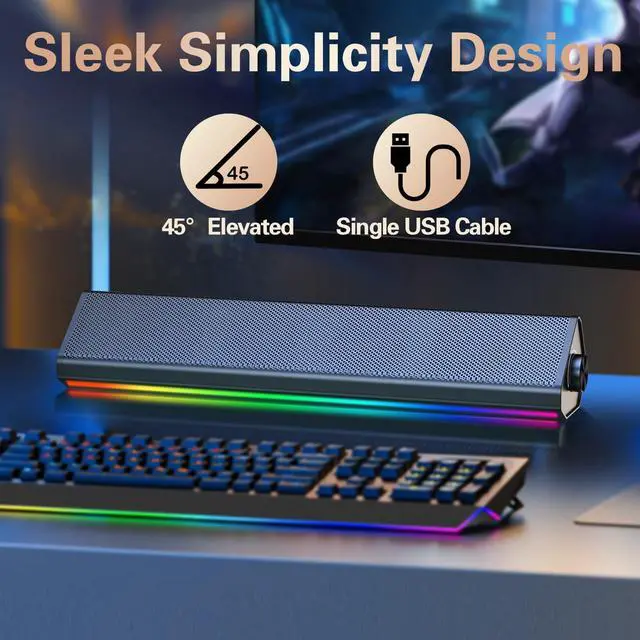
Ensure the USB cable is firmly plugged directly into a computer USB port (not a hub).
3. Test the Speaker:
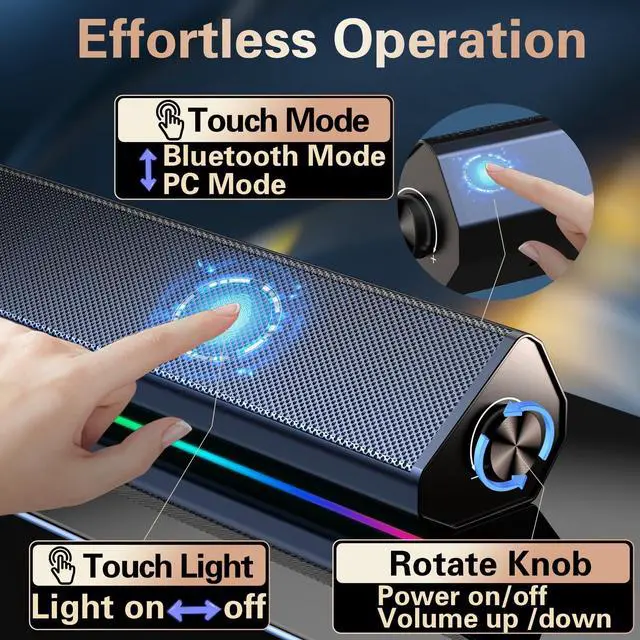
Turn the speaker knob clockwise to ensure its volume is turned up.
4. Try a Different Port/Device:
Plug the USB cable into a different USB port on your computer.
If possible, test the speaker on another computer to see if the problem persists.
5.Check Application Volume:
Ensure the volume is turned up in your specific application (e.g., media player, browser, game).

Troubleshooting: No Sound in Bluetooth Mode
1.Make sure the USB cable is plugged into a wall charger or power bank. It will not enter Bluetooth Mode if plugged into your computer.
Wait for the "Bluetooth Mode" voice prompt. If not heard, press the "M" button to switch to it.
2. Connection & Pairing:
Check that the speaker "S2" is connected to your device. Go to your phone/tablet's Bluetooth settings and confirm the speaker "S2" is listed as "Connected".
If not, select the speaker's name "S2" from the list to pair.
3. Volume & Audio Output:
Rotate the speaker knob to increase its volume.
Also, turn up the volume on your phone or tablet.
Ensure the audio is playing through the speaker. Check your device's sound settings to confirm.
4. Reconnect & Retry:
Turn your phone's Bluetooth off and on again.
In Bluetooth settings, "Forget" the speaker and pair again from the beginning.
Restart the speaker by unplugging and replugging the USB cable.
Q&A
Q1:Does the PC speaker have built-in Microphone?
A1:No, it does not. You should connect the USB Cable to your device for power on both PC mode and Bluetooth Mode.
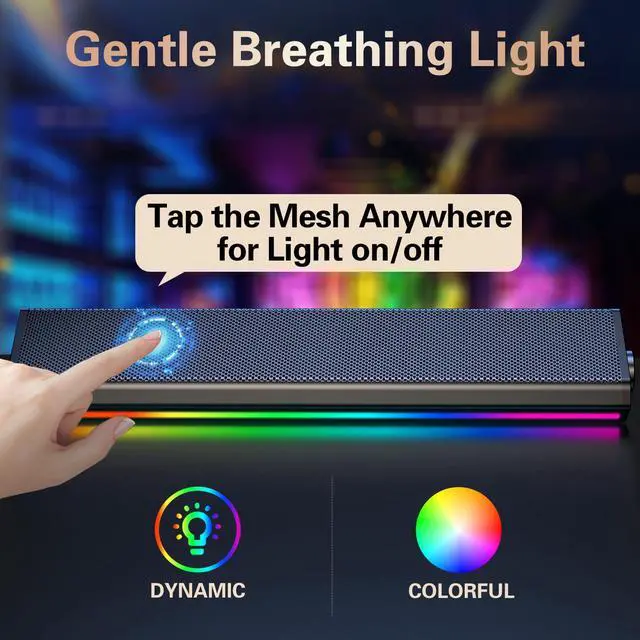
Q2:How to control the colorful light?
A2:Just tap the metal mesh everywhere to turn on/off the computer speaker.
Q3: How to switch the Playing mode?
A3: Just tap the "touch icon" on the back of the right end of the speaker to switch the PC mode or Bluetooth mode, you can hear the prompt when you tap the icon.
Troubleshooting: No Sound or Low Volume in PC Mode
1. Check Windows Sound Settings:
Click the speaker icon in your taskbar.
Make sure the volume is up and the correct speaker "S2" is selected as the playback device.
2. Check Physical Connections:
Ensure the USB cable is firmly plugged directly into a computer USB port (not a hub).
3. Test the Speaker:
Turn the speaker knob clockwise to ensure its volume is turned up.
4. Try a Different Port/Device:
Plug the USB cable into a different USB port on your computer.
If possible, test the speaker on another computer to see if the problem persists.
5.Check Application Volume:
Ensure the volume is turned up in your specific application (e.g., media player, browser, game).
Troubleshooting: No Sound in Bluetooth Mode
1.Make sure the USB cable is plugged into a wall charger or power bank. It will not enter Bluetooth Mode if plugged into your computer.
Wait for the "Bluetooth Mode" voice prompt. If not heard, press the "M" button to switch to it.
2. Connection & Pairing:
Check that the speaker "S2" is connected to your device. Go to your phone/tablet's Bluetooth settings and confirm the speaker "S2" is listed as "Connected".
If not, select the speaker's name "S2" from the list to pair.
3. Volume & Audio Output:
Rotate the speaker knob to increase its volume.
Also, turn up the volume on your phone or tablet.
Ensure the audio is playing through the speaker. Check your device's sound settings to confirm.
4. Reconnect & Retry:
Turn your phone's Bluetooth off and on again.
In Bluetooth settings, "Forget" the speaker and pair again from the beginning.
Restart the speaker by unplugging and replugging the USB cable.
Q&A
Q1:Does the PC speaker have built-in Microphone?
A1:No, it does not. You should connect the USB Cable to your device for power on both PC mode and Bluetooth Mode.
Q2:How to control the colorful light?
A2:Just tap the metal mesh everywhere to turn on/off the computer speaker.
Q3: How to switch the Playing mode?
A3: Just tap the "touch icon" on the back of the right end of the speaker to switch the PC mode or Bluetooth mode, you can hear the prompt when you tap the icon.