

• $39.99
  • Price alert
    Shop it at NeweggBusiness.

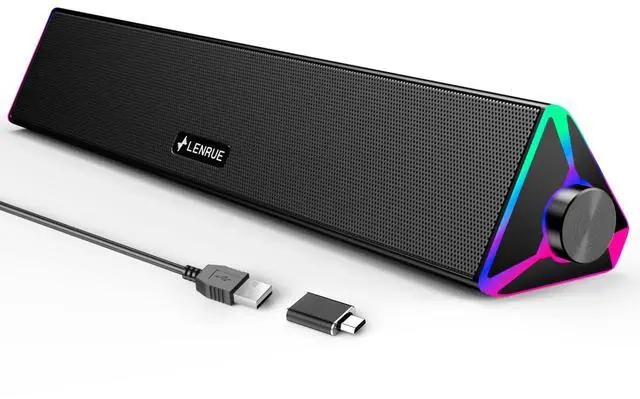
    LENRUE Computer Speakers for Desktop,PC Speakers with Single USB for Power and Stereo Sound,Touch Lights Gaming Speakers Sound bar for Desktop PC Laptop(USB-C Adapter Included)

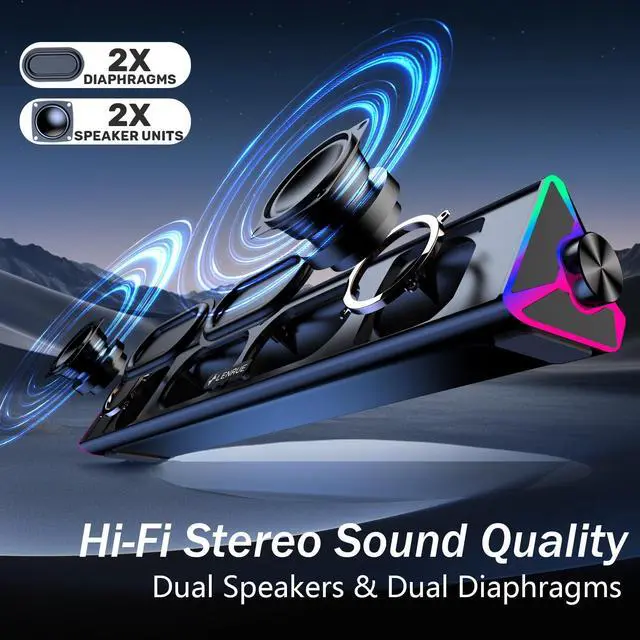
    • Crystal-Clear Stereo Sound:Crisp audio with balanced bass for gaming, movies, or music. Ideal PC speakers for desktop or laptop speakers.
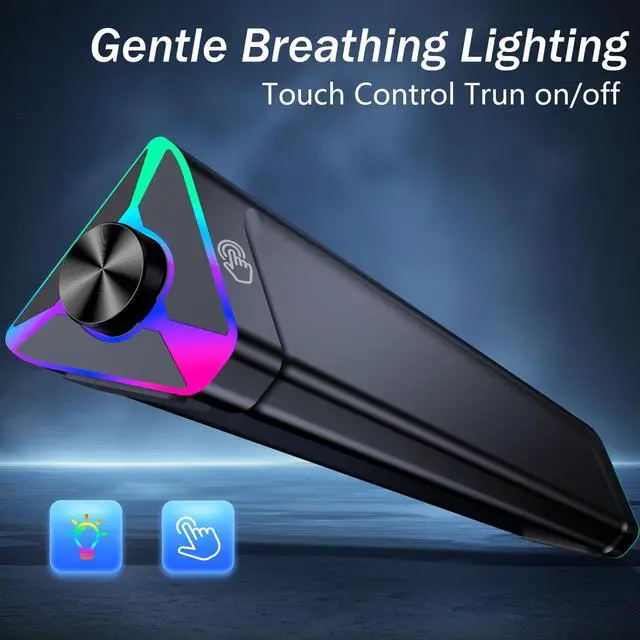
    • Dynamic Colorful Touch Lighting: Soft Breathing light effects,touch-sensitive to control on/offideal for adding flair to your monitor speaker or desktop.
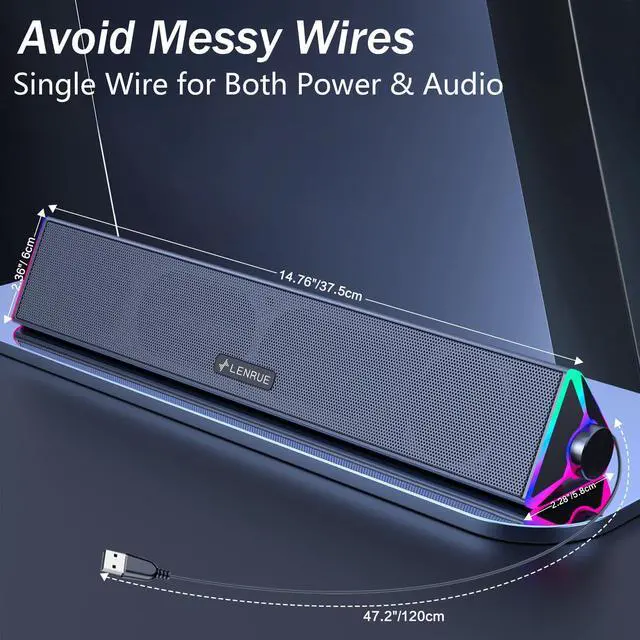
    • Space-Saving Soundbar Design:Fits under monitors/laptopsperfect slim speakers for computer desktop with space-saving efficiency.
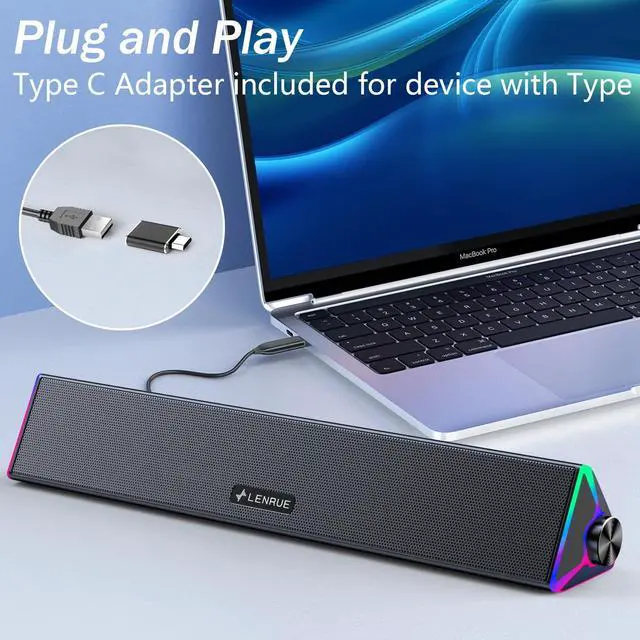
    • Universal USB-Powered Compatibility:Works seamlessly with PCs, laptops, and monitors via a single USB port (includes USB-C adapter).
    • Plug-and-Play Simplicity:No drivers or software requiredjust connect to your PC or desktop via USB/USB-C for stereo speakers performance.
    • Please note: This USB-Powered Speaker is not compatible with Xbox gaming systems,Projector.
    +
    +
    Overview
    Specs
    Reviews
    avatar

    Any questions? Our AI beta will help you find out quickly.

    LENRUE computer speaker - E-1103

    Merchant Video
    Computer speakers-4
    computer speakers-2
    computer speakers-1
    Computer speakers-3

    Troubleshooting: No Sound or Low Volume

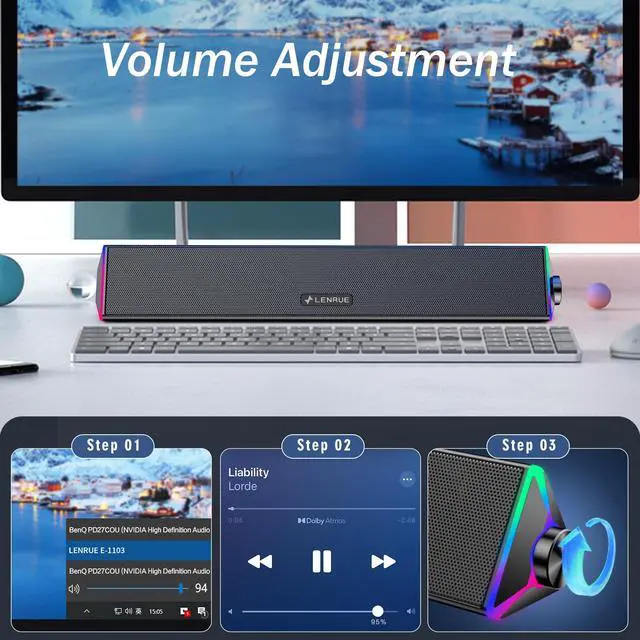
    1. Check Windows Sound Settings:

    Click the speaker icon in your taskbar.

    Make sure the volume is up and the correct speaker "LENRUE E-1103" is selected as the playback device.

    2. Check Physical Connections: Ensure the USB cable is firmly plugged directly into a computer USB port (not a hub).

    3. Test the Speaker: Turn the speaker knob clockwise to ensure its volume is turned up.

    4. Try a Different Port/Device:

    Plug the USB cable into a different USB port on your computer.

    If possible, test the speaker on another computer to see if the problem persists.

    5.Check Application Volume:Ensure the volume is turned up in your specific application (e.g., media player, browser, game).

    LENRUE computer speaker - E-1103

    Merchant Video
    Computer speakers-4
    computer speakers-2
    computer speakers-1
    Computer speakers-3

    Troubleshooting: No Sound or Low Volume

    1. Check Windows Sound Settings:

    Click the speaker icon in your taskbar.

    Make sure the volume is up and the correct speaker "LENRUE E-1103" is selected as the playback device.

    2. Check Physical Connections: Ensure the USB cable is firmly plugged directly into a computer USB port (not a hub).

    3. Test the Speaker: Turn the speaker knob clockwise to ensure its volume is turned up.

    4. Try a Different Port/Device:

    Plug the USB cable into a different USB port on your computer.

    If possible, test the speaker on another computer to see if the problem persists.

    5.Check Application Volume:Ensure the volume is turned up in your specific application (e.g., media player, browser, game).

    LENRUE Computer Speakers for Desktop, PC Speakers with Single USB for Power and Stereo Sound, Touch Lights Gaming Speakers Sound bar for Desktop PC Laptop(USB-C Adapter Included)

    Warranty & Returns

    Warranty, Returns, And Additional Information

    Warranty

    • Please contact the Seller directly for warranty information. Warranty information may also be found on the Manufacturer's website.
    • CONTACT

    Return Policies

    Manufacturer Contact Info

    LOADING...