




 here!
here!
I’m your shopping assistant for PC builds, upgrades, and everything tech.
Got questions? Ask away!
Start a conversation
here!
I’m your shopping assistant for PC builds, upgrades, and everything tech.
Got questions? Ask away!
Start a conversation



Any questions? Ask CelesteSM will help you find out quickly.


In a world where digital connectivity is the lifeblood of our daily lives, LetLinkSo is the pulse that keeps the rhythm steady.
We understand the frustration of slow data transfers and the hassle of device compatibility issues.
That's why LetLinkSo comes—to make your digital experience seamless and enjoyable.


Can I use this adapter for NAS + NVMe SSD over Oculink?
Please ensure your NAS PCle slot mode and BIOS settingssupport external NVMe over Oculink. We also recommend using aCPU-direct PCle x16 slot, setting the slot to PCle/NVMe mode,forcing PCle Gen3 in BIOS, and performing a full cold boot.
Need an OCuLink adapter for devices WITHOUT PCle slot?
We recommend our NEW M.2 to OCuLink Adapter (ASIN:B0GJ4PPLG8) as a perfect alternative. It provides the samehigh-speed performance and is great for laptops, mini PCs anddevices with no PCle slot.


 PCIex8 to Oculink Card |  PCIe4.0 Oculink 4i |  PCIex16 to Oculink Card |  PCIex4 to Oculink Card |  M.2 to Oculink Adapter |  PCIex1 to Oculink Card |  PCIex4 to Oculink Card | |
|---|---|---|---|---|---|---|---|
Customer Reviews | — | — | — | — | — | — | — |
Price | — | — | — | — | — | — | — |
Brand: | LetLinkSo | LetLinkSo | LetLinkSo | LetLinkSo | LetLinkSo | LetLinkSo | LetLinkSo |
Connectivity Technology: | PCIe 4.0 | PCIe 4.0 | PCIe 4.0 | PCIe 4.0 | PCIe 4.0 | PCIe 4.0 | PCIe 4.0 |
Compliance Standards: | PCIe 4.0, 3.0, 2.0, 1.0 | PCIe 4.0, 3.0, 2.0, 1.0 | PCIe 4.0, 3.0, 2.0, 1.0 | PCIe 4.0, 3.0, 2.0, 1.0 | PCIe 4.0, 3.0, 2.0, 1.0 | PCIe 4.0, 3.0, 2.0, 1.0 | PCIe 4.0, 3.0, 2.0, 1.0 |
Operating System: | Windows,Linux | — | Windows,Linux | Windows,Linux | — | Windows,Linux | Windows,Linux |
Cable Length: | — | 1.6/3.3/4.9/6.6 | — | 1.6/3.3/4.9/6.6 | 5.9/7.8 inches | — | — |


Can I use this adapter for NAS + NVMe SSD over Oculink?
Please ensure your NAS PCle slot mode and BIOS settingssupport external NVMe over Oculink. We also recommend using aCPU-direct PCle x16 slot, setting the slot to PCle/NVMe mode,forcing PCle Gen3 in BIOS, and performing a full cold boot.
Need an OCuLink adapter for devices WITHOUT PCle slot?
We recommend our NEW M.2 to OCuLink Adapter (ASIN:B0GJ4PPLG8) as a perfect alternative. It provides the samehigh-speed performance and is great for laptops, mini PCs anddevices with no PCle slot.


PCIex8 to Oculink Card | PCIe4.0 Oculink 4i | PCIex16 to Oculink Card | PCIex4 to Oculink Card | M.2 to Oculink Adapter | PCIex1 to Oculink Card | PCIex4 to Oculink Card |
|---|---|---|---|---|---|---|
| Customer Reviews | ||||||
| — | — | — | — | — | — | — |
| Price | ||||||
| — | — | — | — | — | — | — |
| Brand: | ||||||
| LetLinkSo | LetLinkSo | LetLinkSo | LetLinkSo | LetLinkSo | LetLinkSo | LetLinkSo |
| Connectivity Technology: | ||||||
| PCIe 4.0 | PCIe 4.0 | PCIe 4.0 | PCIe 4.0 | PCIe 4.0 | PCIe 4.0 | PCIe 4.0 |
| Compliance Standards: | ||||||
| PCIe 4.0, 3.0, 2.0, 1.0 | PCIe 4.0, 3.0, 2.0, 1.0 | PCIe 4.0, 3.0, 2.0, 1.0 | PCIe 4.0, 3.0, 2.0, 1.0 | PCIe 4.0, 3.0, 2.0, 1.0 | PCIe 4.0, 3.0, 2.0, 1.0 | PCIe 4.0, 3.0, 2.0, 1.0 |
| Operating System: | ||||||
| Windows,Linux | — | Windows,Linux | Windows,Linux | — | Windows,Linux | Windows,Linux |
| Cable Length: | ||||||
| — | 1.6/3.3/4.9/6.6 | — | 1.6/3.3/4.9/6.6 | 5.9/7.8 inches | — | — |
In a world where digital connectivity is the lifeblood of our daily lives, LetLinkSo is the pulse that keeps the rhythm steady.
We understand the frustration of slow data transfers and the hassle of device compatibility issues.
That's why LetLinkSo comes—to make your digital experience seamless and enjoyable.
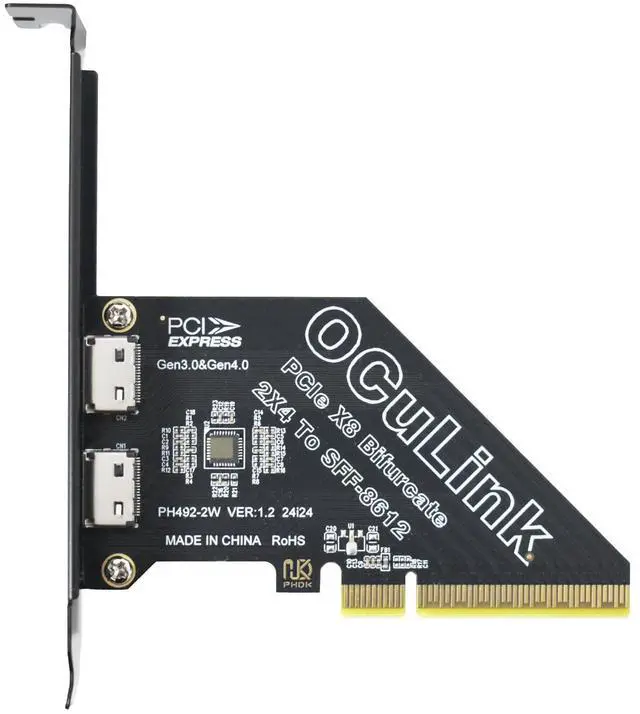
Enhance Your System's Potential with LetLinkSo High-Speed PCIe 4.0 to Oculink SFF-8612 SFF-8611 Adapter Card for NVMe SSD, GPU Dock Station, eGPU
Expanded Connectivity:
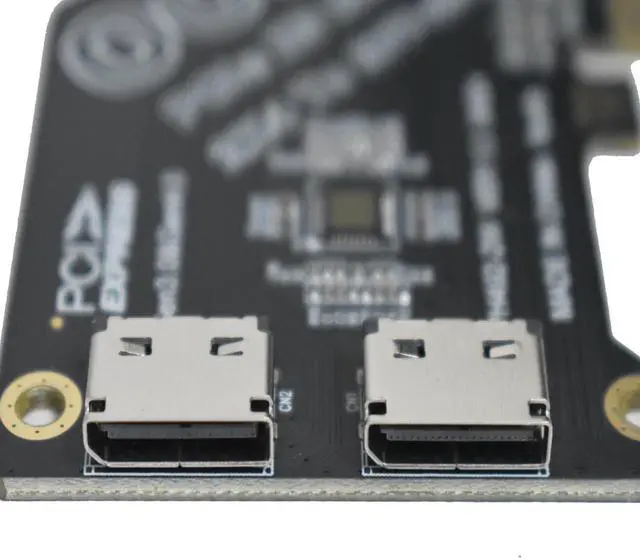
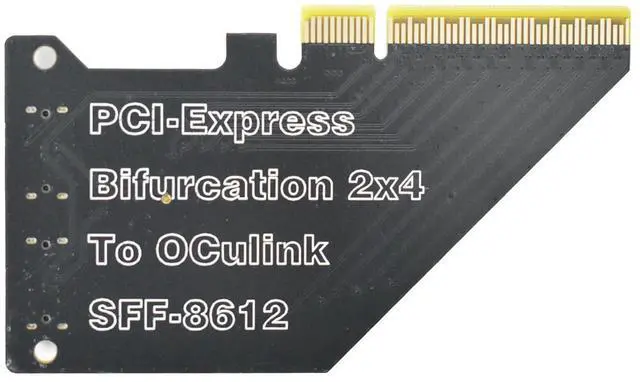
Elevate your PC's connectivity with the LetLinkSo PCIe 4.0 to Oculink SFF-8612 External Adapter Card. This innovative card adds an additional Oculink SFF-8612 x4 interface via your PCIe slot, seamlessly integrating more devices like NVMe SSDs or eGPUs using a SFF-8611 cable. Experience the freedom to expand your system without limitations.
Ultra-High-Speed Data Transfer:
Harness the power of PCIe 4.0 with LetLinkSo's SFF-8612 Adapter Card, designed to deliver a staggering 16 GT/s per lane across 8 lanes, peaking at a total of 128 Gbps. This ensures lightning-fast data read/write speeds, perfect for high-performance applications that manage large volumes of data, providing you with an edge in speed and efficiency.
Durable Construction:
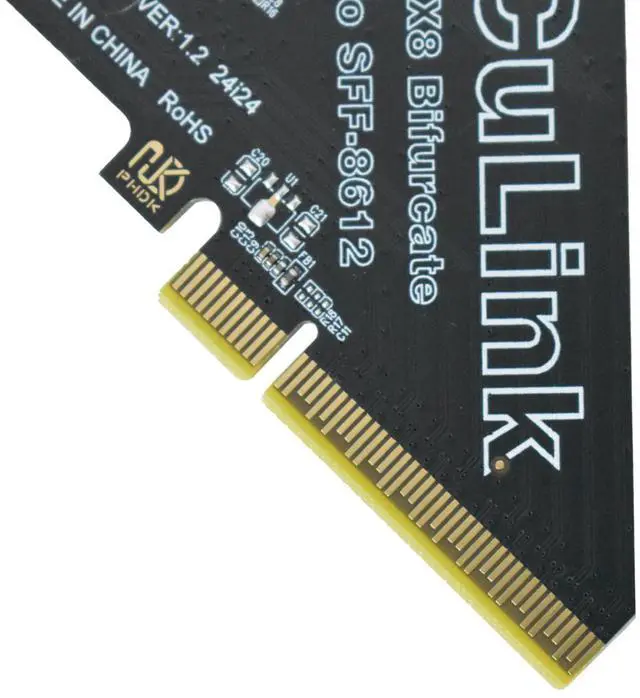
Built to last, the LetLinkSo PCIe to Oculink Adapter Card features a robust design with the connector housing welded to the PCB. This ensures a more secure connection, reducing the risk of fragility and providing a seamless plug-and-unplug experience. Invest in a product that enhances your system's durability and reliability.
Support for Bootable Devices:
The LetLinkSo PCIe to Oculink Card is not just an adapter; it's a versatile tool that supports bootable devices. Offering users more options for system startup and operation, this card increases system flexibility and usability, making it an indispensable addition to any tech-savvy user's arsenal.
Plug-and-Play Convenience:
Experience the convenience of plug-and-play functionality without the hassle of additional driver installations. Compatible with a wide array of operating systems, including Windows , Windows Server and Linux, this card is designed for user-friendly integration into various systems.
Ready to revolutionize your system's performance? Add the LetLinkSo PCIe 4.0 to Oculink Adapter Card to your cart now and experience the difference for yourself.
Product Specifications:
Hardware Interface A: PCIe 4.0 interface
Hardware Interface B: Oculink SFF-8612 4i slot
Data Transfer Rate: Up to 16 GT/s (per lane)
Compatibility: PCIe 4.0, 3.0, 2.0, 1.0
Operating Systems: Linux, Windows, Windows Server
Supported Features: Supports bootable devices
Package Contents:
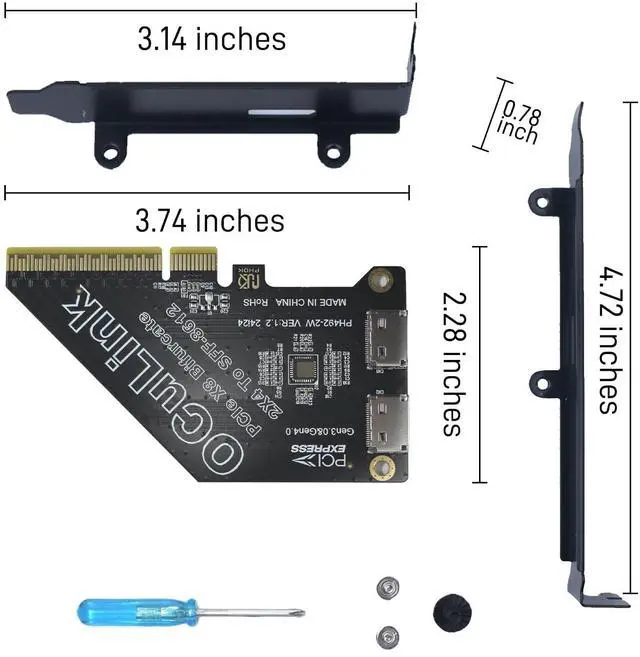
1 x PCIe 4.0 x4 to dual Oculink SFF-8612 adapter card
1 x Screwdriver
3 x Screws
2 x Mounting brackets
| Brand | LetLinkSo |
| Hardware Interface | PCIE x 1, PCIE x 16, PCIE x 4, PCIE x 8 |
| Style | Enterprise-Level |
| Item Weight | 3 Ounces |
| Compatible Devices | Desktop Computers, GPU Dock, Server |
| Model Number | PCIe x8 to Oculink |
| Manufacturer | DataLink Sphere |
| Unit Count | 1 Count |
| Warranty Description | 12-month warranty |
| Operating System | Linux, Windows, Windows Server |
| Style Name | Enterprise-Level |


