




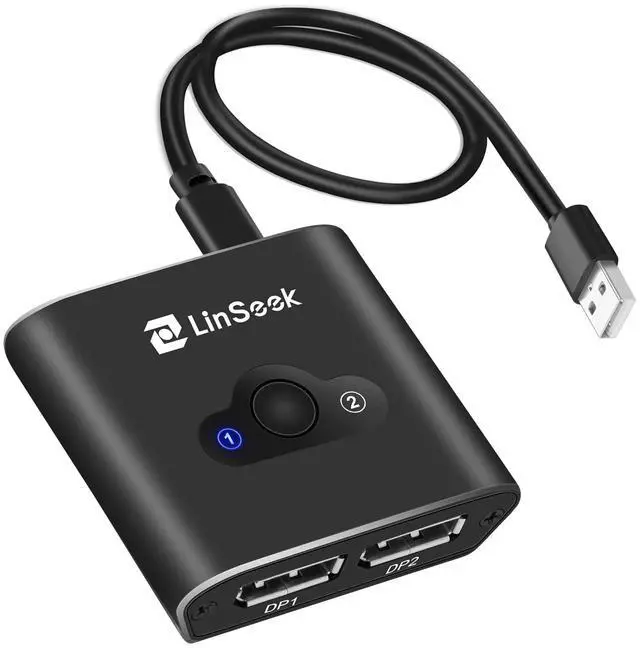



Bi-Directional Switch 2 In 1 Out/1 to 2 DP1.2 Switcher 3D UHD 4K@60Hz
FEATURES & PARAMETER
1. High resolution: support 4K@60Hz, backward compatible with 2K@60Hz, 1080P@120Hz
2. Support 3D
3. Full compliance with DisplayPort 1.0,1.1a,1.2,1.2a,
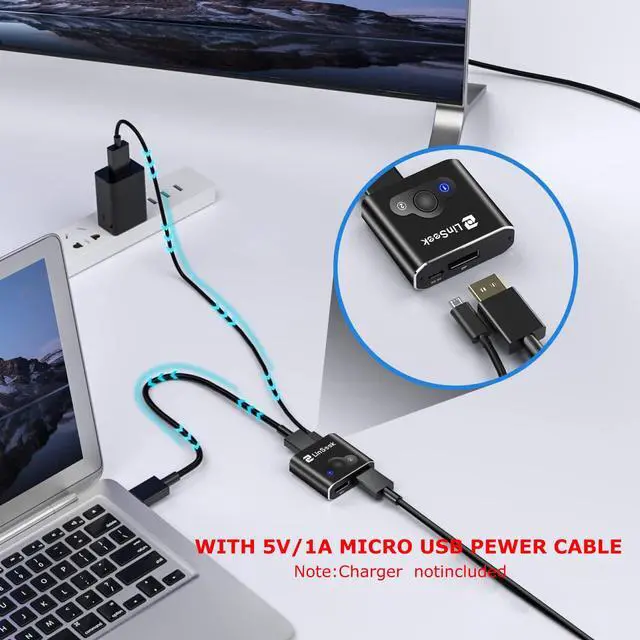
4. Power supply: DC 5V(Provide 5V 1A Micro USB cable; Note:Charger notincluded )
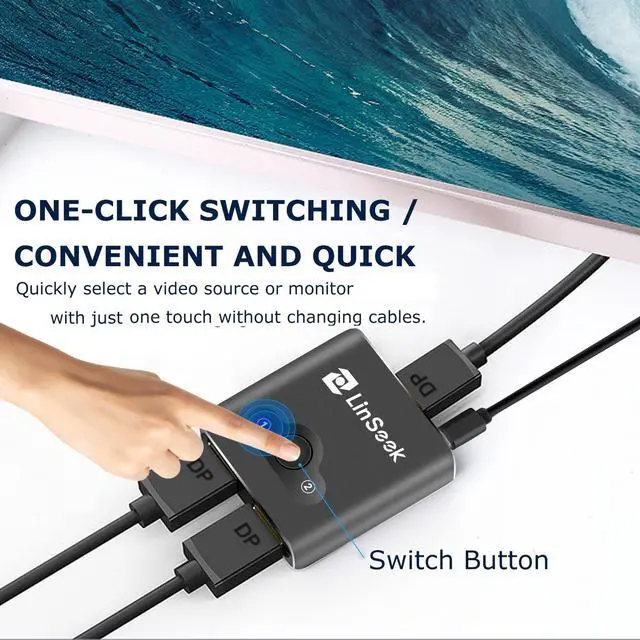
5. Plug and Play: simple design and easy to use. No external driver or application is required. Press the button on the DP switch to switch the monitor between the two input and output connections
6.The DisplayPort switcher allow you to connect two DP source to one DP display or connect one DisplayPort source to toggle between two displays.
PACKING LIST
1 x Displayport Bi-Direction Switch
1 x User manual
1 x 5V/1A Micro USB power cable.( Note:Charger not included)

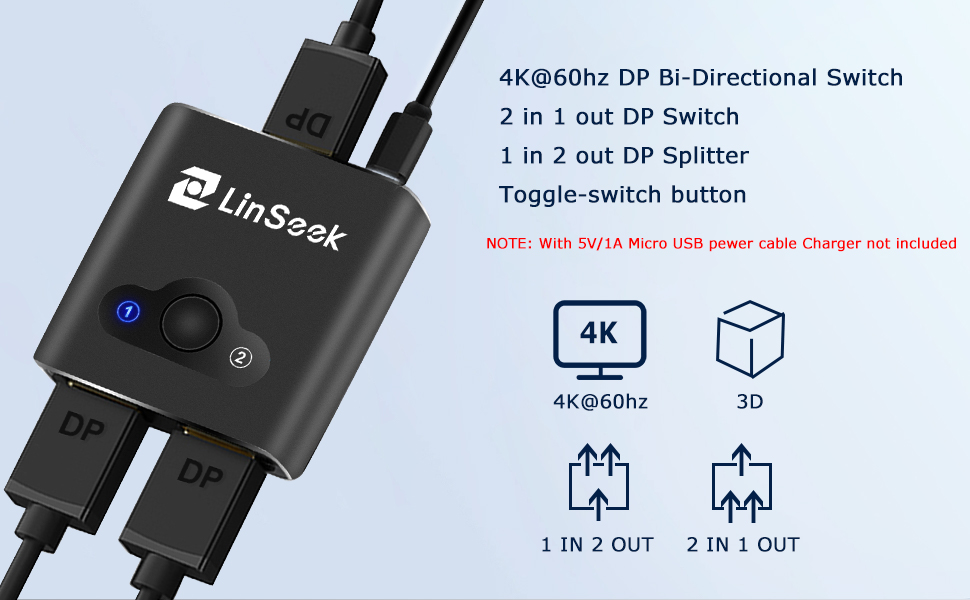
DP 1.2 4K @ 60Hz 1 Input 2 Output & 2 Input 1 Output Bi-direction Switcher.
The DisplayPort switcher allow you to connect two DP source to one DP display or connect one DisplayPort source to toggle between two displays.
High-definition video output: the picture has high realism, bright colors, clear and sharp, and vivid details.
Feature
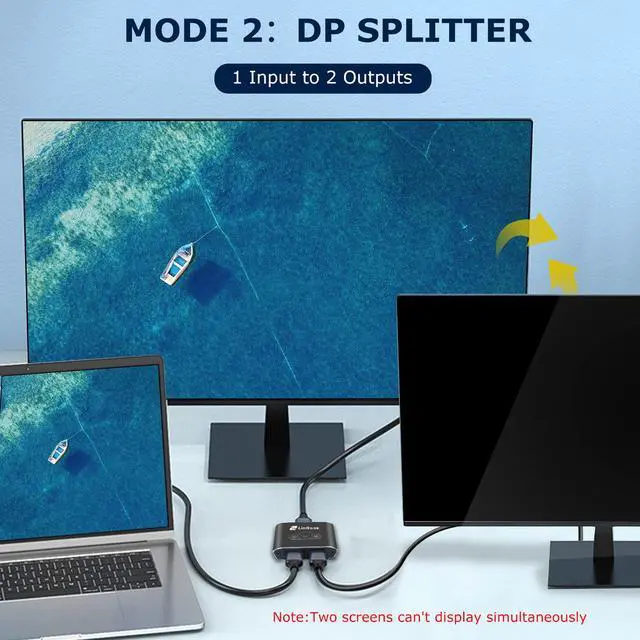
>>>Work as DP switch and DP splitter (only one screen diplay at a time)
Support 4K @ 60Hz, 4K @ 30Hz, 1080P @120Hz and other resolutions
>>>Support up to 30Gbps broadband
>>>Backward compatible withDP1.2, DP1.1 and DP1.0 versions
>>>Need external power supply to work (Provide 5V 1A Micro USB cable; Note:Charger notincluded )
>>>The screen can be switched at will, work and entertainment are carried out at the same time
>>>LED indicator shows the working status, clear at a glance, clearly understand which device is connected and running
>>> Aluminum Alloy Case ,The durable Aluminum alloy housing can efficiently dissipate the heat to ensure durability and safe usage.
(Note - 1) This Switcher needs to be used with DisplayPort 1.2 and above cables. Screen flicker and random signal disconnects are mainly caused by bad cables. -2) The maximum cable length between input and output should not exceed 2m.
How to use:
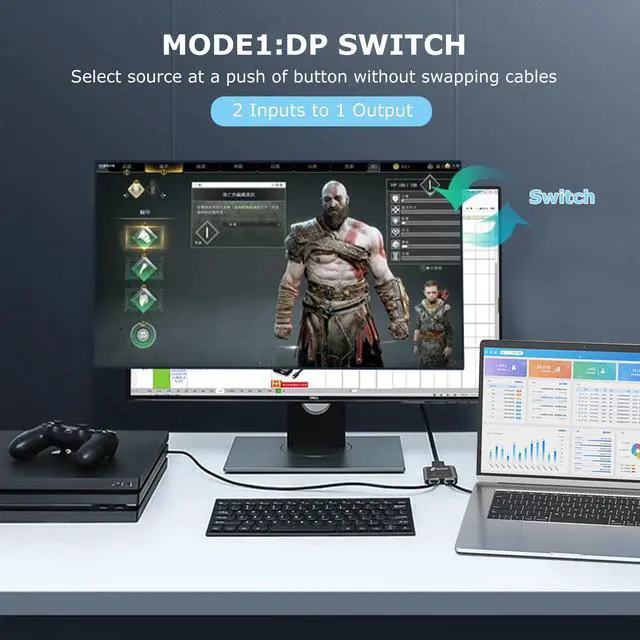
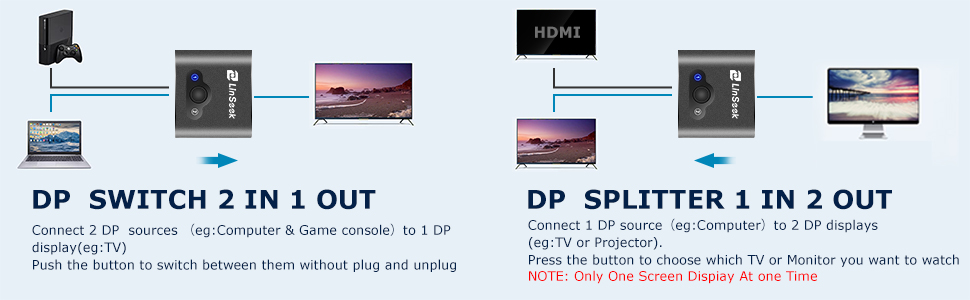
In switch mode (used as DP switcher), it provides 2 DP inputs to connect 1 DP monitor, you can switch between them to avoid damage to DP monitor by plugging and unplugging DP cable.
1. Connect the HDMI cable of the video source (such as DVD, Playstation, TV box, etc.) to the input of the switch ( DP cable not included).
2. Use an DP cable ( DP cable not included) to connect the DP switch to the monitor (TV or projector).
3. Press the toggle button to select Video Signal or Monitor.
4. Need external power supply to work (Provide 5V 1A Micro USB cable; Note:Charger notincluded )
Recommendations:
1. This bidirectional DP switch can be used as DP switch: 2 in 1 out, or as a reverse DP splitter: 1 in 2 out.
2. When used as an DP splitter, it can only work one output at a time.
3. Connect the DP switch to the monitor (TV and monitor), remember to set the source to DP
4. If you need to achieve an 4K@60Hz display, you must use a DP1.2 standard cable, the length is less than 2m to reach 24AWG; at the same time, the input and output devices must reach 4K.
5. The DP cable range(input add output) should not exceed 3 meters as much as possible. Too long a cable will affect the stability of data transmission, and may even cause the switching speed to be too slow, as well as screen flickering or black screen.
6 The DP Bi-Direction Switch cannot be used with the adapter, please make sure your device has a DP port.
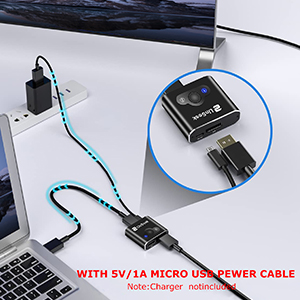
With 5V/1A Micro USB pewer cable
Provide Micro USB cable, support 5V voltage input, you can connect Micro USB to your computer or charging head. In order to ensure the normal operation of the product, it must be connected to the power supply during use.( Note:Charger notincluded).
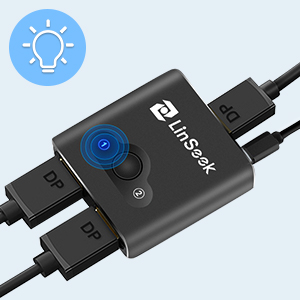
LED Lights
Plug and play, NO driver required. Simply press the button to switch sources or display.The LED light tells which port is active now.Upgraded IC chipset ensure a fast and stable video signal transmission. No lag, No distortion.
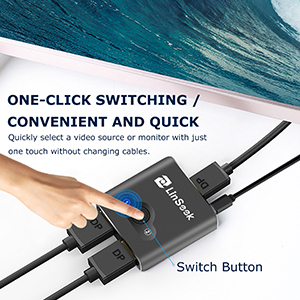
Toggle Button
Allows you to quickly select a video source or displays, without having to swap DP cables.avoid damage your display ports due to frequent plug.
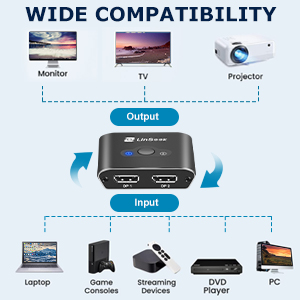
Wide Compatibility
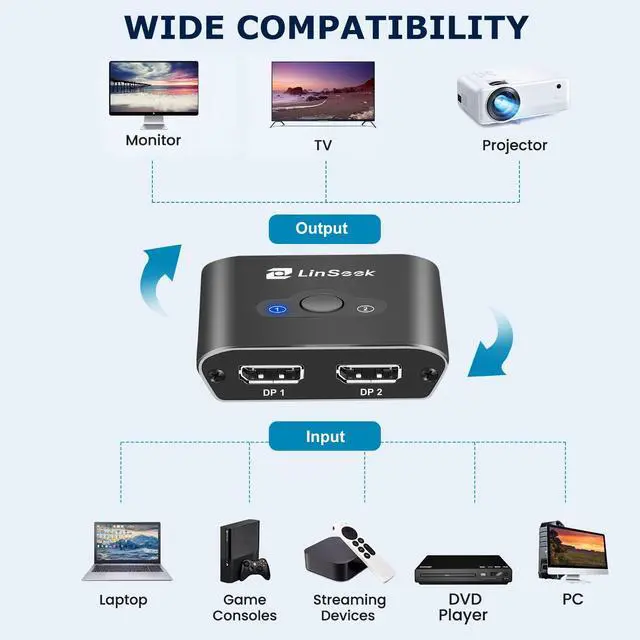
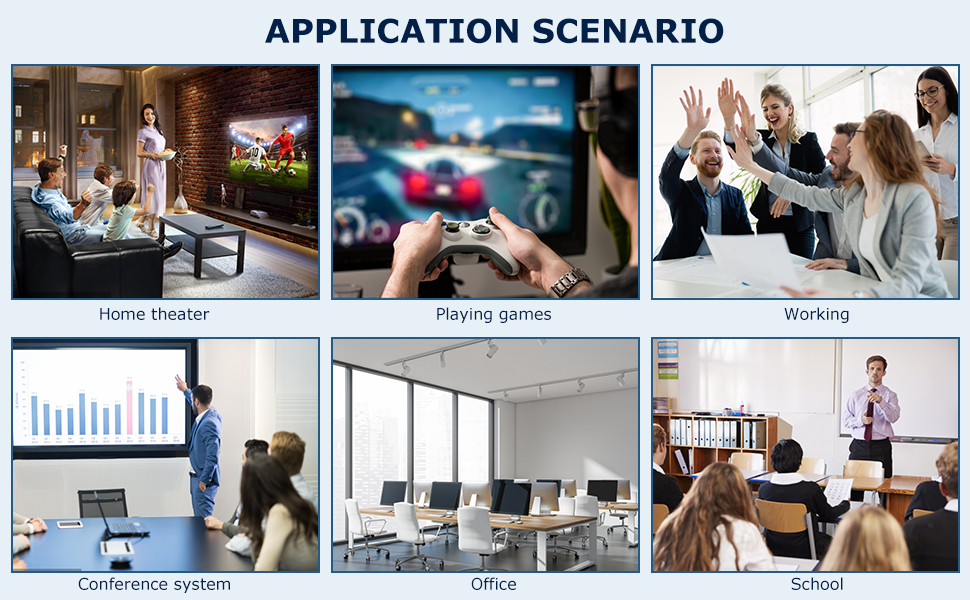
DP Switch Suitable for most DP port device, Input Output .:Support Laptop, monitor, projector, computer, TV, PS4, TV Box, game console , Blu-Ray DVD player, Cable box, PC, etc. Widely used in home entertainment, information command center, meeting rooms, schools and other training venues.
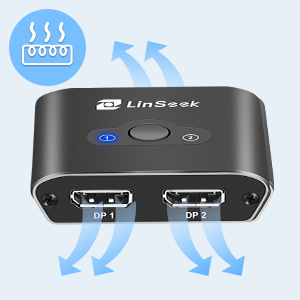
Aluminum Alloy Case
The Aluminum alloy housing can efficiently dissipate the heat to ensure durability and safe usage.
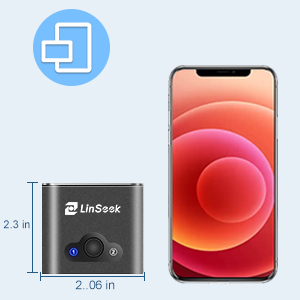
Compact Size
2.3 x 2.06 x 0.68inch; Portable and compact design saves space in your media center for easy portability.
Bi-Directional Switch 2 In 1 Out/1 to 2 DP1.2 Switcher 3D UHD 4K@60Hz
FEATURES & PARAMETER
1. High resolution: support 4K@60Hz, backward compatible with 2K@60Hz, 1080P@120Hz
2. Support 3D
3. Full compliance with DisplayPort 1.0,1.1a,1.2,1.2a,
4. Power supply: DC 5V(Provide 5V 1A Micro USB cable; Note:Charger notincluded )
5. Plug and Play: simple design and easy to use. No external driver or application is required. Press the button on the DP switch to switch the monitor between the two input and output connections
6.The DisplayPort switcher allow you to connect two DP source to one DP display or connect one DisplayPort source to toggle between two displays.
PACKING LIST
1 x Displayport Bi-Direction Switch
1 x User manual
1 x 5V/1A Micro USB power cable.( Note:Charger not included)
DP 1.2 4K @ 60Hz 1 Input 2 Output & 2 Input 1 Output Bi-direction Switcher.
The DisplayPort switcher allow you to connect two DP source to one DP display or connect one DisplayPort source to toggle between two displays.
High-definition video output: the picture has high realism, bright colors, clear and sharp, and vivid details.
Feature
>>>Work as DP switch and DP splitter (only one screen diplay at a time)
Support 4K @ 60Hz, 4K @ 30Hz, 1080P @120Hz and other resolutions
>>>Support up to 30Gbps broadband
>>>Backward compatible withDP1.2, DP1.1 and DP1.0 versions
>>>Need external power supply to work (Provide 5V 1A Micro USB cable; Note:Charger notincluded )
>>>The screen can be switched at will, work and entertainment are carried out at the same time
>>>LED indicator shows the working status, clear at a glance, clearly understand which device is connected and running
>>> Aluminum Alloy Case ,The durable Aluminum alloy housing can efficiently dissipate the heat to ensure durability and safe usage.
(Note - 1) This Switcher needs to be used with DisplayPort 1.2 and above cables. Screen flicker and random signal disconnects are mainly caused by bad cables. -2) The maximum cable length between input and output should not exceed 2m.
How to use:
In switch mode (used as DP switcher), it provides 2 DP inputs to connect 1 DP monitor, you can switch between them to avoid damage to DP monitor by plugging and unplugging DP cable.
1. Connect the HDMI cable of the video source (such as DVD, Playstation, TV box, etc.) to the input of the switch ( DP cable not included).
2. Use an DP cable ( DP cable not included) to connect the DP switch to the monitor (TV or projector).
3. Press the toggle button to select Video Signal or Monitor.
4. Need external power supply to work (Provide 5V 1A Micro USB cable; Note:Charger notincluded )
Recommendations:
1. This bidirectional DP switch can be used as DP switch: 2 in 1 out, or as a reverse DP splitter: 1 in 2 out.
2. When used as an DP splitter, it can only work one output at a time.
3. Connect the DP switch to the monitor (TV and monitor), remember to set the source to DP
4. If you need to achieve an 4K@60Hz display, you must use a DP1.2 standard cable, the length is less than 2m to reach 24AWG; at the same time, the input and output devices must reach 4K.
5. The DP cable range(input add output) should not exceed 3 meters as much as possible. Too long a cable will affect the stability of data transmission, and may even cause the switching speed to be too slow, as well as screen flickering or black screen.
6 The DP Bi-Direction Switch cannot be used with the adapter, please make sure your device has a DP port.
With 5V/1A Micro USB pewer cable
Provide Micro USB cable, support 5V voltage input, you can connect Micro USB to your computer or charging head. In order to ensure the normal operation of the product, it must be connected to the power supply during use.( Note:Charger notincluded).
LED Lights
Plug and play, NO driver required. Simply press the button to switch sources or display.The LED light tells which port is active now.Upgraded IC chipset ensure a fast and stable video signal transmission. No lag, No distortion.
Toggle Button
Allows you to quickly select a video source or displays, without having to swap DP cables.avoid damage your display ports due to frequent plug.
Wide Compatibility
DP Switch Suitable for most DP port device, Input Output .:Support Laptop, monitor, projector, computer, TV, PS4, TV Box, game console , Blu-Ray DVD player, Cable box, PC, etc. Widely used in home entertainment, information command center, meeting rooms, schools and other training venues.
Aluminum Alloy Case
The Aluminum alloy housing can efficiently dissipate the heat to ensure durability and safe usage.
Compact Size
2.3 x 2.06 x 0.68inch; Portable and compact design saves space in your media center for easy portability.