



• $89.99
  • Free 30-day Returns
  • Price alert
    Shop it at NeweggBusiness.

    Meet Your Seller

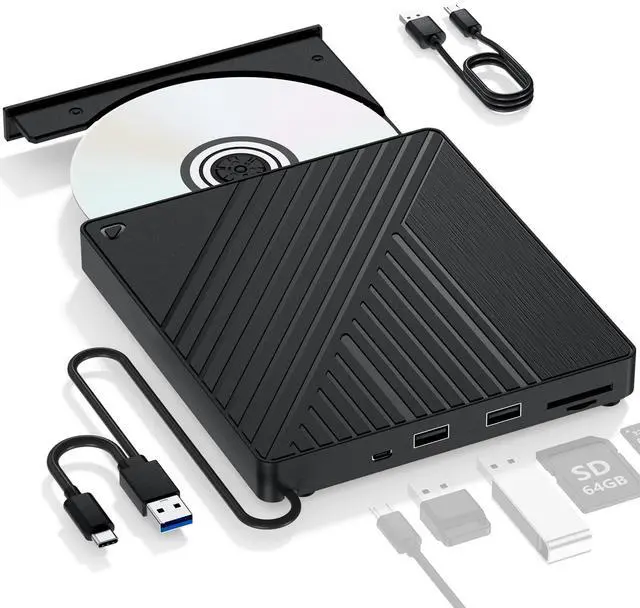
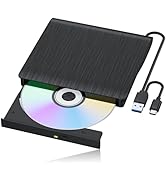
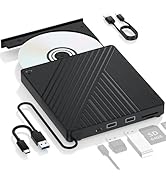
    Ultra-Portable 5-in-1 External Blu-ray Drive: USB 3.0 & USB-C DVD/CD Burner, BD Reader with Dual USB-A Ports & SD/TF Card Readers Seamless Laptop/PC Compatibility for Windows, Mac, Linux (5 IN 1)

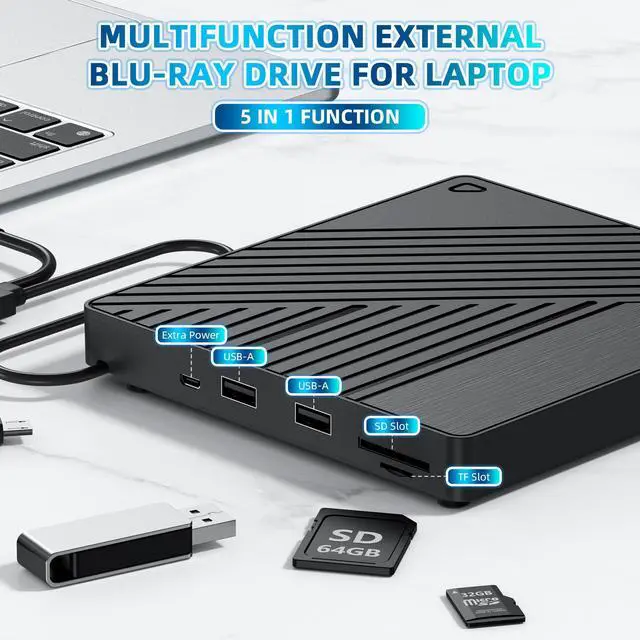
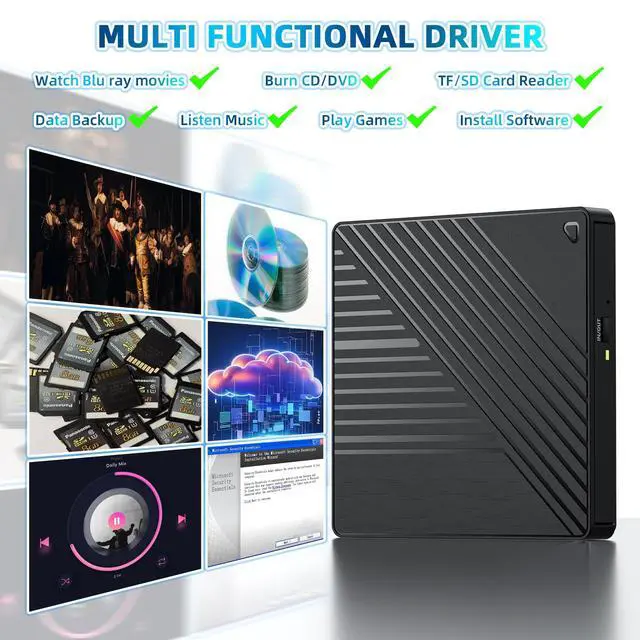
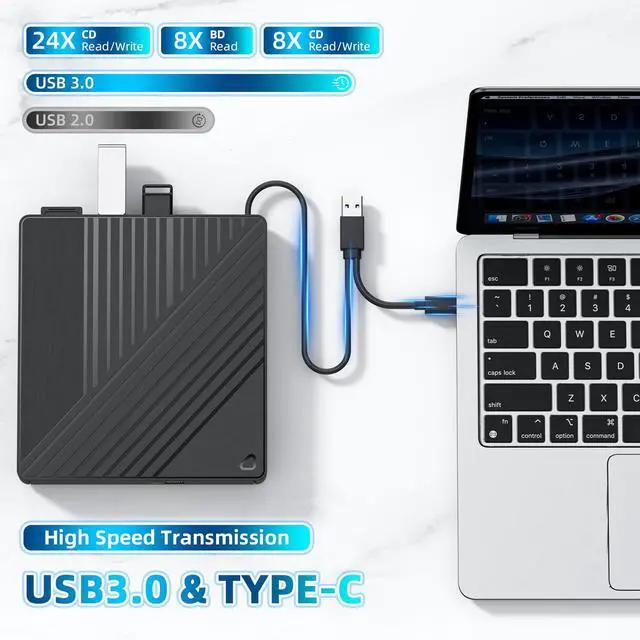
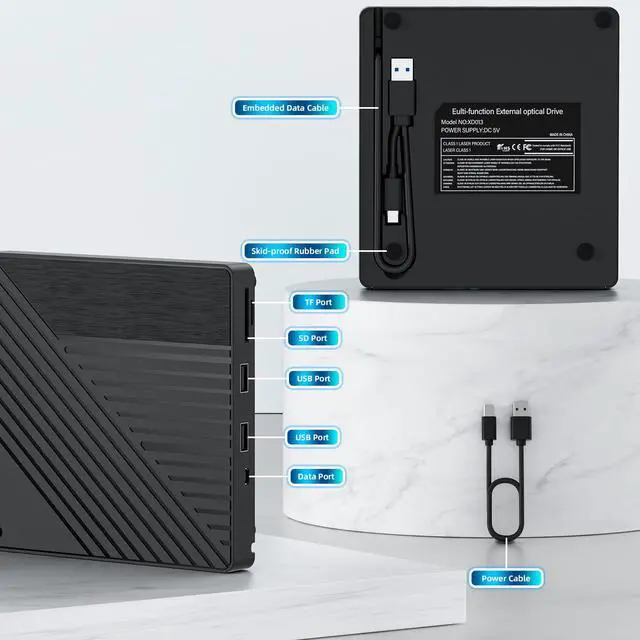
    • [All-in-One Blu-ray Drive & USB Hub] Enjoy Blu-ray/DVD/CD playback and 6X faster burning, plus 2 USB-A ports, SD/TF card slots for seamless file transfers and multi-device connectivity
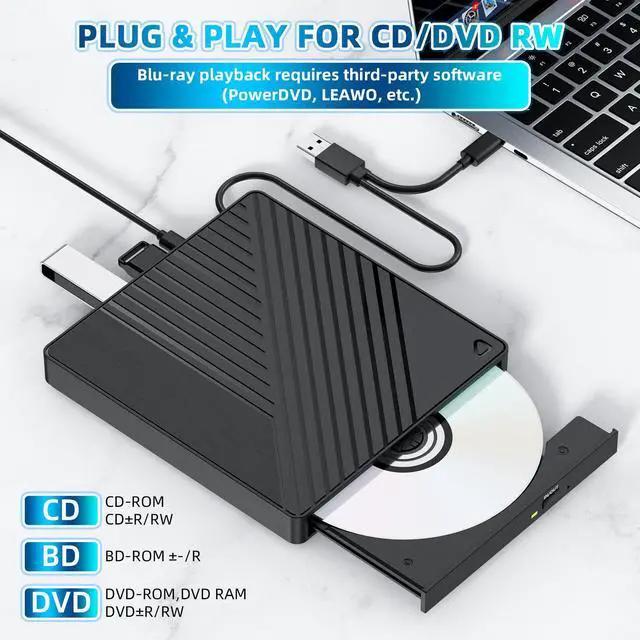
    • [High-Speed Playback & Burning] Experience 3D Blu-ray movies at 6X speeds, 8X DVD, and 24X CD performance. Burn CDs/DVDs seamlessly (Blu-ray burning not supported)
    • [Plug-and-Play Simplicity] Driver-free setup for CDs/DVDs via USB 3.0/Type-C. Blu-ray playback requires third-party software (PowerDVD, LEAWO, etc.)
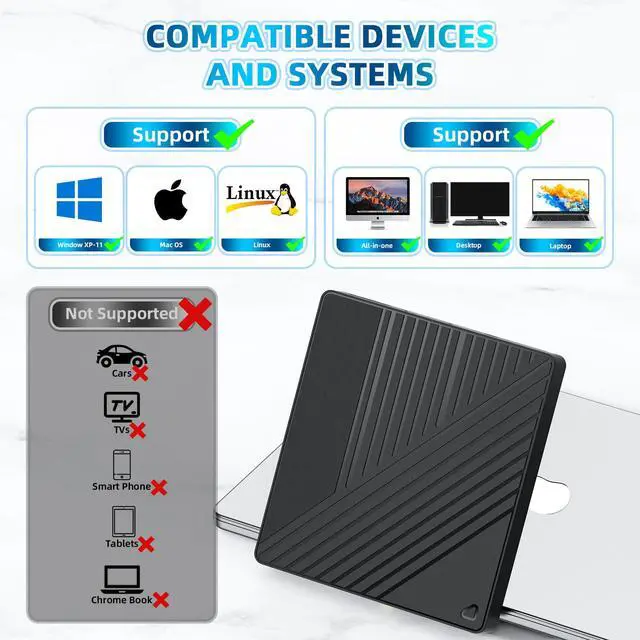
    • [5Gbps Ultra-Fast Transfers] USB 3.0 delivers 6x faster speeds than USB 2.0. Not compatible with TVs, tablets, smartphones, or gaming consoles
    • [Reliable Support & Power Options] 24/7 troubleshooting via Amazon. Includes optional external 5V power input for low-voltage USB ports (adapter not included)
    +
    +
    Overview
    Specs
    Reviews
    avatar

    Any questions? Our AI beta will help you find out quickly.

    external blu ray drive
    external cd/dvd drive for laptop
    portable blu ray player
    blu ray drive
    burner suzume blu ray
    external 4k blu ray drive

    USB A & C

    usb cd drive optical drive

    All-in-One Blu-ray Drive

    external blu ray drive

    Portable

    external blueray/dvd drive

    Embedded data cable

    Important Note:

    1.The Blu ray drive requires a considerable amount of power to operate, and the USB-C/Thunderbolt port of the MacBook may not provide sufficient power, especially when the drive is connected through adapters, docking stations, or hubs. So make sure the optical drive is directly connected or using an external power supply/power dock, and the dual head USB-A cable must be fully plugged in.

    2.Check MacBook Connection: If using an docking station, try connecting the optical drive directly to the MacBook and changing the USB-C port on the Mac.

    3.Limited native support for macOS: Although macOS typically recognizes standard DVD/CD drives and discs, native support for Blu ray disc content (especially commercial movie discs) is very limited or even non-existent. The system may recognize the 'optical drive' hardware, but cannot mount or read the file system (usually UDF) on the Blu ray disc. To play commercial Blu ray movies or read Blu ray data disks in certain formats, third-party Blu ray playback software must be installed.

    4.Check the 'Disk Tool': Check if the optical drive device and disc appear.

    5.Test different discs: First, play a regular DVD/CD for testing. Change to another Blu ray disc for testing.

    6.Test the optical drive on another computer: determine if it is an optical drive issue or a Mac/settings issue.

    external blueray/dvd drive
    external blu-ray drives
    blu ray player usb
    external blu ray
    bluray drive external
    external 4k blu ray drive

    USB A & C

    usb cd drive optical drive

    All-in-One Blu-ray Drive

    external blu ray drive

    Portable

    external blueray/dvd drive

    Embedded data cable

    Important Note:

    1.The Blu ray drive requires a considerable amount of power to operate, and the USB-C/Thunderbolt port of the MacBook may not provide sufficient power, especially when the drive is connected through adapters, docking stations, or hubs. So make sure the optical drive is directly connected or using an external power supply/power dock, and the dual head USB-A cable must be fully plugged in.

    2.Check MacBook Connection: If using an docking station, try connecting the optical drive directly to the MacBook and changing the USB-C port on the Mac.

    3.Limited native support for macOS: Although macOS typically recognizes standard DVD/CD drives and discs, native support for Blu ray disc content (especially commercial movie discs) is very limited or even non-existent. The system may recognize the 'optical drive' hardware, but cannot mount or read the file system (usually UDF) on the Blu ray disc. To play commercial Blu ray movies or read Blu ray data disks in certain formats, third-party Blu ray playback software must be installed.

    4.Check the 'Disk Tool': Check if the optical drive device and disc appear.

    5.Test different discs: First, play a regular DVD/CD for testing. Change to another Blu ray disc for testing.

    6.Test the optical drive on another computer: determine if it is an optical drive issue or a Mac/settings issue.

    Rediscover Blu-rays BrillianceAnywhere, Anytime! Modern laptops may skip optical drives, but our ultra-slim external Blu-ray revives your DVD/Blu-ray collection, letting you burn CD/DVD, archive files, or enjoy cinematic nostalgia on the go. Perfect for travelers, creators, and movie buffs, this drive blends portability with pro-grade performance. Never Compromise on Power or Stability Weak USB ports? No problem. Use the included Micro USB cable to connect the drive to any 5V adapter (like a phone charger) for instant backup power. Say goodbye to drive not detected errors and enjoy uninterrupted Blu-ray playbackeven on low-power devices. Silent Speed, Reliable Performance Engineered for precision, this drive delivers 6X Blu-ray, 8X DVD, and 24X CD read speeds. Advanced vibration dampening and noise reduction ensure smooth, quiet operation, whether youre binge-watching films, ripping music, or backing up critical data. (Note: Blu-ray burning not supported.) Plug, Play, StreamNo Hassles Dual USB 3.0 + Type-C cables guarantee universal compatibility with Windows XP11, macOS 10.6+, and Linux (kernel 2.6+). Plug-and-play for CDs/DVDs; Blu-ray playback requires free software like VLC or PowerDVD. Burn CDs/DVDs effortlessly with tools like BurnAware Free. Travel-Ready Design, Built to Endure Compact, lightweight, and rugged, this drive slips into any bag. The integrated cable system eliminates tangles, making it ideal for flights, hotel stays, or remote work. Recessed disc trays and scratch-resistant finishes add durability for life on the move. Quick Troubleshooting Tips - Disc not playing? Check for region locks or DRM protection. Adjust region settings via DVD Drive Properties. - Drive unrecognized? Use rear USB ports on desktops or ensure laptops are charged/externally powered. - Windows 10/11 issues? Update USB drivers and reconnect. Tech Specs & Inclusions - Ports: USB 3.0 + USB-C (cables included) - Read Speeds: BD 6X | DVD 8X | CD 24X - Power: Bus-powered via USB/USB-C (adapter recommended for Blu-ray) - Package: External Blu-ray Drive, Micro USB Power Cable, User Manual Unlock Endless Possibilities Transform your laptop into a multimedia hub. Relive classic movies, burn cherished memories to disc, or safeguard data with reliable archivingall in a device that fits your on-the-go lifestyle. Order today and elevate your digital experience!


    Product information

    Special Feature Backward Compatible, Lightweight, Plug & Play, Slip Resistant, Type-C & USB 3.0
    Hardware Interface USB 3.0 Type A, USB 3.0 Type C
    Brand LLMHHKYK
    Optical Storage Write Speed 4x
    Optical Storage Read Speed 8x
    Item model number BD051
    Hardware Platform Laptop, PC
    Operating System Windows 10/11, Linux Mac OS
    Item Weight 10.9 ounces
    Product Dimensions 6.1 x 5.65 x 0.62 inches
    Item Dimensions LxWxH 6.1 x 5.65 x 0.62 inches
    Color Black
    Manufacturer LLMHHKYK
    Date First Available June 30, 2025

    Warranty & Returns

    Warranty, Returns, And Additional Information

    Warranty

    • Please contact the Seller directly for warranty information. Warranty information may also be found on the Manufacturer's website.
    • CONTACT

    Return Policies

    • Return for refund within: 30 days
    • Return for replacement within: 30 days
    • This item is covered by BelTie Return Policy

    Manufacturer Contact Info

    LOADING...