


• $37.49
  • Free 30-day Returns
  • Price alert
    Shop it at NeweggBusiness.

    LUOM DisplayPort Switch 4K 144Hz Splitter with Audio Extractor, Plug & Play, Display Port Switcher Box 1 in 2 Out, 4K@144Hz, 4K@120Hz, 4K@60Hz for PC Monitor Laptop

    Limited time offer, ends 01/14 By Luom Electronics Store

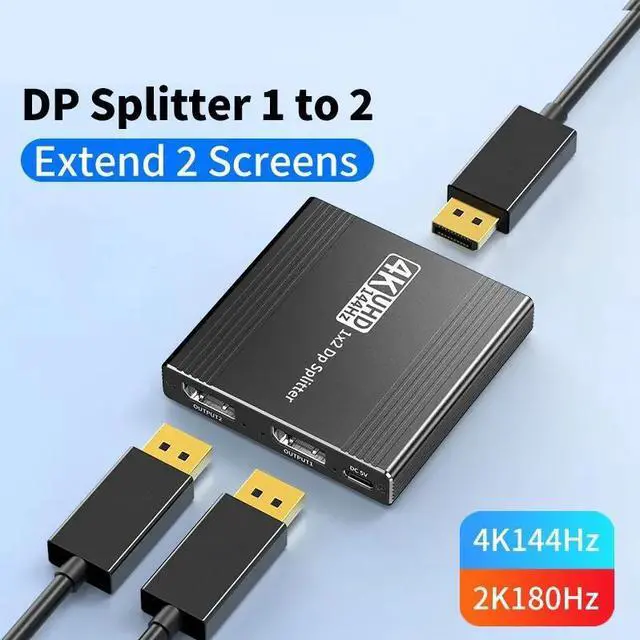
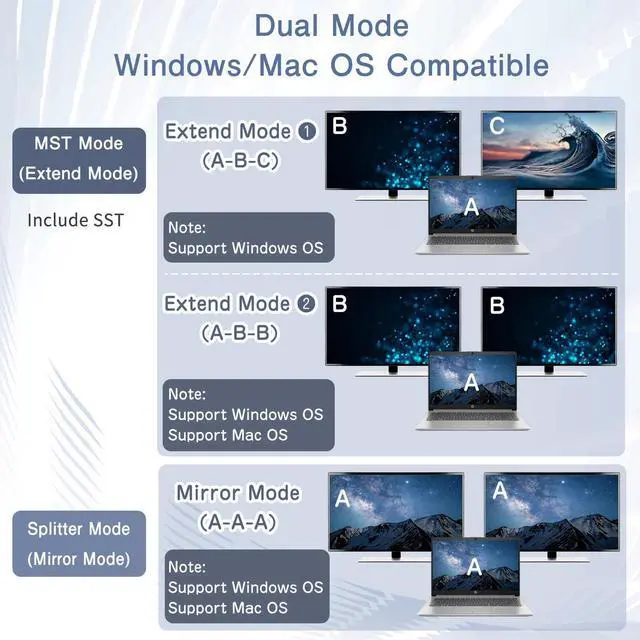
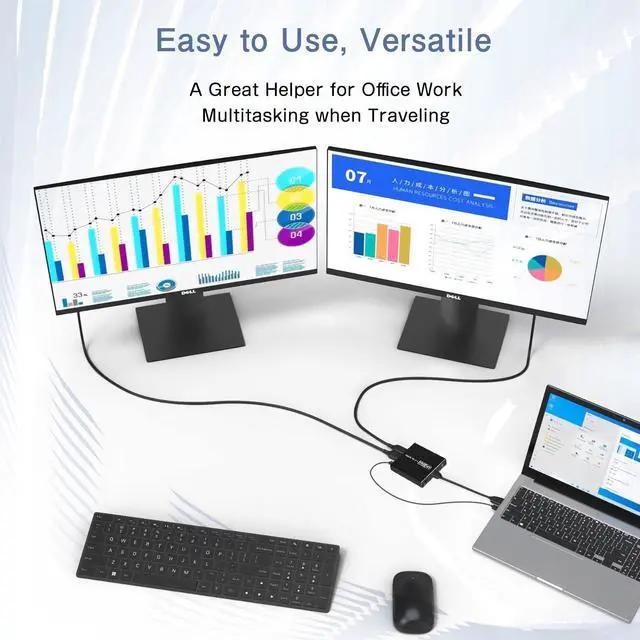
    • DisplayPort to 2 DisplayPort Adapter: DisplayPort to Dual DisplayPort Splitter can output one DP signal to 2 DP displays at the same time, which can support the use of Expanded Mode and Mirroring Mode(AAA/ABB/ABC) to fulfill your need for more screen displays (can only unidirectionally transmit from one DP signal source to two DP displays). Mac OS only supports SST mode (AAA/ABB), it is not recommended to connect any docking station or hub (most docking stations and hubs do not support MST function)
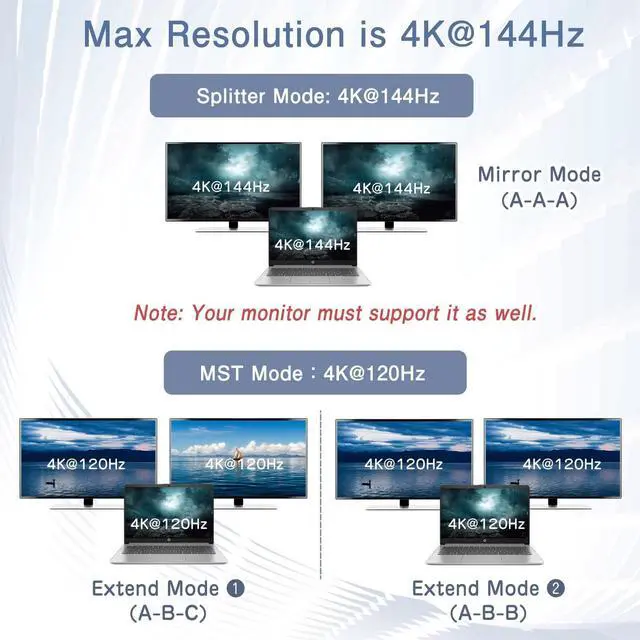
    • 4K144Hz Ultra HD Visual Feast: The DisplayPort to Splitter 1 in 2 out extended display complies with the DP 1.4 standard, and both DisplayPort displays are capable of resolutions up to 4K@120Hz, for vivid images with even more amazing picture color and contrast. To transmit 4K144Hz video signals, please make sure all your devices and cables support 4K144Hz. Note: Some computers need to manually set the display settings interface to 4K144Hz resolution and set it to extended or mirrored mode
    +
    +
    Overview
    Specs
    Reviews
    avatar

    Any questions? Our AI beta will help you find out quickly.

    DisplayPort to Dual Display Port Splitter

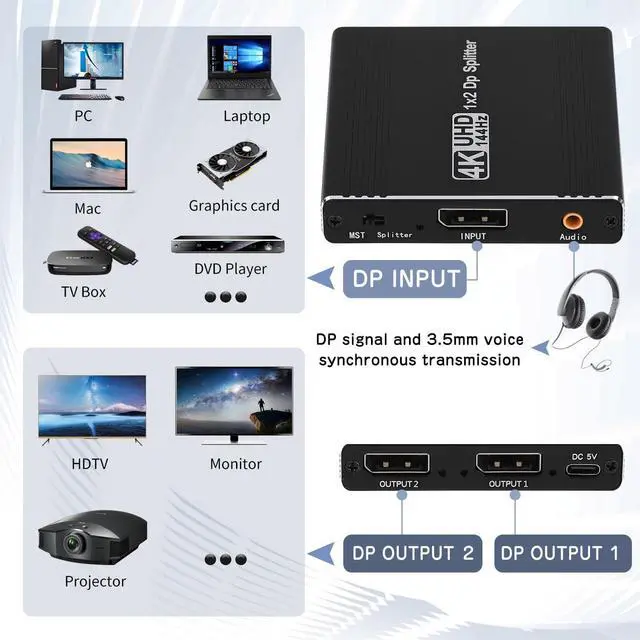
    • DP Splitter 1 Input 2 Output: Displayport to dual displayport splitter does not support HDMI, and display port splitter distributes one DP input signal to two DP displays, transmits video and audio simultaneously, no loss, no latency
    • MST/SST Mode: DP splitter supports AAA, ABB, ABC. Mirror mode shows same content on two monitors; extended mode displays different content for multitasking. Note: MST only supported by Windows. Mac/Linux only support mirror mode. MST reach up to 4K@120Hz
    • 4K@144Hz Ultra HD Resolution: Displayport splitter supports 4K@144Hz Ultra HD resolution with a transmission rate of up to 32.4 Gbps. Enjoy Full HD 3D stereoscopic display and a wider screen for an enhanced visual experience
    • 3.5mm Audio Port: DP splitter features a separate audio output port, so that you can enjoy the visual experience and get high-quality audio enjoyment, synchronizing sound & picture to create a private theater-like audio-visual experience
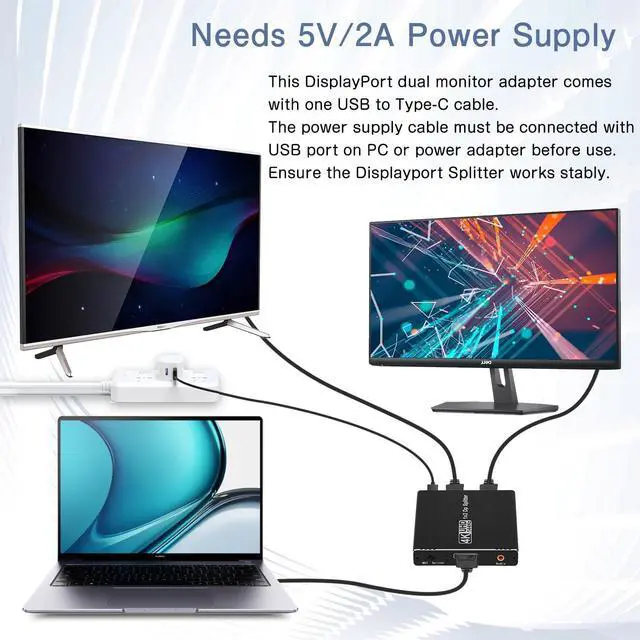
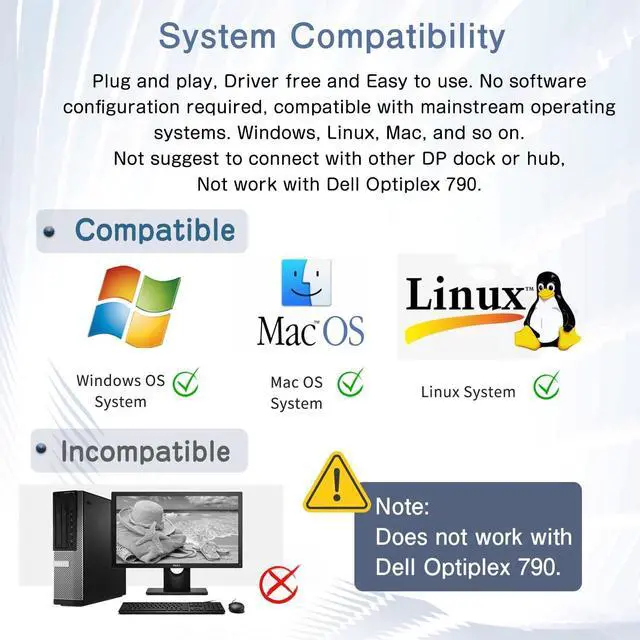
    • Plug and Play: The display port adapter is portable, easy to use, no software configuration, compatible with mainstream operating systems Windows, Mac, Linux, etc. External power supply is required for more stable use
    • Satisfaction Service: The package includes DisplayPort Splitter*1, 5V 2.1A power adapter*1, User Manual*1. If you have any problem, just contact to us and we will give you a timely solution within 24 hours.
    DisplayPort to Dual DisplayPort Adapter
    DisplayPort to Dual DisplayPort Adapter
    DisplayPort to Dual DisplayPort Adapter
    DisplayPort to Dual DisplayPort Adapter
    DisplayPort to Dual DisplayPort Adapter
    DisplayPort to Dual DisplayPort Adapter
    DisplayPort to Dual DisplayPort Adapter
    DisplayPort to Dual DisplayPort Adapter
    DisplayPort to Dual DisplayPort Adapter
    DisplayPort to 2
    DisplayPort Adapter: DisplayPort to Dual DisplayPort Splitter can output one DP signal to 2 DP displays at the same time, which can support the use of Expanded Mode and Mirroring Mode(AAA/ABB/ABC) to fulfill your need for more screen displays (can only unidirectionally transmit from one DP signal source to two DP displays). Mac OS only supports SST mode (AAA/ABB), it is not recommended to connect any docking station or hub (most docking stations and hubs do not support MST function)
    4K144Hz Ultra HD Visual Feast: The DisplayPort to Splitter 1 in 2 out extended display complies with the DP 1.4 standard, and both DisplayPort displays are capable of resolutions up to 4K@120Hz, for vivid images with even more amazing picture color and contrast. To transmit 4K144Hz video signals, please make sure all your devices and cables support 4K144Hz.
    Note: Some computers need to manually set the display settings interface to 4K144Hz resolution and set it to extended or mirrored mode

    Warranty & Returns

    Warranty, Returns, And Additional Information

    Warranty

    • Please contact the Seller directly for warranty information. Warranty information may also be found on the Manufacturer's website.
    • CONTACT

    Return Policies

    Manufacturer Contact Info

    LOADING...