• $74.99
  • Free 30-day Returns
  • Price alert
    Shop it at NeweggBusiness.

    8K@60Hz 4K@120Hz HDMI2.1 Audio Extractor 2 in 1 Out Switch,48 Gbps,HDCP 2.3, SPDIF 5.1Ch,L/R 2.1Ch,Supports,ARC TV Apps,VRR,ALLM,HDCP Bypass,HDR,Dolby Vision Atmos,Soundbar,Graphics Card

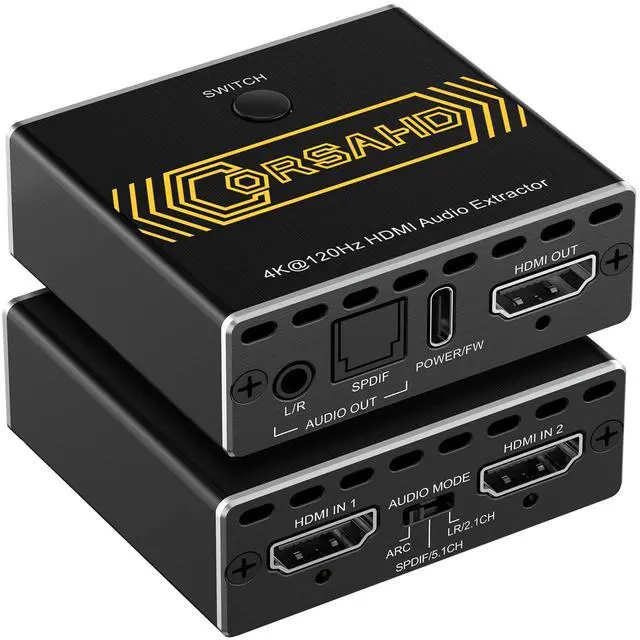
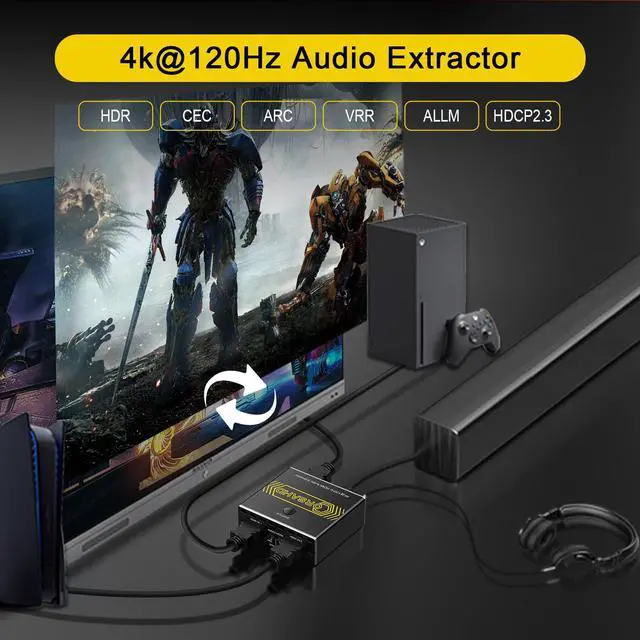
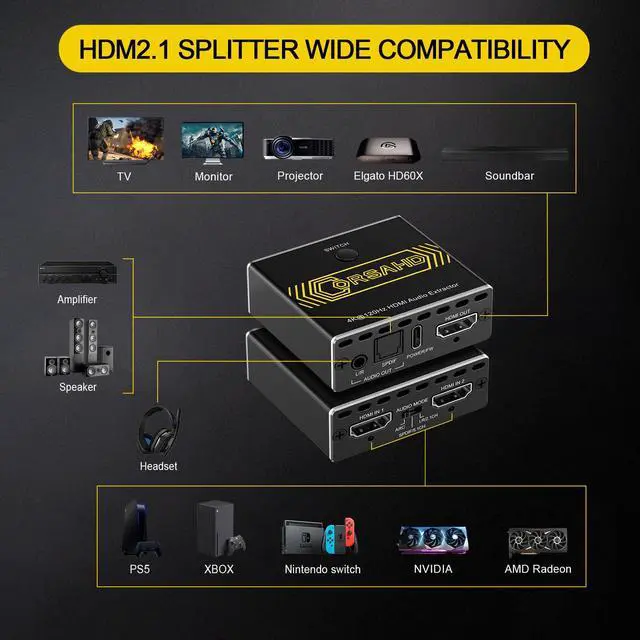
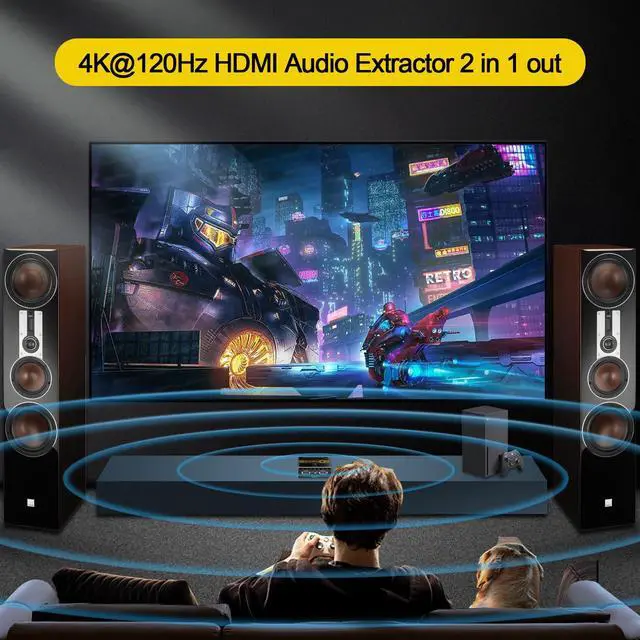
    • 4K@120Hz HDMI 2.1 Audio Extractor -- The 2 ports HDMI 2.1 Audio Extractor easily extract audio from your HDMI sources to 1 HDMI Display device and 1 Optical Toslink SPDIF 5.1Ch audio device or 1 AUX L/R 2.1Ch audio device. Also can easily switch between 2 HDMI souces by pressing single button. It supports CEC and ARC. Also supports VRR and ALLM for better game experience.
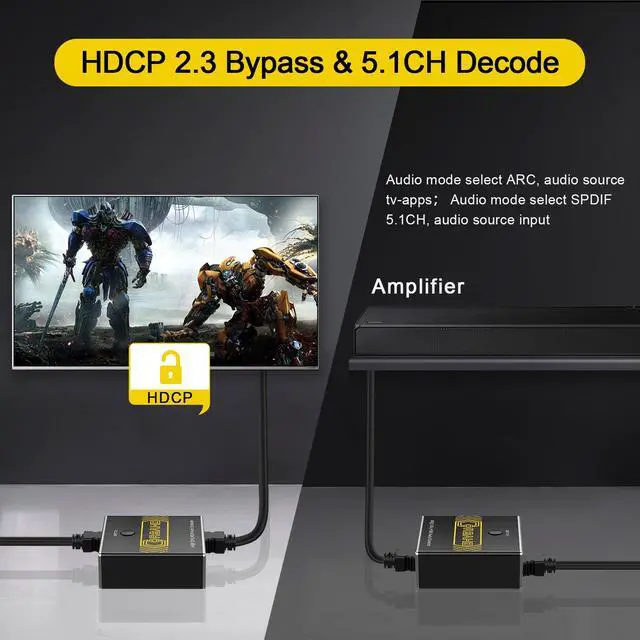
    • Video & Audio Format -- Video Format - HDMI 2.1 Audio Extractor supports multiple resolution up to 8K@60Hz 4K@120Hz 5120x1440@120Hz 1080P@240Hz 4:4:4 8bit. Also supports VRR, ALLM, HDR 10, Dolby vision, 3D effect, HDCP2.2, HDCP 2.3 bypass. Audio Format - Supports Optical Toslink SPDIF 5.1Ch, AUX L/R 3.5mm 2.1Ch, ARC, Dolby Atmos, DTS X,Dolby True HD, DTS-HD Master Audio.
    • Easy Usage -- Plug and play. Power on with adapter. Simply connect HDMI sources to Input ports and HDMI display device to Output port through HDMI 2.1 cable. Then connect audio device through Optical Toslink SPDIF 5.1Ch port or AUX L/R 3.5mm 2.1Ch port. The led light will indicate which port is working. Easily switch between 2 HDMI sources by pressing the panel button. Supports CEC when audio mode is set to "SPDIF". Supports ARC shen audio mode is set to "ARC".
    +
    +
    Overview
    Specs
    Reviews
    HDMI 2.1 AUDIO EXTRACTOR
    HDMI ARC AUDIO EXTRACTOR
    HDMI 2.1 AUDIO EXTRACTOR 4K 120HZ
    HDMI 2.1 AUDIO EXTRACTOR 4K 120HZ
    HDMI 2.1 AUDIO EXTRACTOR 4K 120HZ
    HDMI 2.1 AUDIO EXTRACTOR 4K 120HZ
    Power Supply Use the no included 5V 1A (or higher) power adapter for stable operation.
    Power Connection Always connect the included power cable to a 5V 1A (or higher) power source to ensure stable and fast transmission.
    HDMI 2.1 cable To achieve the best performance at 4K@120Hz, use a HDMI 2.1 cable that is no longer than 3 meters.
    Source and Display Settings Confirm that both your HDMI source device (e.g., laptop) and HDMI display (e.g., monitor) are set to support your desired resolution and refresh rate.
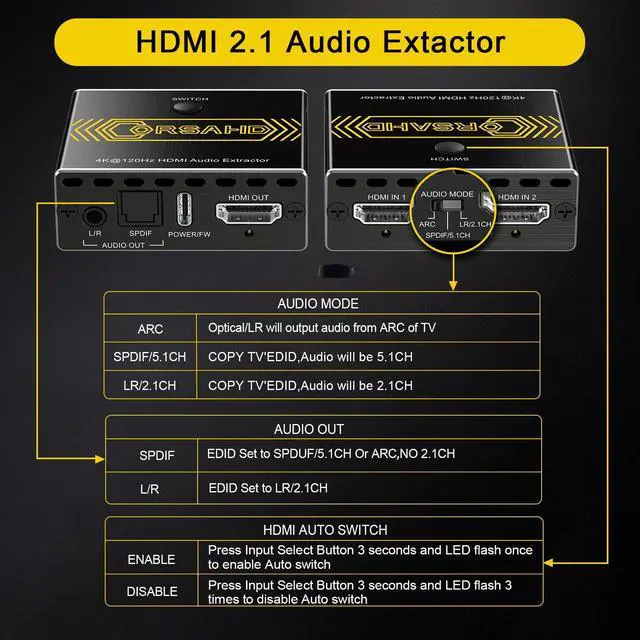
    5.1CH Audio Output If you want 5.1-channel audio, make sure both your source device and TV are set to output 5.1CH, HDMI OUT & SPIDF outputs 5.1CH and configure the EDID switches to SPDIF/5.1.OUT ARC EDID ARC
    2.1CH Audio Output 6.If you want 2.1-channel audio, make sure both your source device and TV are set to output 2.1CH, HDMI OUT2 & SPIDF&L/R outputs 2.1CH and configure the EDID switches to LR/2.1CH.
    Audio Format Limitation The device cannot output two different audio formats simultaneously.
    CEC Function Only for TV menu control of the source device—no volume adjustment.
    Power-On Sequence Turn on the display first.Connect the HDMI splitter.Power on the source device.
    Tips If audio/video issues occur: Check power supply (5V 1A+). Verify HDMI 2.1 cable less than 3M. EDID switches match your audio format.
    HDMI 2.1 AUDIO EXTRACTOR
    HDMI 2.1 AUDIO EXTRACTOR
    HDMI 2.1 AUDIO EXTRACTOR 4K 120HZ
    HDMI 2.1 AUDIO EXTRACTOR 4K 120HZ
    HDMI 2.1 AUDIO EXTRACTOR 4K 120HZ
    HDMI 2.1 AUDIO EXTRACTOR 4K 120HZ
    Power Supply Use the no included 5V 1A (or higher) power adapter for stable operation.
    Power Connection Always connect the included power cable to a 5V 1A (or higher) power source to ensure stable and fast transmission.
    HDMI 2.1 cable To achieve the best performance at 4K@120Hz, use a HDMI 2.1 cable that is no longer than 3 meters.
    Source and Display Settings Confirm that both your HDMI source device (e.g., laptop) and HDMI display (e.g., monitor) are set to support your desired resolution and refresh rate.
    5.1CH Audio Output If you want 5.1-channel audio, make sure both your source device and TV are set to output 5.1CH, HDMI OUT & SPIDF outputs 5.1CH and configure the EDID switches to SPDIF/5.1.OUT ARC EDID ARC
    2.1CH Audio Output 6.If you want 2.1-channel audio, make sure both your source device and TV are set to output 2.1CH, HDMI OUT2 & SPIDF&L/R outputs 2.1CH and configure the EDID switches to LR/2.1CH.
    Audio Format Limitation The device cannot output two different audio formats simultaneously.
    CEC Function Only for TV menu control of the source device—no volume adjustment.
    Power-On Sequence Turn on the display first.Connect the HDMI splitter.Power on the source device.
    Tips If audio/video issues occur: Check power supply (5V 1A+). Verify HDMI 2.1 cable less than 3M. EDID switches match your audio format.
    8K@60Hz 4K@120Hz HDMI 2.1 Audio Extractor 2 in 1 Out Switch, 48 Gbps, HDCP 2.3, SPDIF 5.1C h, L/R 2.1C h, Supports, ARC TV Apps, VRR, ALLM, HDCP Bypass, HDR, Dolby Vision Atmos, Soundbar, Graphics Card

    Warranty & Returns

    Warranty, Returns, And Additional Information

    Warranty

    • Please contact the Seller directly for warranty information. Warranty information may also be found on the Manufacturer's website.
    • CONTACT

    Return Policies

    Manufacturer Contact Info

    LOADING...