



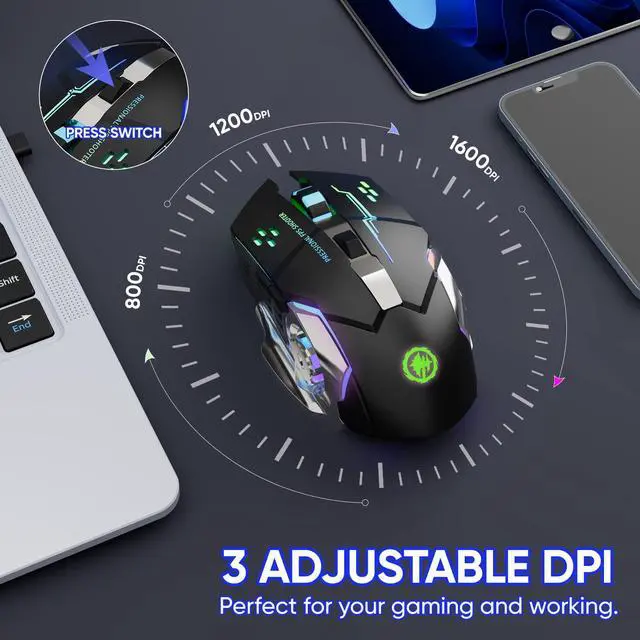




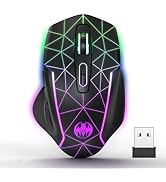



3 Adjustable DPI
The mouse is equipped with a sensitive optical sensor, provides 3 levels of adjustable DPI (800-1200-1600), is easy to switch, and meets your daily demands of games and work.

Noiseless Click
Noiseless click design for left and right buttons, you don't need to worry about bothering others, help to find more fun in your gaming, and focus more attention on your work.

Solid and Durable
Over 20 million times keystroke test and perform well, ensure the mouse with durability and strong contruction, no need to worry about your mouse button would be broken easily.

Smart Power-Saving
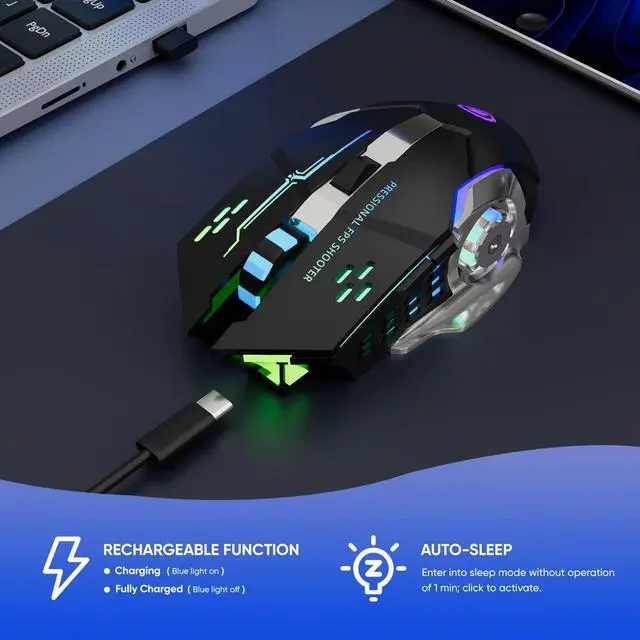
No working for 1 minute, the mouse will enter shallow sleep mode; No working for 10 minutes, and the mouse will enter deep sleep mode. Just click the left or right button to wake it up. At sleep mode, the RGB light will turn off, and the power consumption will be low.

NOTE:
1. Please charge the mouse with the computer interface for about 2 hours before the first time uses it. Do not use the mobile phone charger or fast charger to charge the mouse.
2. It's out of power if the mouse cursor moves slowly or stops moving. Please charge it in time.
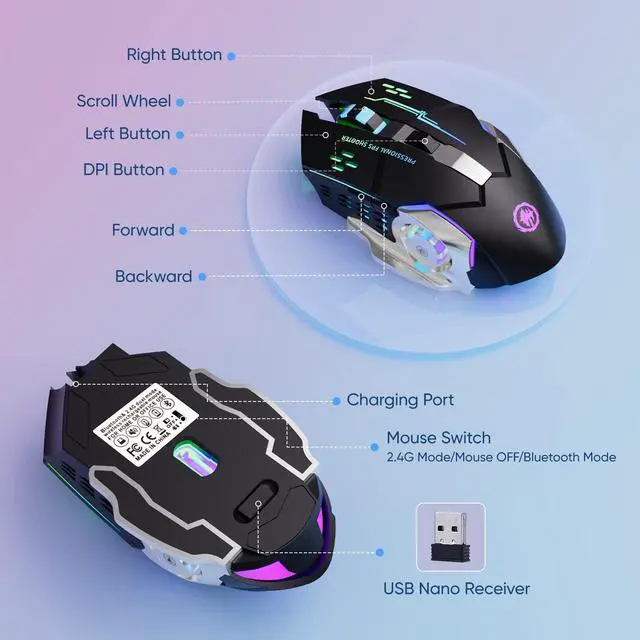
3. The blue light beside the scroll wheel will be on while charging, and then goes off when the mouse is fully charged.
4. When you do not use it for over 10 minute, the mouse will enter into sleeping mode, you can click the left and right buttons to wake it up.
5. The mouse side buttons are not available for Mac OS as Mac OS does not support it.
Trouble and Shooting:
Q1: The cursor jumps around the screen, scroll wheel has a weird lag?
Solution: The mouse is at low battery status, please charge it.
Q2: The mouse suddenly doesn't work
Solution: 1. Reconnect the USB receiver; 2.Turn off and turn on the mouse by switching the bottom button. 3.Charge it.


3 Adjustable DPI
The mouse is equipped with a sensitive optical sensor, provides 3 levels of adjustable DPI (800-1200-1600), is easy to switch, and meets your daily demands of games and work.
Noiseless Click
Noiseless click design for left and right buttons, you don't need to worry about bothering others, help to find more fun in your gaming, and focus more attention on your work.
Solid and Durable
Over 20 million times keystroke test and perform well, ensure the mouse with durability and strong contruction, no need to worry about your mouse button would be broken easily.
Smart Power-Saving
No working for 1 minute, the mouse will enter shallow sleep mode; No working for 10 minutes, and the mouse will enter deep sleep mode. Just click the left or right button to wake it up. At sleep mode, the RGB light will turn off, and the power consumption will be low.

NOTE:
1. Please charge the mouse with the computer interface for about 2 hours before the first time uses it. Do not use the mobile phone charger or fast charger to charge the mouse.
2. It's out of power if the mouse cursor moves slowly or stops moving. Please charge it in time.
3. The blue light beside the scroll wheel will be on while charging, and then goes off when the mouse is fully charged.
4. When you do not use it for over 10 minute, the mouse will enter into sleeping mode, you can click the left and right buttons to wake it up.
5. The mouse side buttons are not available for Mac OS as Mac OS does not support it.
Trouble and Shooting:
Q1: The cursor jumps around the screen, scroll wheel has a weird lag?
Solution: The mouse is at low battery status, please charge it.
Q2: The mouse suddenly doesn't work
Solution: 1. Reconnect the USB receiver; 2.Turn off and turn on the mouse by switching the bottom button. 3.Charge it.
MELOGAGA: WIN AHEAD
MELOGAGA: KEEP WINNING
