




What should I do if the smart lock does not pop up a reminder to add it on the "TUYA" app?
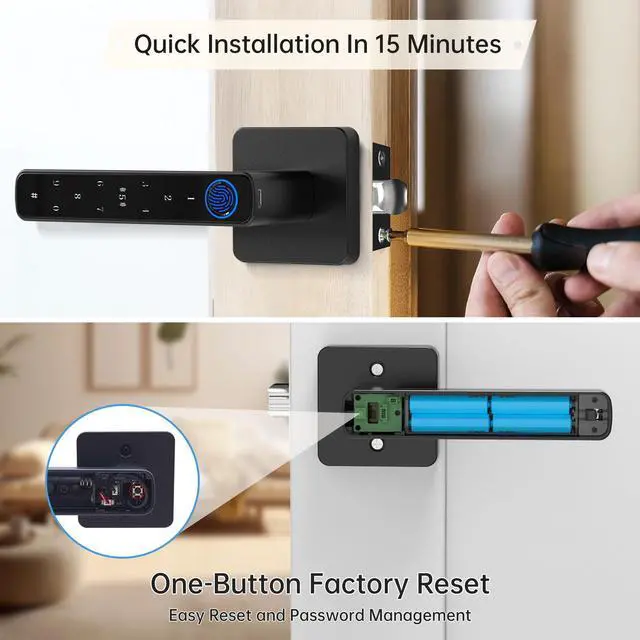
Please turn on the Bluetooth of your mobile phone and press and hold the button next to the battery for 5 seconds. After restoring the factory settings, open the "TUYA" APP again to add it.
What Is the USB Port Used For?
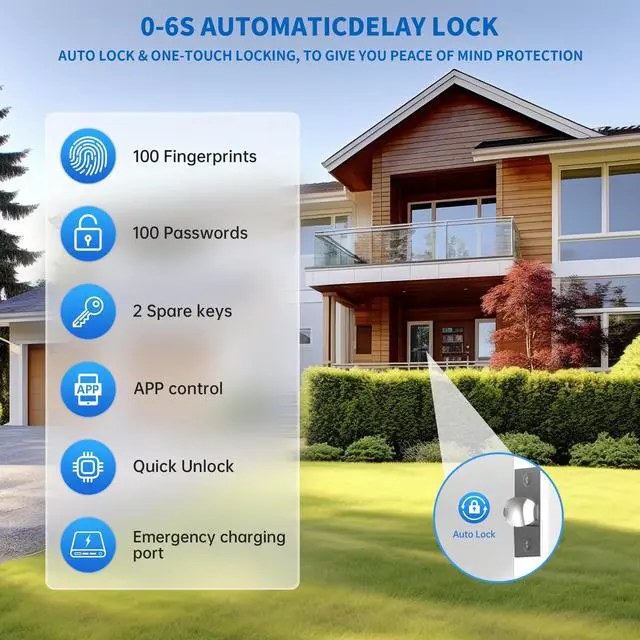
The USB port is intended for emergency by connecting a power bank when the batteries dead. Please refrain from using it for battery charging or plugging in a direct electrical outlet as it would can potentially damage the lock's internal components.
Why Can Anyone Unlock the Biometric Door Lock
The smart door knob is initially set to unlock with any fingerprint, making it accessible to anyone. To ensure security, it's vital to register your admin fingerprint after installation to prevent unauthorized access.
How to Enhance Fingerprint Recognition Accuracy on Your Lock
To achieve the best results, register the same fingerprint five times from various angles. This will make accurate fingerprint recognition and smooth access.
What Type of Battery Should I Use for this Smart Door Knob?
Please use four AAA alkaline batteries and avoid using rechargeable batteries.
Easy installation
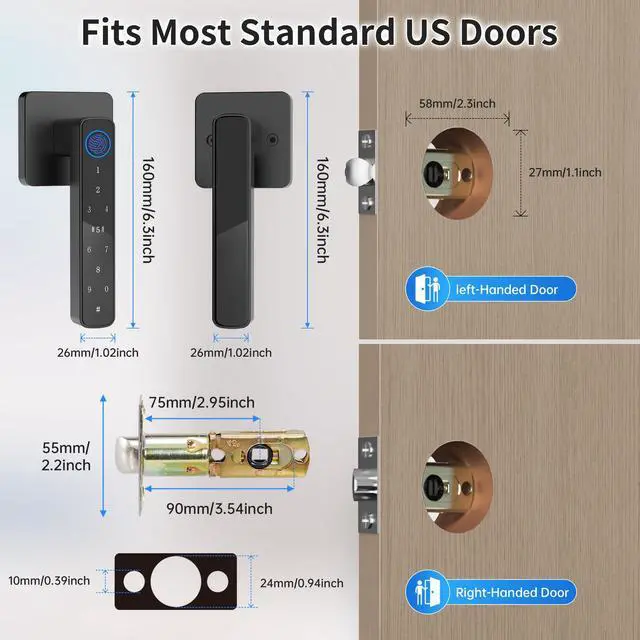
Easy installation: The Z01 smart lock can be installed by yourself in 15 minutes with just a screwdriver, no professional installation is required.
APP settings (recommended)
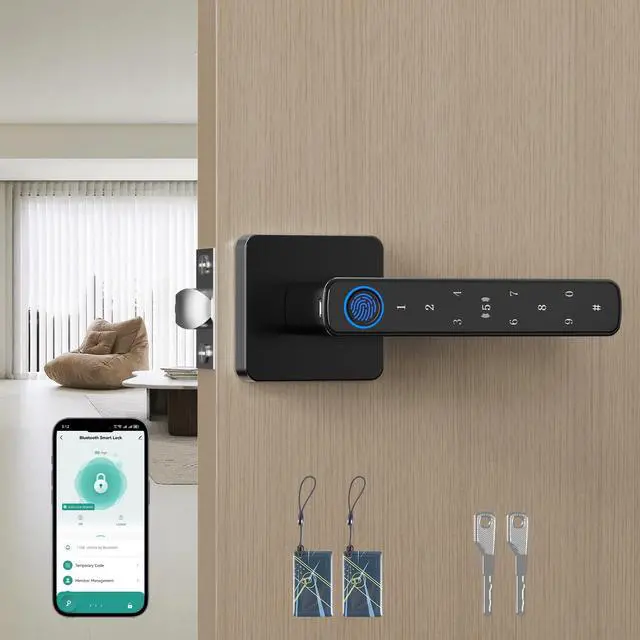
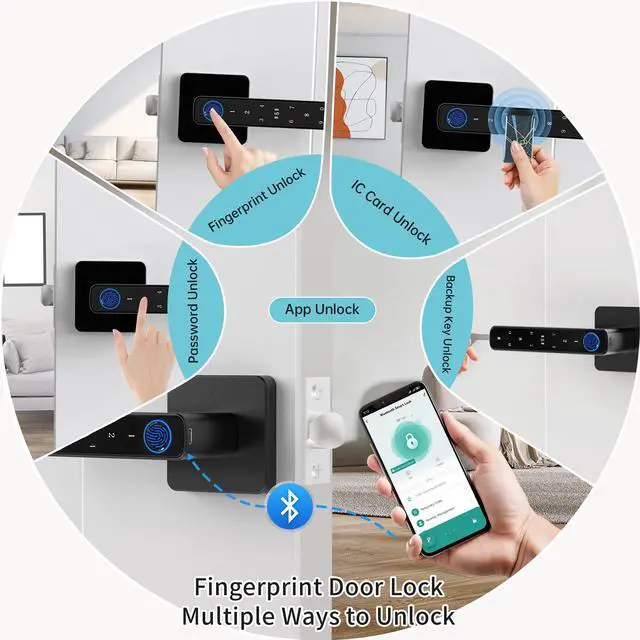
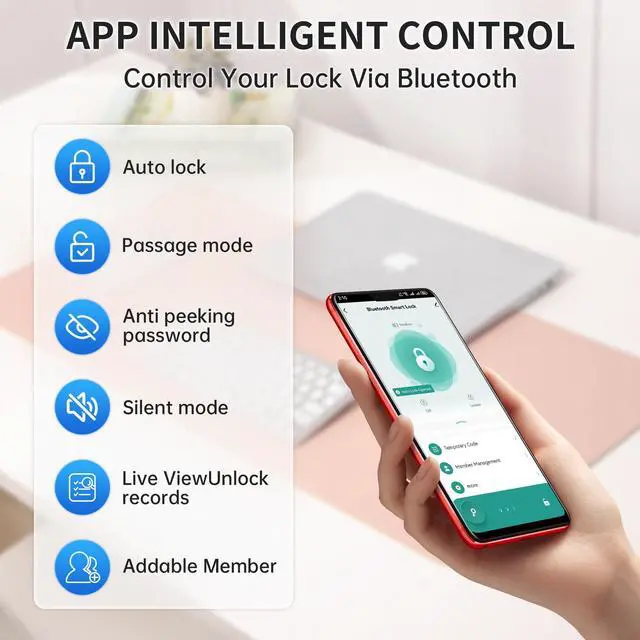
Easy setup: Open the Tuya app and it will automatically connect to the smart lock via Bluetooth. Once connected, you can add your fingerprint, password, or IC card in the app for easy and convenient setup.
APP unlocking-can be unlocked via Bluetooth link


What should I do if the smart lock does not pop up a reminder to add it on the "TUYA" app?
Please turn on the Bluetooth of your mobile phone and press and hold the button next to the battery for 5 seconds. After restoring the factory settings, open the "TUYA" APP again to add it.
What Is the USB Port Used For?
The USB port is intended for emergency by connecting a power bank when the batteries dead. Please refrain from using it for battery charging or plugging in a direct electrical outlet as it would can potentially damage the lock's internal components.
Why Can Anyone Unlock the Biometric Door Lock
The smart door knob is initially set to unlock with any fingerprint, making it accessible to anyone. To ensure security, it's vital to register your admin fingerprint after installation to prevent unauthorized access.
How to Enhance Fingerprint Recognition Accuracy on Your Lock
To achieve the best results, register the same fingerprint five times from various angles. This will make accurate fingerprint recognition and smooth access.
What Type of Battery Should I Use for this Smart Door Knob?
Please use four AAA alkaline batteries and avoid using rechargeable batteries.