
Your Browsing History

Make informed decisions with expert advice. Learn More



Any questions? Our AI beta will help you find out quickly.
| Disclaimer | For OEM Purchase Only - distribution with system hardware required |
|---|
| Brand | Microsoft |
|---|---|
| Model | Explorer |
| Type | 2.4 GHz Wireless |
| Distance | 30 ft. Reliable Wireless Range |
|---|
| Hand Orientation | Right Hand |
|---|---|
| Tracking Method | BlueTrack Technology |
| Scrolling Capability | Tilt Wheel |
| Operating System Supported | Windows 7, Windows Vista, Windows XP |
|---|---|
| System Requirement | 1 USB Port; CD-ROM Drive |
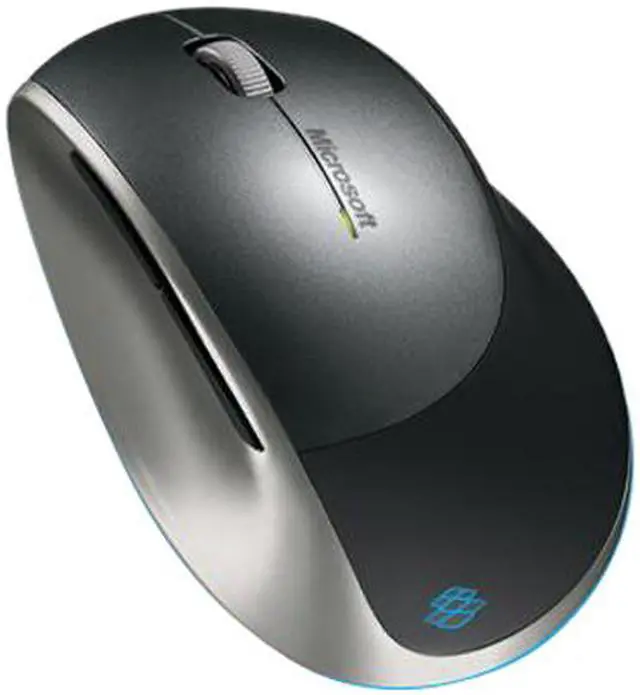
| Features | BlueTrack Technology Microsoft BlueTrack Technology combines the power of optical with the precision of laser for remarkable tracking on more surfaces. Easy Recharging The battery status indicator tells you when a quick recharge is needed. The compact, stable recharging base is easy to use. Snap-in Mini Transceiver for Portability Reliable wireless on the go. Microsoft 2.4 GHz wireless and the snap-in mini transceiver deliver a reliable connection with up to a 30-foot range. Sophisticated Design and Ergonomic Comfort The glowing blue light effects and comfortable curved surfaces set your mouse apart. 3 Weeks Between Charges The battery status indicator tells you when a quick recharge is needed, and the stable recharging base is easy to use. Blue Lighting Effects Glowing blue light effects are part of Explorer's noticeable, sophisticated design. Works on Virtually Any Surface Allows your mouse to work on more surfaces—including granite, carpet, and rough-grain wood. Device Stage Quickly and easily access common tasks, including product information, registration, settings and more for popular devices such as cell phones, cameras, printers, and mouse, keyboard and webcam products. Better Than Optical and Laser Microsoft's proprietary BlueTrack Technology works on more surfaces than both optical and laser mice. 4-Way Scrolling Scroll four ways for greater efficiency and comfort with Tilt Wheel Technology. Customizable Buttons Get quick access to the media, programs, and files you use most often with customizable buttons. Ergonomic Design Point and click in comfort—ergonomic design helps you work longer without discomfort. Designed for Notebook PCs Compact and comfortable, our handy notebook and laptop products are designed for convenience and mobility. |
|---|
| First Listed on Newegg | December 03, 2009 |
|---|