

Your Browsing History
Most customers receive within 7-9 days.

Meet Your Seller



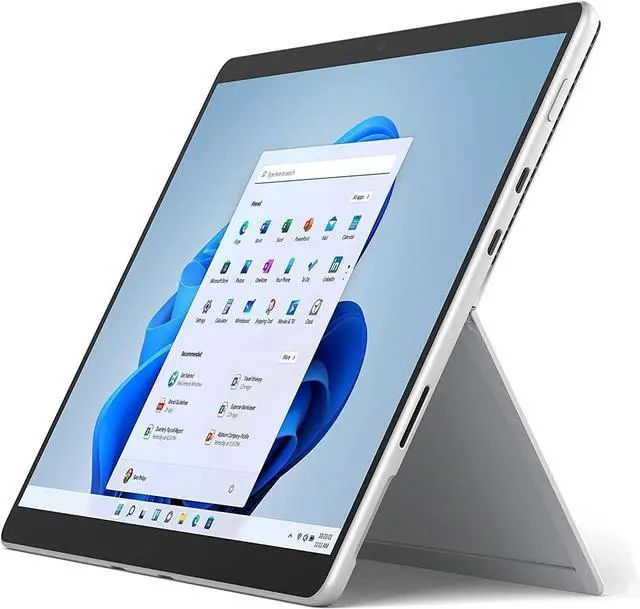
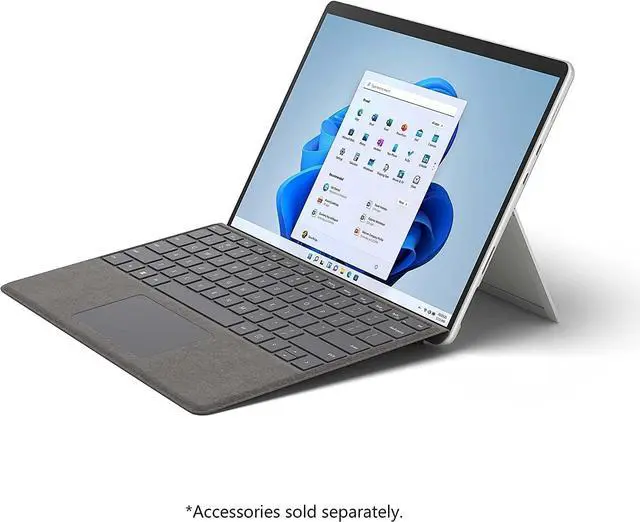
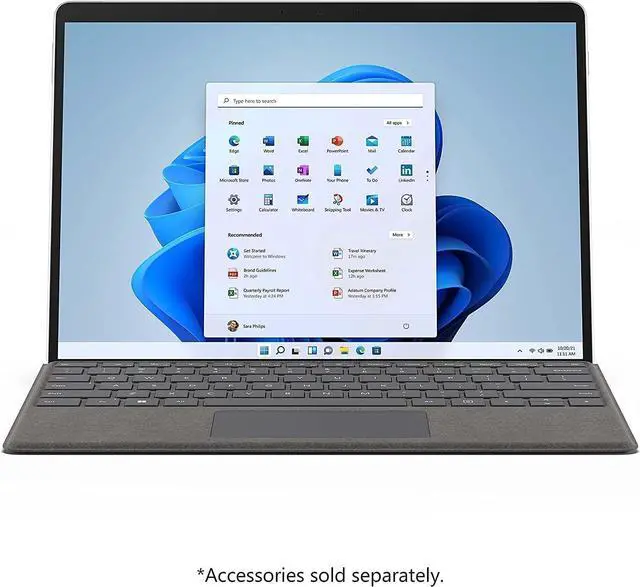
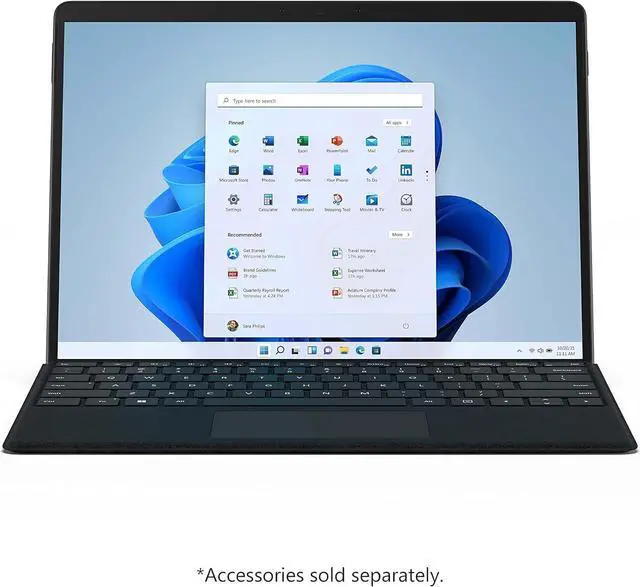


Microsoft Surface Pro 8 13" Touchscreen Intel i7 16GB RAM 512GB SSD Graphite Platinum
- Powerful Performance
- Equipped with 11th Gen Intel Quad-Core i7-1185G7, 16GB RAM, 512GB SSD and Intel Iris Xe Graphics. Pre-installed Windows 11 Professional delivers smooth multitasking for work and daily use.
- Flexible 2-in-1 Design
- Lightweight convertible form easily switches between laptop and tablet mode. Ideal for business professionals, students and creators to work & entertain anywhere.
- 13" PixelSense Touch Display
- 2880 × 1920 resolution (267 PPI) touchscreen with up to 120Hz adaptive refresh rate. Supports Surface Pen (sold separately) for note-taking, sketching and creative editing.
- Enterprise-Grade Security
- Built-in Firmware TPM chip, compatible with BitLocker encryption to safeguard your important data.
- Rich Interfaces
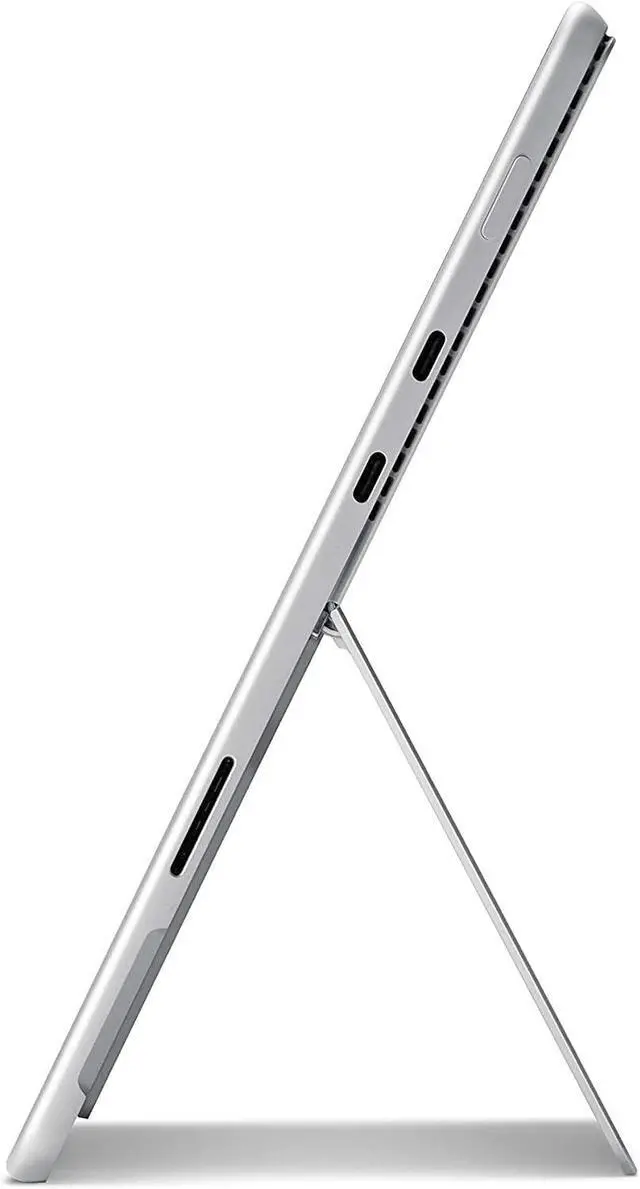
- 2 × USB4.0 / Thunderbolt 4 USB-C ports, 3.5mm audio jack, Surface Connect port, Type Cover port; supports off-screen interaction with Surface Dial.
Overview
Specs
Reviews
See all Q & A 
Any questions? Our AI mode will help you find out quickly.
Try me now
Microsoft Surface Pro 8, 13" PixelSense Touchscreen, Intel i7-1185G7, 16GB RAM, 512GB SSD, WiFi Only, Windows 11 Pro. Versatile 2-in-1 tablet laptop for work & creation.
Warranty & Returns
Warranty, Returns, And Additional Information
Warranty
- Please contact the Seller directly for warranty information. Warranty information may also be found on the Manufacturer's website.
- Read full details
- CONTACT
Return Policies
- Return for refund within: 30 days
- Return for replacement within: non-replaceable
- This item is covered by COSMOGEEK-MOBILE Return Policy
Manufacturer Contact Info
- For a directory of all our manufacturers, please click below.
- Manufacturers Directory
LOADING...
Learn about this product
The Microsoft Surface Pro 8 is a premium 13-inch 2-in-1 laptop with an 11th Gen Intel Core i7-1185G7 processor, 16GB RAM, 512GB SSD, Windows 11 Pro, and Intel Iris Xe graphics. It suits professionals, students, and creators who need strong everyday performance in a portable laptop-and-tablet design.
Recommended For
- Mobile Windows professionals and students who switch between desk-based typing, tablet reading, handwritten notes, and presentations. Reviews consistently describe the Surface Pro 8 as strongest when used as a laptop-first Windows device that can convert into a tablet.
- Users who need full Windows desktop applications in a compact, detachable format, including office productivity, web research, video meetings, and multitasking with multiple browser tabs. The Intel Core i7, 16GB RAM, and Windows 11 configuration is better suited to demanding everyday productivity than to specialized workstation workloads.
- Digital note-takers, annotators, and light-to-moderate creative users who value pen input on a high-resolution 13-inch display for handwritten notes, document markup, diagrams, and sketching. The Surface Slim Pen 2 and keyboard are optional accessories rather than included components.
- Traveling professionals who want a relatively light Windows computer for hotel desks, client meetings, classrooms, and presentations, especially when they can recharge during the day or use a dock. The device weighs about 1.96 pounds before adding the keyboard, while reviews commonly report battery life below Microsoft's maximum claim in practical use.
Real-World Use Scenarios
- A mobile professional attaches a compatible keyboard to answer email, edit Office documents, join video calls, and browse the web between locations. The Surface Pro 8 generally works as a capable laptop replacement for everyday productivity, while the detachable design makes it easier to use in tablet mode when a keyboard is unnecessary.
- A student or meeting attendee uses a compatible Surface Pen to write notes directly on documents, annotate PDFs, or organize handwritten material in OneNote. The pen and touchscreen support make note-taking more natural than on a conventional laptop, although the pen is an optional accessory.
- A user switches to tablet mode to read articles, watch streaming video, review presentations, or browse casually from a sofa, plane tray, or coffee table. The high-resolution 3:2 touchscreen and built-in kickstand provide a comfortable viewing experience, while the device remains more PC-oriented than a typical tablet.
- A creator uses the touchscreen and pen for photo retouching, diagramming, markup, or occasional digital drawing while traveling. The Surface Pro 8 can handle moderate creative work and provides a responsive inking experience, but its integrated graphics and compact chassis make it less suitable for sustained 3D work, advanced video production, or demanding professional illustration.
- A user works away from an outlet with web apps, documents, video playback, and light multitasking. Battery life can support much of a normal mixed-use day under favorable settings, but real-world reports vary substantially and heavier browser, video, or performance workloads can reduce runtime, so frequent travelers may still want the charger nearby.
Spec Summary
| Attribute | Value |
|---|---|
| Best For | A compact 2-in-1 laptop for mobile productivity, multitasking, and everyday computing with an Intel Core i7 processor, 16GB memory, 512GB SSD, and integrated Intel Iris Xe graphics |
| Processor And Core Count | Intel Core i7-1185G7 processor |
| GPU And VRAM | Integrated Intel Iris Xe Graphics for everyday visual tasks and content playback |
| Display Spec | 13.0-inch display |
| Memory Configuration | 16GB system memory for multitasking |
| Storage And Expansion | 512GB SSD for local file and application storage |
Reference Q&A
Q: Is the Surface Pro 8 i7 16GB better than the i5 8GB configuration?
A: Choose the Surface Pro 8 i7 16GB configuration for heavier multitasking, larger creative projects, virtual machines, and longer-term Windows use. The i5 8GB version is sufficient for web browsing, Office apps, streaming, and note-taking, while this i7 model adds a faster 11th Gen processor, double the memory, and a larger 512GB SSD. Both configurations use the same 13-inch 2880 × 1920 touchscreen and Intel Iris Xe graphics family.
Q: Should I buy the Surface Pro 8 or Surface Pro 9?
A: Buy the Surface Pro 8 when its i7, 16GB, and 512GB configuration costs substantially less than an equivalent Surface Pro 9. Choose the Surface Pro 9 when you prioritize newer 12th Gen Intel performance and somewhat stronger newer-generation performance results. The two models retain a similar 13-inch 3:2 display, 120Hz refresh option, detachable design, and Thunderbolt 4 connectivity, so the upgrade is mainly about processor generation, pricing, and configuration value rather than a major form-factor change.
Q: Is the Surface Pro 8 a better choice than the Surface Go 3 for work?
A: Choose the Surface Pro 8 for laptop-style work, frequent multitasking, desktop software, coding, or large files. Choose the Surface Go 3 when minimum carry weight and basic tablet portability matter more than performance. The Pro 8 has a larger 13-inch 120Hz display, a quad-core Core i7 processor, 16GB RAM, 512GB SSD, and Thunderbolt 4; the Go 3 is smaller and lighter but uses lower-power Pentium or Core i3 processors, up to 8GB RAM, and smaller storage options.
Q: Is the Surface Pro 8 better than the Surface Pro 7 for an upgrade?
A: The Surface Pro 8 is the more meaningful upgrade for users who want a larger 13-inch display, up to 120Hz refresh, Thunderbolt 4, and stronger sustained performance. The Surface Pro 7 remains suitable for basic Windows productivity and may be preferable when it is substantially cheaper or when USB-A and microSD connectivity are important. The Pro 8 replaces those legacy ports with two USB-C ports supporting USB4 and Thunderbolt 4.
Q: Should I choose the Surface Pro 8 or Surface Laptop Studio for demanding work?
A: Choose the Surface Pro 8 for maximum portability, tablet use, handwriting, and detachable-keyboard flexibility. Choose the Surface Laptop Studio for a more stable laptop workstation, a larger 14.4-inch display, stronger graphics options, and workloads such as 3D applications, advanced video editing, or GPU-accelerated creative software. The Surface Pro 8's i7 processor is capable for productivity and moderate creative work, but its integrated Iris Xe graphics do not provide the same graphics headroom as Laptop Studio models equipped with a discrete NVIDIA GPU.
Q: Is this Surface Pro 8 suitable as a travel work device?
A: Yes. Its 13-inch 2-in-1 design, 16GB RAM, 512GB SSD, and detachable tablet format make it suitable for mobile office work, travel, and presentations. The main trade-offs are that a keyboard may need to be purchased separately and the device has only USB-C ports, so adapters may be needed for USB-A accessories.
Q: Is it good for note-taking, meetings, and office work?
A: Yes. The touchscreen, 2880 × 1920 resolution, up to 120Hz refresh rate, 16GB memory, and Windows 11 Pro support note-taking, document work, multitasking, and virtual meetings. Surface Pen support is available, but the pen is sold separately, and a detachable keyboard is recommended for extended typing.
Q: Who is this Surface Pro 8 configuration best suited for?
A: It is best suited for business users, students, professionals, and creators who want Windows laptop performance in a tablet-style design. The Intel Core i7 processor, 16GB RAM, and 512GB SSD are appropriate for office applications, multitasking, handwritten notes, presentations, and light creative work. It is less suitable for users who need extensive built-in legacy ports, an SD card reader, or a traditional fixed laptop keyboard.
Q: Does it include the keyboard and Surface Pen?
A: The Surface Pen is listed as sold separately. The provided product information does not list a keyboard as included, and comparable device-only retail listings commonly exclude both accessories. Buyers should confirm the exact package contents before ordering; a compatible detachable keyboard is recommended for laptop-style use.
Q: What connectivity limitations should I consider?
A: The device provides two USB4.0/Thunderbolt 4 USB-C ports, a 3.5mm audio jack, a Surface Connect port, and a Type Cover port. It does not provide a built-in USB-A port or SD card slot, so users with older peripherals, external storage, or memory cards may need a USB-C hub or adapter.
Q: Is the Surface Pro 8 i7/16GB/512GB suitable as a work or school computer?
A: Yes, it is suitable for office work, web browsing, Microsoft 365, multitasking, and many student or art workflows. The 16GB of RAM and 512GB SSD provide a stronger configuration than the lower-memory models discussed by users. It is less suitable as a replacement for a high-performance workstation or gaming laptop because it uses integrated Intel Iris Xe graphics.
Q: Is the Surface Pro 8 good for travel and all-day portable use?
A: It is highly portable and can work well for travel, but battery life is a trade-off. User reports commonly describe roughly 5–7 hours of practical use, with longer runtime possible at 60Hz, reduced brightness, and power-saving settings. Users who regularly work away from outlets should not assume it will last a full intensive workday.
Q: Is the Surface Pro 8 a good device for note-taking, drawing, or school use?
A: Yes, the 13-inch high-resolution touchscreen and Surface Pen support make it well suited to handwritten notes, OneNote, sketching, and light creative work. The Surface Pen is sold separately, and the detachable keyboard design is less stable on a lap than a conventional laptop.
Q: What are the main trade-offs of choosing the Surface Pro 8 over a conventional laptop?
A: The Surface Pro 8 offers tablet mode, touchscreen input, a kickstand, and a lighter, more flexible design. The trade-offs are that the Type Cover and Surface Pen may add cost, lap use is less convenient than with a standard laptop, battery life can be modest under demanding use, and repair or battery replacement may be expensive.
Q: Is the i7/16GB/512GB version worth choosing over a lower-spec Surface Pro 8?
A: It is the better choice for frequent multitasking, larger files, creative applications, and use as a primary computer. The 16GB RAM reduces memory limitations, while the 512GB SSD provides more working space. The i7 model may run warmer and use more power under heavier workloads, so the lower-spec version can be sufficient for lighter secondary-device use.