| Features | Windows Live Movie Maker
Start a movie project with one click, then upload widescreen video to social networking sites.
Windows Live Photo Gallery
Easily upload a photo that you can edit, tag, and share with friends and family.
Windows Live Call Button
It's simple to start video calls. One touch of the Windows Live Call Button lets you see who's online, and you're on your way to making a video call.
LifeCam Dashboard
Add special effects and control your webcam—all from the Windows Live Messenger window.
Optimized for Windows Live Messenger
Seamlessly integrated with Windows Live Messenger for easy setup and use.
Universal Attachment Base
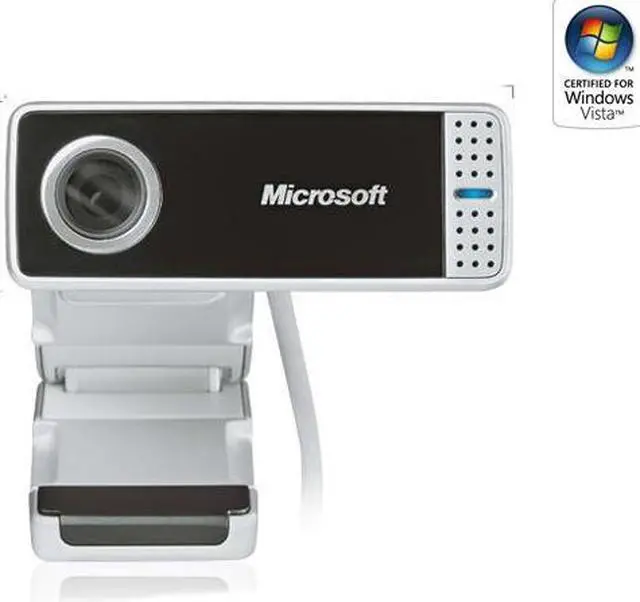
Fits on most monitors, including flat screens and notebooks, or sits directly on your desk.
Built-In Microphone
Crystal-clear Audio
Automatic audio control for enhanced clarity.
Device Stage
Quickly and easily access common tasks, including product information, registration, settings and more for popular devices such as cell phones, cameras, printers, and mouse, keyboard and webcam products.
Auto-Adjustment for Low Light Conditions
Get superior video quality with automatic low-light adjustments.
Wide-Angle Lens
The 71 degree wide angle lens ensures no one gets left out of the picture.
Video Effects
Discover a fun way to express yourself with these entertaining video effects built into the LifeCam dashboard.
High Definition Photos
High Definition photos show you in the best light.
Broad IM Compatibility
Works with: Windows Live, AOL Instant Messenger, Yahoo! Messenger, Microsoft Office Communicator, Skype.
5X Digital Zoom
Pan, Tilt and Zoom
The pan and tilt functionality make it a snap to capture the big picture, however you want to see it. |
|---|