



Your Browsing History




Any questions? Our AI mode will help you find out quickly.
Package(Table only without keyboard)
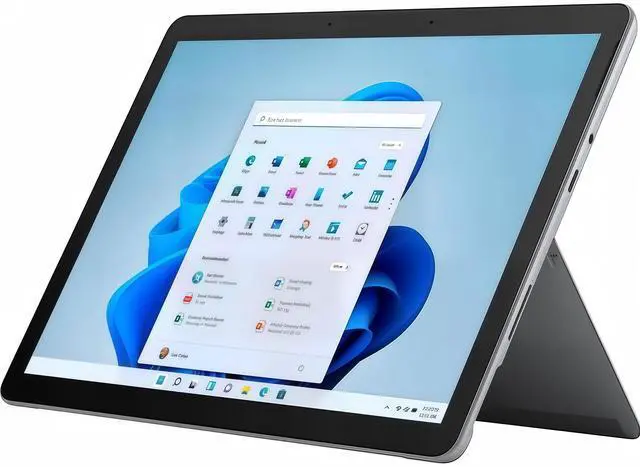
Microsoft Surface Go 3 X1
Charger X1
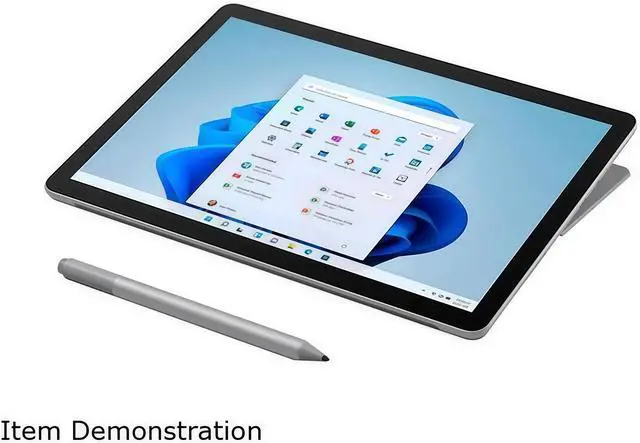
The Microsoft Surface Go 3 is a portable 10.5-inch detachable 2-in-1 laptop with an Intel Core i3-10100Y processor, 8GB RAM, 128GB SSD, and Windows 11 in S mode. It suits students, home users, and mobile professionals who prioritize portability, touch interaction, and everyday productivity.
| Attribute | Value |
|---|---|
| Best For | A consumer-oriented detachable 2-in-1 for portable Windows use, with a 10.5-inch touch display, integrated graphics, Wi-Fi 6 and 4G LTE connectivity |
| Processor And Core Count | 10th Gen Intel Core i3-10100Y dual-core processor with turbo speeds up to 3.90 GHz and 4 MB L3 cache |
| GPU And VRAM | Integrated Intel UHD Graphics 615 using shared system memory |
| Display Spec | 10.5-inch 1920 x 1280 touchscreen with 3:2 aspect ratio, 220 PPI, 1500:1 contrast ratio and Corning Gorilla Glass 3 |
| Memory Configuration | 8GB onboard memory with no available memory slots |
| Storage And Expansion | 128GB SSD storage with a MicroSDXC card reader; no hard drive or optical drive |
| High Speed I O | One USB port, one Surface Connect port and a dedicated Surface Type Cover port |
| Battery And Power | 28.0 Wh nominal battery capacity, 26.8 Wh minimum capacity and up to 10.5 hours of typical device usage; power supply included |
| Wired And Wireless Networking | Wi-Fi 6 with 802.11a/b/g/n/ac/ax compatibility, Bluetooth 5.0 and 4G LTE Advanced through a Qualcomm Snapdragon X16 modem with nanoSIM and eSIM support; assisted GPS and GLONASS are supported |
| Webcam And Privacy | Windows Hello face authentication camera with a 5.0MP front-facing camera supporting 1080p video, plus an 8.0MP rear autofocus camera with 1080p video |
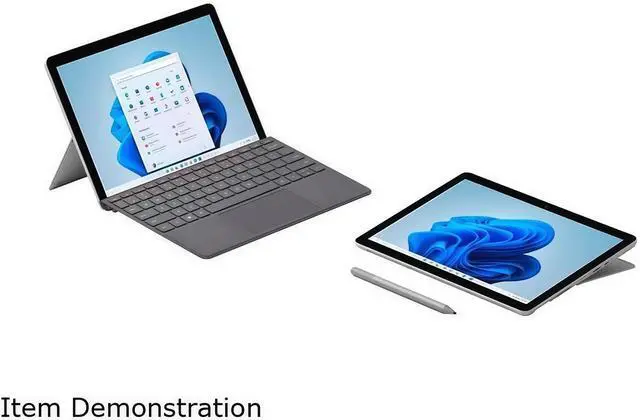
| Keyboard And Control | Detachable keyboard and pen are sold separately; physical volume and power buttons are included |
| Audio Setup | 2W stereo speakers with Dolby Audio, enhanced dual far-field Studio Mics and a 3.5 mm headphone jack |
| Security And Sensors | Windows Hello face sign-in, firmware TPM, ambient light sensor, accelerometer, gyroscope and magnetometer, housed in a magnesium casing |
| Operating System | Windows 11 in S mode |
| Portability | Detachable design measuring 9.65 x 6.90 x 0.33 inches and weighing 1.22 lbs. |
| Model Identifiers | Microsoft Surface Go 3, model 8VH-00001, in Platinum |
Q: Is the Surface Go 3 Core i3 better than the Pentium model?
A: The Surface Go 3 Core i3 configuration is the stronger choice for multitasking, Microsoft Office, video calls, and longer-term everyday use. This model combines 8GB of RAM with a 128GB SSD, while the entry-level Pentium version commonly uses 4GB of RAM and 64GB of slower eMMC storage. Choose the Pentium model only when the lowest purchase price matters and your use is limited to light web browsing, streaming, and basic documents.
Q: Should I buy the Surface Go 3 or the newer Surface Go 4?
A: Choose the Surface Go 4 when the price difference is small and you want newer hardware, faster memory, longer claimed battery life, and improved processor performance. Microsoft equips the Go 4 for Business with an Intel N200 processor, 8GB LPDDR5 memory, UFS storage, and a claimed battery life of up to 12.5 hours. Choose this Surface Go 3 configuration when it is substantially less expensive, you need the consumer-oriented Windows 11 S mode model, or you specifically want its available LTE connectivity.
Q: Is the Surface Go 3 a worthwhile upgrade from the Surface Go 2?
A: The Surface Go 3 is a modest upgrade rather than a major performance change. Its Core i3-10100Y processor can improve some workloads over the Surface Go 2, but both devices use low-power, dual-core-class hardware and have similar compact designs, displays, and port limitations. Upgrade to the Go 3 when you need a newer device, Windows 11 compatibility, LTE, or the 8GB/128GB configuration; keep the Go 2 when it already handles your browsing, note-taking, and Office tasks and costs considerably less.
Q: Should I choose the Surface Go 3 or Surface Pro 8 for work?
A: Choose the Surface Go 3 for maximum portability, tablet use, handwriting, travel, and light Windows productivity. Its 10.5-inch display and 1.22-pound tablet body are easier to carry than the larger Surface Pro 8. Choose the Surface Pro 8 when performance, a larger screen, faster multitasking, and demanding applications matter more than size and weight. The Go 3 is better suited to web apps, Office documents, note-taking, and video calls than to sustained creative or compute-heavy workloads.
Q: Is the Surface Go 3 better than a Lenovo Chromebook Duet 3 for school?
A: Choose the Surface Go 3 when you need Windows desktop software, Microsoft Office compatibility, Windows Hello, LTE, or a more traditional PC operating system. Choose the Lenovo Chromebook Duet 3 when your schoolwork is primarily browser-based and you prioritize ChromeOS simplicity, tablet use, and battery-focused portability. The Surface Go 3 offers broader Windows software support, while the Duet 3 is more appropriate for lightweight web-based assignments.
Q: Is the Microsoft Surface Go 3 a good travel work device?
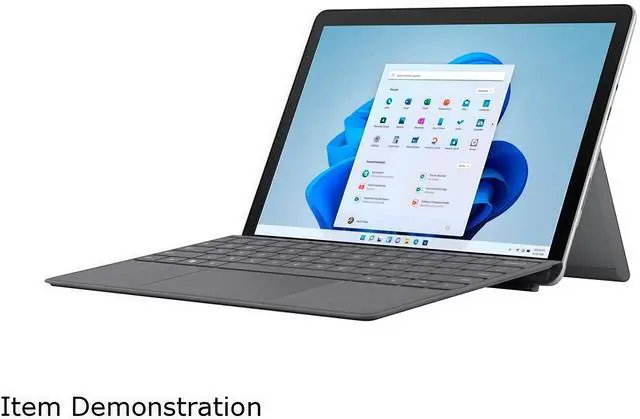
A: Yes, it is well suited to travel, commuting, and mobile office work because the tablet weighs 1.22 pounds, has a compact 10.5-inch design, Wi-Fi 6, and 4G LTE support. The listed battery rating is up to 10.5 hours, but actual runtime varies by workload. A Type Cover is required for laptop-style typing and is sold separately.
Q: Is it good for note-taking, video meetings, and office work?
A: It is suitable for note-taking, web browsing, email, documents, spreadsheets, and video meetings. The touchscreen, optional pen support, 5MP front camera with 1080p video, dual far-field microphones, and 8GB of RAM support these tasks. Its dual-core processor and integrated graphics make it less appropriate for demanding editing, intensive multitasking, or modern 3D gaming.
Q: Does the Surface Go 3 include a keyboard or pen?
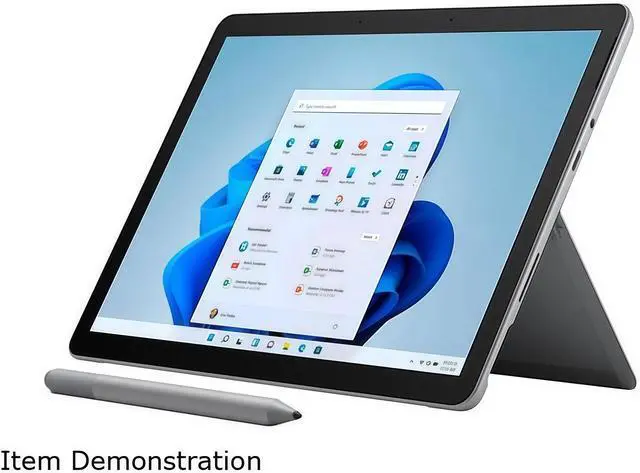
A: No. This configuration includes the Surface Go 3 tablet and power supply, but the Type Cover keyboard and pen are sold separately. Compatible Surface Go Type Covers attach through the dedicated port, and compatible Surface Pen models can be used for handwriting and annotations.
Q: What are the main limitations of Windows 11 in S mode on this device?
A: Windows 11 in S mode is designed for security and allows applications primarily through the Microsoft Store. It works well for standard web, education, communication, and office tasks, but users who need traditional desktop software should plan to switch out of S mode. The product has 128GB of SSD storage, with additional capacity available through its microSDXC card reader.
Q: Is the Surface Go 3 i3 a good choice for work, browsing, and travel?
A: It is suitable for light work such as web browsing, Microsoft Office, email, note-taking, and video calls. Its 1.22-pound detachable design and optional LTE make it convenient for travel, but the dual-core processor is not intended for demanding multitasking, video editing, or other heavy workloads.
Q: Is the Surface Go 3 good for handwritten notes?
A: Yes, the tablet form factor, touchscreen, kickstand design, and Windows compatibility make it suitable for OneNote and handwritten notes when paired with a compatible Surface Pen. The pen is not included, and user discussions commonly identify battery life as the main limitation for long classes or meetings.
Q: Can the Surface Go 3 replace a regular laptop?
A: It can replace a basic laptop for browsing, Office applications, email, and light productivity, but it is less suitable as a primary computer for intensive multitasking or demanding software. The Type Cover keyboard is sold separately, and its compact layout may be less comfortable for extended typing than a full-size laptop keyboard.
Q: What are the main trade-offs of buying the Surface Go 3 i3?
A: The main advantages are its small size, 1.22-pound weight, 10.5-inch 3:2 touchscreen, detachable design, Windows software support, and optional LTE connectivity. The main trade-offs are limited processing power, 8GB of non-upgradable memory, 128GB of storage, a single USB port, accessories sold separately, and battery life that may be substantially lower than the advertised maximum during active use.
Q: Is the Surface Go 3 suitable for video editing, gaming, or other demanding tasks?
A: No. The Intel Core i3-10100Y, integrated Intel UHD Graphics 615, and 8GB of onboard memory are better suited to light productivity and media use. Community and review discussions describe heavy processing, video editing, and demanding multitasking as areas where the device can feel slow or limited.