



Your Browsing History




Any questions? Our AI mode will help you find out quickly.
Package(Table only without keyboard)
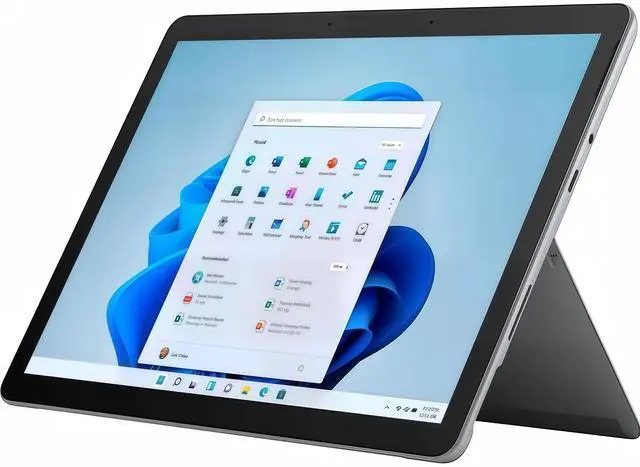
Microsoft Surface Go 3 X1
Charger X1
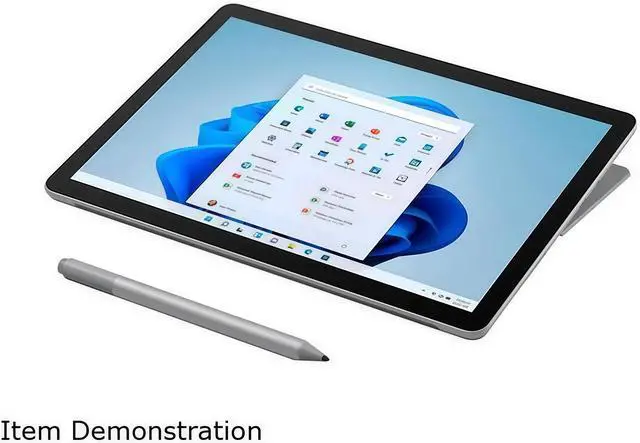
The Microsoft Surface Go 3 is a lightweight detachable 2-in-1 laptop with an Intel Core i3-10100Y processor, 8GB RAM, 128GB SSD, and a 10.5-inch touch display. It suits students, travelers, and home users who prioritize portability, web browsing, productivity apps, video calls, and flexible tablet-or-laptop use.
| Attribute | Value |
|---|---|
| Best For | Consumer users seeking a compact detachable 2-in-1 with 10-point touch control, Windows 11 in S mode, and integrated LTE connectivity |
| Processor And Core Count | 10th Gen Intel Core i3-10100Y dual-core processor with turbo speeds up to 3.90 GHz |
| Cache And TDP | 4 MB L3 cache |
| GPU And VRAM | Integrated Intel UHD Graphics 615 using shared system memory |
| Display Spec | 10.5-inch 3:2 touchscreen with 1920 x 1280 resolution, 220 PPI, 1500:1 contrast ratio, and Corning Gorilla Glass 3 |
| Memory Configuration | 8GB onboard memory with no available memory slots |
| Storage And Expansion | 128GB SSD with a MicroSDXC card reader; no hard drive or optical drive |
| High Speed I O | One USB port, Surface Connect port, Surface Type Cover port, and 3.5 mm headphone jack |
| Wired And Wireless Networking | Wi-Fi 6, Bluetooth 5.0, and 4G LTE Advanced through a Qualcomm Snapdragon X16 modem with nanoSIM and eSIM support; assisted GPS and GLONASS are included |
| Webcam And Privacy | Windows Hello face authentication camera with a 5.0MP front camera and 1080p video, plus an 8.0MP rear autofocus camera with 1080p video |
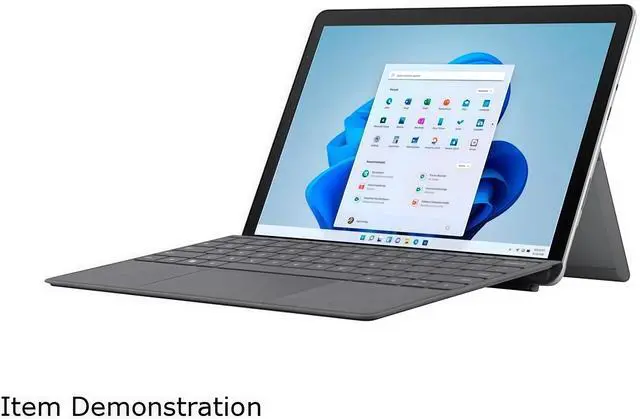
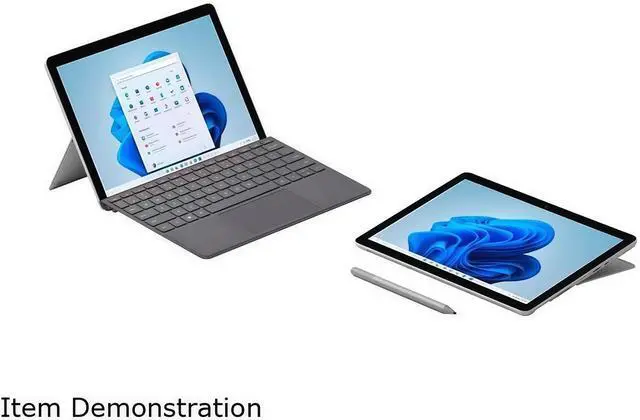
| Keyboard And Control | Detachable design with physical volume and power buttons; keyboard and pen are sold separately |
| Audio Setup | Enhanced dual far-field Studio Mics and 2W stereo speakers with Dolby Audio |
| Battery And Power | 28.0 Wh nominal battery capacity, 26.8 Wh minimum capacity, and up to 10.5 hours of typical device usage; power supply included |
| Portability And Build | Platinum magnesium casing measuring 9.65 x 6.90 x 0.33 inches and weighing 1.22 lb |
| Security And Sensors | Windows Hello face sign-in, firmware TPM, ambient light sensor, accelerometer, gyroscope, and magnetometer |
| Operating System | Windows 11 in S mode |
| Model Identifiers | Microsoft Surface Go 3, model 8VH-00001 |
Q: Is the Surface Go 3 i3 better than the base Surface Go 3 with Pentium, 4GB RAM, and 64GB storage?
A: Yes. The Surface Go 3 with Core i3-10100Y, 8GB RAM, and a 128GB SSD is the more suitable configuration for Windows multitasking, video calls, and longer-term use. The base model has less memory and slower eMMC storage, which can cause more noticeable app-loading delays and slowdowns. Choose the Pentium model only for light browsing, streaming, and simple document work. ([microsoft.com](https://www.microsoft.com/en-us/p/product/8x7whctkzc97?utm_source=openai))
Q: Should I buy the Surface Go 3 i3 or the newer Surface Go 4?
A: Choose the Surface Go 4 if performance and battery life are the priority. It uses a newer Intel N200 processor, 8GB LPDDR5 memory, and Microsoft rates it for up to 12.5 hours of typical use, compared with the Go 3 LTE configuration’s 10.5-hour rating. Geekbench 6 comparison data also shows higher single- and multi-core results for the Go 4. Choose the Surface Go 3 when its 128GB SSD, LTE availability, or lower purchase price is more important than newer hardware. ([microsoft.com](https://www.microsoft.com/en-us/d/-surface-go-4/8QCZKBWF3T77/3K8J?gQT=1&utm_source=openai))
Q: Is the Surface Go 3 a meaningful upgrade over the Surface Go 2 with Core m3?
A: The upgrade is modest rather than transformational. The Go 3’s Core i3-10100Y can be slightly faster in some CPU workloads, but professional testing found the Go 2 Core m3 model competitive in several benchmarks. Upgrade to the Go 3 if you need a newer device, Windows 11 compatibility, or a better-condition unit; keep the Go 2 if it already handles your light workload reliably. ([tomsguide.com](https://www.tomsguide.com/reviews/microsoft-surface-go-3?utm_source=openai))
Q: Should I choose the Surface Go 3 or Surface Pro 8 for productivity?
A: Choose the Surface Pro 8 for heavier productivity, frequent multitasking, larger documents, coding, photo work, or extended desktop use. Its quad-core Core i5 options, Iris Xe graphics, 13-inch higher-resolution display, and two Thunderbolt 4 USB-C ports provide substantially more headroom. Choose the Surface Go 3 for a smaller and lighter tablet: it weighs about 1.22 pounds and has a 10.5-inch 3:2 touchscreen, but its dual-core processor and single USB-C port are better suited to light Windows workloads. ([techradar.com](https://www.techradar.com/reviews/microsoft-surface-go-3?utm_source=openai))
Q: Is the Surface Go 3 better for portability than a conventional 13-inch laptop?
A: Choose the Surface Go 3 when minimum size, tablet use, touch input, and occasional keyboard use matter most. Its 10.5-inch 3:2 display, detachable design, built-in kickstand, and approximately 1.22-pound tablet weight make it easier to carry than most 13-inch laptops. Choose a conventional laptop when you need a permanently attached keyboard, more ports, stronger sustained performance, or a larger screen for full-day multitasking. The Go 3’s i3 processor is adequate for browsing, Office applications, streaming, and video calls, but reviews report slowdowns with heavier multitasking. ([microsoft.com](https://www.microsoft.com/en-us/p/product/8x7whctkzc97?utm_source=openai))
Q: Is the Microsoft Surface Go 3 a good travel work device?
A: Yes, it is well suited to lightweight travel work such as web browsing, email, document editing, video meetings, and cloud applications. The tablet weighs about 1.22 pounds and has claimed battery life of up to 10.5 hours, with optional LTE connectivity listed in the specifications. Trade-offs include the small 10.5-inch display, one USB port, a detachable keyboard sold separately, and performance that is better suited to everyday productivity than demanding applications.
Q: Is the keyboard included with this Surface Go 3?
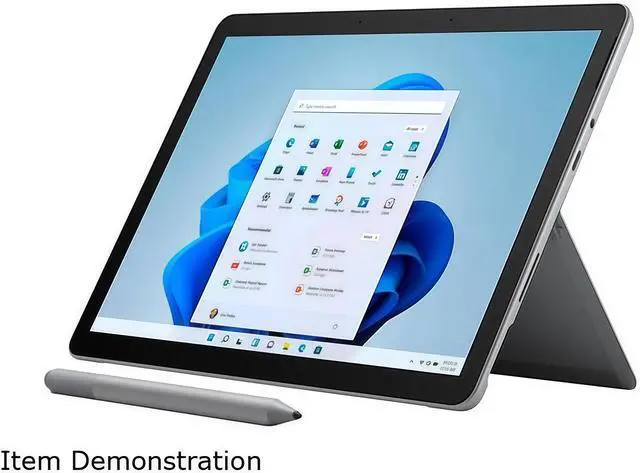
A: No. The product package includes the Surface Go 3, power supply, and documentation, but the keyboard and pen are sold separately. The device supports a compatible Surface Type Cover and can also use the on-screen touch keyboard.
Q: Is it suitable for note-taking, Microsoft Office, and video meetings?
A: Yes, it is suitable for everyday note-taking, Word, Excel, email, web research, and video meetings. It has an 8GB memory configuration, a 128GB SSD, touchscreen input, a 5MP front camera with 1080p video, dual far-field microphones, and stereo speakers. For extensive handwritten notes, add a compatible pen; for frequent typing, add the separately sold keyboard.
Q: What are the limitations of Windows 11 in S mode on this device?
A: Windows 11 in S mode restricts software installation primarily to apps from the Microsoft Store and uses Microsoft Edge for web browsing by default. This is suitable for common productivity and web tasks, but some desktop applications may require switching out of S mode. Switching out is free but is generally a one-way change, so users should confirm application compatibility before doing so.
Q: Can this Surface Go 3 connect to cellular data without Wi-Fi?
A: Based on the supplied specifications, yes. This configuration lists Wi-Fi plus 4G LTE, a Qualcomm Snapdragon X16 LTE modem, nanoSIM support, and eSIM support. Cellular activation and compatibility depend on the carrier and plan, so buyers should confirm support with their provider before purchase.
Q: Is the Surface Go 3 i3 a practical replacement for a basic work laptop?
A: It can replace a basic laptop for email, web browsing, Microsoft Word, PDFs, and light Excel work. The dual-core processor and 8GB of RAM are less suitable for heavy multitasking, demanding software, coding projects, or sustained workloads. The 10.5-inch display and detachable keyboard are also less comfortable for extended laptop-style use.
Q: Is the Surface Go 3 i3 good for note-taking and study?
A: Yes, it is well suited to note-taking, reading ebooks and PDFs, browsing, and writing documents. Its 1.22-pound detachable design, touchscreen, 3:2 display, and optional pen support favor tablet use. The keyboard and pen are sold separately, and the small screen may feel cramped for long typing sessions.
Q: How good is the Surface Go 3 i3 battery life in real-world use?
A: Battery life is a significant trade-off. Microsoft rates this LTE configuration for up to 10.5 hours of typical use, but Reddit reports commonly describe roughly 3 to 6 hours depending on brightness, connectivity, workload, and power settings. It is better suited to short mobile sessions than to demanding all-day use without a charger or power bank.
Q: Is the Core i3 Surface Go 3 worth choosing over the Pentium model?
A: The i3 version is the better choice when you need 8GB of RAM, SSD storage, and somewhat stronger multitasking for Office apps and multiple browser tabs. However, community discussions often describe only a modest performance advantage over the Pentium model, while the i3 can run hotter and use more battery. Choose the i3 for extra responsiveness; choose the Pentium version when lower cost and battery efficiency matter more.
Q: Is the Surface Go 3 i3 a good travel computer?
A: It is a strong fit for travelers who prioritize low weight, tablet flexibility, web access, document work, and media use. The 9.65-inch footprint and 1.22-pound weight make it easy to carry, and this configuration includes Wi-Fi and LTE connectivity. Its main travel limitations are short real-world battery life, limited performance, one USB port, and the additional cost of a keyboard or pen.