



Your Browsing History




Any questions? Our AI mode will help you find out quickly.
Package(Table only without keyboard)
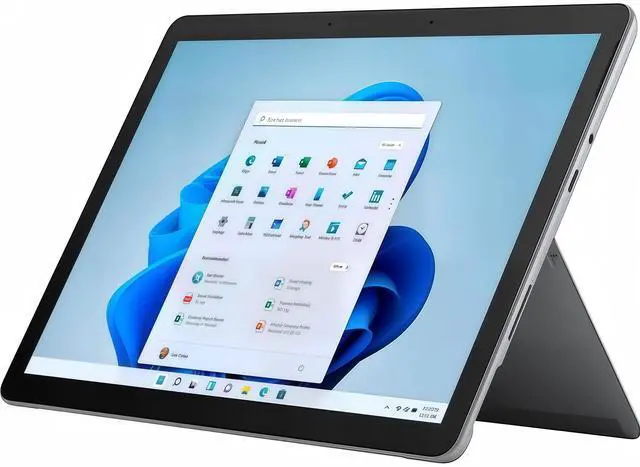
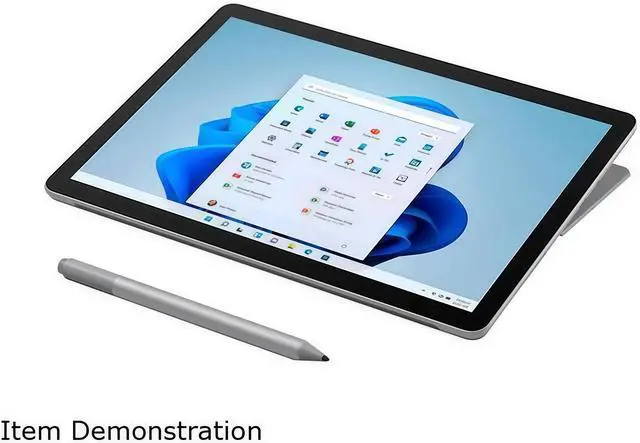
Microsoft Surface Go 3 X1
Charger X1
The Microsoft Surface Go 3 is a 10.5-inch detachable 2-in-1 with an Intel Core i3, 8GB RAM, 128GB SSD, and LTE, making it a strong fit for students, travelers, and mobile professionals who want a lightweight Windows device for web work, documents, video calls, and everyday productivity.
| Attribute | Value |
|---|---|
| Best For | Everyday productivity, web browsing and media on the go in a compact detachable 2-in-1; suitable when you need LTE connectivity and tablet portability with a Core i3, 8 GB RAM and 128 GB SSD |
| Processor And Core Count | Intel Core i3-10100Y (Intel Core i3 10th Gen) dual-core processor, up to 3.90 GHz turbo, 4 MB L3 cache |
| GPU And VRAM | Intel UHD Graphics 615 integrated graphics with shared system memory |
| Display Spec | 10.5" 10-point multi-touch display, 1920 x 1280 (220 PPI), 3:2 aspect ratio, 1500:1 contrast ratio, Corning Gorilla Glass 3 |
| Memory Configuration | 8 GB onboard memory with no user-accessible memory slots |
| Storage And Expansion | 128 GB internal SSD, no HDD; microSDXC card reader for additional storage |
| High Speed I O | 1 USB port, 1 x Surface Connect port and a Surface Type Cover port, plus 3.5 mm headphone jack |
| Battery And Power | 28.0 Wh nominal (26.8 Wh minimum) battery rated up to 10.5 hours typical usage; includes Power Supply in package |
| Wired And Wireless Networking | Wi‑Fi 6 (IEEE 802.11 a/b/g/n/ac/ax) and Bluetooth 5.0; cellular via Qualcomm Snapdragon X16 LTE modem with nanoSIM and eSIM support (up to 600 Mbps) plus assisted GPS and GLONASS; supports listed LTE bands |
| Webcam And Privacy | Front-facing Windows Hello-capable camera and 5.0 MP front camera (1080p); 8.0 MP rear autofocus camera (1080p); enterprise-grade Windows Hello face sign-in and firmware TPM for device security |
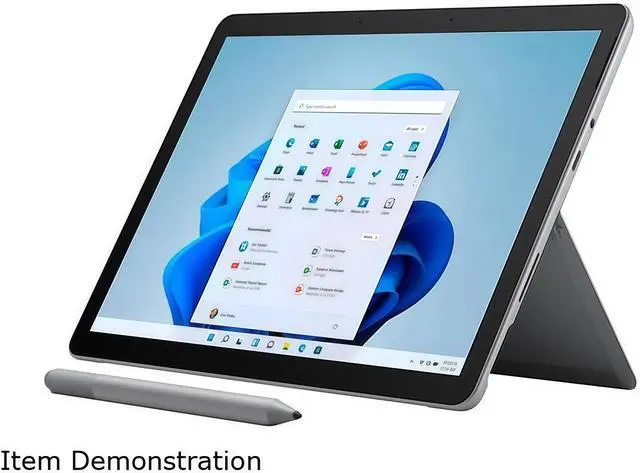
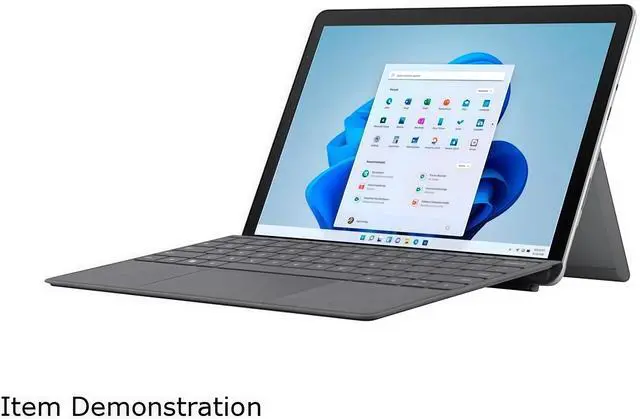
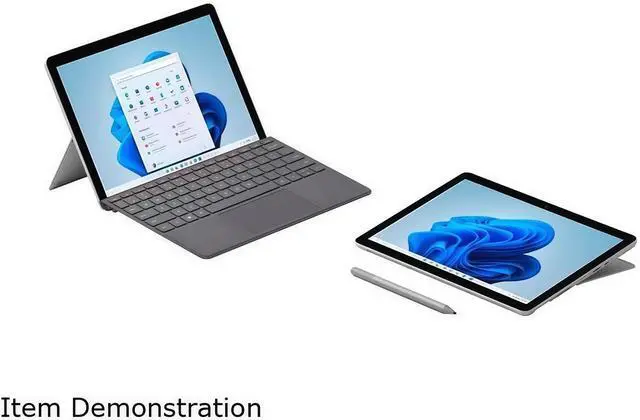
| Keyboard And Control | Detachable form factor with Surface Type Cover port; keyboard and pen sold separately; physical volume and power buttons |
| Audio Setup | Enhanced dual far-field Studio Mics and 2W stereo speakers with Dolby Audio; 3.5 mm headphone jack for wired audio |
| Sensors And Build | Magnesium casing with ambient light sensor, accelerometer, gyroscope and magnetometer |
| Portability | Compact 9.65 x 6.90 x 0.33 in footprint, weighs 1.22 lbs, platinum color and detachable design for tablet-first mobility |
| Model Identifiers | Microsoft Surface Go 3 (Series Surface Go 3), Model 8VH-00001, Brand Microsoft, Windows 11 in S mode, Consumer usage |
Q: Should I get the Surface Go 3 Core i3 or the cheaper Surface Go 3 Pentium model?
A: Choose the Surface Go 3 Core i3 model if you want the smoother option for multitasking, heavier browser use, and longer-term everyday Windows use. Choose the Pentium model if your workload is mostly note-taking, web apps, video streaming, and light Office work. Review coverage and community discussions generally point to the Core i3 version as the more practical pick for responsiveness, while also noting that the performance gap is not dramatic for basic tasks.
Q: Is Surface Go 3 better than Surface Go 2?
A: Surface Go 3 is the better choice if you are comparing against lower-end Surface Go 2 configurations, because Microsoft updated the entry processor and kept the same compact 10.5-inch detachable design. If you are comparing this Core i3 Surface Go 3 against a higher-end Surface Go 2 with Core m3, the upgrade is much smaller in real use. Multiple reviews and community discussions describe Surface Go 3 as more of a refresh than a major redesign, so it makes the most sense when pricing is close or when you specifically want the newer model.
Q: Should I buy Surface Go 3 or move up to a Surface Pro?
A: Buy Surface Go 3 if your priority is portability, tablet-first use, LTE availability, and a smaller device for reading, travel, field work, or light productivity. Move up to a Surface Pro if you want a more capable primary PC for multitasking, larger creative workloads, and longer sessions with desktop apps. The usual trade-off is simple: Surface Go 3 is easier to carry, while Surface Pro models are positioned and reviewed as the stronger productivity choice.
Q: Is this Surface Go 3 a good fit for portability-first use or should I choose a performance-first 2-in-1?
A: This Surface Go 3 is the better fit when low weight, compact size, detachable tablet use, and mobile connectivity matter more than raw speed. A performance-first 2-in-1 is the better fit if you regularly work with many browser tabs, larger desktop applications, or heavier multitasking. In practice, Surface Go 3 is usually chosen as a compact companion device, while larger 2-in-1 systems are the better choice as a main computer.
Q: Is the Surface Go 3 LTE a good travel work device for email, web apps, meetings, and light Office use?
A: Yes, for light mobile work. This model is very portable at about 1.22 lb, has a 10.5-inch 1920 x 1280 touchscreen, built-in kickstand, 8GB RAM, 128GB SSD, Wi-Fi 6, and 4G LTE with nanoSIM and eSIM support. It fits travel, note review, browser-based work, Teams or Zoom-style meetings, and Word or Excel tasks better than heavy multitasking or demanding creative software. The main trade-offs are the small screen, dual-core low-power processor, and the fact that the keyboard is sold separately.
Q: Is Surface Go 3 good for note-taking, online classes, meetings, and basic office work?
A: Yes, that is one of the clearest fits for this device. Surface Go 3 is built around touch and pen input, has 1080p front and rear cameras, dual studio mics, Windows Hello, and a 3:2 display that works well for documents and handwritten notes. The i3/8GB/128GB version is the more practical configuration for school and office basics, but it is still best treated as a light-duty Windows 2-in-1 rather than a replacement for a faster full-size productivity laptop.
Q: Does it come with the keyboard or pen, and should that affect the buying decision?
A: No. The Surface Go 3 device-only package does not include the keyboard, pen, or mouse. That matters because many buyers expect laptop-style use, but the real working setup usually costs more once you add a Type Cover and, if needed, a pen. If you mainly want a compact Windows tablet, the base package can make sense. If you expect frequent typing, budget for the keyboard from the start.
Q: Is Windows 11 in S mode a problem for normal use?
A: Usually not for simple use, but it can be a limitation depending on your apps. In S mode, the device is restricted to apps from the Microsoft Store, which is fine for basic browsing, Microsoft 365, and mainstream everyday tasks. It becomes a problem if you need standard desktop apps outside the Store, specific work software, or alternate browsers and utilities. Buyers who rely on broader Windows software compatibility should check that first.
Q: Who should buy the LTE version instead of a Wi‑Fi-only alternative or a larger 2-in-1?
A: The LTE version is best for buyers who work away from dependable Wi‑Fi and want always-connected access without relying on phone hotspot tethering. It is a strong fit for field work, travel, commuting, meetings between locations, and students who value mobility more than screen size or raw speed. If most use is at a desk, or if you want a larger keyboard and more headroom for multitasking, a bigger 2-in-1 is usually the better value.
Q: Is the Surface Go 3 i3 LTE a good buy for note-taking, web work, and travel?
A: Yes, if you want a very small Windows 2-in-1 for handwritten notes, light office tasks, browsing, and travel. The i3/8GB/128GB configuration is better suited than lower-end versions for basic multitasking, and the built-in LTE adds value for mobile use. The main trade-off is that its 10.5-inch size and dual-core processor favor portability over speed and workspace.
Q: Can the Surface Go 3 i3 replace a main laptop for work or school?
A: Usually no as a full main laptop, unless your workload is light. It can handle email, Word, Excel, browsing, video calls, and note-taking, but the small display, compact keyboard, and modest dual-core performance make it less comfortable for long sessions or heavier multitasking. It works better as a secondary device or a primary device with realistic limits and an external monitor or keyboard when docked.
Q: Who is the Surface Go 3 i3 LTE best suited for?
A: It is best for users who prioritize size, weight, and cellular connectivity over raw performance. That includes students taking notes, travelers who need a compact Windows device, and users who mostly do browser-based work, Office tasks, media streaming, and light communication. It is less suitable for demanding creative apps, gaming, or users who keep many heavy apps open at once.
Q: What are the main trade-offs of the Surface Go 3 i3 LTE?
A: The main trade-offs are performance, screen size, and accessory dependence. The i3/8GB model is adequate for light productivity, but it is still a low-power dual-core system. The 10.5-inch display improves portability but can feel cramped for longer work. Also, keyboard and pen are sold separately, so the full note-taking or laptop-style setup usually costs more than the tablet alone.