




 here!
here!
I’m your shopping assistant for PC builds, upgrades, and everything tech.
Got questions? Ask away!
Start a conversation
here!
I’m your shopping assistant for PC builds, upgrades, and everything tech.
Got questions? Ask away!
Start a conversation




Any questions? Ask CelesteSM will help you find out quickly.
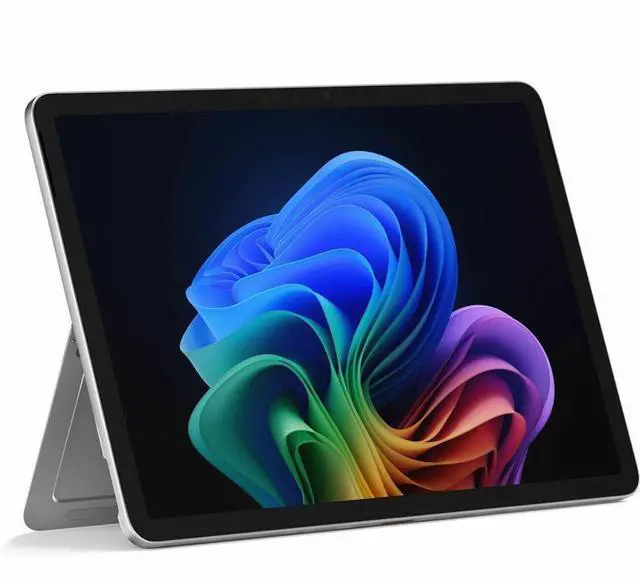
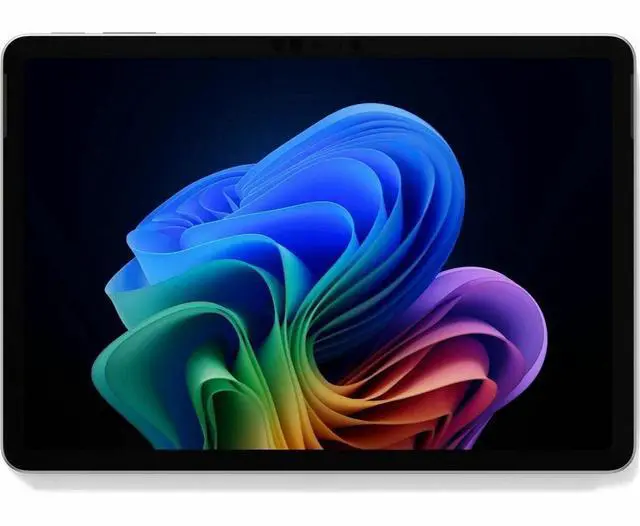
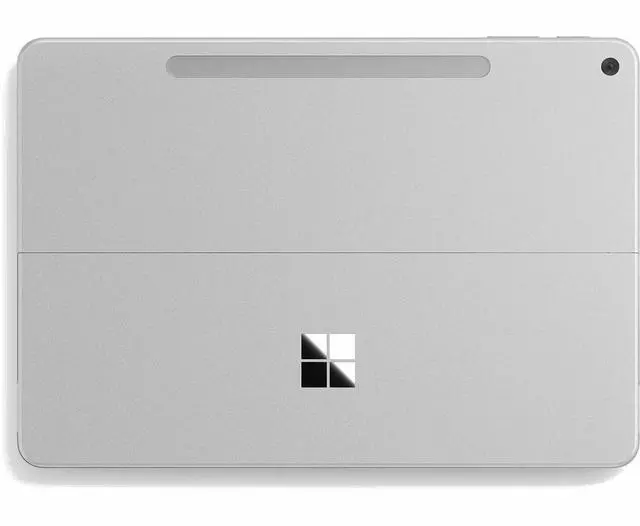
The Microsoft Surface Pro 12-inch Copilot+ PC is a lightweight 2-in-1 tablet-laptop for professionals, students, and mobile users who want Windows 11 Pro, AI-ready Snapdragon X Plus performance, and all-day portability in a 1.5 lb design.
| Attribute | Value |
|---|---|
| Best For | Portable 12.0" Windows 11 Pro slate for on-the-go productivity and entertainment |
| Model Identifiers | Microsoft Surface Pro, model EP2-33666 (Surface Pro series), manufacturer Microsoft |
| Processor And Performance | Qualcomm Snapdragon Plus processor (Plus generation) |
| Operating System | Windows 11 Pro |
| Display Spec | 12.0" LCD touchscreen, native resolution 2196 x 1464 pixels, 16:10 aspect ratio |
| Memory Configuration | 16 GB RAM |
| Storage And Expansion | 256 GB SSD |
| Graphics Setup | Integrated graphics |
| Webcam And Video | Built-in webcam with HD 720p video capture |
| Ports And High-Speed I/O | Two USB-C ports (USB 3.2) with DisplayPort 1.4a support, capable of driving up to two 4K displays at 60 Hz |
| Wired And Wireless Networking | Wi-Fi 7 (802.11be) wireless LAN and Bluetooth 5.4 |
| Battery And Power | 39 Wh lithium-ion battery (3 cells), batteries included; battery weight 61 g |
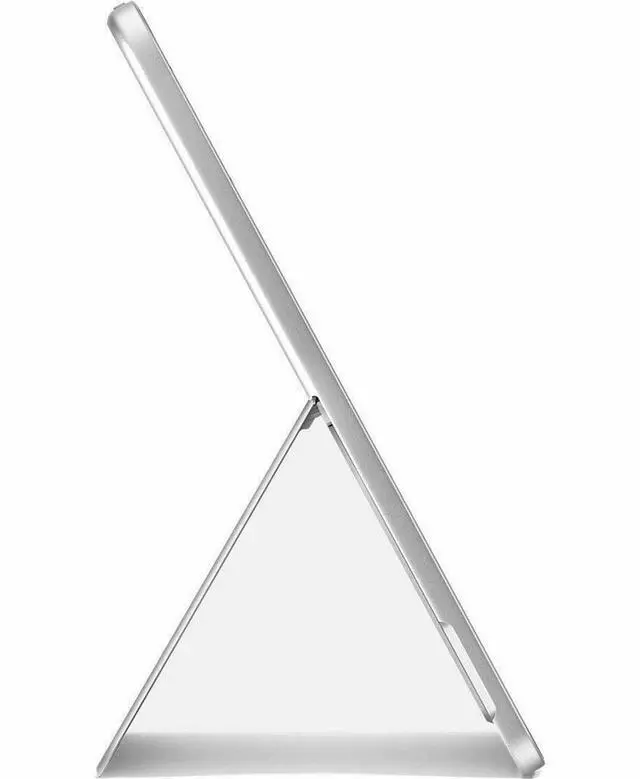
| Dimensions And Weight | 7.47 x 10.8 x 0.3 inches (W x D x H); 1.5 lbs |
| Box Contents | Pro set includes a USB-C cable; single-unit package |
Q: Should I buy the 12-inch Surface Pro or the 13-inch Surface Pro?
A: Choose the 12-inch Surface Pro if portability matters more than peak performance. This model is smaller, lighter, and built around the Snapdragon X Plus 8-core platform, while the 13-inch Surface Pro moves up to Snapdragon X Plus 10-core or Snapdragon X Elite 12-core options and offers a larger 13-inch display with up to 120Hz and OLED on some configurations. Reviews and community comparisons consistently frame the 12-inch model as the easier carry-and-travel option, while the 13-inch model is the better fit for heavier multitasking, a roomier workspace, and buyers who want the higher-end screen options.
Q: Is this 16GB/256GB Surface Pro enough, or should I move to a higher-tier configuration?
A: The 16GB/256GB configuration is the practical choice for web work, Microsoft 365, video calls, note-taking, and general Copilot+ PC use. Move to a higher-tier Surface Pro mainly if you expect larger local files, heavier multitasking, or want the faster processors and display upgrades available on 13-inch configurations. Official specs show this 12-inch model uses 256GB UFS storage, while higher-tier Surface Pro models offer larger removable SSD options and stronger Snapdragon X Plus or X Elite chips. In short: this configuration fits mainstream productivity; higher tiers make more sense for performance headroom and storage flexibility.
Q: Is the 12-inch Surface Pro a better buy than the previous Surface Pro 11 for most people?
A: The 12-inch Surface Pro is the better buy if you want a lighter, simpler Surface focused on mobility and everyday productivity. The previous Surface Pro 11 remains the stronger choice if you care more about raw performance, more premium display options, or broader high-end configuration choices. Reviews of the Surface Pro 11 regularly highlight its stronger Snapdragon X Elite performance and more premium OLED/120Hz options, while the 12-inch model is positioned by Microsoft and reviewers as the more compact, travel-friendly version of the Surface Pro idea.
Q: Should I get the 12-inch Surface Pro or a Surface Laptop if I mostly work on the go?
A: Get the 12-inch Surface Pro if you want the flexibility of a tablet-first device with touch, pen input, and a kickstand for travel, meetings, and handwritten work. Get a Surface Laptop if you want a more traditional clamshell experience with fewer compromises for lap use and, in most comparisons, stronger value for keyboard-centric productivity. The shared Snapdragon X Plus platform means the decision is less about basic office capability and more about form factor: Surface Pro favors versatility, while Surface Laptop favors conventional laptop ergonomics and desk-or-lap workflow.
Q: Should I choose the 12-inch Surface Pro or an iPad Pro?
A: Choose the 12-inch Surface Pro if you want full Windows software, desktop-style multitasking, and a device that can replace a light laptop. Choose the iPad Pro if your priority is a more tablet-native experience, stronger touch-first app behavior, and an ecosystem centered on iPadOS workflows. Reliable comparisons usually treat this as an operating-system decision more than a hardware one: the Surface Pro is the better fit for Windows apps and traditional PC tasks, while the iPad Pro is the better fit for users who primarily want a premium tablet experience.
Q: Is this a good travel work device?
A: Yes, if your priority is low weight, long battery life, and full Windows for email, documents, web apps, video calls, and light multitasking. This Surface Pro configuration is especially travel-friendly because it is a 12-inch detachable that weighs 1.5 lb, uses a Snapdragon X Plus platform, and is rated for up to 16 hours of local video playback or 12 hours of active web use. The main trade-offs are that the keyboard is typically sold separately, storage is only 256GB, and port selection is limited to two USB-C ports.
Q: Is it good for note-taking, meetings, and office work?
A: Yes, it is a strong fit for note-taking, meetings, and general office work. The touchscreen tablet format, webcam, Bluetooth, Wi-Fi 7, and Windows 11 Pro make it well suited for video calls, handwritten input with a compatible pen, and standard Microsoft 365-style productivity. The main caveat is that this Newegg listing is for the device only, so buyers who plan to type a lot should budget for a keyboard accessory.
Q: Who is this Surface Pro best for?
A: It is best for mobile professionals, students, and buyers who want a lightweight Windows 2-in-1 for web work, note-taking, meetings, and everyday productivity. It makes more sense than a standard tablet if you need Windows apps and a laptop-style workflow. It is less ideal for buyers who need lots of local storage, many built-in ports, or a keyboard and pen included in the box.
Q: What are the trade-offs versus a tablet like the Galaxy Tab S10 FE+?
A: The Surface Pro is the better choice if you want a full Windows device for office work and laptop-like productivity. A tablet such as the Galaxy Tab S10 FE+ is the better value if you mainly want media use, casual apps, expandable storage, and an included pen. The key trade-off is that the Surface Pro gives you a more PC-like workflow, while the Samsung tablet gives you more tablet convenience and included accessories for the money.
Q: Does it come with the essentials for laptop-style use, or will I need extras?
A: You will likely need extras. The repeated buying question on comparable retail pages is whether the keyboard is included, and for Surface Pro device-only listings the answer is no. For practical laptop-style use, most buyers should expect to add a keyboard, and possibly a pen if handwritten notes or sketching matter. That added accessory cost is one of the main purchase considerations for this type of detachable PC.
Q: Is the 12-inch Surface Pro a good fit for work, note-taking, and travel?
A: Yes for mobile productivity. The 12-inch Surface Pro is best suited to web work, documents, video calls, note-taking, and light multitasking in a very portable form factor. Its 16GB RAM, low weight, touchscreen design, and claimed long battery life make it a practical travel and study device. The main trade-off is that it is still a smaller ARM-based Windows PC, so it is better for everyday productivity than for heavier desktop-style workloads.
Q: Can the Surface Pro 12 replace a regular laptop?
A: It can replace a laptop for users whose workload is mostly browser-based, Office apps, meetings, media, and note-taking. It is less ideal as a full replacement if you rely on specialized Windows software, heavier creative tools, or workflows that expect broad x86 compatibility. In short: it works well as a lightweight everyday PC, but not for every legacy or power-user setup.
Q: What are the main trade-offs of choosing this model?
A: The main trade-offs are performance ceiling, app compatibility, and accessory dependence. This model is designed more for portability and efficient everyday use than for demanding gaming or heavier workstation tasks. Because it uses Snapdragon X Plus on Windows on ARM, some older or niche apps may still depend on emulation or may not run ideally. Buyers should also consider that the tablet experience is strongest when paired with the keyboard and pen, which may add cost if not included.
Q: Is it worth buying if battery life and portability matter more than raw power?
A: Yes, if your priority is a light Windows 2-in-1 with long battery life and a compact footprint. At 1.5 lbs with a 12-inch display, it is clearly optimized for mobility. It is a stronger choice for commuters, students, and frequent travelers than for users shopping primarily for maximum CPU/GPU performance per dollar.
Q: Who should skip this Surface Pro 12?
A: Users who need dependable support for specialized legacy Windows apps, heavier gaming, or sustained high-performance creative workloads should probably skip it. This model makes more sense for general productivity and mobility than for edge-case compatibility or graphics-heavy use. If software certainty matters more than portability, a conventional x86 laptop may be the safer choice.


