here!
I’m your shopping assistant for PC builds, upgrades, and everything tech.
Got questions? Ask away!
Start a conversation
here!
I’m your shopping assistant for PC builds, upgrades, and everything tech.
Got questions? Ask away!
Start a conversation



Any questions? Ask CelesteSM will help you find out quickly.


We want to ensure your holiday shopping this year is hassle-free. That’s why we’re automatically extending our return policies on almost every product! For purchases placed between November 1st, 2026 and December 31, 2026 you will have until January 31, 2027 to return your product.
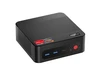
The MINISFORUM X1 Pro-370 is a barebone AI mini PC built for power users, developers, and compact desktop setups that need Ryzen AI 9 HX 370 performance, 32GB DDR5, quad-display support, and fast networking in a small form factor.
| Attribute | Value |
|---|---|
| Best For | Compact, AI-ready mini PC for AI-assisted productivity and multi-display workflows with strong networking and expansion options |
| Processor And Core Count | AMD Ryzen AI 9 HX 370 — 12 cores / 24 threads, up to 5.1 GHz |
| AI And Accelerator | AI-ready platform with up to 80 TOPS of on-device AI performance |
| GPU And Graphics | Integrated AMD Radeon 890M graphics for general GPU tasks and multi-display support |
| Display Spec | HDMI 2.1 FRL and DisplayPort 2.0 plus two USB4 ports (40 Gbps) for external displays; front USB4 provides alt PD out 15W, rear USB4 supports alt PD in 65–100W and PD out 15W |
| Memory Configuration | 32 GB installed across 2 SO-DIMM slots, supports DDR5-5600 and upgradable to 128 GB |
| Storage And Expansion | No storage included; three M.2 2280 NVMe slots (two PCIe4.0 x4, one PCIe4.0 x1), each up to 4 TB, plus SD card slot and OCuLink (PCIe 4.0 x4) for additional expansion |
| High Speed I O | Front: 2x USB 3.2 Gen2 Type-A and USB4 (40 Gbps, alt PD out 15W); Rear: USB 2.0 Type-A and USB4 (40 Gbps, alt PD in 65–100W & out 15W); includes 3.5 mm combo jack, SD card slot, and OCuLink |
| Wired And Wireless Networking | Dual 2.5 Gbps Ethernet (2 RJ45 ports), Wi‑Fi 7 (802.11be), and Bluetooth 5.4 for high-throughput wired and wireless connectivity |
| Power And Physical | Internal DC adapter 19V/7.1A (134.9W); AC 100–240V, 50–60Hz; compact footprint 195 x 195 x 42.5 mm, weight 1.36 kg |
| Model Identifiers | MINISFORUM X1 Pro-370 in Silver |
| Box Contents | Includes X1 Pro-370 mini PC, US power adapter, HDMI cable, and manual |
Q: Should I choose the MINISFORUM X1 Pro-370 or the ASUS NUC 14 Pro AI?
A: Choose the MINISFORUM X1 Pro-370 if you want a more upgrade-friendly mini PC with socketed DDR5 memory, three M.2 slots, dual 2.5GbE, OCuLink, and AMD Radeon 890M graphics for stronger iGPU gaming and GPU-leaning creative work. Choose the ASUS NUC 14 Pro AI if your priority is a smaller chassis, Intel platform features, and a more appliance-like design with soldered LPDDR5x memory. In short: the X1 Pro-370 fits buyers who want flexibility and higher graphics headroom, while the NUC 14 Pro AI fits buyers who value compact size and a fixed-configuration business-style setup.
Q: Is the MINISFORUM X1 Pro-370 worth buying over an older Ryzen 7 8845HS or Radeon 780M mini PC?
A: Yes, if you want a clearer step up in integrated graphics, AI capability, and expansion. Systems based on Ryzen AI 9 HX 370 pair newer Zen 5 CPU cores with Radeon 890M graphics and a 50 TOPS NPU, while older 8845HS-class mini PCs typically center on Radeon 780M and lower on-chip AI throughput. Reviews of the HX 370 platform consistently show a meaningful iGPU gain over prior 780M systems, so the X1 Pro-370 makes more sense for buyers planning light gaming, local AI features, or a longer upgrade cycle. An 8845HS mini PC still fits better when price matters more than added graphics and AI headroom.
Q: MINISFORUM X1 Pro-370 vs GEEKOM A9 Max: which one is better for a performance-focused desktop setup?
A: Pick the MINISFORUM X1 Pro-370 if you care most about expandability and external-GPU options. Both models target similar high-performance mini PC buyers around the Ryzen AI 9 HX 370 and Radeon 890M platform, but the X1 Pro-370 stands out with OCuLink and three M.2 slots, which makes it better suited to users who may add faster storage layouts or an eGPU later. Pick the GEEKOM A9 Max if you prefer a more conventional ready-to-run mini PC configuration and do not need OCuLink. The practical choice is simple: X1 Pro-370 for upgrade paths, A9 Max for a simpler fixed desktop deployment.
Q: Should I buy the MINISFORUM X1 Pro-370 or move up to the X1 Pro 470?
A: Buy the X1 Pro-370 if you want the same core chassis concept and feature set with lower entry cost. Move up to the X1 Pro 470 if your workloads are more CPU-heavy or you want the newest variant in the line for local AI and creator workloads. The trade-off is straightforward: the X1 Pro 470 is the higher-tier option for buyers chasing extra processing margin, while the X1 Pro-370 remains the more balanced choice when you want the platform features without paying for the top configuration.
Q: Is the MINISFORUM X1 Pro-370 a better fit than a laptop or handheld-style HX 370 device for portable use?
A: Choose the X1 Pro-370 for a stationary desk setup, not for portability-first use. Its value comes from desktop-style connectivity, internal expandability, dual 2.5GbE, multiple display outputs, and OCuLink rather than grab-and-go convenience. If you need battery-powered use, built-in display, or travel-friendly computing, an HX 370 laptop or handheld-style device is the better category match. If you want a compact always-connected workstation that stays on a desk, the X1 Pro-370 is the better fit.
Q: Who is this mini PC best for?
A: This model is best for buyers who want a high-end compact desktop for office work, multitasking, multi-monitor setups, light-to-moderate creator workloads, fast networking, or an eGPU/NAS-style setup. It is less suitable for buyers who want a simple plug-and-play PC, because this version is barebone: it includes 32GB RAM, but no SSD and no operating system, so storage and OS setup are required.
Q: Is it good for office work, meetings, and everyday productivity?
A: Yes. For office apps, web work, video meetings, and heavy multitasking, this is more than sufficient. The Ryzen AI 9 HX 370, 32GB DDR5, Wi-Fi 7, dual 2.5GbE, and support for up to four displays make it well suited to a serious desk setup. The main caveat is that you must add your own SSD, install an operating system, and provide peripherals.
Q: Can it handle multiple monitors well?
A: Yes. This is one of its stronger buying reasons. It has HDMI 2.1, DisplayPort, and two USB4 ports, with support for up to four displays. That makes it a good fit for spreadsheet work, trading dashboards, coding, control-room use, and other multitasking-heavy setups. A common buyer mistake is assuming an HDMI splitter creates true extended desktops; for separate screens, each monitor needs its own video output path.
Q: Is it a good choice for gaming, or should I buy a different kind of PC?
A: It is a good mini PC for buyers who want strong integrated-graphics performance, but it is not the same as a full gaming desktop with a discrete GPU. The Radeon 890M should be suitable for esports, older titles, indie games, and some modern games at reduced settings, and the OCuLink port gives it a better upgrade path than most mini PCs if you plan to attach an external GPU. If your main goal is high-end AAA gaming, a larger desktop or a mini PC with discrete graphics is the safer choice.
Q: Is it worth buying as a travel or space-saving work device?
A: It makes sense as a space-saving or occasionally portable desktop, but not as a true travel computer in the way a laptop is. It is compact for a desktop, yet still needs external power, a display, and input devices. It is a better fit for users who move between fixed workstations, hot desks, studios, or home/office setups than for people who need battery-powered computing on the go.
Q: Who is the MINISFORUM AI X1 Pro-370 best suited for?
A: It is best suited for users who want a compact desktop for heavy multitasking, development work, homelab use, light virtualization, and some gaming or creator workloads. Reddit and YouTube discussion repeatedly frame it as a strong fit for Linux users, developers, and power users who value OCuLink, dual 2.5GbE, USB4, and upgradeable RAM and storage. It is less suitable for buyers who want a simple plug-and-play PC with no setup or tuning.
Q: Is the AI X1 Pro-370 a good choice for Linux or homelab use?
A: Yes, if you are comfortable using current kernels, drivers, and firmware. Community discussion consistently treats the AI X1 Pro as appealing for Linux and homelab setups because it combines a strong CPU, upgradeable memory, multiple NVMe slots, dual 2.5GbE, and OCuLink in a small chassis. The trade-off is that Linux support on new Ryzen AI hardware has depended on newer kernel and Mesa versions, so it is a better fit for users who do not mind some setup work.
Q: Is the barebone AI X1 Pro-370 worth buying?
A: It can be worth buying if you specifically want its combination of Ryzen AI 9 HX 370 performance, Radeon 890M graphics, dual 2.5GbE, USB4, OCuLink, and three M.2 slots, and you are willing to add your own SSD and OS. The barebone format makes more sense for buyers who already have storage, want control over parts, or plan to customize the system. It is a weaker value for buyers who want the lowest-cost mini PC or who prefer a fully configured system with stronger retail support.
Q: Is the AI X1 Pro-370 a good mini PC for local AI or LLM use?
A: It is suitable for entry to mid-range local AI use, but not as a dedicated high-end LLM box. Discussions around this model and the same HX 370 platform repeatedly point to good CPU, RAM capacity, and usable iGPU performance, but also note that many AI tools still rely more on the iGPU or CPU than the NPU. In practice, it makes more sense for experimentation, coding, and mixed workloads than for buyers expecting desktop-GPU-class local model performance.
Q: What are the main trade-offs of choosing the AI X1 Pro-370?
A: The main trade-offs are that it is powerful and expandable for its size, but it is still a compact system that may require more buyer involvement than mainstream desktops. Repeated discussion points include concern about firmware maturity, Linux setup effort on newer AMD platforms, support and warranty experience, and whether the premium hardware is necessary for simpler office tasks. Buyers who want maximum flexibility may like it; buyers who prioritize low risk and easy support may prefer a more established brand or retailer-backed purchase.