





MAHAHUM External Optical Drive
MAHAHUM External Optical Drive
???????
Founded in 2015, MAHAHUM was born from our own struggle to access old data on CDs and DVDs. We created a simple, reliable bridge to the past, ensuring no digital memory is ever lost.
????????????
n a cloud-first world, we champion accessibility. MAHAHUM offers universal plug-and-play compatibility in a minimalist, durable design. It's not just a drive; it's your trusted data time machine.
?????????????
We love preserving stories. The joy of helping someone recover a childhood photo or finish a legacy project is irreplaceable. We are passionate about connecting past and present.
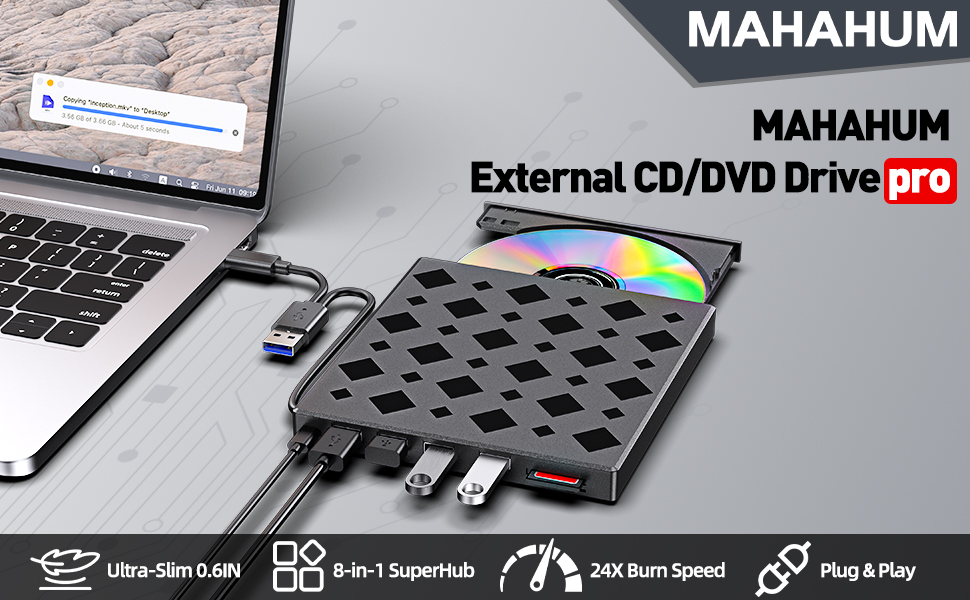
MAHAHUM 8-in-1External CD/DVD Drive: A Digital Bridge Back in Time
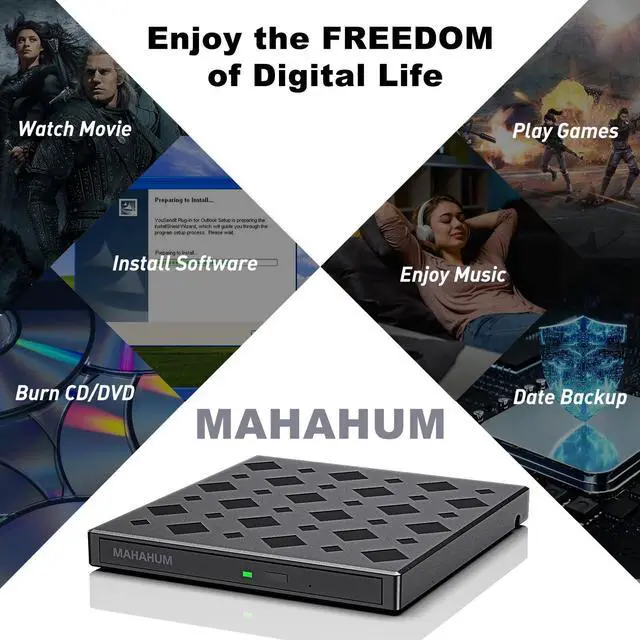
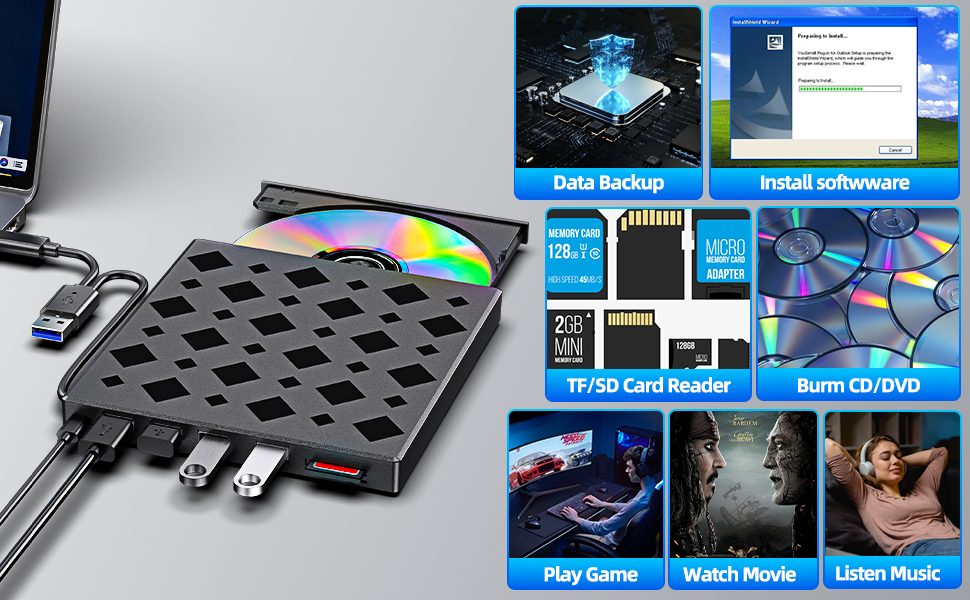
In today's world of ultra-thin laptops, the MAHAHUM external CD/DVD drive bridges the digital gap between your treasured 90's music albums and movie collection. This all-in-one device for playback, burning, transcoding, and backup brings classic media to life in the modern digital world.
Multi-scenario application
Music Rebirth: Convert old music CDs to MP3 format to create an exclusive digital music library
Image Legacy: Digitize home video DVDs to permanently preserve precious memories
Data Management: Supports 12 media formats such as CD-R/RW, DVD±R/RW, etc., to backup photos/documents/systems
Software Installation: Easily read all kinds of installation discs to solve the pain point of ultra-thin book expansion
Extreme Connected Experience
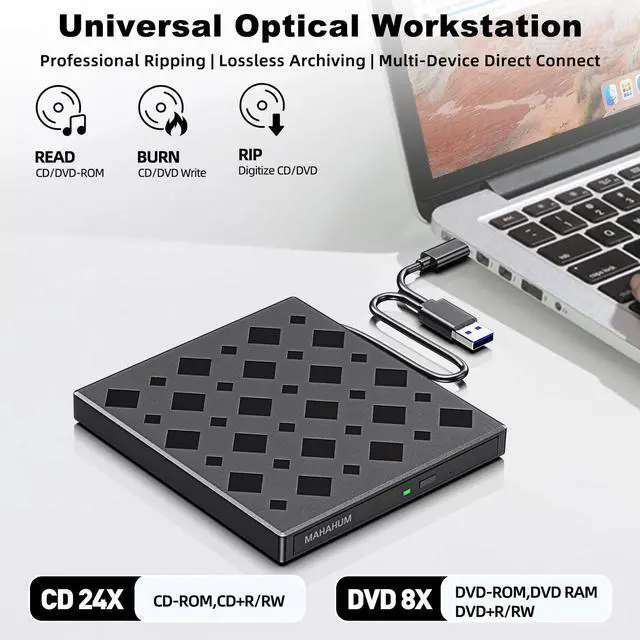
v 5Gbps transfer rate|DVD 8X/CD 24X read/write speed
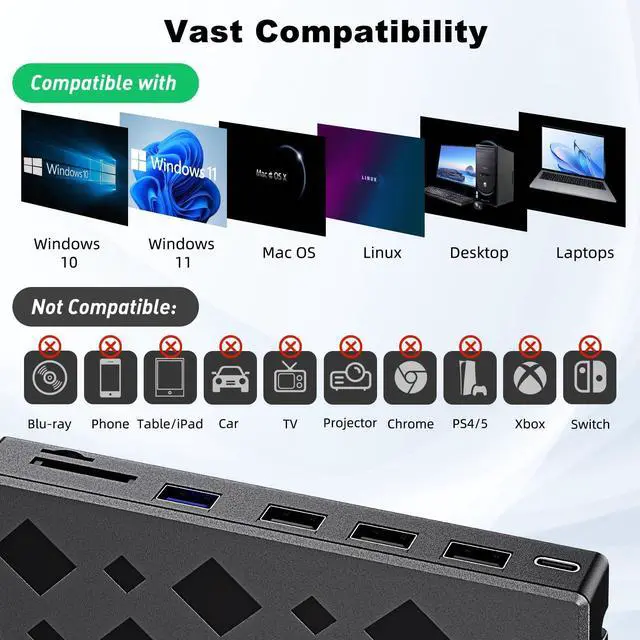
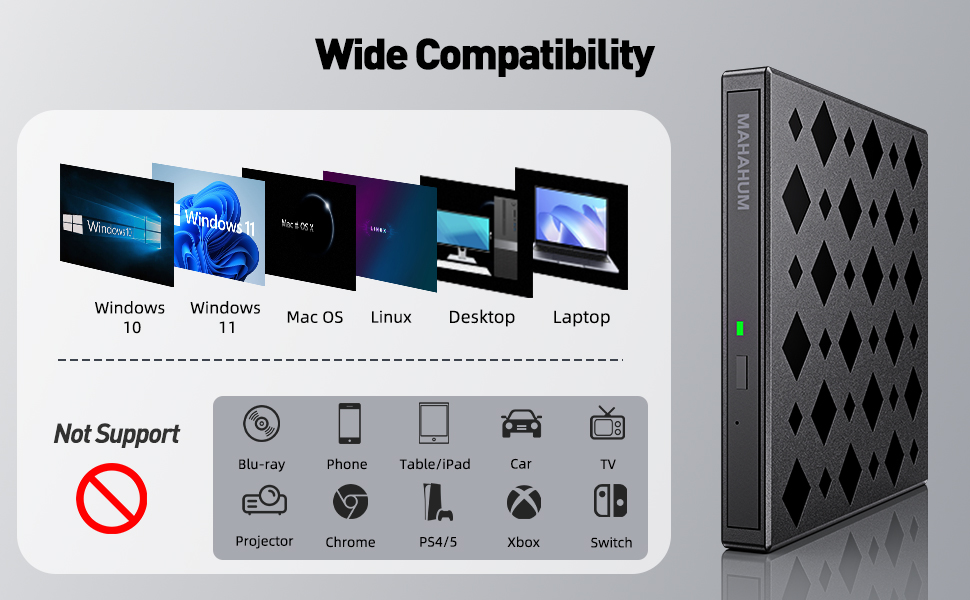
v Plug and Play: Windows/Mac/Linux platform automatic recognition (*Not compatible with Chrome OS)
Mobile Office Companion
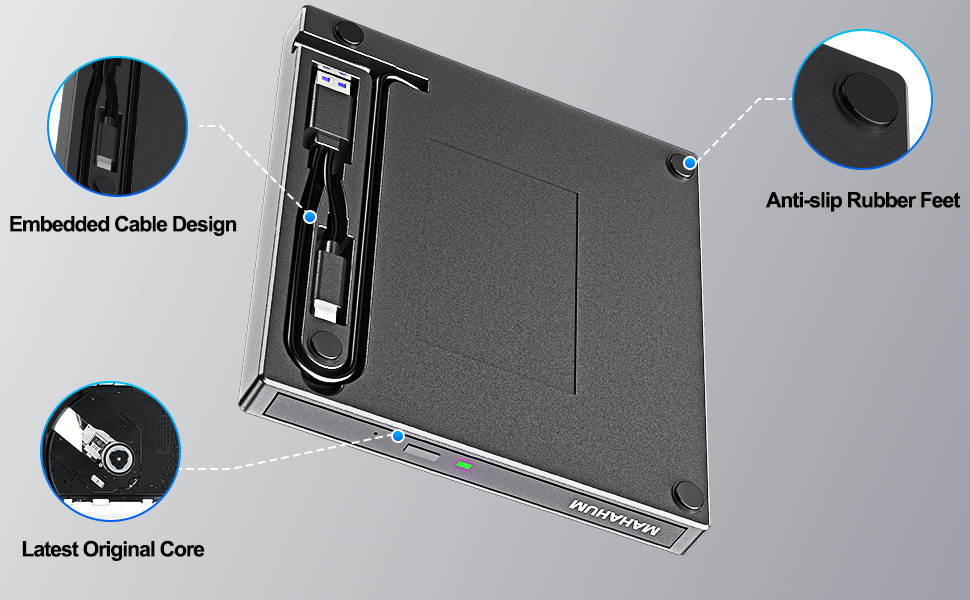
adopts military-grade shock-resistant structure. Teachers' classroom presentations, business people's data backup, students' software calls... USB cable hidden storage design, so that the professional-grade optical drive is always on standby.
IMPORTANT NOTE: This device does not support Blu-ray playback, and is not compatible with game consoles/car systems/Smart TVs and other devices. It is recommended to use with professional playback software such as VLC.
To be thinner and lighter, the latest laptops provide fewer and fewer ports or even cancel the USB-A port. However, we still need enough USB-A ports to connect external devices like wireless receivers, Bluetooth adapters, wired mice/ keyboards, etc. To address this issue, this 8-in-1 external CD/DVD optical drive also integrates multiple extension USB ports and SD/TF card slots that make it easy for you to access videos from cameras or surveillance systems.
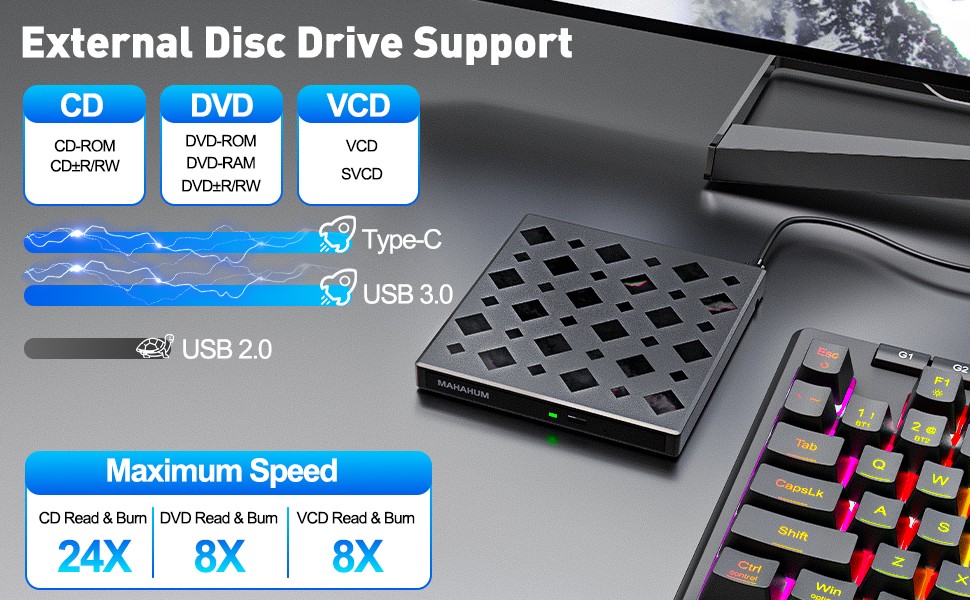
Fast Transmission Professional Compatible
?? True USB3.0 Chip
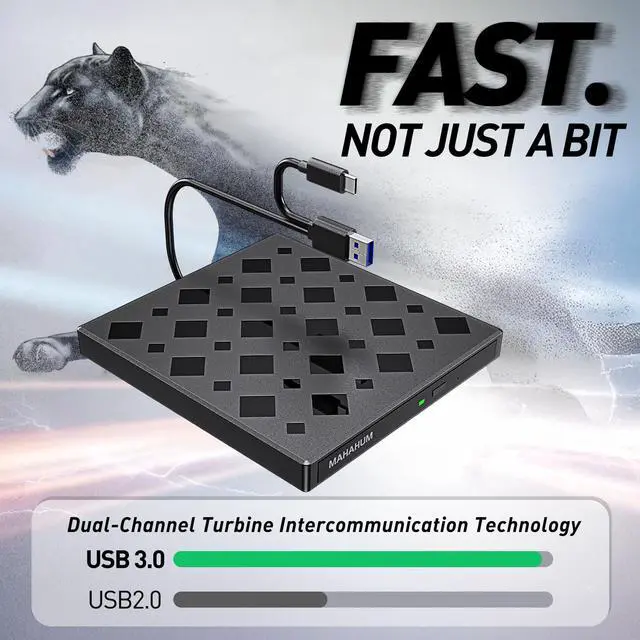
9-pin full protocol interface | Measured 5Gbps rate (˜ USB2.0 10 times) | Intelligent variable speed engine (CD 24X/DVD 8X)
?? Full Format Support
CD: R/RW/±RW | DVD: ±R/±RW/RAM/DL
*Support JPEG/RAW and other 45+ formats (professional software required)
?? Gold Burning Parameters
CD: Recommended 4X-10X | DVD: Stable 4X-8X
*Low Speed Mode Guarantees Data Integrity
?? Plug & Play Win/Mac/Linux automatic recognition | *Not compatible with Blu-ray/Encrypted Discs
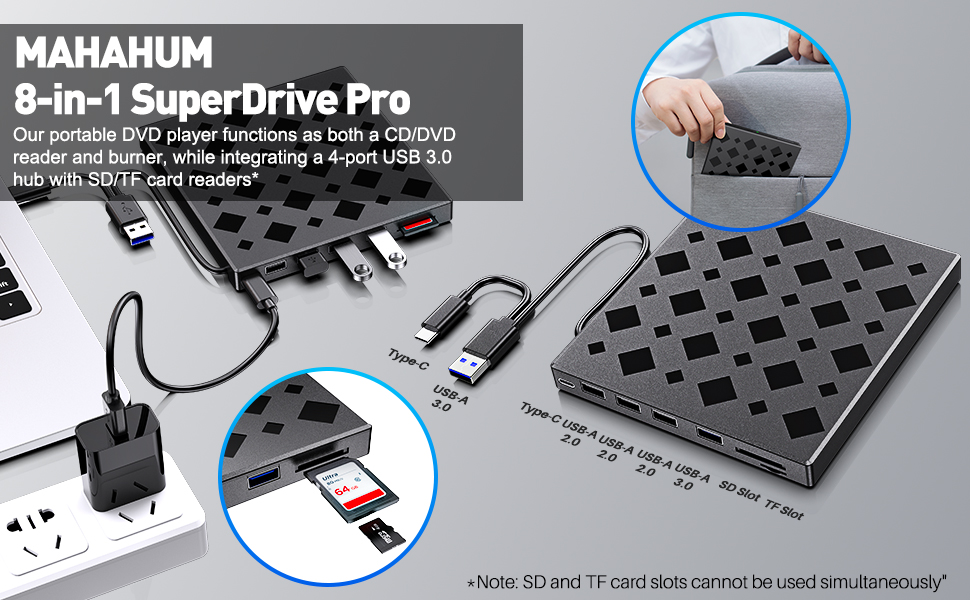
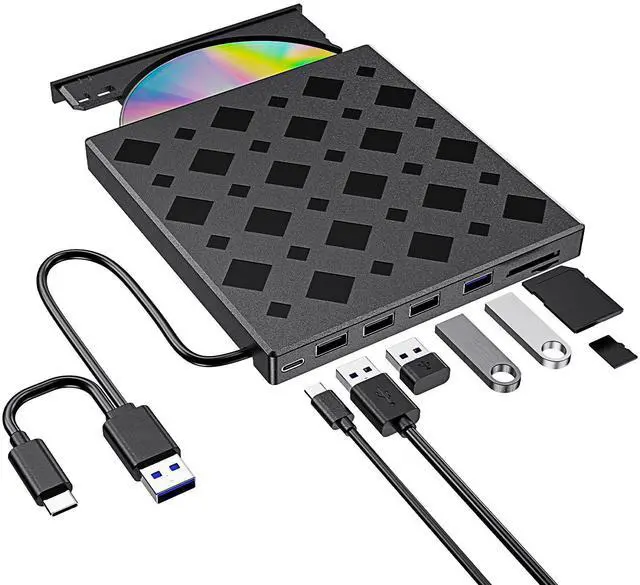
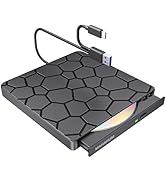
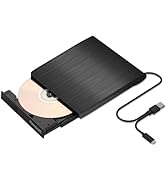
The data cable embedded under the drive has USB 3.0 & USB-C two kinds of connectors on the end, making it easier to connect different laptop or desktop computers without an adapter required and no worries about losing the data cable.
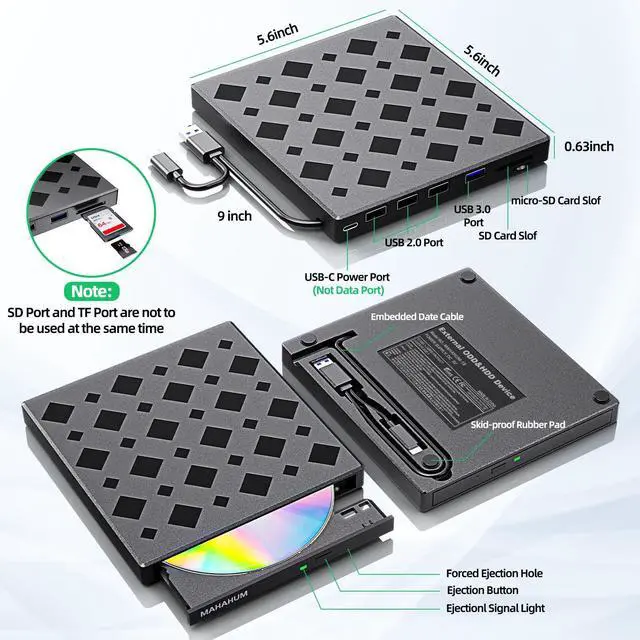
* Due to the limitation of the design, the data cable length is about 27 cm/ 10.6 inches.
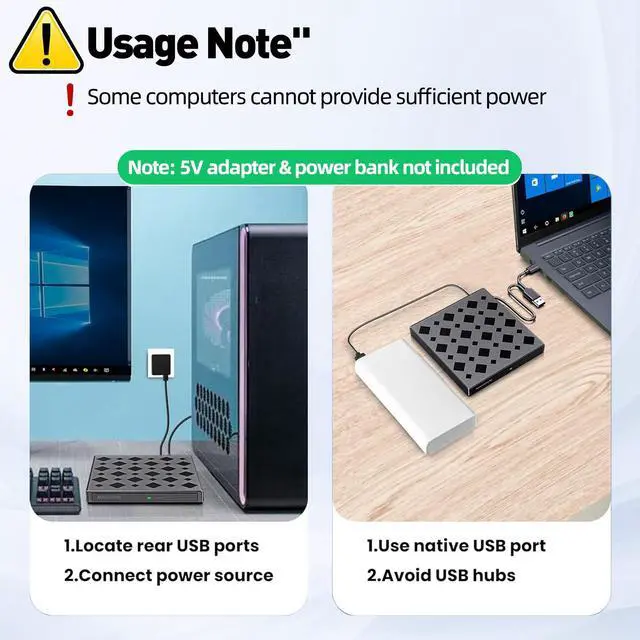
In addition to the data cable, this drive also comes with a USB to micro-USB power supply cord. If the USB ports on your computer cannot supply enough power via a single data cable, you can connect this separate power supply cord to a 5V USB power bank or power adapter to ensure sufficient power supply.
* The power cord is not a data cable, avoid using it independently.
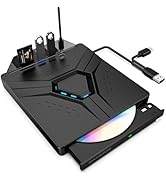
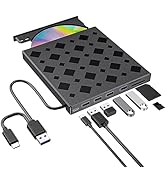
It's not only a CD/DVD optical drive burner but also equipped with additional 3 USB 2.0 ports, 1 USB 3.0 port, 1x SD card slot, and 1 micro-SD card reader to hook up your other external devices and SD/micro-SD card, alleviating the trouble of insufficient interfaces on your computer.
* SD card slot and micro-SD card slot cannot be used at the same time.
Compact and portable design, making it easy to take with you wherever you go (home, office, or on the go). Ensures your device is protected from dust, water, and drops.
Package Contains: 1*External CD/DVD Drive + 1*User Manual + 1*USB-A to USB-C Power Supply Cord
Recommended Free Software (Windows & macOS)
1. Play CDs/DVDs:
- VLC Media Player (cross-platform, supports CD & DVD playback)
- 5KPlayer (HD video playback support for DVD)
- Kodi (open source media center, supports DVD navigation)
- MPlayerX (for Mac, supports CD/DVD)
2. Burn CDs/DVDs:
- CDBurnerXP (for Windows, audio/data/video burning)
- BurnAware Free (for Windows, simple interface)
- ImgBurn (powerful burning tool for Windows) - Burn (for Mac, lightweight and useful)
3. Rip CDs/DVDs:
- HandBrake (cross-platform, extracts video DVD content)
- MakeMKV (cross-platform, DVD to HD MKV)
- Exact Audio Copy (EAC) (for Windows, rip audio CDs)
- Fre:ac (for Windows and Mac, rip audio CDs with format conversion)
How to Use (Windows & Mac)
Plug the built-in USB cable (located underneath the drive) into your device’s USB-A or USB-C port, or connect via a self-powered USB hub. If needed, use the included power cable with a USB power adapter or power bank for extra stability.
On Windows, the driver will install automatically (Windows 11 requires internet access). Once completed, a “DVD RW” icon will appear in File Explorer. On Mac, the drive will show up in Finder or the desktop.
Insert your CD or DVD. To play movie DVDs, Windows users may need to set the region code to Region 1 (USA/Canada). CDs do not require region settings.
Use your preferred software to play, burn, or rip discs. Press the eject button on the drive or use the system command to remove the disc.
MAHAHUM 8-in-1External CD/DVD Drive: A Digital Bridge Back in Time
In today's world of ultra-thin laptops, the MAHAHUM external CD/DVD drive bridges the digital gap between your treasured 90's music albums and movie collection. This all-in-one device for playback, burning, transcoding, and backup brings classic media to life in the modern digital world.
Multi-scenario application
Music Rebirth: Convert old music CDs to MP3 format to create an exclusive digital music library
Image Legacy: Digitize home video DVDs to permanently preserve precious memories
Data Management: Supports 12 media formats such as CD-R/RW, DVD±R/RW, etc., to backup photos/documents/systems
Software Installation: Easily read all kinds of installation discs to solve the pain point of ultra-thin book expansion
Extreme Connected Experience
v 5Gbps transfer rate|DVD 8X/CD 24X read/write speed
v Plug and Play: Windows/Mac/Linux platform automatic recognition (*Not compatible with Chrome OS)
Mobile Office Companion
adopts military-grade shock-resistant structure. Teachers' classroom presentations, business people's data backup, students' software calls... USB cable hidden storage design, so that the professional-grade optical drive is always on standby.
IMPORTANT NOTE: This device does not support Blu-ray playback, and is not compatible with game consoles/car systems/Smart TVs and other devices. It is recommended to use with professional playback software such as VLC.
To be thinner and lighter, the latest laptops provide fewer and fewer ports or even cancel the USB-A port. However, we still need enough USB-A ports to connect external devices like wireless receivers, Bluetooth adapters, wired mice/ keyboards, etc. To address this issue, this 8-in-1 external CD/DVD optical drive also integrates multiple extension USB ports and SD/TF card slots that make it easy for you to access videos from cameras or surveillance systems.
Fast Transmission Professional Compatible
?? True USB3.0 Chip
9-pin full protocol interface | Measured 5Gbps rate (˜ USB2.0 10 times) | Intelligent variable speed engine (CD 24X/DVD 8X)
?? Full Format Support
CD: R/RW/±RW | DVD: ±R/±RW/RAM/DL
*Support JPEG/RAW and other 45+ formats (professional software required)
?? Gold Burning Parameters
CD: Recommended 4X-10X | DVD: Stable 4X-8X
*Low Speed Mode Guarantees Data Integrity
?? Plug & Play Win/Mac/Linux automatic recognition | *Not compatible with Blu-ray/Encrypted Discs
The data cable embedded under the drive has USB 3.0 & USB-C two kinds of connectors on the end, making it easier to connect different laptop or desktop computers without an adapter required and no worries about losing the data cable.
* Due to the limitation of the design, the data cable length is about 27 cm/ 10.6 inches.
In addition to the data cable, this drive also comes with a USB to micro-USB power supply cord. If the USB ports on your computer cannot supply enough power via a single data cable, you can connect this separate power supply cord to a 5V USB power bank or power adapter to ensure sufficient power supply.
* The power cord is not a data cable, avoid using it independently.
It's not only a CD/DVD optical drive burner but also equipped with additional 3 USB 2.0 ports, 1 USB 3.0 port, 1x SD card slot, and 1 micro-SD card reader to hook up your other external devices and SD/micro-SD card, alleviating the trouble of insufficient interfaces on your computer.
* SD card slot and micro-SD card slot cannot be used at the same time.
Compact and portable design, making it easy to take with you wherever you go (home, office, or on the go). Ensures your device is protected from dust, water, and drops.
Package Contains: 1*External CD/DVD Drive + 1*User Manual + 1*USB-A to USB-C Power Supply Cord
Recommended Free Software (Windows & macOS)
1. Play CDs/DVDs:
- VLC Media Player (cross-platform, supports CD & DVD playback)
- 5KPlayer (HD video playback support for DVD)
- Kodi (open source media center, supports DVD navigation)
- MPlayerX (for Mac, supports CD/DVD)
2. Burn CDs/DVDs:
- CDBurnerXP (for Windows, audio/data/video burning)
- BurnAware Free (for Windows, simple interface)
- ImgBurn (powerful burning tool for Windows) - Burn (for Mac, lightweight and useful)
3. Rip CDs/DVDs:
- HandBrake (cross-platform, extracts video DVD content)
- MakeMKV (cross-platform, DVD to HD MKV)
- Exact Audio Copy (EAC) (for Windows, rip audio CDs)
- Fre:ac (for Windows and Mac, rip audio CDs with format conversion)
How to Use (Windows & Mac)
Plug the built-in USB cable (located underneath the drive) into your device’s USB-A or USB-C port, or connect via a self-powered USB hub. If needed, use the included power cable with a USB power adapter or power bank for extra stability.
On Windows, the driver will install automatically (Windows 11 requires internet access). Once completed, a “DVD RW” icon will appear in File Explorer. On Mac, the drive will show up in Finder or the desktop.
Insert your CD or DVD. To play movie DVDs, Windows users may need to set the region code to Region 1 (USA/Canada). CDs do not require region settings.
Use your preferred software to play, burn, or rip discs. Press the eject button on the drive or use the system command to remove the disc.
MAHAHUM External Optical Drive
MAHAHUM External Optical Drive
???????
Founded in 2015, MAHAHUM was born from our own struggle to access old data on CDs and DVDs. We created a simple, reliable bridge to the past, ensuring no digital memory is ever lost.
????????????
n a cloud-first world, we champion accessibility. MAHAHUM offers universal plug-and-play compatibility in a minimalist, durable design. It's not just a drive; it's your trusted data time machine.
?????????????
We love preserving stories. The joy of helping someone recover a childhood photo or finish a legacy project is irreplaceable. We are passionate about connecting past and present.