




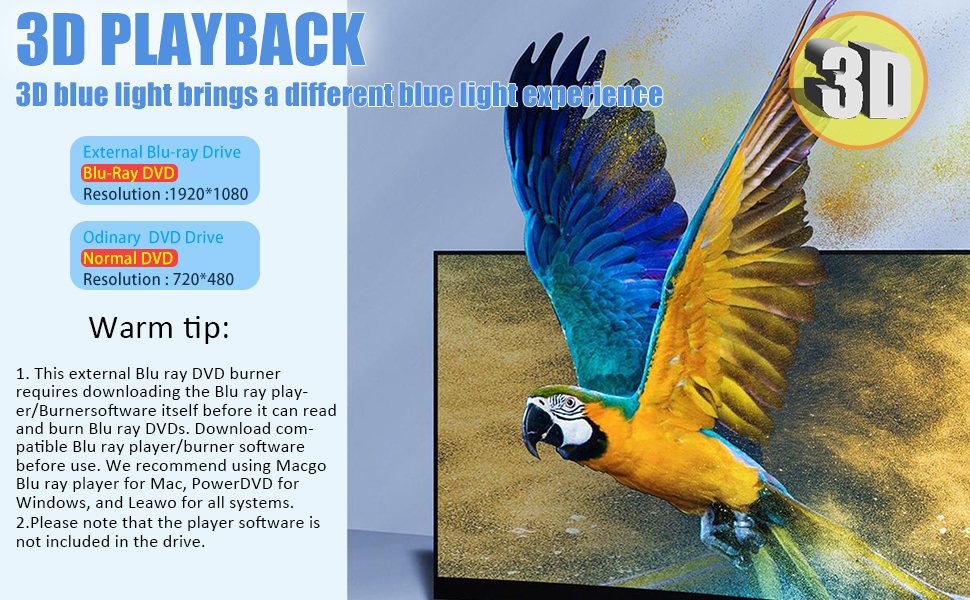
Important Setup Requirement:
This external Blu-ray/DVD burner requires separate installation of compatible Blu-ray playback/burning software to read or burn discs. The necessary software is not included with the hardware.
Compatible Software Options:
For Mac computers: Macgo Blu-ray Player
For Windows computers: PowerDVD(Only applicable to Blu ray discs, not suitable for regular CD/DVD discs),VLC media player (Both Blu ray and regular CD/DVD are supported, only Windows systems is supported, Mac systems is not supported)
For both Mac and Windows systems: Leawo Blu-ray Player
Using a Blu-ray Drive with Your MacBook? Here’s What You Need to Know:
- Power Matters Blu-ray drives need more power than USB ports usually provide. For best results: ? Plug the drive directly into your MacBook’s USB-C port (not through hubs/docks). ? If using a dock, ensure it’s externally powered. ? For dual-connector USB-A drives: plug both cables into power sources.
- Software Is Essential macOS doesn’t support commercial Blu-ray movie playback. You’ll need third-party software (like MakeMKV or VLC with plugins) to play movies or read certain discs.
- Quick Checks if Issues Persist: ? Test with a DVD/CD first ? then try another Blu-ray disc. ? Check Disk Utility to see if the drive/disc appears. ? Try a different USB-C port or another computer.
High-Performance
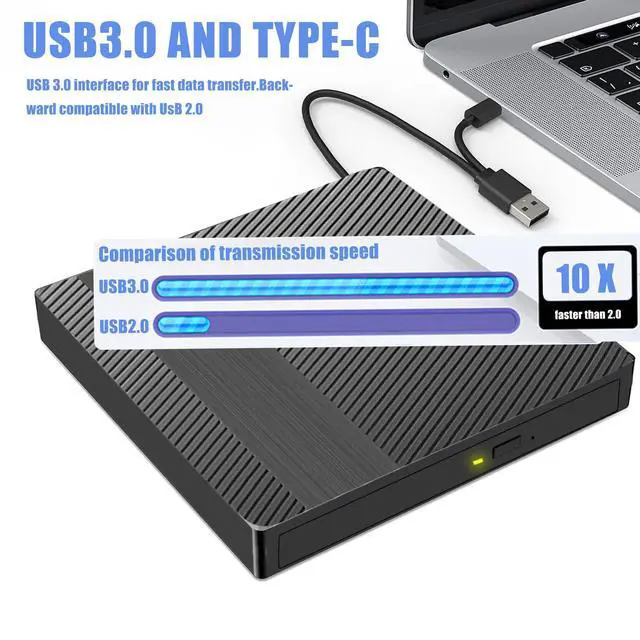
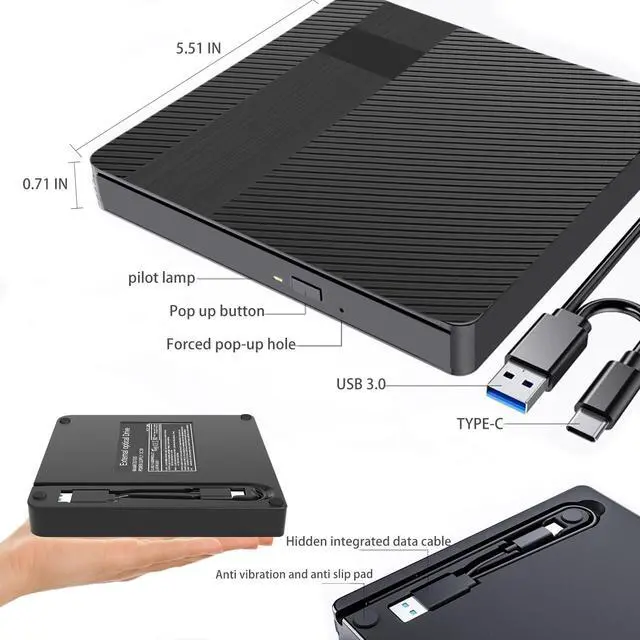
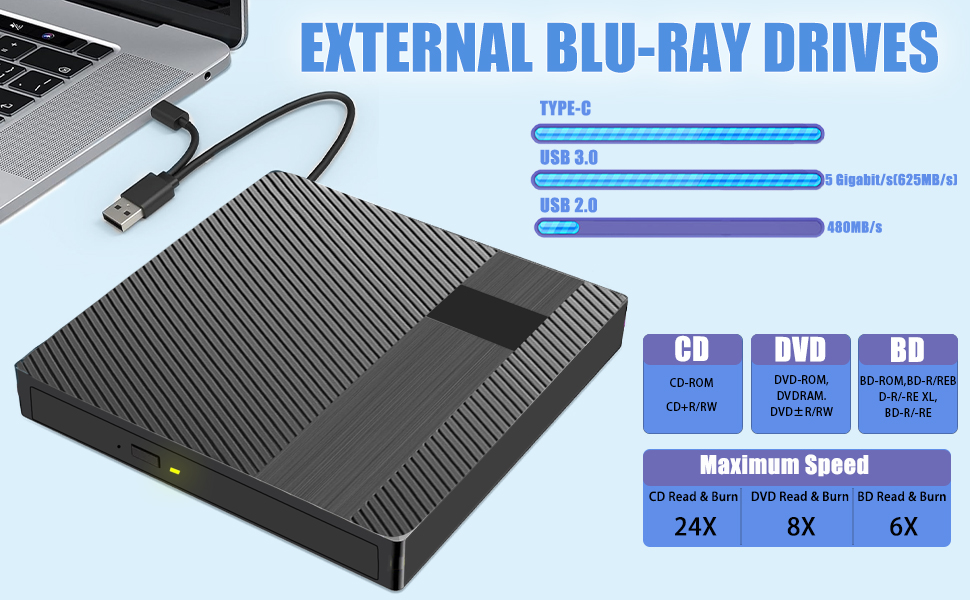
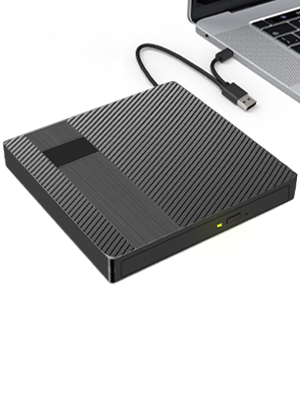
External Blu-ray drives feature the latest original core to ensure superior performance and reliability. It also has an advanced high-speed 3.0 interface with a maximum transfer rate of 5Gbps. The Type-C interface design of this hard drive offers strong error correction, impact resistance, low noise and low power consumption, making it ideal for any user who values speed and convenience.
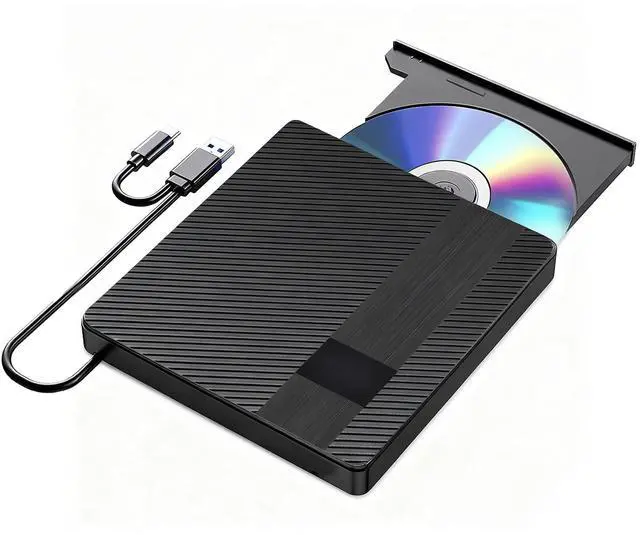
Portable External Blu Ray Drive
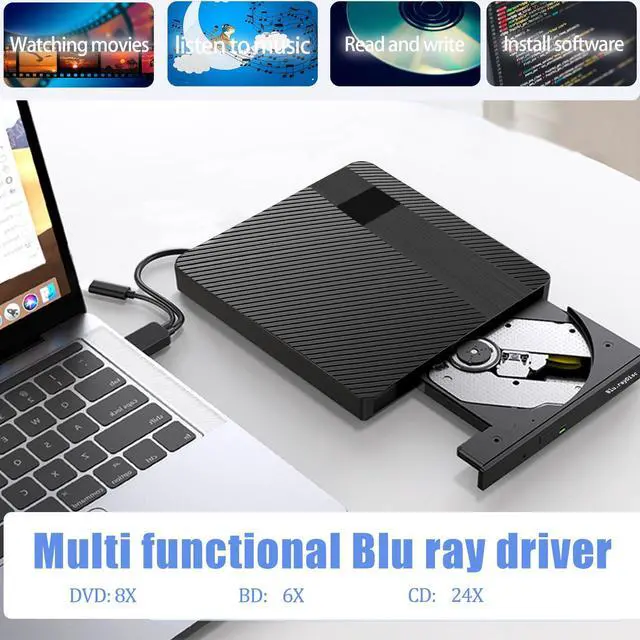
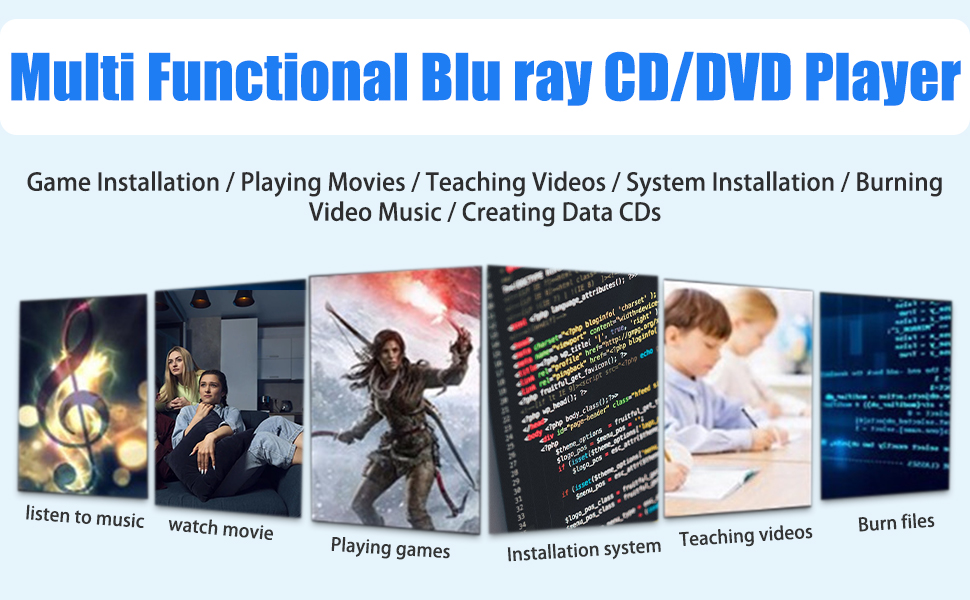
Suitable for home/office/watching movies/listening to music/installing software/playing games
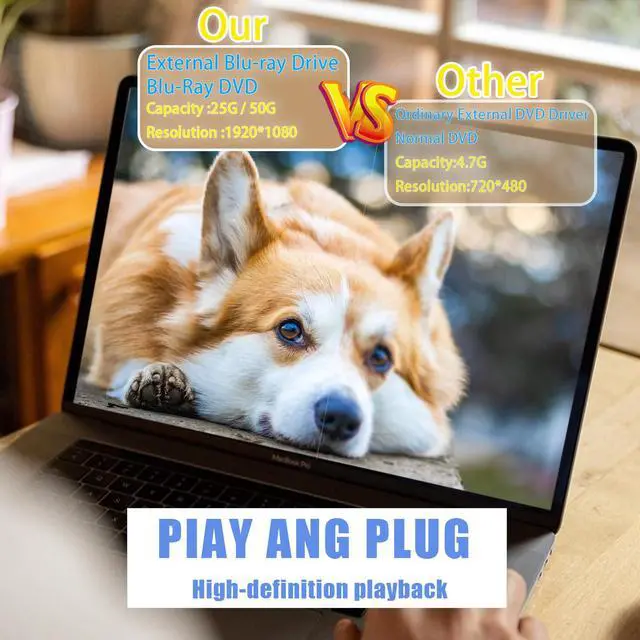
With this Blu-ray drive, you can enjoy up to 6x lightning-fast Blu-ray read speeds, up to 8x DVD read speeds and up to 24x CD read speeds. It also supports 25G/50G BD, 8.5G/4.7G DVD and 700MB CD burning.
Attention: Burning and playing BD/DVD/CDs require downloading software
- Read Speed:
- DVD-ROM: 8X;CD-ROM: 24X;BD-ROM: 2.0X (for Video)/ Max 6X (for Data)
- Writing Speed:
- CD-R: 24X, CD-RW: 16X;DVD-R: 8X, DVD-R DL: 6X, DVD-RW: 6X, DVD R: 8X, DVD R DL: 6X, DVD RW: 8X, DVD-RAM: 3X-5X PCAV (4.7GB)
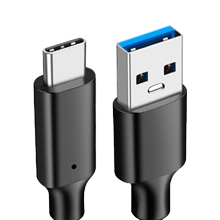
Type-c and USB 3.0 Transmission
USB3.0interface for data transfer.Backward compatible with USB2.0

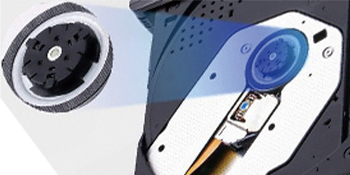
Silent design
Enjoy the tranquility of the night and listen to the experience brought by stillness
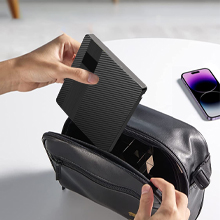
Portable
Small enough to fit easily in a bag
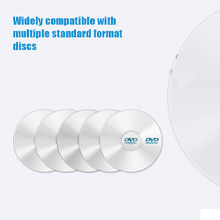
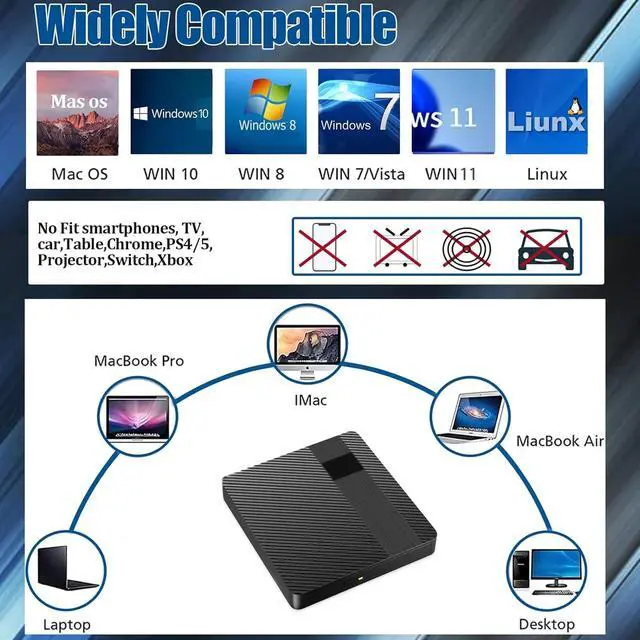
Widely compatible
Easily read BD, CD, DVD, VCD, EVD, CD-R, CD-RW, DVD-RW, DVD, DVD, RW-DVR-RDL and other standard format discs
Tip: The main difference between Blu ray and regular optical drives is that Blu ray drives can recognize, read, and play Blu ray discs, but regular optical drives cannot recognize, read, and play Blu ray discs.
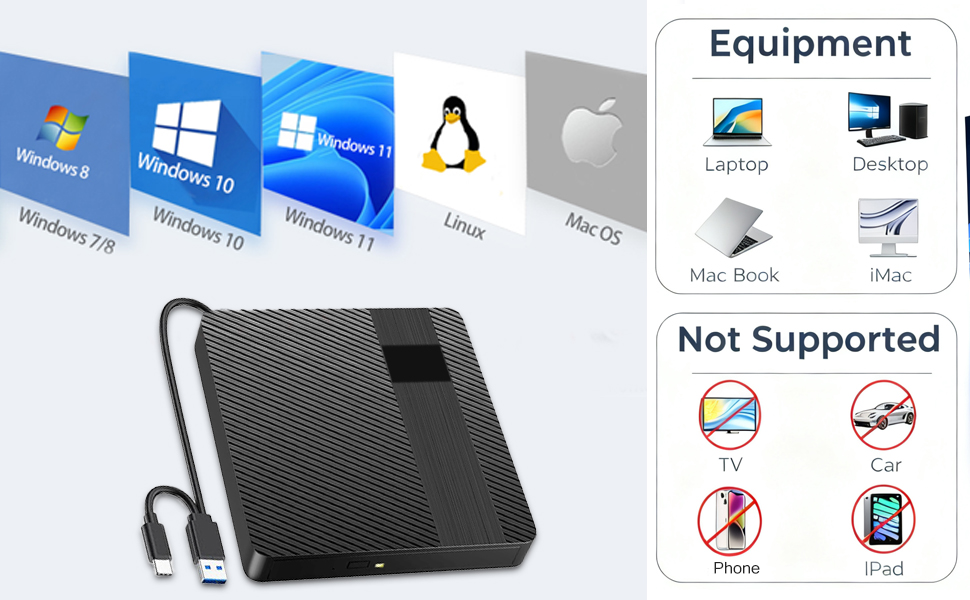
SYSTEM REQUIREMENTS
PC
- Intel/AMD CPU 1.6 GHz or faster
- USB 3.0- or USB 2.0-Interface
- At least 2 GB of free hard disk space (10 GB recommended)
- Operating systems: Windows 10, 8 and 7
MAC
- PowerPC G5 or Intel Mac
- USB 2.0-or USB 3.0-Interface
- At least 2 GB of free hard disk space (10 GB recommended)
- Operating system: Mac OS X 10.4.8 or higher
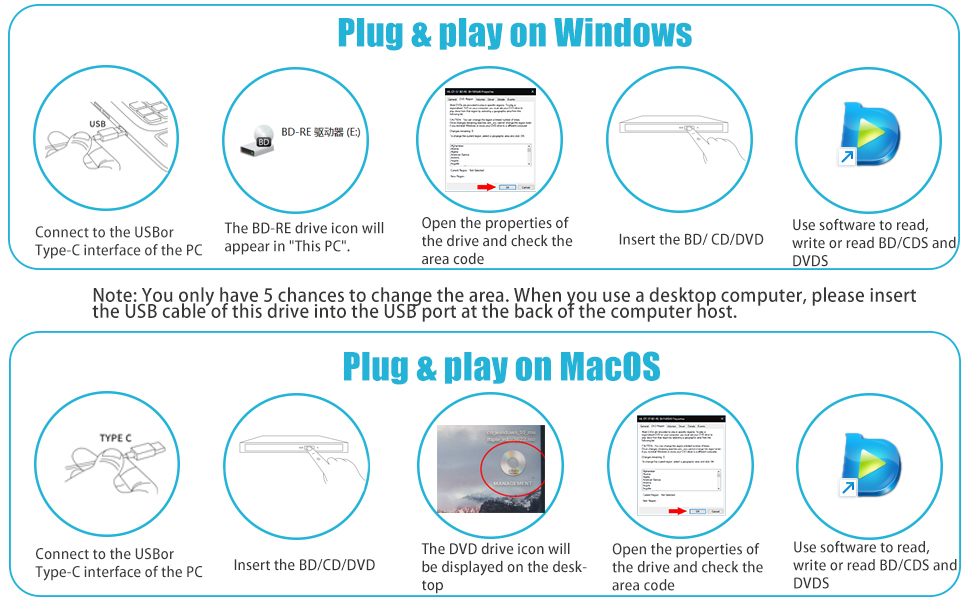
If the above four preconditions are ready, you can use the drive by the following instructions
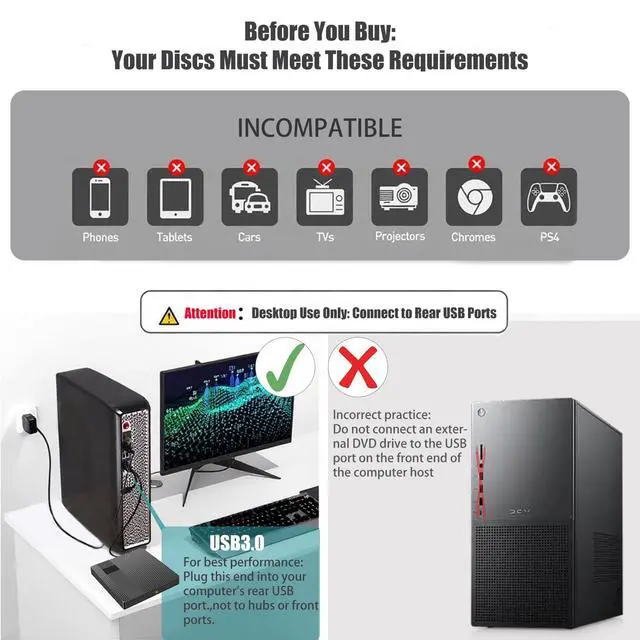
1. Connect to your computer: select an appropriate USB or TYPE C data cable for the port of your computer. USB 3.0 is the first choice when your computer offers USB 3.0 and USB 2.0 together. Meanwhile, insert the charging cable into the other USB port (lf the computer is sufficient enough to supply power, charging cable isnot necessary to insert in,but we strongly recommend you use two cablestogether).Install driver automatically:lt takes 5-8 seconds to install driver, then itbegins to serve.
2. Eject the disc tray:press the 'ejection’ button to eject the disc tray. Put in aproper disc and push it into the drive to read.(Attention:For Mac OS,you can NO]eject the disc tray by the button, you NEED eject by your computer mouse, right click on the icon,then choose the eject button on the menu).
3. Play a disc: put the disc into the drive, The computer will show the disc icon(Attention: For Mac OS,the icon won't appear unless you put a disc into the drivethe drive will work automatically, then you can see the drive icon on the desktop Click the right button of your mouse and open it via a player (you'd better copy the file from the Blu-ray disc to your computer, because playing disc directly via thedrive may damage the disc and drive).
Note:It's recommended to use the professional BD player 'PowerDVD10-19’(it needs an extra purchase and downloading. For Mac OS, Macgo blu rayplayer is recommended)
4.Burn a disc: put a blank disc into the drive, When the disc icon appears on your computer, open the burning software. Drag or copy the file to the burning area.Click 'burn’ to begin burning (lf the file storage is too big, be patient because it takes a longer time to burn).
Note:It's recommended to use the burning software 'Nero’(it needs an extrapurchase) and the disc should be burnable.
Important Setup Requirement:
This external Blu-ray/DVD burner requires separate installation of compatible Blu-ray playback/burning software to read or burn discs. The necessary software is not included with the hardware.
Compatible Software Options:
For Mac computers: Macgo Blu-ray Player
For Windows computers: PowerDVD(Only applicable to Blu ray discs, not suitable for regular CD/DVD discs),VLC media player (Both Blu ray and regular CD/DVD are supported, only Windows systems is supported, Mac systems is not supported)
For both Mac and Windows systems: Leawo Blu-ray Player
Using a Blu-ray Drive with Your MacBook? Here’s What You Need to Know:
- Power Matters Blu-ray drives need more power than USB ports usually provide. For best results: ? Plug the drive directly into your MacBook’s USB-C port (not through hubs/docks). ? If using a dock, ensure it’s externally powered. ? For dual-connector USB-A drives: plug both cables into power sources.
- Software Is Essential macOS doesn’t support commercial Blu-ray movie playback. You’ll need third-party software (like MakeMKV or VLC with plugins) to play movies or read certain discs.
- Quick Checks if Issues Persist: ? Test with a DVD/CD first ? then try another Blu-ray disc. ? Check Disk Utility to see if the drive/disc appears. ? Try a different USB-C port or another computer.
Portable External Blu Ray Drive
High-Performance
External Blu-ray drives feature the latest original core to ensure superior performance and reliability. It also has an advanced high-speed 3.0 interface with a maximum transfer rate of 5Gbps. The Type-C interface design of this hard drive offers strong error correction, impact resistance, low noise and low power consumption, making it ideal for any user who values speed and convenience.
Suitable for home/office/watching movies/listening to music/installing software/playing games
With this Blu-ray drive, you can enjoy up to 6x lightning-fast Blu-ray read speeds, up to 8x DVD read speeds and up to 24x CD read speeds. It also supports 25G/50G BD, 8.5G/4.7G DVD and 700MB CD burning.
Attention: Burning and playing BD/DVD/CDs require downloading software
- Read Speed:
- DVD-ROM: 8X;CD-ROM: 24X;BD-ROM: 2.0X (for Video)/ Max 6X (for Data)
- Writing Speed:
- CD-R: 24X, CD-RW: 16X;DVD-R: 8X, DVD-R DL: 6X, DVD-RW: 6X, DVD R: 8X, DVD R DL: 6X, DVD RW: 8X, DVD-RAM: 3X-5X PCAV (4.7GB)
Type-c and USB 3.0 Transmission
USB3.0interface for data transfer.Backward compatible with USB2.0
Silent design
Enjoy the tranquility of the night and listen to the experience brought by stillness
Portable
Small enough to fit easily in a bag
Widely compatible
Easily read BD, CD, DVD, VCD, EVD, CD-R, CD-RW, DVD-RW, DVD, DVD, RW-DVR-RDL and other standard format discs
Tip: The main difference between Blu ray and regular optical drives is that Blu ray drives can recognize, read, and play Blu ray discs, but regular optical drives cannot recognize, read, and play Blu ray discs.
SYSTEM REQUIREMENTS
PC
- Intel/AMD CPU 1.6 GHz or faster
- USB 3.0- or USB 2.0-Interface
- At least 2 GB of free hard disk space (10 GB recommended)
- Operating systems: Windows 10, 8 and 7
MAC
- PowerPC G5 or Intel Mac
- USB 2.0-or USB 3.0-Interface
- At least 2 GB of free hard disk space (10 GB recommended)
- Operating system: Mac OS X 10.4.8 or higher
If the above four preconditions are ready, you can use the drive by the following instructions
1. Connect to your computer: select an appropriate USB or TYPE C data cable for the port of your computer. USB 3.0 is the first choice when your computer offers USB 3.0 and USB 2.0 together. Meanwhile, insert the charging cable into the other USB port (lf the computer is sufficient enough to supply power, charging cable isnot necessary to insert in,but we strongly recommend you use two cablestogether).Install driver automatically:lt takes 5-8 seconds to install driver, then itbegins to serve.
2. Eject the disc tray:press the 'ejection’ button to eject the disc tray. Put in aproper disc and push it into the drive to read.(Attention:For Mac OS,you can NO]eject the disc tray by the button, you NEED eject by your computer mouse, right click on the icon,then choose the eject button on the menu).
3. Play a disc: put the disc into the drive, The computer will show the disc icon(Attention: For Mac OS,the icon won't appear unless you put a disc into the drivethe drive will work automatically, then you can see the drive icon on the desktop Click the right button of your mouse and open it via a player (you'd better copy the file from the Blu-ray disc to your computer, because playing disc directly via thedrive may damage the disc and drive).
Note:It's recommended to use the professional BD player 'PowerDVD10-19’(it needs an extra purchase and downloading. For Mac OS, Macgo blu rayplayer is recommended)
4.Burn a disc: put a blank disc into the drive, When the disc icon appears on your computer, open the burning software. Drag or copy the file to the burning area.Click 'burn’ to begin burning (lf the file storage is too big, be patient because it takes a longer time to burn).
Note:It's recommended to use the burning software 'Nero’(it needs an extrapurchase) and the disc should be burnable.