






- Professional optical drive manufacturing experience ensures reliable quality.
- We are committed to providing consumers with stylish, high quality and affordable products.
- Our main products are cd dvd drives and players.We focus not only on the function of our products, but also on the choice of materials to extend the durability of our products, aiming to bring high quality mobile computer accessories.
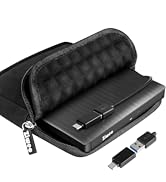
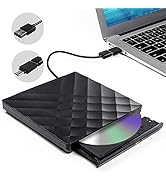
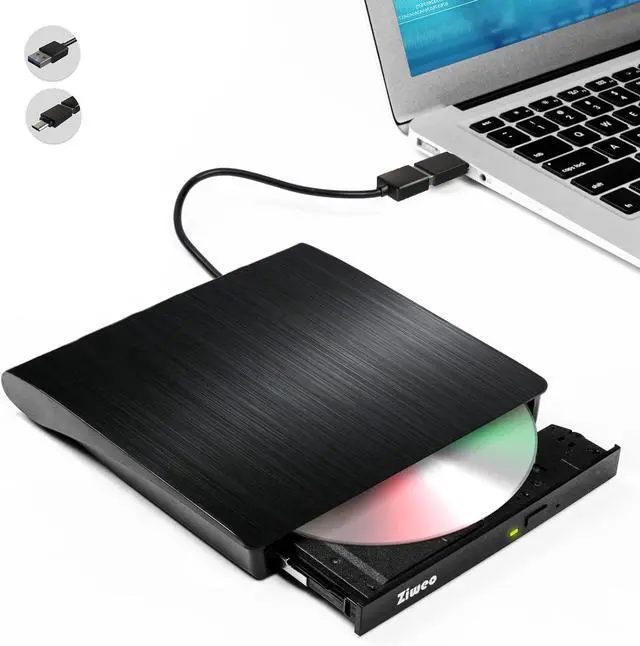
External CD DVD Drive Player
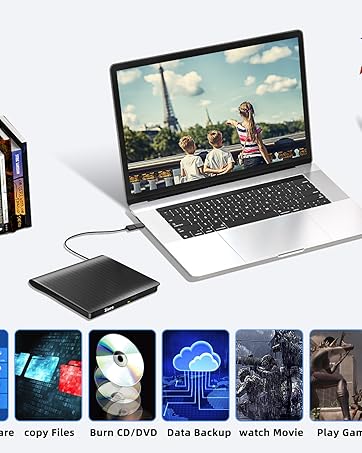


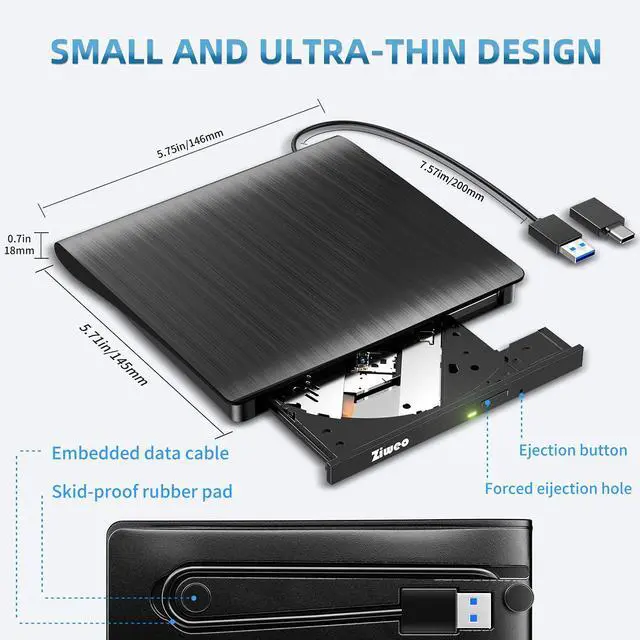
Ultra-Portable & Compact Design
Slim, lightweight, durable—shock-resistant and fault-tolerant. With a built-in USB cable, it slips easily into your travel bag, an essential companion for DVD lovers, usable anytime, anywhere. High-speed Type-C and USB 3.0 interfaces, backward compatible with USB 2.0/1.0 for seamless connectivity.

Tips:
1. This is a universal extermal CD/DyD drive, can't play Blu-ray discs,and can't be used with Ty, car, smartphone.
2. When using this usb cvd drive, please connect the external power of your laptop.
3. Due to the limitation of Chrome Os, this external cd & dvd drives can't be used with Chrome Os and Chromebook
4. Before using external disk drive,please make sure your computer has "Media Player".
5. if you find the external CD/DVD drive is a bit slow to start, please wait 5-10 seconds
6. Windows 10 system recommend to install VLC Media player to play DVD and CD.
7. We recommend you to download 3.0 driver for windows 10, then it will work.
8. For desktop, please connect the device to the US8 port on the motherboard for normal use.
9. lf your windows 10 is delayed in booting, please connect both Us8 3.0 cable and power cable to make sure it has enough power.
Package included:1x User Manual1xUSB CD/DVD Drive1xUSB 3.0 Adapter1xType C Adapter NOTE: If any problem occurs after purchase, please feel free to ask for help and handle your issue.
Portable USB DVD Drive - Important Notes
Compatible only with computers; does not support cars, TVs, projectors, tablets, smartphones, or other non-computer devices.
Ensure your laptop has sufficient power—low power may cause recognition failure.
Portable USB DVD Drive - Important Notes
Connect the device directly to your computer’s USB port. For desktops, use the USB port on the back panel.
For macOS: Eject discs via Mac commands. The DVD drive icon will appear once the disc is successfully read.
Portable USB DVD Drive - Important Notes
Requires 3V-5V (1.3A-2A) output from your computer’s USB port.
Keep the external CD/DVD drive away from magnetic objects.
The internal laser light is harmful to eyes—do not look directly at it.
Is this disc burner compatible with Blu-ray discs?
This USB DVD drive is a standard CD burner—not a Blu-ray drive, so it does not support Blu-ray discs. Plug-and-play functionality for instant use.
What precautions should be taken before use?
Before using discs, install required software: drivers, media players (VLC Media Player, KMPlayer) and burning tools (BurnAware Free, Nero). Confirm the external drive’s correct region code (max 5 changes). Do not insert scratched or warped discs.


Ultra-Portable & Compact Design
Slim, lightweight, durable—shock-resistant and fault-tolerant. With a built-in USB cable, it slips easily into your travel bag, an essential companion for DVD lovers, usable anytime, anywhere. High-speed Type-C and USB 3.0 interfaces, backward compatible with USB 2.0/1.0 for seamless connectivity.

Tips:
1. This is a universal extermal CD/DyD drive, can't play Blu-ray discs,and can't be used with Ty, car, smartphone.
2. When using this usb cvd drive, please connect the external power of your laptop.
3. Due to the limitation of Chrome Os, this external cd & dvd drives can't be used with Chrome Os and Chromebook
4. Before using external disk drive,please make sure your computer has "Media Player".
5. if you find the external CD/DVD drive is a bit slow to start, please wait 5-10 seconds
6. Windows 10 system recommend to install VLC Media player to play DVD and CD.
7. We recommend you to download 3.0 driver for windows 10, then it will work.
8. For desktop, please connect the device to the US8 port on the motherboard for normal use.
9. lf your windows 10 is delayed in booting, please connect both Us8 3.0 cable and power cable to make sure it has enough power.
Package included:1x User Manual1xUSB CD/DVD Drive1xUSB 3.0 Adapter1xType C Adapter NOTE: If any problem occurs after purchase, please feel free to ask for help and handle your issue.
Portable USB DVD Drive - Important Notes
Compatible only with computers; does not support cars, TVs, projectors, tablets, smartphones, or other non-computer devices.
Ensure your laptop has sufficient power—low power may cause recognition failure.
Portable USB DVD Drive - Important Notes
Connect the device directly to your computer’s USB port. For desktops, use the USB port on the back panel.
For macOS: Eject discs via Mac commands. The DVD drive icon will appear once the disc is successfully read.
Portable USB DVD Drive - Important Notes
Requires 3V-5V (1.3A-2A) output from your computer’s USB port.
Keep the external CD/DVD drive away from magnetic objects.
The internal laser light is harmful to eyes—do not look directly at it.
Is this disc burner compatible with Blu-ray discs?
This USB DVD drive is a standard CD burner—not a Blu-ray drive, so it does not support Blu-ray discs. Plug-and-play functionality for instant use.
What precautions should be taken before use?
Before using discs, install required software: drivers, media players (VLC Media Player, KMPlayer) and burning tools (BurnAware Free, Nero). Confirm the external drive’s correct region code (max 5 changes). Do not insert scratched or warped discs.
- Professional optical drive manufacturing experience ensures reliable quality.
- We are committed to providing consumers with stylish, high quality and affordable products.
- Our main products are cd dvd drives and players.We focus not only on the function of our products, but also on the choice of materials to extend the durability of our products, aiming to bring high quality mobile computer accessories.
External CD DVD Drive Player