








??????????????????: ???????????? ???????? ???????????? ????????????????
1. Audio Output Only (No Microphone / No Charging)
This is a 3-Pole TRS jack, not a 4-pole TRRS.This cable is designed for audio transmission only. It does NOT support microphone input, phone calls, or in-line volume control.
It does NOT support charging your device.
2. Unidirectional Transmission (One-Way Only)
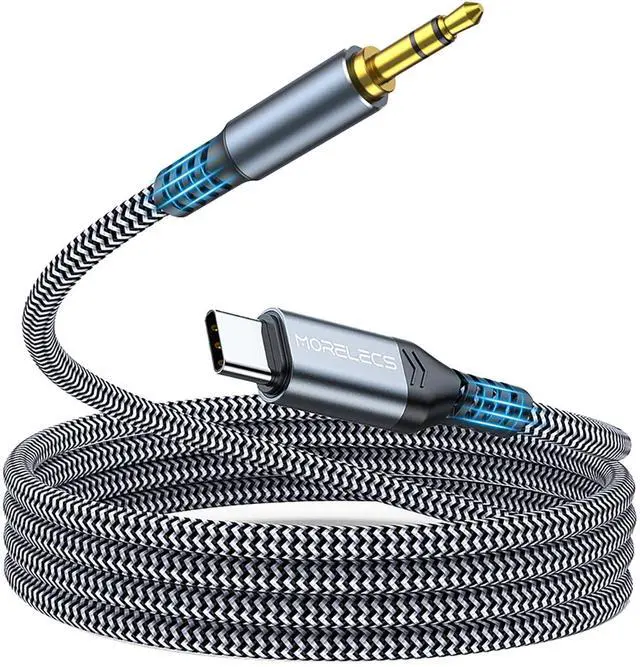
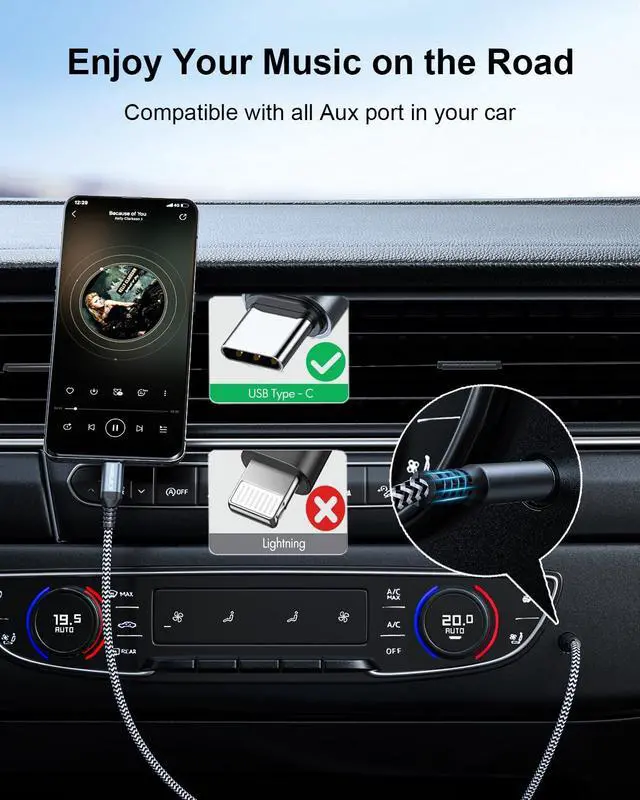
Correct Use: USB-C Phone/Tablet to 3.5mm Car Stereo/Speaker/Headphones.
Incorrect Use: It is NOT bidirectional. You cannot connect a 3.5mm audio source (like an MP3 player) to a USB-C headset.
3. Specific Device Incompatibility
NOT Compatible with AirPods Max: This cable does not work for connecting AirPods Max to non-Apple devices.
NOT for Lightning Devices: Does not fit iPhone 14 / 13 / 12 and older models (Lightning port).
NOT for Recording: Does not support recording audio from a guitar or microphone into a computer.


Will this cable work with my iPhone 14 Pro Max or iPhone 13?
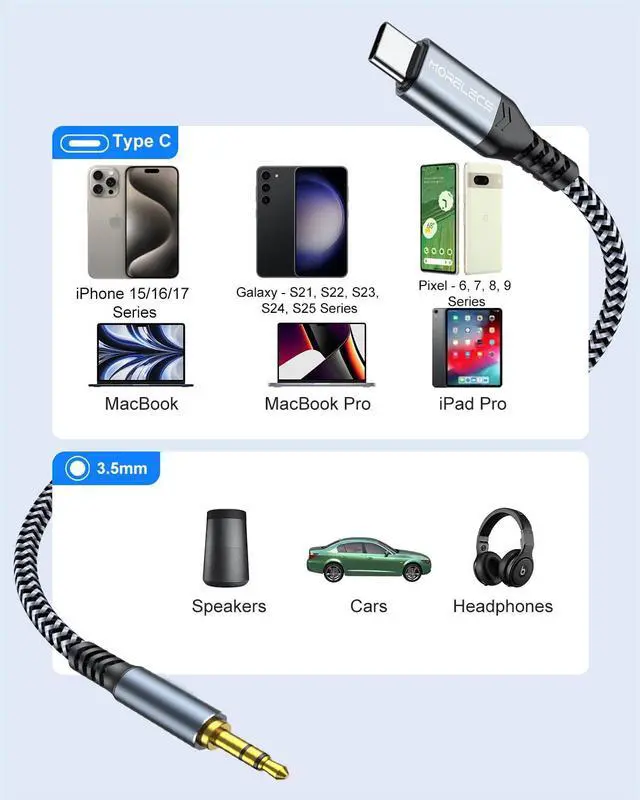
NO, it will NOT fit. The iPhone 14 series (and older) uses a Lightning port. This cable has a USB-C connector, which is designed for the newer iPhone 15 / 16/17 series, iPad Pro/Air (USB-C models), and Android devices.
Can I use this to connect my iPad Air 5 to headphones?
Yes! It is fully compatible with any iPad that features a **USB-C port**, including iPad Pro (2018 and later), iPad Air (4th gen and later), and iPad Mini 6. It allows you to use standard 3.5mm headphones with your USB-C tablet.
Does this work with Samsung Galaxy S24 Ultra ? I heard some cables have DAC errors.
Yes, This cable features a built-in Advanced DAC Chip that is specifically optimized for Samsung Galaxy S25/S24/S23/S22/S21 series. It bypasses the device not supported error and delivers high-fidelity audio directly to your car stereo or headphones.
Does this support **phone calls** or microphone input in the car?
No, this is for Audio Playback ONLY. This cable is designed to stream high-quality music audio from your phone to your car speakers. It does not support microphone input for phone calls. Calls will remain on your phone's speaker or Bluetooth.
Will this cut out if I bump the cord while driving?
No, the USB-C connector is designed for a snug, tight fit to prevent disconnection, even when the car vibrates or the phone moves.
??????????????????: ???????????? ???????? ???????????? ????????????????
1. Audio Output Only (No Microphone / No Charging)
This is a 3-Pole TRS jack, not a 4-pole TRRS.This cable is designed for audio transmission only. It does NOT support microphone input, phone calls, or in-line volume control.
It does NOT support charging your device.
2. Unidirectional Transmission (One-Way Only)
Correct Use: USB-C Phone/Tablet to 3.5mm Car Stereo/Speaker/Headphones.
Incorrect Use: It is NOT bidirectional. You cannot connect a 3.5mm audio source (like an MP3 player) to a USB-C headset.
3. Specific Device Incompatibility
NOT Compatible with AirPods Max: This cable does not work for connecting AirPods Max to non-Apple devices.
NOT for Lightning Devices: Does not fit iPhone 14 / 13 / 12 and older models (Lightning port).
NOT for Recording: Does not support recording audio from a guitar or microphone into a computer.


Will this cable work with my iPhone 14 Pro Max or iPhone 13?
NO, it will NOT fit. The iPhone 14 series (and older) uses a Lightning port. This cable has a USB-C connector, which is designed for the newer iPhone 15 / 16/17 series, iPad Pro/Air (USB-C models), and Android devices.
Can I use this to connect my iPad Air 5 to headphones?
Yes! It is fully compatible with any iPad that features a **USB-C port**, including iPad Pro (2018 and later), iPad Air (4th gen and later), and iPad Mini 6. It allows you to use standard 3.5mm headphones with your USB-C tablet.
Does this work with Samsung Galaxy S24 Ultra ? I heard some cables have DAC errors.
Yes, This cable features a built-in Advanced DAC Chip that is specifically optimized for Samsung Galaxy S25/S24/S23/S22/S21 series. It bypasses the device not supported error and delivers high-fidelity audio directly to your car stereo or headphones.
Does this support **phone calls** or microphone input in the car?
No, this is for Audio Playback ONLY. This cable is designed to stream high-quality music audio from your phone to your car speakers. It does not support microphone input for phone calls. Calls will remain on your phone's speaker or Bluetooth.
Will this cut out if I bump the cord while driving?
No, the USB-C connector is designed for a snug, tight fit to prevent disconnection, even when the car vibrates or the phone moves.