




 here!
I’m your shopping assistant for PC builds, upgrades, and everything tech.
Got questions? Ask away!
Start a conversation
here!
I’m your shopping assistant for PC builds, upgrades, and everything tech.
Got questions? Ask away!
Start a conversation





Any questions? Ask CelesteSM will help you find out quickly.
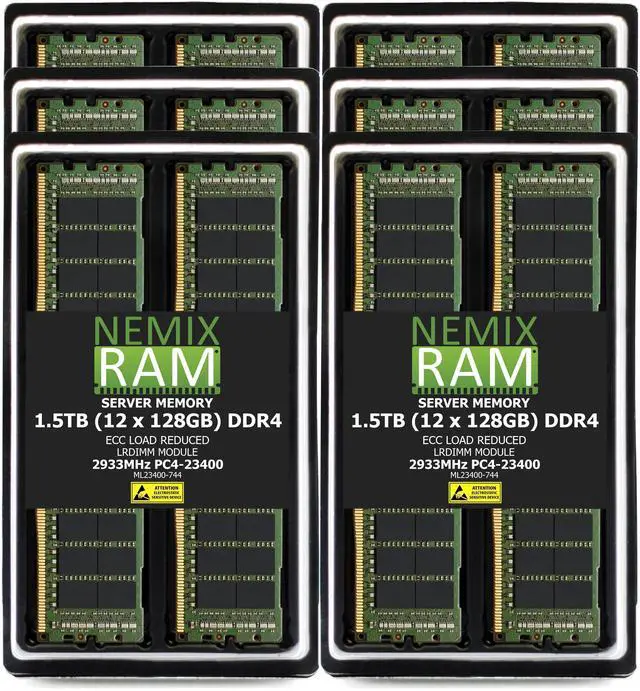
The NEMIX RAM 1.5TB kit is a 12-module DDR4-2933 ECC LRDIMM server memory upgrade, suited to compatible servers that need high memory capacity and load-reduced DIMMs.
| Attribute | Value |
|---|---|
| Best For | Server memory upgrades requiring 1.5TB of DDR4-2933 ECC load-reduced memory |
| Capacity And Configuration | 1.5TB total across 12 × 128GB modules |
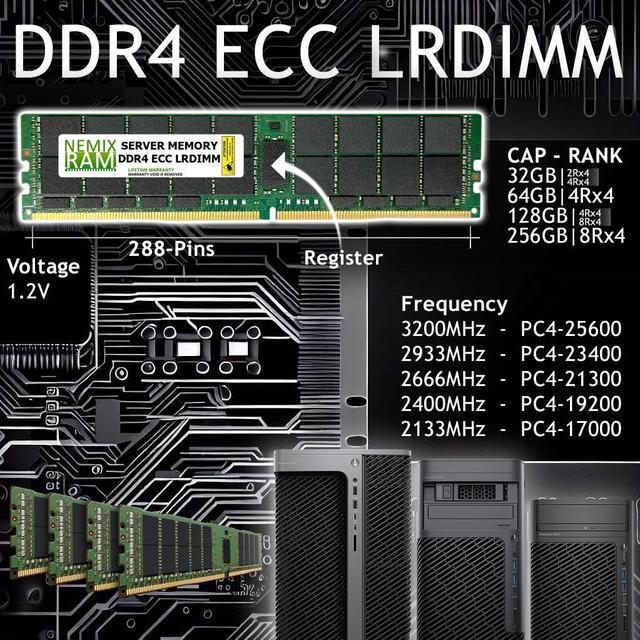
| Memory Speed And Latency | DDR4-2933 (PC4-23400), CAS latency 21 |
| Memory Architecture | ECC, load-reduced DIMM (LRDIMM), 4Rx4 rank configuration |
| Voltage | 1.2V |
| Component Manufacturers | Major OEM components from Samsung, Micron, or Hynix |
| Model Identifiers | NEMIX RAM; model and part number: ML23400-744K12-SM-SYS-2029U-TN24R4T |
Q: Should I choose this 1.5TB kit or a 768GB configuration for a SYS-2029U-TN24R4T?
A: Choose this 1.5TB kit when the server needs more memory capacity: it supplies 1.5TB in 12 × 128GB modules, compared with 768GB for a 12 × 64GB configuration. Both use 12 DIMM slots; confirm that the processor and memory configuration support the intended operating speed.
Q: Is this 1.5TB kit or 3TB a better fit for the Supermicro SYS-2029U-TN24R4T?
A: Choose this 1.5TB kit when 1.5TB meets the server’s memory target and you want a 12-module configuration. Choose 3TB when you want twice the capacity using 24 × 128GB LRDIMMs, filling the system’s 24 DIMM slots. Actual supported speed depends on the processor and memory configuration.
Q: For 1.5TB, should I use 12 × 128GB or 24 × 64GB LRDIMMs?
A: Both configurations provide 1.5TB on a supported system. Choose 12 × 128GB when you want to reach that capacity with 12 modules and keep the other 12 DIMM slots available. Choose 24 × 64GB when you want to populate all 24 slots with lower-capacity modules. Check the system’s memory population guidance and processor support for the planned configuration.
Q: Will this memory work in my server?
A: Only if the server supports DDR4 LRDIMMs with 128GB, 4Rx4 modules and supports the kit’s speed and 12-module configuration. Check the server’s memory documentation and population rules before buying; the 1.5TB total is not guaranteed on every compatible system.
Q: Can I use this RAM in a desktop or laptop PC?
A: No. This is 288-pin ECC LRDIMM server memory, and the product listing says it is not for PC computers. It requires a compatible server or workstation platform that supports LRDIMMs.
Q: Can I mix these LRDIMMs with RDIMMs already installed?
A: Do not assume they can be mixed. LRDIMMs and RDIMMs generally cannot be used together in the same server; confirm the server’s documentation and plan to use a supported, consistent memory type.
Q: Will the memory run at 2933MHz in my system?
A: 2933MHz is the kit’s rated speed, not a guarantee of its operating speed in every server. The processor, memory controller, server configuration and population rules may set a lower speed; check the system specifications before ordering.
Q: Can I mix these LRDIMMs with existing RDIMMs?
A: No. The Reddit discussion about a NEMIX LRDIMM upgrade reports that LRDIMMs and RDIMMs should not be mixed in the same system. Confirm the server’s memory requirements before replacing or adding modules.
Q: Will this kit work in any DDR4 server?
A: No. The server must support 128GB DDR4-2933 ECC LRDIMMs with the kit’s 4Rx4 configuration. The Reddit discussion describes a NEMIX LRDIMM upgrade that did not boot as initially installed, so check the server’s compatibility information and memory-population rules before buying.
Q: What should I do if the server reports memory errors after installation?
A: Check that the DIMMs are supported and installed in the server’s prescribed slots, then review the system’s error logs. A Reddit commenter reported ECC errors with a separate NEMIX kit and said they planned to contact support; this is an individual report, not a reliability rate. The supplied product information lists a lifetime replacement warranty.


