




 here!
I’m your shopping assistant for PC builds, upgrades, and everything tech.
Got questions? Ask away!
Start a conversation
here!
I’m your shopping assistant for PC builds, upgrades, and everything tech.
Got questions? Ask away!
Start a conversation





Any questions? Ask CelesteSM will help you find out quickly.
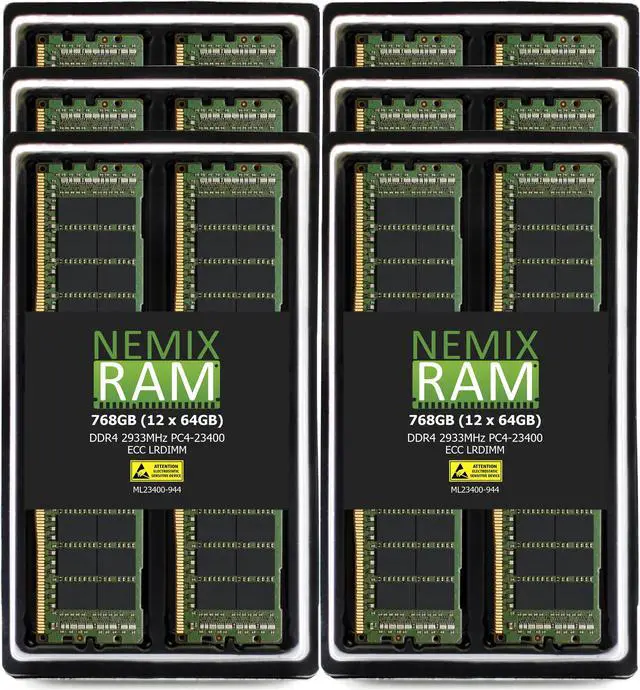
The NEMIX RAM 768GB kit is a 12-module DDR4-2933 ECC Load Reduced DIMM server memory upgrade for servers that support 64GB 4Rx4 LRDIMMs at this speed; it is intended for server systems, not PC computers.
| Attribute | Value |
|---|---|
| Best For | Server memory upgrades requiring 768GB of DDR4 ECC load-reduced memory |
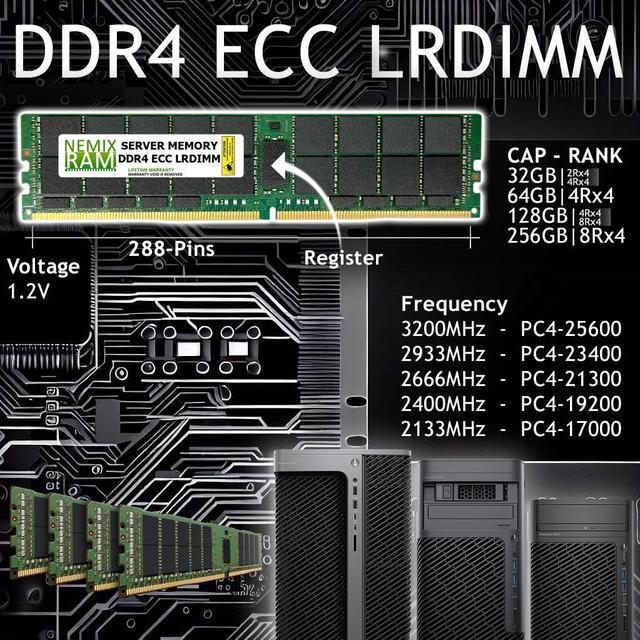
| Memory Configuration | 768GB kit with 12 x 64GB DDR4 ECC load-reduced DIMMs, 4Rx4 rank and 1.2V operating voltage |
| Speed And Timing | 2933MHz (PC4-23400) with CAS latency 21 |
| Memory Chip Manufacturers | Major OEM chips from Samsung, Micron or Hynix |
| Model Identifiers | NEMIX RAM; part number ML23400-944K12-SM-SYS-2029U-TN24R4T |
Q: Should I choose this 768GB kit or NEMIX RAM’s 384GB (6 x 64GB) kit?
A: Choose the 768GB kit when the server workload benefits from twice the memory capacity: it provides 768GB across 12 64GB DDR4-2933 ECC LRDIMMs, compared with 384GB across six 64GB modules. The 384GB configuration is the smaller-capacity option in NEMIX RAM’s DDR4-2933 LRDIMM range. Confirm the server and processor support the chosen capacity and module layout.
Q: Is this 768GB kit or NEMIX RAM’s 1.5TB (12 x 128GB) kit a better fit?
A: Choose this 768GB kit for 768GB of total memory using 64GB modules. Choose NEMIX RAM’s 1.5TB configuration when the workload needs the extra capacity: it uses the same 12-module count with 128GB per module. Check that the server, processor, and memory configuration support 128GB LRDIMMs and the intended total capacity.
Q: For 768GB, should I get this 12 x 64GB kit or NEMIX RAM’s 6 x 128GB configuration?
A: Both configurations provide 768GB. This kit uses 12 modules of 64GB each; NEMIX RAM’s alternative uses six 128GB modules, leaving more DIMM slots open for a compatible server’s later memory expansion. Choose based on the system’s supported module capacities and preferred slot layout.
Q: How can I tell if this 768GB kit is compatible with my server?
A: Check your server’s manual or memory compatibility list before buying. The server must support DDR4 ECC LRDIMMs, 64GB 4Rx4 modules, 2933MHz memory, and a 12-module configuration; the CPU and slot population can also affect compatibility and operating speed.
Q: Can I use this memory in a regular desktop PC?
A: No. This kit is load-reduced ECC server memory, and the product information says it is not for PC computers. Use it only in a server or workstation that specifically supports DDR4 LRDIMMs.
Q: Will this kit run at 2933MHz in my server?
A: 2933MHz is the kit’s rated speed, but the server’s CPU, motherboard, and memory configuration determine the speed it can actually use. Check the system specifications; the memory may run slower or may not be supported.
Q: Who is this 768GB memory kit suitable for?
A: It is intended for server or workstation operators who need 768GB of memory across 12 slots and whose system supports 64GB DDR4 ECC LRDIMMs. It may suit memory-intensive server workloads, but compatibility and the system’s memory limits should be confirmed first.
Q: Will this 768GB kit work in my server?
A: Only if the server supports DDR4 ECC LRDIMMs, 64GB 4Rx4 modules, and the kit’s 12-DIMM, 768GB configuration. Check the server and CPU memory specifications before buying; matching DDR4 speed alone does not establish compatibility.
Q: Can I use this kit alongside my existing RDIMMs?
A: Do not plan to mix this LRDIMM kit with RDIMMs. The community discussions report that the two memory types generally cannot be mixed in one system; confirm your server’s requirements and plan for a consistent memory type.
Q: Will the memory run at 2933MHz in my server?
A: 2933MHz is the kit’s rated speed, not a guarantee of the speed it will reach in every server. The system’s CPU, memory support, configuration, and any slower installed modules can limit the operating speed.


