




 here!
I’m your shopping assistant for PC builds, upgrades, and everything tech.
Got questions? Ask away!
Start a conversation
here!
I’m your shopping assistant for PC builds, upgrades, and everything tech.
Got questions? Ask away!
Start a conversation





Any questions? Ask CelesteSM will help you find out quickly.
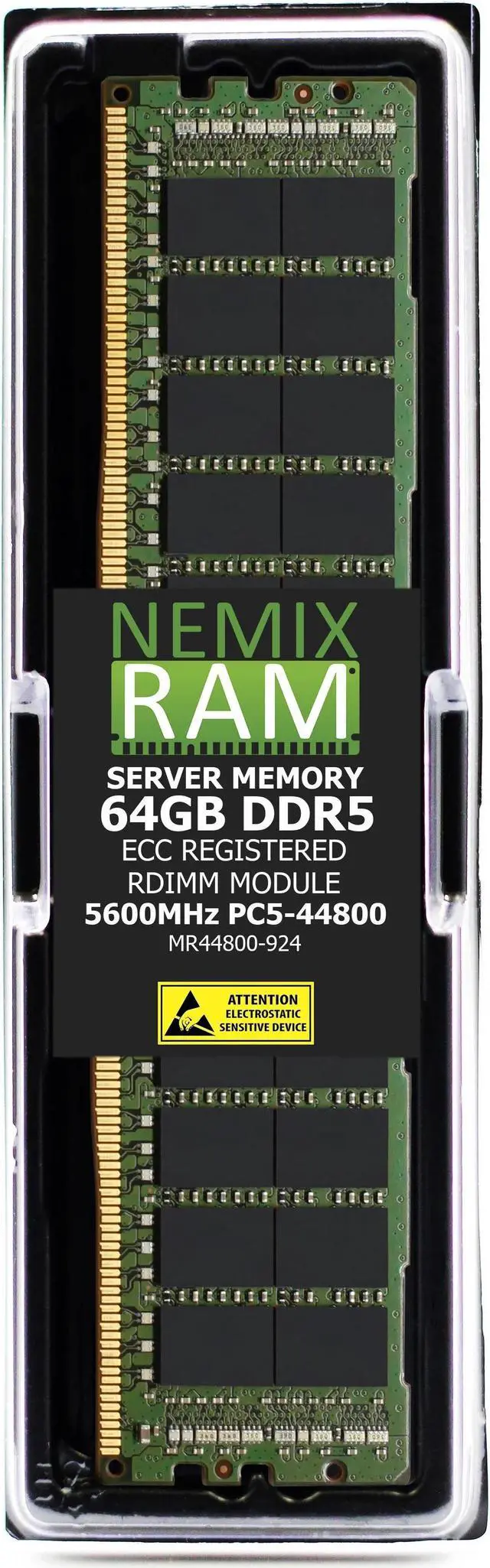
NEMIX RAM’s 64GB DDR5-5600 ECC Registered RDIMM is listed as compatible with the ASUS Pro WS W890-SAGE and Pro WS W890E-SAGE SE, making it a fit for workstation builds that require 288-pin registered memory.
| Attribute | Value |
|---|---|
| Best For | Adding ECC registered memory to ASUS Pro WS W890-SAGE and Pro WS W890E-SAGE SE workstation motherboards |
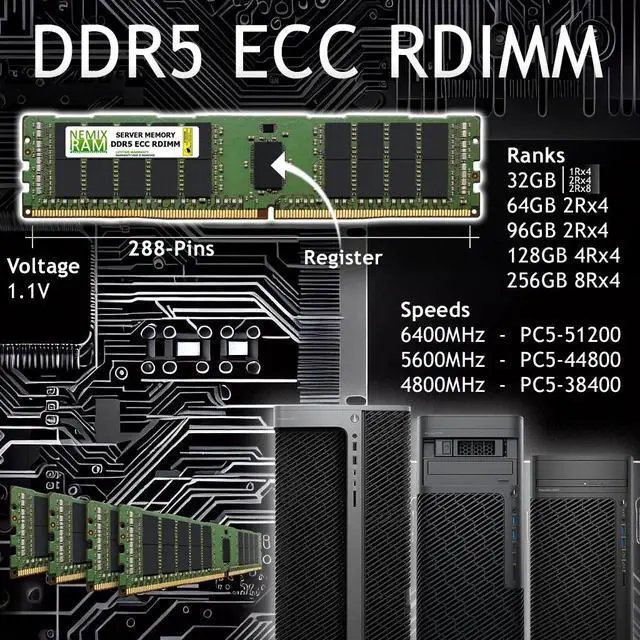
| Capacity And Module Configuration | 64 GB as a single 1×64 GB module, ranked 2Rx4 |
| Memory Technology And Form Factor | DDR5 ECC registered RDIMM with a 288-pin connector |
| Speed, Timing And Voltage | 5600 MHz (PC5-44800), CL46, 1.10 V |
| Memory Components And Physical Features | Major OEM Samsung, Micron, or Hynix chips; no heat spreader; black |
| Model Identifiers | NEMIX RAM Original Series Server Memory, model DDR5 ECC RDIMM Registered Server Memory, part number MR44800-924K1 |
Q: Should I choose this 64GB NEMIX RDIMM or a 32GB DDR5-5600 RDIMM?
A: Choose this 64GB 2Rx4 module when you want twice the capacity in one DIMM at DDR5-5600. A NEMIX 32GB 2Rx8 DDR5-5600 RDIMM is the lower-capacity option; confirm the motherboard’s memory population rules and supported module configuration before installing either.
Q: Is this 64GB module or a NEMIX 128GB (2x64GB) kit a better starting point?
A: Choose this 64GB module for a 64GB starting capacity with one DIMM. Choose the NEMIX 128GB (2x64GB) kit when you want 128GB installed as a two-module configuration from the start. Both are listed as DDR5-5600 ECC registered memory; check the motherboard and processor memory guidance for the supported population and operating speed.
Q: Should I buy one 64GB RDIMM or a 64GB NEMIX kit with 2x32GB modules?
A: Choose this 1x64GB 2Rx4 module when you want 64GB from one DIMM. Choose NEMIX’s 2x32GB 64GB configuration when you want the same total capacity across two modules. Follow the motherboard’s recommended DIMM population order for either setup.
Q: When should I choose this 64GB RDIMM instead of a NEMIX 256GB (4x64GB) kit?
A: Choose this 64GB module for a 64GB build or a capacity increase using one DIMM. Choose the NEMIX 256GB (4x64GB) kit when your planned system needs 256GB installed across four modules. The ASUS Pro WS W890-SAGE lists support for ECC RDIMMs and up to 4TB, while supported speeds and configurations depend on the processor and memory setup.
Q: Will this memory work with my motherboard?
A: It is specified for the ASUS Pro WS W890-SAGE and Pro WS W890E-SAGE SE. It is a 64GB DDR5-5600, 2Rx4 ECC Registered RDIMM, so the motherboard and processor must support those memory specifications. Check your system manual for capacity limits and DIMM population order before buying.
Q: Can I use this in a standard desktop PC?
A: Usually not. This is registered ECC server/workstation memory, not standard unbuffered desktop RAM. Use it only in a system that specifically supports DDR5 RDIMMs.
Q: Can I mix it with the RAM already in my system?
A: Do not assume it will work when mixed with existing memory. The existing DIMMs should match the system’s supported memory type and configuration; mixing RDIMMs with unbuffered or load-reduced memory may be incompatible. Check the motherboard or system manual for mixing rules and population order.
Q: Who is this 64GB memory module suitable for?
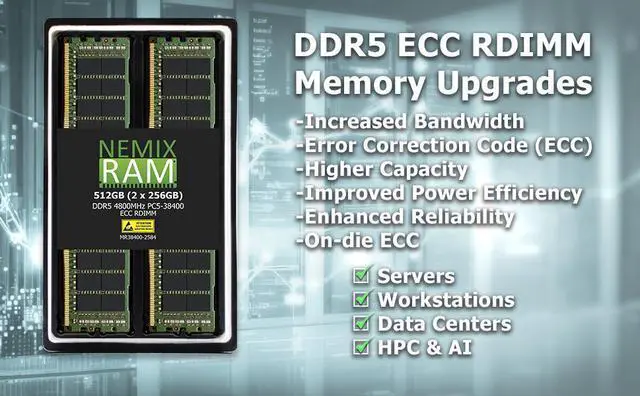
A: It is intended for compatible servers and workstations that need a 64GB DDR5-5600 ECC Registered RDIMM. Its ECC and registered design suit systems that support those features; it is not a general-purpose upgrade for laptops or standard desktop PCs.
Q: Will this RDIMM work in a regular desktop or gaming PC?
A: Usually not. This is a registered ECC RDIMM, not a standard desktop UDIMM. Buy it only for a system whose processor and motherboard support DDR5 RDIMMs; the product listing names the ASUS Pro WS W890-SAGE and W890E-SAGE SE.
Q: Is this guaranteed to work in an ASUS workstation?
A: Not solely because it is an ASUS workstation or an RDIMM. The listing specifies compatibility with the W890-SAGE and W890E-SAGE SE, but check your exact motherboard, processor, BIOS, and DIMM-population rules before buying. Reddit reports of NEMIX memory trouble involve a different module and ASUS board, so they do not establish compatibility for this specific product.
Q: Should I check the motherboard’s memory list and population rules before ordering?
A: Yes. Check the exact motherboard and processor support, the approved DIMM list if available, and the recommended slot order. A Reddit workstation-build discussion highlights QVL checks and cautions against mixing DIMMs from different kits; follow the W890 board manual for this configuration.


