Are you an E-Blast Insider?
Make informed decisions with expert advice. Learn More

Shop without retyping payment details. Secure shopping made faster.
Check out with PayPal.


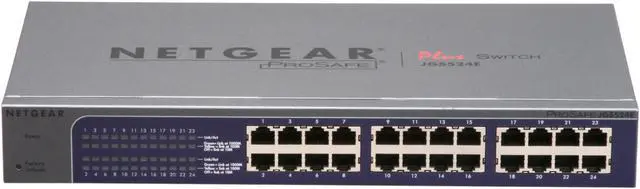
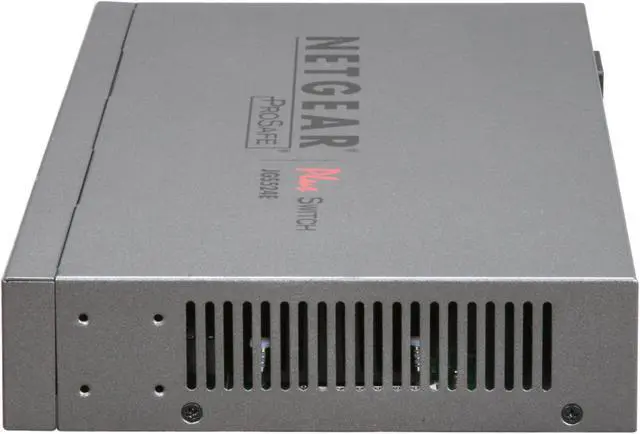
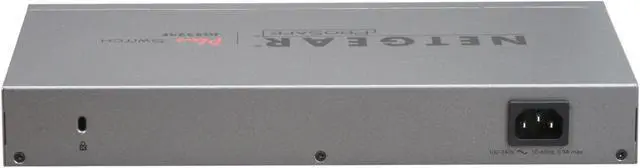
NETGEAR 24 Port Gigabit Unmanged Plus Business-Class Rackmount Switch - Lifetime Warranty (JGS524E)
- VLAN and QoS
- Bandwidth Management
- NETGEAR Green
Learn more about the Netgear Inc. JGS524E-100NAS
| Brand | NETGEAR |
|---|---|
| Series | ProSafe Plus |
| Model | JGS524E-100NAS |
| Format | Rackmount |
|---|---|
| Standards | IEEE 802.3z 1000BASE-T Gigabit Ethernet IEEE 802.3i 10BASE-T Ethernet IEEE 802.3u 100BASE-TX Fast Ethernet |
| Network Management Type | Unmanaged |
| Uplink Ports | None |
|---|---|
| Primary Ports | 24 x RJ45 |
| Primary Port Speed | 10/100/1000Mbps |
| MAC Address Table | 16K |
|---|---|
| VLAN Support | Yes |
| Jumbo Frames | Yes |
| PoE | No |
|---|---|
| Stackable | No |
| QoS | Yes |
| Layer | Layer 2 Only |
| Port Mirroring | Yes |
| Power | 100-240V, 50-60Hz, 0.9A max, localized to country of sale |
| Features | System Requirements: Ethernet Category 5 cable Network card for each PC Microsoft Windows 7, XP or Vista, for running Configuration Utility ProSafe Plus Switch delivers network monitoring, traffic prioritization and VLAN 24 ports deliver up to 2000 Mbps of dedicated, non-blocking bandwidth per port Simple, yet useful network set-up on top of plug-and-play connectivity Gigabit speed with QoS, VLAN and network monitoring VLAN support for traffic segmentation Quality of Service (QoS) for traffic prioritization Auto 'denial-of-service' (DoS) prevention Troubleshoot connection issues via cable test Loop prevention and broadcast storm controls IGMP snooping v1, v2 and v3 support for multicast optimization Rate limiting for better bandwidth allocation Port mirroring for network monitoring Jumbo frame support NETGEAR Green. |
|---|

| Dimensions | 1.7" x 13" x 6.8" |
|---|---|
| Weight | 3.15 lbs. |
| Temperature | 0ºC to 40ºC (32ºF to 104ºF) |
|---|---|
| Humidity | 90% Maximum, Non-condensing |
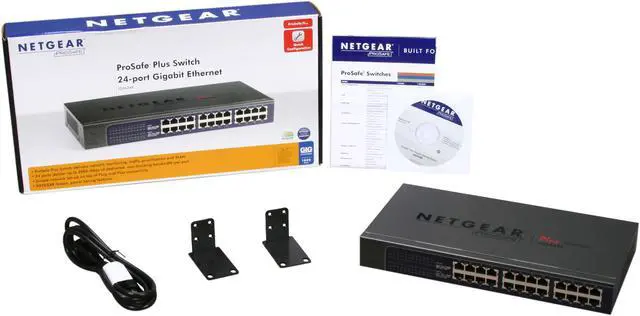
| Package Contents | ProSafe Plus Switch 24-port Gigabit Ethernet Switch (JGS524E) Rack-mount kit Power cord Quick Install Guide Installation CD with Configuration Utility software |
|---|
| Model | JGS524E-100NAS |
|---|
| Date First Available | January 05, 2011 |
|---|
Pros: Easy setup, just plug it in
Cons: Unable to log into system, default password did not work to log into switch. Online tech support slow and not very knowledgeable on subject. Called tech support, told me to go to another version 2.2.34 to fix. Not sure why online support was not able to tell me that. $40 rebate turned out to be a $30 rebate.
Overall Review: The $40 rebate was nice, the process was pretty painless. When I received the rebate, they send only $30, wow, times must be rough for Netgear these days.
Pros: Reliable, low energy. I have had this switch for 1 year and literally haven't needed to look at it even once since I set it up. All it does is sit there humming away routing traffic. Literally not a single complaint.
Cons: It is unable to make Ice cream.
Overall Review: Great switch, use it for my home network not a single issue
Pros: Inexpensive solid (so far) rackmountable 24port gigabit switch
Cons: None
Overall Review: ethtool is reporting 1000Mb/s and Full Duplex.. I have not and most likely wont test max throughput but I am pulling 80MB/s off my gentoo raid array over samba
Pros: It works! Plug it in and off you go. No need to do anything special.
Cons: None
Overall Review: I am using this for connecting all my printer to the network. Rock solid.
Pros: Low LOW power usage, cool to the touch. Switches as advertised.
Cons: WHY IS THIS SWITCH SO EXPENSIVE? The initial setup sucks. You have to install a third party API, a packet driver, and the Netgear app, and then open up a half dozen firewall ports. THEN the router wont really get a DHCP address so you'll have to go change your IP configuration to talk to it.
Overall Review: I want to be clear, I bought it because of its VERY low power usage. With that said, Netgear switches at half the price have web interfaces and LACP. So I knocked off a couple eggs for that and the terrible initial setup. I really hope they update the firmware to address these shortcomings.
Pros: Works pretty much as advertised. You could handle this as an unmanaged switch. The bundled config utility (don't forget to online and get the update just in case) does offer a number of features.
Cons: So far, I haven't been able to verify that I'm getting 2000 on any adapter that supports that (that's gigabit with duplex). I'm slightly concerned, but will continue to poke with that. I bought this to replace a 24 port gigabit switch that didn't support the duplex settings.
Overall Review: Terrific price in general, and the fact that I'm getting a small subset of managed features is incredible.
Pros: 24 port gigabit switch, low power consumption, small size, no noise, rack mountable.
Cons: The switch I received would not let me access the management interface at all. It saw the switch, but refused the default password, even after multiple factory resets with and without tech support on the phone. The tech support wanted me to send it in, but I was not willing to wait weeks for a replacement.
Overall Review: Went out and purchased a Cisco switch instead. I have never had a problem with a Cisco device. Holding onto this switch in case I need a dumb 24 port switch for anything, but will most likely sell it off at some point. I have used Netgear switches in the past, but this was the first time I tried using one of their managed switches. I won't be looking at them for managed devices again.
Warranty & Returns
Warranty, Returns, And Additional Information
Warranty
- Limited Warranty period (parts): Lifetime
- Limited Warranty period (labor): Lifetime
- Read full details
Return Policies
- Return for refund within: 45 days
- Return for replacement within: 1 year
- This item is covered by Newegg.com's 45/1 Return Policy
Manufacturer Contact Info
- Manufacturer Product Page
- Manufacturer Website
- Support Phone: 1-888-638-4327
- Support Website
- View other products from Netgear Inc.


Pros: NO FANS=NO NOISE! Super easy setup, delivers on the speeds promised, has been solid as a rock. Uses less power than previous 16-port 100 Mbit switches I have owned. VLAN Tagging is easy, and the GUI makes changes easy to apply. Been in place for over a year, and being beat to death for a lot of that time, never missing a beat.
Cons: No SFP ports.
Overall Review: Some people are complaining about the setup, and how it doesn't have a proper "web" GUI. There's some validity to that, but Netgear is blurring the lines between SMB and high-end consumer gear here. So, you have to install an application, and cannot just use Firefox/IE/Chrome... Big-Boy switches (Cisco Catalyst, for example) require telnet, ssh, or a licensed piece of software for initial configuration. When you move to an SMB switch like this, the fact it comes in at under $300 and brings MAJOR features like 24 TRUE Full-Duplex Gigabit ports, QoS, LAG VLANs, cable test and IGMP Snooping while making ZERO noise and drawing a minuscule amount of power makes this a fantastic switch and value, with or without the rebate.